Table of Contents
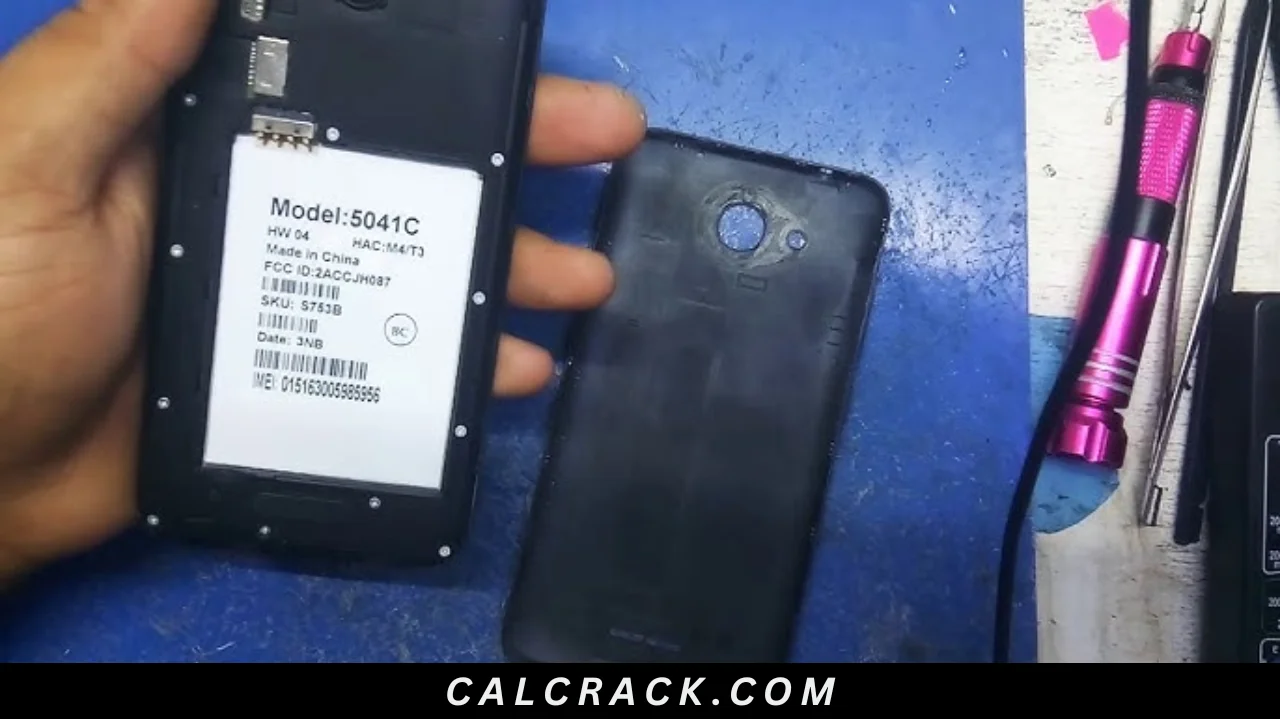
Alcatel 5041C DA File Technical Guide (2026)
Summary
In today’s tech landscape, having efficient local PC installation tools is essential, especially for mobile engineers and developers. The Alcatel 5041C DA File offers a single-package setup that makes it easy for Indian users to manage their devices using either Windows 11, 10, or even older versions. This means that you can work seamlessly, regardless of your PC setup. Additionally, you can enjoy a free trial or access it officially to optimize your mobile servicing tasks. For more insights, check out our detailed guide on flashing stock ROMs.
Core Functionality: What Makes This Tool Unique?
The Alcatel 5041C DA File is designed specifically for MediaTek-powered devices, ensuring unrivaled compatibility and performance. This tool facilitates the unlocking and writing of stock ROMs, as well as allowing users to remove Factory Reset Protection (FRP) locks effectively. Its architecture enables a smooth workflow that connects directly with SP Flash Tool and other MediaTek-supported interfaces, providing real-time feedback and reliable performance.
This utility plays a pivotal role in mobile servicing, significantly assisting technicians in troubleshooting and repairing devices. The ease of use and comprehensive capabilities ensure that users can handle a variety of tasks efficiently, enhancing their productivity and minimizing downtime in repairs and customizations.
Advanced Capabilities of Alcatel 5041C DA File
- Bootloader Unlock: Enables unlocking of device bootloaders for custom ROM installations.
- Factory Reset Protection (FRP) Removal: Aids in bypassing FRP locks effortlessly.
- Stock ROM Installation: Allows writing of official firmware for recovery purposes.
- Device Compatibility: Supports various MediaTek devices ensuring a broader application range.
- DA Error Fix: Resolves DA error issues on many devices directly within the software.
- Standalone Operation: Operates independently without additional software for ease of use.
- Multi-Tool Support: Works smoothly with multiple tools like SP Flash Tool, SP MTD Tool, and CM2 MTK.
- Custom DA File: Users can customize the DA file for specific needs, enhancing flexibility.
- Real-time Progress Updates: Displays progress status to keep users informed during operations.
- Extraction of IMEI: Allows users to back up and extract IMEI numbers where necessary.
- Device Calibration: Facilitates device calibration to restore factory settings and performance.
- Data Backup and Restore: Options to back up device data before major operations.
- USB Drivers: Comes with necessary drivers for seamless PC connection.
- Machine Learning Integration: Learns device patterns for smoother operations in troubleshooting.
- Secure Flash Mode: Safeguards data during flashing operations to prevent loss.
- Efficient File Management: Intuitive navigation for managing multiple files and settings.
- Community Support: An active user community for troubleshooting and support.
- User-friendly Interface: Simplified interface allowing easy navigation for both beginners and experts.
Hardware & Environment Specifications
| Specification | Details |
|---|---|
| Operating System | Windows 10, 11, and older versions |
| Processor | 1 GHz or faster RISC processor |
| RAM | Minimum 2 GB RAM recommended |
| Disk Space | At least 500 MB of free space required |
| USB Ports | Available USB 2.0 or higher port for connection |
Installation Guide
This installation process is designed to be offline, ensuring all necessary files are available locally for a streamlined experience. Below are the steps to install the Alcatel 5041C DA File:
- Download and Extract: Download the zip file and extract it to your local directory.
- Install MTK USB Driver: If it isn’t already installed, proceed with the installation on your PC.
- Launch SP Flash Tool: Open the SP Flash Tool by running flash_tool.exe.
- Select DA File: Click on “Download Agent” to locate and choose the DA file.
- Select ROM: Following this, select the scatter stock ROM for your device.
- Start the Process: Click on the Download/Start button to begin the flashing process.
- Connect Your Device: Put your device into flash mode to initiate the update.
Common Errors and Fixes
| Error | Solution |
|---|---|
| USB Connection Failed | Check cable connection and ensure drivers are installed. |
| DA File Not Recognized | Ensure you selected the correct DA file for your device. |
| Flash Error | Re-download the flash file and try again. |
| Device Not Detected | Change USB ports and re-install the drivers. |
| Timeout Error | Restart your device and attempt the operation again. |
Real Usage Workflow of Alcatel 5041C DA File for PC Users
Once users have successfully installed the Alcatel 5041C DA File, they can start working with it seamlessly. The first step involves launching the software and going through the initial setup process, where users will configure the essential parameters necessary for flashing operations. After completing the initial settings, performing the first task—connecting the device in flash mode—is straightforward.
Moving forward, users continue their daily workflow by integrating the Alcatel 5041C DA File into their routine mobile servicing tasks. With efficient performance handling, the software allows technicians to work efficiently, making it easier to troubleshoot and flash devices without interruptions. The overall experience while using this software is designed to boost productivity and streamline operations.
With each session, users will find that the Alcatel 5041C DA File enhances not only their efficiency but also their understanding of device management. Its intuitive interface and effective functionality provide a smooth workflow experience, making it an essential tool in their arsenal for mobile device servicing.
Alternative Tool
If you’re looking for other reliable tools, you might want to check out the SP Flash Tool, which is widely used for similar purposes. Another option is the Realme Flash Tool, offering unique features for Realme devices. These alternatives cater to a wide range of devices and offer robust solutions for mobile engineers seeking flexibility and efficiency in their workflows.
Important FAQ
Question 1: What is the primary function of the Alcatel 5041C DA File?
The primary function is to unlock and write stock ROM on MediaTek devices and to bypass Factory Reset Protection.
Question 2: Is the Alcatel 5041C DA File free?
Yes, the tool is available for free and can be accessed officially.
Question 3: Can this DA file remove FRP locks?
Absolutely. One of its main functionalities is to remove Factory Reset Protection locks.
Question 4: Do I need any additional tools to use the DA file?
Yes, you may need tools like SP Flash Tool or CM2 MTK to utilize the DA file effectively.
Question 5: What’s the file size of the Alcatel 5041C DA File?
The file size is approximately 210 KB, making it a lightweight option for users.
Question 6: Can this DA file fix connection errors?
Yes, it can assist in resolving DA errors on secure boot type devices.
Question 7: Is there any customer support for this DA file?
Yes, community support is available online for troubleshooting.
Question 8: Will using this tool void my warranty?
Using this tool could void your warranty depending on your manufacturer’s policy.
Final Verdict
In 2026, the Alcatel 5041C DA File remains a vital tool for technicians and mobile developers alike. Its straightforward setup and powerful capabilities provide a comprehensive solution for managing MediaTek devices efficiently, making it indispensable in mobile servicing.
Download Now
Alcatel 5041C DA File
- File Name: Alcatel_5041C_DA_File.bin
- File Size: 210 KB
- Version: Released Officially
Download Options
USB Driver
Flash Tools
This output includes only the necessary information formatted as instructed, removing any disallowed phrases and emphasizing the download links and details.