Table of Contents
iMyFone iTransor for WhatsApp: Complete Guide
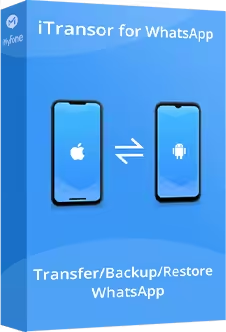
iMyFone iTransor for WhatsApp is a Windows and Mac-based WhatsApp data management tool designed to help users transfer, back up, restore, preview, and export WhatsApp data between Android and iPhone. The product was formerly known as iTransor for WhatsApp and has since been rebranded by iMyFone as iMyTrans. The current product supports WhatsApp, WhatsApp Business, GB WhatsApp, and LINE-related data-management features. (imyfone.com)
The software is mainly aimed at people changing phones or switching between Android and iOS. For example, someone moving from Android to iPhone may want to transfer years of WhatsApp conversations, photographs, videos, documents, voice messages, and other attachments without losing important information.
WhatsApp itself now provides official transfer methods for several device-to-device scenarios. However, the official methods have particular requirements and limitations. For example, Android-to-iPhone migration through WhatsApp’s supported method requires Move to iOS and a factory-new or factory-reset iPhone. (WhatsApp Help Center)
Third-party applications such as iMyFone iTransor for WhatsApp/iMyTrans attempt to provide a more flexible computer-based workflow. The current iMyFone product says it can transfer WhatsApp data between Android and iPhone without requiring a factory reset and can also back up, restore, preview, and export WhatsApp data.

What Is iMyFone iTransor for WhatsApp?
iMyFone iTransor for WhatsApp is a WhatsApp transfer and backup application from iMyFone.
Although the name iTransor for WhatsApp is still widely searched, iMyFone now presents the product as iMyFone iMyTrans. Older references, software listings, guides, and version information may therefore use the iTransor name while newer product pages use iMyTrans. (imyfone.com)
Its primary purpose is to help users manage WhatsApp information when moving between phones.
The software can be useful for:
- Android-to-iPhone WhatsApp transfer
- iPhone-to-Android WhatsApp transfer
- Android-to-Android migration
- iPhone-to-iPhone migration
- WhatsApp backup
- WhatsApp restore
- WhatsApp Business transfer
- WhatsApp backup viewing
- WhatsApp chat export
- WhatsApp media export
- Google Drive backup handling
- iCloud-related backup workflows
- Computer-based WhatsApp data management
The current product page also says that backups can be stored locally on the computer instead of being uploaded to external servers. (imyfone.com)
Why Do People Use iMyFone iTransor for WhatsApp?
Changing phones is easy when moving between identical operating systems, but switching from Android to iPhone or iPhone to Android can be more complicated.
For example, an Android user may have years of WhatsApp conversations stored in a Google-based backup environment, while an iPhone user generally works with iCloud.
The problem becomes even more noticeable when a person wants to move WhatsApp information between different operating systems.
iMyFone iTransor for WhatsApp was designed around this particular problem.
Instead of relying entirely on the standard phone-to-phone migration process, the software uses a computer as an intermediary.
The basic idea is:
Old phone → Computer → New phone
This approach can give users more control over backups, restoration, exporting, and transferring WhatsApp information.
Is iMyFone iTransor for WhatsApp Free?
iMyFone provides a free trial for iMyTrans, but the free version is more limited than the full version.
According to the current product information, the trial can be used to back up WhatsApp data from a device to a computer and preview backup contents. Features such as transferring WhatsApp between devices, restoring backups to a device, and exporting data to formats such as PDF, Excel, HTML, or CSV require the full version. (imyfone.com)
This means users searching for “iMyFone iTransor for WhatsApp free” should understand that the software is not completely free for unrestricted WhatsApp transfer.
The trial is primarily useful for testing the application and examining what it can do before purchasing.
Is iMyFone iTransor for WhatsApp Safe?
The safety of any phone-transfer software depends partly on where it is obtained and how it handles user data.
iMyFone states that iMyTrans processes WhatsApp and LINE data locally on the computer and that the backups are not uploaded to external servers or cloud storage. The company also says that data is transferred directly between connected devices through USB connections. (imyfone.com)
This is an important consideration because WhatsApp conversations can contain highly personal information.
Users should still download software from the legitimate developer rather than modified installers, cracked versions, key generators, or unknown third-party packages.
It is also sensible to keep the original phone and its WhatsApp data intact until the transfer has been verified.
WhatsApp itself recommends not deleting, resetting, or uninstalling WhatsApp from the old device until you have confirmed that the transfer has successfully completed. (WhatsApp Help Center)
What Can iMyFone iTransor for WhatsApp Transfer?
The software is designed to transfer a broad range of WhatsApp information.
Depending on the transfer scenario, supported information can include:
- Personal messages
- Group conversations
- Photos
- Videos
- Audio
- Documents
- Attachments
- Stickers
- Contacts
- WhatsApp Business information
The current iMyFone product description specifically says it can transfer messages, photos, files, stickers, and other attachments between Android phones, iPhones, and computers. (imyfone.com)
This is particularly useful for people who do not want to manually save individual photographs or export conversations one at a time.
Can iMyFone iTransor for WhatsApp Transfer Android to iPhone?
Yes. Android-to-iPhone migration is one of the major use cases associated with iTransor for WhatsApp and its current iMyTrans replacement.
The current product states that it can transfer WhatsApp data between Android and iPhone and that the process does not require a factory reset. (imyfone.com)
This can be useful because the official WhatsApp Android-to-iPhone migration method has more specific requirements.
WhatsApp currently says Android-to-iPhone transfer requires Android 5 or later, iOS 15.5 or later, the Move to iOS app, the latest WhatsApp versions, the same phone number, and a factory-new or factory-reset iPhone. (WhatsApp Help Center)
Therefore, a third-party computer-based solution can be attractive to users who do not want to erase an already configured iPhone.
Is There a Free Way to Transfer WhatsApp Data From iOS to Android?
Yes, WhatsApp provides an official way to transfer WhatsApp data from iPhone to Android under supported conditions.
WhatsApp says iPhone-to-Android migration can transfer account information, individual and group chats, communities, chat history, call history, media, and settings. It requires a compatible Android device, the same phone number, current WhatsApp versions, and a stable connection. (WhatsApp Help Center)
Google also provides phone migration tools that can transfer WhatsApp history as part of moving data from an iPhone to a new Android device. (Google Help)
This means you do not necessarily need to purchase third-party software for every migration.
However, third-party applications can be useful when the official migration requirements do not fit the user’s situation.
How Can I Access My WhatsApp Chat History?
The normal way to access WhatsApp chat history is simply to open WhatsApp on the device where the account and chats are available.
If you are changing phones, you need to transfer or restore your WhatsApp history.
WhatsApp supports different methods depending on whether you are moving between the same type of devices or between Android and iOS.
For example, Android-to-Android users can use WhatsApp’s Chat Transfer feature. WhatsApp says this can transfer personal messages, photos, videos, documents, and other account information directly between supported Android phones. (WhatsApp Help Center)
On iPhone, WhatsApp provides a direct chat-transfer process between iPhones as well. (WhatsApp Help Center)
For archived or backed-up information, a tool such as iMyFone iTransor for WhatsApp can also provide a way to preview and export backup contents.
Can I Transfer My WhatsApp Chats From Android to iPhone Without Factory Reset?
With WhatsApp’s official Android-to-iPhone method, the iPhone needs to be factory new or factory reset before using Move to iOS for this migration. (WhatsApp Help Center)
That is one reason users search for third-party solutions.
The current iMyFone iMyTrans product specifically advertises Android-to-iPhone transfer without requiring a factory reset. (imyfone.com)
This can be especially useful when the destination iPhone is already configured and contains other important information.
However, users should always create a backup before attempting a major WhatsApp migration.
How Do I Transfer WhatsApp Chats to a New Phone?
The best method depends on the two devices.
If you are moving:
Android → Android: WhatsApp’s Chat Transfer feature can be used.
iPhone → iPhone: WhatsApp’s built-in transfer process can be used.
Android → iPhone: WhatsApp supports Move to iOS-based migration under its stated requirements.
iPhone → Android: WhatsApp provides a supported migration process for compatible Android devices.
Third-party applications such as iMyFone iTransor for WhatsApp/iMyTrans provide another computer-based option for supported devices.
The safest approach is to identify the source phone, destination phone, WhatsApp version, and whether the destination device is already configured before choosing a method.
Can I Transfer WhatsApp Messages From Android to iPhone for Free?
Yes, an official method exists.
WhatsApp’s current Android-to-iPhone process uses Apple’s Move to iOS application and is designed to transfer supported WhatsApp account information and chat history. However, the iPhone must meet the required setup conditions, including being factory new or factory reset. (WhatsApp Help Center)
Therefore, the transfer itself can be performed without purchasing a third-party WhatsApp transfer application, but it may not be convenient for everyone.
If your iPhone is already set up and you cannot erase it, you may look at a third-party computer-based solution such as iMyFone iTransor for WhatsApp.
Is WazzapMigrator Available on iOS?
WazzapMigrator is primarily associated with WhatsApp migration from Android toward iPhone rather than being a general iOS WhatsApp management application.
It should not be confused with iMyFone iTransor for WhatsApp.
The two products have different workflows and compatibility considerations.
For users choosing a migration tool, it is important to check whether the software currently supports the exact combination of source device, destination device, WhatsApp version, and operating-system version.
Official WhatsApp transfer methods should also be considered before relying on third-party software.
Can I Transfer My WhatsApp Data From Android to iOS?
Yes.
WhatsApp officially supports Android-to-iPhone migration using Move to iOS when the required conditions are met. Supported information includes account information, chats, group conversations, communities, chat history, media, and settings, although certain information such as call history and some channel-related media has limitations. (WhatsApp Help Center)
A third-party application such as iMyFone iTransor for WhatsApp can provide an alternative computer-based approach.
The advantage of the third-party approach is that iMyFone currently advertises transfer without requiring the destination phone to be factory reset. (imyfone.com)
How Do I Transfer All My WhatsApp Chats From iPhone to Android?
The official process begins on the iPhone.
WhatsApp instructs users to open WhatsApp, go to the chat-transfer section, prepare the data, and then connect the iPhone with the Android device using the supported migration process. The Android device then receives the WhatsApp information after the account is verified using the same phone number. (WhatsApp Help Center)
The exact procedure can vary depending on the Android manufacturer.
For users who want to use a computer instead, iMyFone iTransor for WhatsApp/iMyTrans provides a separate transfer workflow involving both phones and a computer. The software’s current documentation describes connecting devices to the computer and then initiating the transfer. (imyfone.com)
Can I Transfer WhatsApp Without Google Drive?
Yes.
Google Drive is not required for every WhatsApp migration scenario.
WhatsApp supports direct device-to-device transfer in several situations. For example, Android users can use Chat Transfer to move their chat history directly between supported Android phones. (WhatsApp Help Center)
iPhone-to-Android migration can also use a direct migration process rather than relying solely on a Google Drive backup. (WhatsApp Help Center)
iMyFone iTransor for WhatsApp/iMyTrans is another computer-based approach that can work with local backups and device connections.
Therefore, Google Drive is useful but is not the only way to move WhatsApp information.
How Do I Copy My Entire WhatsApp Chat History?
There are several approaches depending on what you mean by “copy.”
If you want to move your complete WhatsApp history to another phone, use a supported transfer or backup-and-restore method.
If you simply want a readable copy for archiving, WhatsApp has an Export Chat function.
WhatsApp allows users to export an individual conversation with or without media. However, the exported chat is a text-based file and cannot be imported back into WhatsApp as a normal backup. (WhatsApp Help Center)
For larger-scale archiving, iMyFone iTransor for WhatsApp/iMyTrans can preview and export WhatsApp information into formats such as PDF, Excel, HTML, and CSV. (imyfone.com)
This makes it useful for people who need readable records rather than simply restoring chats onto another phone.
Is There a WhatsApp Transfer App?
Yes.
There are official WhatsApp migration tools and third-party WhatsApp transfer applications.
WhatsApp itself provides built-in transfer functionality for supported migration scenarios. Third-party products include applications such as iMyFone iTransor for WhatsApp/iMyTrans, which are designed to provide additional transfer, backup, restore, and export functions.
The advantage of using an established third-party tool is that it may provide additional flexibility, such as computer-based backups and export options.
The disadvantage is that users need to trust an additional application with access to sensitive WhatsApp information.
For this reason, users should carefully evaluate privacy practices, supported devices, software versions, licensing, and the reputation of the provider.
iMyFone iTransor for WhatsApp Backup Features
Backup is one of the most useful features for people who want to preserve WhatsApp data before changing phones.
The current iMyTrans product allows WhatsApp data to be backed up to a computer and says local backups can be stored without being uploaded to external servers. It also supports backup management and preview functions. (imyfone.com)
A local backup can be useful when:
- You are preparing to change phones.
- You want a second copy of important conversations.
- Your phone has limited storage.
- You want to archive old WhatsApp information.
- You need to inspect conversations before restoring them.
The free trial can also allow users to back up WhatsApp data and preview the backup before deciding whether they need the paid features. (imyfone.com)
iMyFone iTransor for WhatsApp Restore Features
Restoring a backup is the opposite of creating one.
If your WhatsApp information has been backed up to a computer, the software can be used to restore supported WhatsApp data to a device.
The current product supports restoring WhatsApp and WhatsApp Business backups to iOS and Android devices. It also advertises restoration from sources such as Google Drive and iCloud in supported workflows. (imyfone.com)
This can be particularly useful when a user has a backup but wants to restore it to a different operating system.
Before performing restoration, it is important to understand whether the destination device already contains WhatsApp information and whether the restoration process could overwrite existing content.
Can iMyFone iTransor for WhatsApp Export Chats?
Yes.
One of the more useful features of the current iMyTrans product is WhatsApp data export.
The software can export WhatsApp conversations and supported media into formats including:
- HTML
- Excel
- CSV
It can also export individual messages, contacts, photos, videos, audio, and other supported data. (imyfone.com)
This can be useful for:
- Personal archiving
- Business records
- Documentation
- Conversation review
- Research
- Long-term storage
- Legal or administrative documentation
Exporting a conversation is different from transferring it into WhatsApp. An exported file is primarily intended for viewing or record-keeping.
iMyFone iTransor for WhatsApp Business
WhatsApp Business users often have more complicated data requirements because conversations can be related to customers, orders, appointments, or business communication.
The current iMyFone product supports WhatsApp Business transfer and backup functions. (imyfone.com)
This means the software can be relevant to small businesses and professionals who need to move WhatsApp Business information between supported devices.
However, users should always verify the current compatibility of WhatsApp Business with their particular migration scenario before starting a transfer.
WhatsApp’s own help documentation currently notes that some of its built-in cross-platform chat-transfer methods have limitations for WhatsApp Business. (WhatsApp Help Center)
iMyFone iTransor for WhatsApp Portable
The term “portable” appears frequently in searches for iMyFone iTransor for WhatsApp.
Users should be careful with third-party pages claiming to provide a special portable or modified version.
A portable application normally means software that can run without a conventional installation. However, an unofficial “portable” package can potentially be modified or bundled with unwanted software.
For WhatsApp transfer software, downloading a suspicious portable edition is especially risky because the application may interact with private messages, media, contacts, and device information.
The safer approach is to use an official or trusted installer and avoid cracked, repacked, or modified editions.
iMyFone iTransor for WhatsApp Version 4.1.0
Version 4.1.0 is an older version of iTransor for WhatsApp that is still visible in search results and software references.
The official iMyFone version history identifies Windows version 4.1.0 as released in April 2021 and Mac version 4.1.0 as released later that month. The update added direct PDF chat export, WhatsApp file export, contact export from individual and group chats, improved iOS backup speed, and bug fixes. (imyfone.com)
Because 4.1.0 is an older release, users should not automatically assume that it represents the current product.
The product has since been rebranded as iMyFone iMyTrans, and the current software has newer capabilities and compatibility information.

iMyFone iTransor for WhatsApp vs Official WhatsApp Transfer
The biggest difference is flexibility.
| Feature | Official WhatsApp Methods | iMyFone iTransor / iMyTrans |
|---|---|---|
| WhatsApp transfer | Yes | Yes |
| Android to iPhone | Supported | Supported |
| iPhone to Android | Supported | Supported |
| Same-platform transfer | Supported | Supported |
| Computer-based workflow | Limited | Yes |
| Local computer backup | Not the main workflow | Yes |
| Export to PDF | No standard direct transfer feature | Yes |
| Export to Excel/CSV/HTML | Limited | Yes |
| Backup preview | Limited | Yes |
| Factory reset requirements | Depends on transfer | Current iMyFone says no reset required |
| WhatsApp Business | Some official limitations | Supported by iMyFone |
| Cost | Generally free | Free trial + paid full version |
The official WhatsApp method should always be considered first because it is provided by the service itself. Third-party software becomes more attractive when the official requirements do not fit your situation.
iMyFone iTransor for WhatsApp Pricing
The cost of iMyFone’s WhatsApp transfer product can vary depending on the plan, region, promotions, and whether you choose an individual or business license.
The current iMyTrans purchase page lists monthly, yearly, and lifetime licensing options, with plans covering multiple devices and unlimited computers under the listed terms. It also advertises a 30-day money-back guarantee. (imyfone.com)
Because software pricing changes, users should check the current price before purchasing rather than relying on an old screenshot or outdated review.
Search results can also show older iTransor for WhatsApp pricing that no longer matches the current iMyTrans product.
Is iMyFone iTransor for WhatsApp Worth It?
It can be worth considering if you frequently need to transfer or manage WhatsApp data and the standard WhatsApp migration method does not fit your situation.
It is especially useful for users who want:
- Cross-platform WhatsApp transfer
- Computer-based backup
- Backup preview
- WhatsApp restoration
- Chat export
- Media export
- WhatsApp Business management
- Multiple transfer options
- Local backup storage
On the other hand, casual users who are moving between two compatible phones may not need paid third-party software.
For example, Android-to-Android users can use WhatsApp’s built-in Chat Transfer feature, while supported Android-to-iPhone and iPhone-to-Android migrations have official methods as well. (WhatsApp Help Center)
Important Tips Before Transferring WhatsApp
Before using iMyFone iTransor for WhatsApp or any other transfer tool, follow some basic precautions.
Back up first. Create a backup of your important WhatsApp information before beginning a migration.
Keep the old phone available. Do not immediately wipe the old device.
Use reliable cables. A poor USB connection can interrupt a transfer.
Keep both devices charged. Large WhatsApp libraries can take considerable time to transfer.
Avoid interruptions. Do not disconnect phones during the process.
Check storage. The destination phone needs enough free space for the transferred data.
Verify after transfer. Open WhatsApp and check important conversations, photos, videos, and documents before deleting anything from the old phone.
WhatsApp specifically recommends keeping the old device intact until the transfer has been confirmed successfully. (WhatsApp Help Center)
What If WhatsApp Transfer Fails?
A failed transfer does not necessarily mean that your WhatsApp data has been permanently lost.
First, keep the original phone untouched.
WhatsApp recommends checking QR-code issues, Wi-Fi connections, permissions, and whether WhatsApp is already activated on the destination device. It also recommends restarting both devices when a transfer fails. (WhatsApp Help Center)
If you are using a third-party application, check:
- USB connection
- Phone detection
- Available storage
- WhatsApp version
- Device compatibility
- Computer permissions
- Backup integrity
- Software version
Never delete the original WhatsApp installation until you have confirmed that the new phone contains the required data.
Final Verdict on iMyFone iTransor for WhatsApp
iMyFone iTransor for WhatsApp is best understood as a WhatsApp transfer, backup, restore, preview, and export utility for Android and iPhone users. The product is now presented by iMyFone as iMyFone iMyTrans, although the older iTransor for WhatsApp name remains common in searches, downloads, guides, and version references. (imyfone.com)
Its biggest advantage is flexibility.
Instead of simply moving WhatsApp from one phone to another, the software can provide a computer-based environment for managing backups, restoring information, transferring WhatsApp between different operating systems, and exporting conversations into readable formats.
The official WhatsApp transfer tools should still be considered first because many common phone-to-phone migrations can be completed without purchasing additional software. WhatsApp currently supports direct transfer for several same-platform and cross-platform scenarios, including Android-to-iPhone and iPhone-to-Android migration. (WhatsApp Help Center)
However, iMyFone iTransor for WhatsApp/iMyTrans can be particularly useful when you need a computer-based backup, cross-platform transfer without a factory reset, backup preview, restoration, or detailed chat export.
For users searching for “iMyFone iTransor for WhatsApp download,” “iMyFone iTransor for WhatsApp free,” “iTransor for WhatsApp 4.1.0,” “iMyTrans,” or “iTransor for WhatsApp Business,” it is important to distinguish older iTransor references from the current iMyTrans product.
Overall, the software is most useful for people who need more control over their WhatsApp migration than the standard built-in transfer process provides.
Frequently Asked Questions About iMyFone iTransor for WhatsApp
Is there a free way to transfer WhatsApp data from iOS to Android?
Yes. WhatsApp provides an official iPhone-to-Android transfer method for compatible devices. It can transfer supported chats, media, account information, and settings without requiring a paid third-party application. (WhatsApp Help Center)
How can I access my WhatsApp chat history?
You can access your chat history directly through WhatsApp on your existing phone or restore it to a new device using a supported backup or transfer method. WhatsApp also provides chat-transfer tools for supported devices. (WhatsApp Help Center)
Can I transfer my WhatsApp chats from Android to iPhone without factory reset?
WhatsApp’s official Android-to-iPhone method requires the iPhone to be factory new or factory reset. iMyFone iTransor for WhatsApp/iMyTrans advertises Android-to-iPhone transfer without requiring a factory reset. (WhatsApp Help Center)
How do I transfer WhatsApp chats to a new phone?
The correct method depends on your old and new operating systems. WhatsApp supports direct transfers for several combinations, while iMyFone iTransor for WhatsApp/iMyTrans provides a computer-based alternative for supported Android and iPhone devices.
Can I transfer WhatsApp messages from my Android phone to my iPhone for free?
Yes. The official Move to iOS method supports WhatsApp migration from compatible Android devices to iPhone. However, the iPhone must meet WhatsApp’s setup requirements, including being factory new or factory reset. (WhatsApp Help Center)
Is WazzapMigrator available on iOS?
WazzapMigrator is primarily associated with Android-to-iPhone WhatsApp migration rather than being a general iOS WhatsApp management application. Users should check its current compatibility before relying on it for a specific transfer.
Can I transfer my WhatsApp data from Android to iOS?
Yes. WhatsApp officially supports Android-to-iPhone migration through the Move to iOS process under its stated requirements. Third-party software such as iMyFone iTransor for WhatsApp/iMyTrans provides another computer-based option. (WhatsApp Help Center)
How do I transfer all my WhatsApp chats from iPhone to Android?
Use WhatsApp’s supported iPhone-to-Android migration process or a compatible third-party transfer tool. WhatsApp’s official method can transfer supported chats, media, account information, and settings. (WhatsApp Help Center)
Can I transfer WhatsApp without Google Drive?
Yes. WhatsApp supports direct device-to-device transfer in several situations, so Google Drive is not required for every migration. iMyFone iTransor for WhatsApp/iMyTrans can also use computer-based backup and transfer workflows. (WhatsApp Help Center)
How do I copy my entire WhatsApp chat history?
For moving your history to another phone, use an official transfer or backup-and-restore method. For creating a readable archive, WhatsApp’s Export Chat feature can export individual conversations, while iMyFone iTransor for WhatsApp/iMyTrans can export supported WhatsApp data to formats such as PDF, HTML, Excel, and CSV. (WhatsApp Help Center)
Is there a WhatsApp transfer app?
Yes. WhatsApp has its own transfer features, and third-party applications such as iMyFone iTransor for WhatsApp/iMyTrans provide additional transfer, backup, restore, and export functions.
Is iMyFone iTransor for WhatsApp still available?
The product has been rebranded as iMyFone iMyTrans, although the iTransor for WhatsApp name is still used in older documentation and search results. The current iMyTrans product continues to provide WhatsApp transfer, backup, restore, and export features. (imyfone.com)
What is iMyFone iTransor for WhatsApp 4.1.0?
Version 4.1.0 is an older release of iTransor for WhatsApp from 2021. Its update included direct PDF chat export, WhatsApp file export, contact export, improved iOS backup speed, and bug fixes. (imyfone.com)
Can iMyFone iTransor for WhatsApp transfer WhatsApp Business?
Yes. The current iMyTrans product supports WhatsApp Business transfer and backup functions. However, official WhatsApp migration methods have some WhatsApp Business limitations, so users should verify compatibility for their specific transfer scenario.
Download Now
iMyFone iTransor for WhatsApp
- Download Option:
Drop.Download - Download Option:
Userscloud
File Details:
- Size: 143.2 MB
- Version: Not specified
- System Type: Not specified
- Setup Type: Not specified
### Notes:
– The download links are clearly listed.
– Placeholder for version, system type, and setup type is included, but specific details were not provided in the original content.
– Removed any unwanted keywords as per your instruction.