Table of Contents
DriverDoc Pro: Driver Updates, Free Driver Downloads, Windows 10/11 Installation, and Alternatives
Keeping Windows drivers updated can be confusing, especially when a computer has several devices such as a graphics card, network adapter, printer, audio device, chipset, webcam, or USB controller. Every hardware component depends on compatible driver software so that Windows can communicate correctly with it.
DriverDoc Pro is a Windows driver-update utility from Solvusoft designed to scan a PC, identify outdated or missing drivers, download compatible drivers, and automate the update process. Solvusoft currently lists DriverDoc as compatible with Windows 11, Windows 10, Windows 8/8.1, Windows 7, Vista, XP, and 2000. Its current product information describes automatic driver detection, downloading, installation, and driver backup features. (solvusoft.com)
However, a driver updater is not the only way to maintain Windows drivers. Microsoft recommends Windows Update as the primary automatic method, while Device Manager and the hardware manufacturer’s official website can be used when a specific driver needs to be installed or updated manually. (Microsoft Support)
This guide explains DriverDoc Pro, free driver downloads, Windows 10 driver installation, offline installation, USB installation, Driver Easy, driver updater software, and the cost of PC drivers.
What Is DriverDoc Pro?
DriverDoc Pro is a Windows utility developed by Solvusoft for finding and updating device drivers. Instead of requiring users to identify every hardware component and manually search the manufacturer’s website, DriverDoc scans the computer and attempts to match hardware with compatible driver software.
According to Solvusoft, DriverDoc can:
- Scan Windows hardware for driver problems
- Detect outdated drivers
- Download updated drivers
- Automatically install drivers
- Back up installed drivers
- Maintain drivers for different hardware components
- Support older Windows systems
- Automate much of the driver-update process
Solvusoft describes DriverDoc as using a large driver database and automatic hardware matching. Its current DriverDoc pages reference a database containing millions of drivers, while the purchase page currently advertises access to more than 1.2 million latest drivers. Because database counts and product pages can change, these figures should be treated as current vendor claims rather than a permanent specification. (solvusoft.com)
The Pro edition also includes additional maintenance functions such as a Startup Manager, Uninstaller, Cache Cleaner, and System Monitor, according to Solvusoft’s current product comparison. (solvusoft.com)
Is DriverDoc Pro a Driver Updater?
Yes. DriverDoc Pro is primarily designed as a driver updater and driver-maintenance utility.
A typical workflow looks like this:
- DriverDoc scans the PC.
- It identifies hardware and installed driver versions.
- It determines which drivers require attention.
- It obtains compatible driver packages.
- It installs or updates the selected drivers.
- Existing drivers can be backed up for recovery.
This approach can be useful when a user does not know the exact model number of several hardware devices or does not want to search for every driver individually.
Nevertheless, automatic driver updating is not mandatory. Windows itself can handle many driver updates through Windows Update. Microsoft says Windows Update automatically downloads and installs drivers for many types of hardware, including network adapters, printers, scanners, and video cards. (Microsoft Support)
Where Can I Download Drivers for Free?
The safest place to download a driver for free is generally the official website of the hardware manufacturer or through Windows Update.
For example, depending on the hardware, drivers may come from manufacturers such as:
- Intel
- AMD
- NVIDIA
- Dell
- HP
- Lenovo
- ASUS
- Acer
- MSI
- Realtek
- Brother
- Canon
- Epson
Microsoft also provides the Windows Update and Microsoft Download Center ecosystems for Windows-related downloads. (Microsoft)
A driver itself does not necessarily need to cost money. Many manufacturers provide drivers without charging users for the download.
The important issue is where the driver comes from. Microsoft specifically advises users to avoid downloading drivers from websites other than the manufacturer’s official site when manually looking for a driver. (Microsoft Support)
Are Free Driver Downloads Really Free?
Usually, yes, when downloaded directly from the hardware manufacturer.
For example, if you own a laptop and need its Wi-Fi driver, you can normally visit the laptop manufacturer’s support page, enter the exact model, select your Windows version, and download the appropriate driver.
The situation is different with third-party driver updater software. The drivers themselves may be available free from manufacturers, while the updater application may charge for automated scanning, downloading, installation, backup, or other premium functions.
That distinction is important when comparing DriverDoc Pro with free manual driver installation.
What Is the Best Free Driver Updater for Windows 10?
There is no single driver updater that is objectively best for every Windows 10 computer. Users can choose between Microsoft’s built-in tools, manufacturer support pages, and third-party updater applications.
For many users, Windows Update is the simplest starting point because Microsoft recommends it as the primary automatic method for driver updates. (Microsoft Support)
Windows 10 also includes Device Manager, which lets you update or reinstall individual device drivers.
Third-party utilities such as DriverDoc Pro are designed to automate more of the process.
When evaluating a driver updater, consider:
- Compatibility with your Windows version
- Driver source
- Ability to create backups
- Restore or rollback functionality
- Offline scanning support
- Automatic installation
- Hardware detection
- Pricing
- Update frequency
- Whether the software clearly explains what it is installing
The safest approach is to avoid choosing a driver updater solely because it claims to have the largest database or the highest number of drivers.
How Do I Download All the Drivers for Windows 10?
You normally do not need to manually download every driver one by one.
There are three practical approaches.
Method 1: Use Windows Update
Windows Update can automatically obtain many required driver updates.
Go to:
Settings → Update & Security → Windows Update → Check for updates
Windows may download available hardware drivers along with Windows updates.
Microsoft states that Windows Update automatically handles drivers for many hardware categories. (Microsoft Support)
Method 2: Use Device Manager
If a particular device is not working correctly, Device Manager can be used to update its driver.
Right-click Start → Device Manager.
Expand a category such as:
- Display adapters
- Network adapters
- Sound, video and game controllers
- Bluetooth
- Printers
- Cameras
- Universal Serial Bus controllers
Right-click the device and select Update driver.
Microsoft provides both automatic and manual driver-update options through Device Manager. (Microsoft Support)
Method 3: Use DriverDoc Pro
A third-party updater such as DriverDoc Pro can scan the system and identify drivers that need updating.
This can be more convenient when there are many devices or when the user does not know the exact hardware models.
Solvusoft describes DriverDoc as scanning hardware, matching drivers, downloading them, and automatically updating them. (solvusoft.com)
What Is the Best Driver for Windows 10?
There is no universal “best driver for Windows 10.”
A driver is designed for a specific hardware device, so the correct driver depends on the hardware model, manufacturer, Windows version, and sometimes the system architecture.
For example, a graphics card requires a graphics driver. A Wi-Fi adapter needs a network driver. A printer requires its own printer driver.
The correct driver is therefore more important than simply finding the newest driver available online.
Microsoft recommends downloading manual drivers from the device manufacturer’s website and ensuring that the driver matches the Windows version and architecture. (Microsoft Support)
A newer driver can introduce improvements or compatibility fixes, but users should not assume that installing every available driver is necessary.
How to Download PC Drivers
Downloading PC drivers manually is relatively straightforward when you know the hardware model.
Step 1: Identify the Device
Open Device Manager.
Find the hardware that requires a driver.
For example:
Device Manager → Network adapters
You may see the exact name of the Wi-Fi or Ethernet adapter.
Step 2: Identify the Manufacturer
Once you know the device manufacturer and model, visit the manufacturer’s official support website.
Step 3: Select Windows Version
Choose Windows 10 or the relevant operating system.
Make sure you select the correct system architecture when applicable.
Step 4: Download the Driver
Download the appropriate driver installer.
Step 5: Install It
Open the downloaded installer and follow the instructions.
If the driver is supplied as extracted files rather than an installer, Windows Device Manager can be used to manually install it.
Microsoft’s manual Device Manager process allows users to select Browse my computer for drivers and point Windows toward the downloaded driver files. (Microsoft Support)
Which Software Is Best for Drivers?
The answer depends on what “best” means for the user.
Windows Update
Windows Update is integrated into Windows and is Microsoft’s recommended automatic method for many driver updates. (Microsoft Support)
Device Manager
Device Manager is useful when you want to work with one specific hardware device without installing additional driver-update software.
Manufacturer Software
Some hardware manufacturers provide their own utilities for detecting and updating drivers.
DriverDoc Pro
DriverDoc Pro focuses on automating driver detection, downloading, updating, and backup. Solvusoft also advertises additional Pro maintenance tools. (solvusoft.com)
Driver Easy
Driver Easy is another third-party driver updater. Its current website states that versions 6.0 and later no longer have the old permanently free version. Instead, the company offers a 7-day free trial of the Pro version. (Driver Easy)
Therefore, when someone asks for “driver software,” it is useful to distinguish between free Windows tools, manufacturer utilities, and paid third-party driver updaters.
Where Do I Download Drivers?
For a specific hardware device, the manufacturer’s official website is the preferred manual source.
For Windows-managed updates, use Windows Update.
For individual devices, Device Manager can also search for compatible drivers.
Avoid random websites that offer modified, repackaged, or questionable driver installers. Microsoft specifically recommends obtaining manual drivers from the manufacturer’s official site. (Microsoft Support)
This is especially important because a driver operates at a low level of the operating system. Installing an incorrect or malicious driver can create stability or security problems.
Can I Use Driver Easy for Free?
This is an important current distinction.
Driver Easy no longer offers its old free version for current versions starting with version 6.0. Its official website says Driver Easy Free applies to versions 5.8.x and earlier. Current versions provide a 7-day free trial of Driver Easy Pro, after which a paid subscription is required to continue using the Pro features. (Driver Easy)
The current Driver Easy site lists features including driver detection, driver installation, backups, restore points, rollback, hardware information, and offline scanning. (Driver Easy)
So if you search for “Driver Easy free”, be careful with older articles claiming that the latest version has a completely free edition. Those articles may be describing older versions.
How to Install Drivers on Windows 10 Offline
Offline driver installation is useful when the computer does not have an internet connection.
The basic requirement is that you obtain the driver files beforehand using another computer or storage device.
Step 1: Download the Driver on Another Computer
Visit the official hardware manufacturer’s website.
Download the driver that matches the target computer.
Step 2: Transfer the Driver
Use a USB flash drive or another storage device to move the driver installer to the offline Windows 10 PC.
Step 3: Install the Driver
Connect the USB drive.
Copy the driver installer to the computer.
Run the installer.
Step 4: Restart Windows
Restart the computer if the installer requests it.
What If You Only Have Driver Files?
You can use Device Manager.
Open:
Start → Device Manager
Find the device.
Right-click it and select:
Update driver → Browse my computer for drivers
Select the folder containing the driver.
Microsoft documents this manual installation process for Windows 10 and Windows 11. (Microsoft Support)
How to Install Drivers on Windows 10 from USB
Installing a Windows 10 driver from USB is essentially the same as installing it from another local folder.
Method 1: Run the Driver Installer
If the manufacturer provides an EXE installer:
- Insert the USB drive.
- Open File Explorer.
- Open the USB drive.
- Locate the driver installer.
- Double-click it.
- Follow the installation wizard.
- Restart the PC if required.
Method 2: Use Device Manager
If the USB contains extracted driver files:
- Insert the USB drive.
- Open Device Manager.
- Find the hardware.
- Right-click it.
- Select Update driver.
- Choose Browse my computer for drivers.
- Select the driver folder on the USB drive.
- Continue with the installation.
Microsoft’s documented manual process specifically allows users to browse to the location where downloaded drivers are stored. (Microsoft Support)
This method is particularly useful when the PC has no working internet connection because the required driver is already stored locally.
What App Can I Use to Install Drivers?
Several options exist, depending on how much automation you want.
Windows Update
Best suited to automatic Windows-managed driver updates.
Device Manager
Useful for manually updating a specific device.
Manufacturer Utilities
Useful when you want drivers directly associated with your hardware manufacturer.
DriverDoc Pro
Designed to scan hardware and automate driver downloads and installation. Solvusoft also describes driver backup functionality. (solvusoft.com)
Driver Easy
A third-party driver management tool that provides automatic detection and installation through its current Pro offering. Its official site also advertises offline scanning capabilities. (Driver Easy)
The right choice depends on whether you want manual control, Windows integration, manufacturer support, or automated driver management.
How Much Do PC Drivers Cost?
The answer is usually nothing when you download the driver directly from the hardware manufacturer.
The cost usually comes from optional third-party software that automates driver management.
For example, Solvusoft’s current DriverDoc pages show paid subscription pricing, with the exact promotional price varying by offer and page. One current official checkout page lists DriverDoc at a promotional price of $29.97 for a one-year subscription, while another current product comparison displays different promotional prices for DriverDoc and DriverDoc Pro. Solvusoft states that subscriptions can auto-renew, so users should review the purchase terms before subscribing. (solvusoft.com)
Driver Easy similarly offers a paid Pro subscription, with its current website showing different pricing depending on the license and promotion. (Driver Easy)
Therefore:
| Driver option | Typical cost |
|---|---|
| Windows Update drivers | Free |
| Manufacturer drivers | Usually free |
| Device Manager | Free |
| DriverDoc Pro | Paid subscription |
| Driver Easy Pro | Paid subscription after trial |
| Third-party driver updater | Depends on software |
The driver itself and the software used to find or manage the driver are two different things.
Is DriverDoc Pro Safe to Use?
Safety should be considered from several angles.
First, download DriverDoc from the official Solvusoft source rather than an unknown software-download website.
Second, understand what the software is installing before allowing driver updates.
Third, maintain a backup or restore point when possible.
Solvusoft states that DriverDoc uses its own driver database and describes scanning driver files for malicious code before adding them to its database. That is a claim made by the vendor, rather than independent proof that every possible driver or installation scenario is risk-free. (solvusoft.com)
For users who prefer Microsoft’s own process, Windows Update and Device Manager provide built-in alternatives. Microsoft also recommends obtaining manual drivers directly from the hardware manufacturer’s official website. (Microsoft Support)
So, rather than assuming that any driver updater is automatically safe, users should verify the software source, review what will be installed, and maintain backups.
DriverDoc Pro vs Manual Driver Downloads
The biggest difference is convenience.
With manual installation, you generally:
- Identify the hardware.
- Find the manufacturer’s website.
- Locate the correct driver.
- Download it.
- Install it.
- Repeat the process for other devices.
With DriverDoc Pro, the software is designed to automate much of this process.
Solvusoft describes DriverDoc as scanning hardware, matching compatible drivers, downloading them, and automatically updating them. (solvusoft.com)
Manual installation gives you greater control over exactly which driver you install. Automated software can save time when many devices need attention.
For a single driver problem, however, manually downloading the driver from the manufacturer’s official support page may be simpler than installing an additional updater.
DriverDoc Pro vs Driver Easy
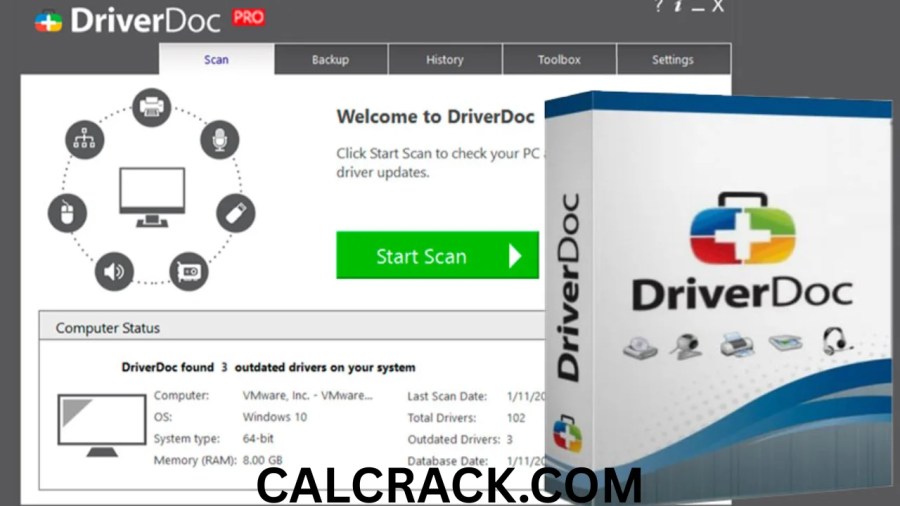
DriverDoc Pro and Driver Easy serve a similar general purpose: helping Windows users identify and manage device drivers.
| Feature | DriverDoc Pro | Driver Easy |
|---|---|---|
| Driver scanning | Yes | Yes |
| Automatic driver updates | Yes | Yes |
| Driver backup | Yes | Yes |
| Windows support | Windows versions listed by Solvusoft | Windows 10/11 and supported versions |
| Free current edition | Trial/download option; full features require subscription | No old free version for current 6.x+ |
| Paid version | Yes | Yes |
| Offline capabilities | Driver management features advertised | Offline scanning advertised |
| Developer | Solvusoft | Easeware Technology |
Driver Easy’s official documentation confirms that its current version does not provide the old free edition and instead offers a 7-day Pro trial. (Driver Easy)
DriverDoc’s official pages describe automatic driver downloads, installation, scanning, and backup functionality. (solvusoft.com)
Neither tool is required simply to update Windows drivers. Windows Update, Device Manager, and manufacturer websites remain available.
Why Are Windows Drivers Important?
Drivers act as communication software between Windows and hardware.
For example, a graphics driver allows Windows and applications to communicate with the graphics processor. A network driver allows Windows to interact with the Wi-Fi or Ethernet adapter. Audio drivers allow the operating system to communicate with sound hardware.
Problems with drivers can result in:
- No sound
- Wi-Fi problems
- Display problems
- Printer failures
- USB device issues
- Hardware not being recognized
- System instability
- Compatibility problems
Microsoft notes that Device Manager can also be used to reinstall or roll back drivers when an update causes problems. (Microsoft Support)
Should You Update Every Driver?
Not necessarily.
A driver update can be useful when:
- A device is not working correctly.
- Windows cannot identify hardware.
- A manufacturer released an important compatibility fix.
- A game or application requires a newer graphics driver.
- A security or stability issue has been addressed.
- You have installed new hardware.
But updating drivers simply because a third-party application says every driver is old is not automatically necessary.
For important hardware such as graphics cards, chipsets, storage controllers, and network adapters, it is worth checking the manufacturer’s documentation and release notes when possible.
What Should You Do Before Updating Drivers?
Before making major driver changes, consider creating a restore point or backup.
This is especially useful for:
- Graphics drivers
- Chipset drivers
- Storage controller drivers
- Network drivers
- Major hardware changes
DriverDoc Pro advertises driver backup functionality, while Driver Easy also advertises backup and restore features. (solvusoft.com)
Windows itself also provides recovery mechanisms, including driver rollback through Device Manager. Microsoft explains that if a problem begins after a recent driver update, rolling back to the previous driver can sometimes resolve the issue. (Microsoft Support)
Can DriverDoc Pro Work With Windows 11?
Yes. Solvusoft’s current DriverDoc pages list Windows 11 among the supported Windows versions. The same pages also list Windows 10, 8, 7, Vista, XP, and older systems. (solvusoft.com)
However, users should still verify compatibility for their particular computer before purchasing or installing software.
Windows 11 also includes Microsoft’s built-in Windows Update and Device Manager driver-management tools, so a third-party application is not required simply because the computer uses Windows 11. (Microsoft Support)
Frequently Asked Questions About DriverDoc Pro and PC Drivers
Is DriverDoc Pro free?
DriverDoc can be downloaded or tried through Solvusoft, but its full features require a paid subscription. Solvusoft’s current product pages state that a one-year subscription is required to unlock all software features. (solvusoft.com)
Where can I download PC drivers for free?
Windows Update and official hardware manufacturer websites are the primary free sources. Microsoft recommends using the manufacturer’s official website when manually downloading drivers. (Microsoft Support)
Is Driver Easy still free?
The old free edition does not apply to current Driver Easy 6.x and later versions. Driver Easy currently offers a 7-day free Pro trial instead. (Driver Easy)
Can I install drivers without internet?
Yes. Download the required driver beforehand, copy it to the offline PC using USB storage, and install it locally. Device Manager can also install driver files from a local folder. (Microsoft Support)
Can I install drivers from a USB?
Yes. A USB drive can store driver installers or extracted driver files. You can run an installer directly or use Device Manager’s Browse my computer for drivers option.
Does Windows 10 automatically install drivers?
Windows 10 can automatically download and install many drivers through Windows Update. Microsoft recommends Windows Update as the primary automatic method for driver updates. (Microsoft Support)
Are PC drivers expensive?
Drivers obtained directly from manufacturers are generally free. Driver updater applications can charge subscription fees for automated management and additional features.
What is the easiest way to update drivers?
For many Windows users, Windows Update is the simplest starting point. Device Manager is useful for a specific device, while third-party tools such as DriverDoc Pro can automate more of the process.
Should I use a driver updater?
It is optional. A driver updater can save time when managing many devices, but Windows Update, Device Manager, and official manufacturer support pages can also handle driver installation.
What happens if a wrong driver is installed?
The device may malfunction, become unstable, or stop working correctly. If a driver update causes a problem, Microsoft provides a rollback option in Device Manager for supported devices. (Microsoft Support)
Final Thoughts
DriverDoc Pro is designed for users who want to automate Windows driver management rather than manually search for individual drivers. Its advertised functions include hardware scanning, driver detection, automatic downloading and installation, and driver backup, while the Pro edition adds additional system-maintenance features. (solvusoft.com)
For users who want a free solution, however, buying a driver updater is not necessary simply to obtain drivers. Windows Update, Device Manager, and official manufacturer websites can provide legitimate ways to find and install drivers without paying for an updater. Microsoft specifically recommends Windows Update for automatic driver updates and manufacturer websites for manual driver downloads. (Microsoft Support)
If a PC has many outdated or missing drivers, an automated utility such as DriverDoc Pro may simplify the process. If only one device is having a problem, manually installing the correct driver from the manufacturer’s official website may be more direct.
The most important principle is to install the correct driver for the exact hardware and Windows version, keep a backup or recovery option before major changes, and avoid random third-party driver-download websites.
Download Now
DriverDoc Pro Latest Version
- Download Option 1:
Send.cm - Download Option 2:</strong
Usersdrive
File Details:
- Version: Latest
- File Size: 7.2 MB
- System Type: 32-bit / 64-bit
- Setup Type: Offline