Table of Contents
SoftMaker Office Professional: Complete Guide
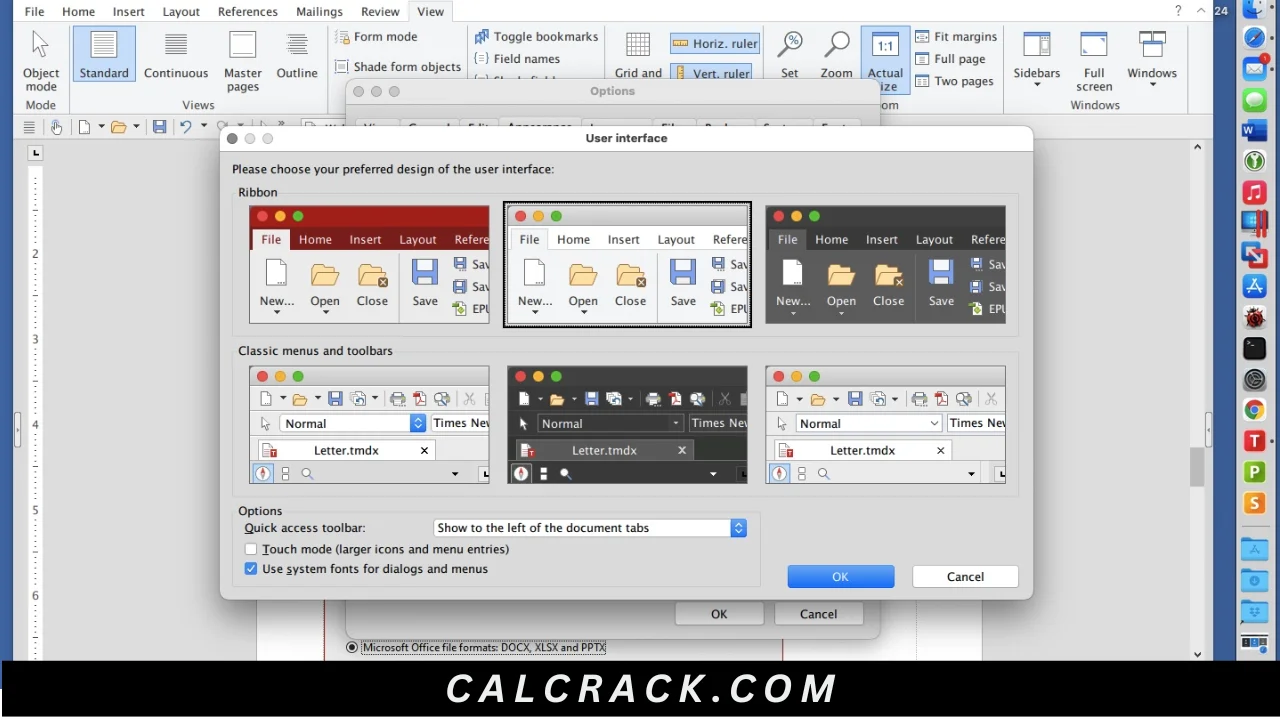
SoftMaker Office Professional is a complete office productivity suite designed as an alternative to Microsoft Office. It includes TextMaker for word processing, PlanMaker for spreadsheets, and Presentations for creating slide decks. The suite focuses heavily on Microsoft Office file compatibility while providing versions for Windows, macOS, and Linux. (SoftMaker)
If you are searching for SoftMaker Office Professional download, SoftMaker Office free, SoftMaker Office 2026, SoftMaker Office price, SoftMaker FreeOffice, SoftMaker Office for Windows 10, SoftMaker Office for Windows 11, or a comparison between FreeOffice, LibreOffice, ONLYOFFICE, and Microsoft Office, this guide covers the most important questions.
SoftMaker Office Professional at a Glance
| Feature | SoftMaker Office Professional |
|---|---|
| Main purpose | Office productivity |
| Word processor | TextMaker |
| Spreadsheet | PlanMaker |
| Presentation software | Presentations |
| Current edition | SoftMaker Office Professional 2026 |
| Windows | Yes |
| macOS | Yes |
| Linux | Yes |
| Android/iOS | SoftMaker offers mobile versions separately |
| Microsoft Office compatibility | Yes |
| DOC/DOCX | Yes |
| XLS/XLSX | Yes |
| PPT/PPTX | Yes |
| PDF creation | Yes |
| AI features | Available in selected editions/features |
| Free edition | FreeOffice |
| Professional edition | Paid |
| License | Professional 2026 can cover 5 computers in one household or 1 company computer |
| One-time purchase | Yes |
| Subscription alternative | SoftMaker Office NX |
SoftMaker’s current shop lists SoftMaker Office Professional 2026 for Windows, Mac, and Linux as a full version, with a listed regular price of US$149.95 and a promotional price of US$139.95 at the time of checking. Prices and promotions can change. (SoftMaker Shop)
What Is SoftMaker Office Professional?
SoftMaker Office Professional is a full office suite for creating documents, spreadsheets, presentations, and PDFs.
Instead of installing separate applications for word processing, spreadsheets, and presentations, you get the main productivity tools together.
The three core applications are:
TextMaker
TextMaker is the word processor and is designed as an alternative to Microsoft Word.
You can use it for:
- Letters
- Reports
- School assignments
- Resumes
- Business documents
- Books
- Brochures
- Technical documents
- PDFs
PlanMaker
PlanMaker is the spreadsheet application and is positioned as an alternative to Microsoft Excel.
It can be used for:
- Budgets
- Financial calculations
- Business spreadsheets
- Charts
- Data analysis
- Tables
- Formulas
- Reports
SoftMaker says PlanMaker supports more than 400 calculation functions and provides Excel-compatible spreadsheet functionality. (SoftMaker Help)
Presentations
Presentations is SoftMaker’s PowerPoint alternative.
It can be used to create:
- Business presentations
- School projects
- Training slides
- Marketing presentations
- Multimedia presentations
- Slide shows
SoftMaker documents compatibility with PPT and PPTX files and provides presentation features such as animations, transitions, charts, multimedia, presenter view, and PDF export. (SoftMaker)
Is SoftMaker FreeOffice Really Free?
Yes. SoftMaker FreeOffice is genuinely free for both personal and business use.
This is one of the most important distinctions when discussing SoftMaker products.
FreeOffice is not simply a short trial of SoftMaker Office Professional.
SoftMaker’s official FreeOffice website describes FreeOffice 2024 as completely free for personal and business use. It includes:
- FreeOffice TextMaker
- FreeOffice PlanMaker
- FreeOffice Presentations
and is available for Windows, macOS, and Linux. (FreeOffice)
FreeOffice vs Professional
The easiest way to understand the products is:
FreeOffice = permanently free basic office suite
SoftMaker Office Professional = paid version with additional features
This makes FreeOffice attractive to students, home users, small businesses, and anyone who wants an alternative to Microsoft Office without paying a subscription.
What Is SoftMaker FreeOffice?
SoftMaker FreeOffice is the free edition of SoftMaker’s office software.
It provides three major applications:
- TextMaker — word processor
- PlanMaker — spreadsheet
- Presentations — presentation software
FreeOffice supports Microsoft Office formats and can open and save common Word, Excel, and PowerPoint file types. (FreeOffice)
For example, FreeOffice TextMaker can open and save DOC and DOCX files, while PlanMaker supports XLS and XLSX files. (FreeOffice)
That compatibility is one of FreeOffice’s biggest advantages.
Is SoftMaker Office Any Good?
Yes, SoftMaker Office is a strong Microsoft Office alternative, particularly for users who prioritize compatibility with Word, Excel, and PowerPoint files.
One of the biggest reasons to consider it is that SoftMaker has designed its applications around Microsoft Office compatibility.
For example:
- TextMaker works with DOC and DOCX.
- PlanMaker works with XLS and XLSX.
- Presentations works with PPT and PPTX.
- Documents and presentations can be exported to PDF.
SoftMaker also describes PlanMaker and Presentations as alternatives to Microsoft Excel and PowerPoint. (SoftMaker)
Main strengths
- Familiar office-style interface
- Strong Microsoft Office compatibility
- Windows, Mac, and Linux support
- FreeOffice edition available
- Professional one-time purchase available
- Spreadsheet tools
- Presentation tools
- PDF creation
- Large feature set
- Mobile versions available
SoftMaker Office Professional 2026
The current Professional edition is SoftMaker Office Professional 2026.
SoftMaker’s current store lists it for:
- Windows
- macOS
- Linux
The listed full-version license covers 5 computers in the same household or 1 company computer. (SoftMaker Shop)
SoftMaker’s 2026 feature information includes improvements to TextMaker, PlanMaker, and Presentations, including interface improvements, dark mode, PDF-related functionality, picture compression, QR codes/barcodes, and enhanced Microsoft Office compatibility. (SoftMaker)
SoftMaker Office Professional Price
Pricing changes depending on promotions and region, but at the time of checking SoftMaker’s official shop listed:
SoftMaker Office Professional 2026
- Regular listed price: US$149.95
- Promotional price shown: US$139.95
- Upgrade price shown: US$79.95
- Promotional upgrade price: US$69.95
The Professional license is listed for 5 computers in one household or one company computer. (SoftMaker Shop)
Because software companies frequently change promotional pricing, it is better to check the official SoftMaker store before purchasing rather than relying on an old price displayed on a third-party website.
Is SoftMaker Office a One-Time Purchase?
Yes. SoftMaker Office Professional 2026 is available as a one-time purchase.
This is one of its biggest differences from subscription-focused productivity suites.
SoftMaker also sells SoftMaker Office NX, which uses a subscription model and includes ongoing updates and upgrades. The current NX Universal offering supports Windows, macOS, Linux, Android, and iOS. (SoftMaker E-Shop)
Therefore, users can choose between:
Perpetual Professional license
Pay once for the specific Professional version.
NX subscription
Pay monthly or annually and receive included updates/upgrades during the subscription.
This is useful for people who dislike recurring software subscriptions.
SoftMaker Office Professional vs FreeOffice
| Feature | FreeOffice | Professional |
|---|---|---|
| Price | Free | Paid |
| TextMaker | Yes | Yes |
| PlanMaker | Yes | Yes |
| Presentations | Yes | Yes |
| Windows | Yes | Yes |
| macOS | Yes | Yes |
| Linux | Yes | Yes |
| Microsoft Office formats | Yes | Yes |
| PDF creation | Yes | Yes |
| Advanced features | Limited compared with Professional | More |
| Commercial use | Yes | Yes |
| One-time purchase | Not applicable | Yes |
| AI/advanced extras | More limited | More features |
FreeOffice is an excellent choice if you simply want basic office applications at no cost.
Professional is better for users who need additional advanced functions.
Is SoftMaker FreeOffice Safe?
FreeOffice is generally safe when downloaded from the official SoftMaker/FreeOffice website.
SoftMaker’s official site distributes FreeOffice directly and provides downloads for Windows, Mac, and Linux. (FreeOffice)
As with any desktop software, the safest approach is to download the genuine installer rather than a modified copy.
Avoid:
- Cracked FreeOffice installers
- Key generators
- Modified EXE files
- Pirated Professional editions
- Unknown repackaged versions
A website advertising “SoftMaker Office Professional full version free crack” should not be confused with the official free edition.
If you want a legitimate free SoftMaker product, use FreeOffice.
Is SoftMaker Office Safe?
SoftMaker Office is designed as legitimate commercial office software, and downloading it from SoftMaker’s official website is the safest approach.
SoftMaker also emphasizes privacy and GDPR compliance for its Office products. Its current product information describes SoftMaker Office as developed with GDPR requirements in mind. (SoftMaker)
However, “safe” should always include basic software-security practices:
- Download from the official website.
- Keep your operating system updated.
- Use antivirus protection.
- Avoid pirated versions.
- Don’t install unknown plugins.
- Check suspicious email attachments before opening them.
- Keep important documents backed up.
Which Is Better: LibreOffice or FreeOffice?
This is one of the most common comparisons.
FreeOffice and LibreOffice are both excellent free office suites, but they have different strengths.
FreeOffice advantages
- Familiar Microsoft Office-style workflow
- Strong DOCX/XLSX/PPTX compatibility
- Lightweight experience
- Simple interface
- Easy transition for Office users
LibreOffice advantages
- Open source
- Completely free
- Large community
- More applications included
- Writer
- Calc
- Impress
- Draw
- Base
- Math
LibreOffice describes itself as a free and open-source office suite and includes six major applications. (LibreOffice)
Which should you choose?
Choose FreeOffice if your priority is Microsoft Office compatibility and a familiar workflow.
Choose LibreOffice if you want an open-source suite with more applications and extensive community development.
FreeOffice vs LibreOffice Comparison
| Feature | FreeOffice | LibreOffice |
|---|---|---|
| Free | Yes | Yes |
| Open source | No | Yes |
| Word processing | TextMaker | Writer |
| Spreadsheet | PlanMaker | Calc |
| Presentations | Presentations | Impress |
| Microsoft formats | Strong support | Strong support |
| Database application | No | Base |
| Drawing application | No | Draw |
| Formula editor | No dedicated equivalent | Math |
| Windows | Yes | Yes |
| macOS | Yes | Yes |
| Linux | Yes | Yes |
Neither is automatically better for everyone.
Can I Open Excel Files in LibreOffice?
Yes. LibreOffice Calc can open Microsoft Excel files.
LibreOffice is designed to work with Microsoft Office formats, including common spreadsheet formats. LibreOffice describes its suite as compatible with Microsoft Office. (LibreOffice)
For simple spreadsheets, compatibility is usually straightforward.
However, very complex Excel workbooks may contain:
- Advanced macros
- Specialized formulas
- External connections
- Proprietary formatting
- Excel-specific features
In those cases, formatting or functionality can differ between applications.
If your business depends heavily on advanced Excel-specific features, Microsoft Excel remains the safest choice for maximum compatibility.
Which Is Better: FreeOffice or ONLYOFFICE?
Both are strong Microsoft Office alternatives.
ONLYOFFICE Desktop Editors is free and open source and is available for Windows, macOS, and Linux. It focuses heavily on compatibility with DOCX, XLSX, and PPTX formats. (OnlyOffice)
FreeOffice
Best for:
- Familiar Office-like interface
- Lightweight productivity
- Traditional desktop office work
- Users who want a free SoftMaker product
ONLYOFFICE
Best for:
- Microsoft-format compatibility
- Modern interface
- Open-source software
- Collaboration-oriented workflows
- Users working with DOCX/XLSX/PPTX
If open source matters to you, ONLYOFFICE has an advantage.
If you prefer SoftMaker’s traditional Office workflow, FreeOffice may be better.
What Is the Disadvantage of LibreOffice?
LibreOffice is powerful, but it has some limitations.
1. Microsoft Office compatibility is not always perfect
Basic DOCX, XLSX, and PPTX files generally work well, but complicated documents may require adjustments.
2. Interface differences
People accustomed to Microsoft Office may need time to adapt.
3. Advanced Microsoft features
Some Microsoft-specific functions may behave differently.
4. Large feature set can feel overwhelming
LibreOffice includes many tools, which can make it seem more complicated than a minimalist office suite.
5. Compatibility can matter for businesses
If everyone in your organization uses Microsoft Office, using the same software can reduce formatting issues.
That does not make LibreOffice bad. It simply means that file compatibility should be considered before switching.
How Can I Get Microsoft Office for Free Permanently?
There is an important distinction between free Microsoft Office on the web and free permanently licensed desktop Office.
Microsoft currently provides free web versions of Word, Excel, and PowerPoint. You can use them through a browser with a Microsoft account. (Microsoft Support)
However, the full desktop versions are generally part of paid Microsoft 365 subscriptions or paid one-time Office purchases.
Microsoft currently lists Office Home 2024 as a one-time purchase and Microsoft 365 as subscription products. (Microsoft)
Legitimate free options
You can use:
- Microsoft 365 web apps
- LibreOffice
- FreeOffice
- ONLYOFFICE
Do not download pirated Office activation tools or illegal product keys.
Is There a Truly Free Microsoft Office Version?
There is a free web version of Microsoft 365, but the full desktop Microsoft Office suite is not generally offered as permanently free software.
Microsoft’s free web apps include:
- Word
- Excel
- PowerPoint
They run through a web browser. (Microsoft Support)
For free desktop applications, alternatives such as FreeOffice, LibreOffice, and ONLYOFFICE are more appropriate.
What Is the Best Alternative to Microsoft Office?
The answer depends on your needs.
Best free traditional Office alternative
FreeOffice
Good for users who want a familiar office suite without paying.
Best open-source alternative
LibreOffice
Excellent for users who want a powerful open-source office suite.
Best modern Microsoft-format alternative
ONLYOFFICE
Strong focus on DOCX, XLSX, and PPTX compatibility. (OnlyOffice)
Best official Microsoft option
Microsoft 365
Best when you need maximum compatibility with Microsoft Office and cloud services.
Best for one-time Microsoft purchase
Office Home 2024
Microsoft currently sells it as a one-time purchase for one PC or Mac. (Microsoft)
Which MS Office Is Best for Home Use?
For home users, the choice usually comes down to whether you want a subscription or a one-time purchase.
Microsoft 365 Personal
Good if you want:
- Current Office apps
- Ongoing updates
- Cloud storage
- Multiple-device access
- Subscription benefits
Office Home 2024
Good if you want:
- Word
- Excel
- PowerPoint
- OneNote
- One-time purchase
- One computer
Microsoft currently lists Office Home 2024 at US$179.99 in its U.S. store, while Microsoft 365 Personal is listed at US$99.99 per year. Prices vary by market and promotions. (Microsoft)
FreeOffice
Good if you want to spend nothing.
Is SoftMaker Still Free?
Yes, SoftMaker still offers FreeOffice as a free office suite.
The current FreeOffice page states that FreeOffice 2024 is completely free for both personal and business use. (FreeOffice)
This does not mean that every SoftMaker product is free.
The company offers:
- FreeOffice
- SoftMaker Office Professional
- SoftMaker Office NX
So if someone says “SoftMaker is free,” the statement needs context.
FreeOffice is free. Professional is paid. NX is subscription-based.
What Is the Best Version of Microsoft Office to Buy?
For someone who wants a traditional one-time Microsoft purchase, Office Home 2024 is the relevant current option for home users.
Microsoft says Office Home 2024 includes:
- Word
- Excel
- PowerPoint
- OneNote
and is licensed for one PC or Mac. (Microsoft)
For small businesses, Microsoft also offers Office Home & Business 2024, which adds Outlook. (Microsoft)
If you want continuous feature updates, cloud storage, and multi-device use, Microsoft 365 may be more appropriate.
What Is the Most Popular Office Software?
Microsoft Office/Microsoft 365 remains the most recognizable office productivity ecosystem globally, particularly in business and education.
However, popularity does not automatically mean it is the best choice for every user.
Alternatives include:
- SoftMaker Office
- FreeOffice
- LibreOffice
- ONLYOFFICE
- Google Workspace
- Apple iWork
Your choice should depend on:
- File compatibility
- Price
- Operating system
- Collaboration
- Offline use
- Privacy requirements
- Cloud storage
- Advanced features
Is SoftMaker Office Good for Windows 11?
Yes. SoftMaker Office is suitable for Windows 11.
The Professional 2026 edition is available for Windows, Mac, and Linux. (SoftMaker Shop)
Windows 11 users can use it for:
- Word processing
- Spreadsheets
- Presentations
- PDF creation
- Document editing
- Business work
- School work
- Home productivity
What Is the Best FreeOffice Software for Windows 11?
If by “FreeOffice software” you mean the FreeOffice suite, the answer is that you get all three core applications:
FreeOffice TextMaker
Best for documents and word processing.
FreeOffice PlanMaker
Best for spreadsheets and calculations.
FreeOffice Presentations
Best for slide decks and presentations.
FreeOffice’s current feature pages describe it as free for Windows, macOS, and Linux and include all three applications. (FreeOffice)
What Is the Best FreeOffice Software for Windows 10?
The same FreeOffice suite works on supported Windows systems, and FreeOffice is available for Windows as well as macOS and Linux.
If you’re using Windows 10 and want a free Microsoft Office alternative, FreeOffice can be a practical option.
However, Windows 10 reached its Microsoft support end date in October 2025, so users should consider moving to a supported operating system where their hardware allows it.
Can I Buy Microsoft Office as a One-Time Purchase?
Yes.
Microsoft still sells one-time Office editions.
For example, Office Home 2024 is sold as a one-time purchase. Microsoft explains that the license gives you the classic desktop applications for one PC or Mac, but it does not include the same ongoing feature upgrades associated with a Microsoft 365 subscription. (Microsoft Support)
This is similar to the appeal of purchasing SoftMaker Office Professional rather than subscribing to SoftMaker Office NX.
Which Is Better: LibreOffice or OpenOffice?
LibreOffice is generally the stronger choice for most new users.
LibreOffice is an actively developed open-source office suite with:
- Writer
- Calc
- Impress
- Draw
- Base
- Math
and a large community. (LibreOffice)
OpenOffice remains available, but LibreOffice is often preferred by users who want a more actively developed open-source office ecosystem.
If you need strong Microsoft Office compatibility, you should still test your important documents before switching.
SoftMaker Office for Android and iOS
SoftMaker also offers mobile versions of its office applications.
The company’s current information states that TextMaker, PlanMaker, and Presentations are available on Android and iOS. (FreeOffice)
This makes SoftMaker useful for people who work across:
- PC
- Mac
- Linux
- Android
- iPhone
- iPad
The exact features available on mobile can depend on the edition and licensing model.
SoftMaker Office Professional for Business
SoftMaker Office can also be useful for small businesses.
Professional users may need:
- Word-compatible documents
- Excel-compatible spreadsheets
- PowerPoint-compatible presentations
- PDF creation
- Charts
- Tables
- Business reports
- Presentations
- Printing
- Document comparison
- Data analysis
SoftMaker’s current Professional edition is licensed for one company computer or five computers in the same household, according to its shop listing. (SoftMaker Shop)
For larger organizations, volume licensing and business editions should be evaluated separately.
SoftMaker Office and Microsoft Office Compatibility
Compatibility is one of SoftMaker’s strongest selling points.
SoftMaker says PlanMaker can open and save XLSX and XLS files from Excel versions including Excel 365, while Presentations supports PPTX and PPT formats. (SoftMaker)
TextMaker likewise supports Microsoft Word formats including DOC and DOCX. (FreeOffice)
This makes SoftMaker especially attractive if you frequently exchange documents with Microsoft Office users.
However, no third-party office suite should be assumed to reproduce every Microsoft-specific feature perfectly.
For highly complex corporate documents, always test your real files before moving away from Microsoft Office.
SoftMaker Office Professional vs Microsoft Office
| Feature | SoftMaker Office Professional | Microsoft 365 |
|---|---|---|
| Word processor | TextMaker | Word |
| Spreadsheet | PlanMaker | Excel |
| Presentations | Presentations | PowerPoint |
| PDF tools | Yes | Yes, depending on app/workflow |
| Windows | Yes | Yes |
| macOS | Yes | Yes |
| Linux | Yes | No desktop Office suite |
| One-time purchase | Yes | Office 2024 instead |
| Subscription | NX option | Yes |
| Cloud ecosystem | More limited | Extensive |
| Microsoft format compatibility | Strong | Native |
| Free edition | FreeOffice | Free web apps |
Microsoft 365 offers cloud storage and continuously updated applications, while SoftMaker’s Professional 2026 perpetual license is appealing to people who prefer paying once. Microsoft explicitly distinguishes its subscription products from one-time Office purchases. (Microsoft Support)
SoftMaker Office Professional Pros and Cons
Pros
- Strong Microsoft Office compatibility
- TextMaker, PlanMaker, and Presentations included
- Windows, Mac, and Linux support
- One-time purchase available
- FreeOffice alternative available
- PDF creation
- Modern spreadsheet functions
- Presentation tools
- Dark mode
- QR/barcode tools
- Professional document features
- Mobile versions available
Cons
- Professional edition is not free
- Some advanced features are edition-specific
- Microsoft Office remains the compatibility benchmark
- Some users may prefer LibreOffice because it is open source
- Microsoft 365 has stronger cloud and collaboration integration
- FreeOffice does not include every Professional feature
Who Should Use SoftMaker Office Professional?
SoftMaker Office Professional is a good choice for users who:
- Want an Office alternative
- Prefer a one-time purchase
- Work primarily with DOCX/XLSX/PPTX files
- Need Windows, Mac, or Linux support
- Want a traditional desktop office suite
- Don’t want a Microsoft 365 subscription
- Need more features than FreeOffice provides
- Want to create PDFs
- Frequently exchange documents with Microsoft Office users
Who Should Use FreeOffice Instead?
Choose FreeOffice if:
- You don’t want to pay.
- You only need basic office tools.
- You need Word-like document editing.
- You need Excel-like spreadsheets.
- You create PowerPoint-style presentations.
- You want Windows, Mac, or Linux support.
- You don’t require Professional-specific features.
For many home users and students, FreeOffice may provide everything necessary.
Who Should Choose LibreOffice?
LibreOffice is particularly suitable if:
- You want open-source software.
- You want a completely free desktop suite.
- You need additional tools such as Draw, Base, or Math.
- You prefer community-developed software.
- You don’t mind learning a slightly different interface.
Who Should Choose ONLYOFFICE?
ONLYOFFICE can be attractive if:
- DOCX/XLSX/PPTX compatibility is important.
- You prefer a modern interface.
- You want open-source desktop editors.
- Collaboration matters.
- You work across Windows, Mac, and Linux.
ONLYOFFICE’s official desktop edition includes document, spreadsheet, presentation, form, and PDF tools and emphasizes compatibility with Microsoft Office formats. (OnlyOffice)
Final Verdict
SoftMaker Office Professional is a strong Microsoft Office alternative for users who want a traditional desktop office suite, excellent compatibility with Microsoft file formats, and the option of a one-time purchase.
Its three main applications—TextMaker, PlanMaker, and Presentations—cover the core tasks most people expect from an office suite. SoftMaker continues to develop these applications, and the current Professional 2026 edition is available for Windows, macOS, and Linux. (SoftMaker Shop)
If your budget is limited, FreeOffice is particularly interesting because SoftMaker officially describes FreeOffice 2024 as completely free for personal and business use. (FreeOffice)
If you prefer open-source software, LibreOffice and ONLYOFFICE are strong alternatives. LibreOffice offers a broader collection of applications, while ONLYOFFICE places considerable emphasis on Microsoft-format compatibility. (LibreOffice)
If you specifically require Microsoft’s own applications and maximum compatibility with corporate Office workflows, Microsoft 365 or Office 2024 remains the safer choice. Microsoft currently offers both subscription plans and one-time Office purchases. (Microsoft)
In short:
Best paid SoftMaker option: SoftMaker Office Professional
Best free SoftMaker option: FreeOffice
Best open-source alternative: LibreOffice
Strong modern Office alternative: ONLYOFFICE
Best for native Microsoft Office compatibility: Microsoft Office/Microsoft 365
People Also Ask About SoftMaker Office Professional
Is SoftMaker FreeOffice really free?
Yes. SoftMaker states that FreeOffice 2024 is completely free for both personal and business use. It includes TextMaker, PlanMaker, and Presentations. (FreeOffice)
Is SoftMaker Office any good?
Yes. It is particularly useful for users who want a Microsoft Office alternative with strong DOCX, XLSX, and PPTX compatibility.
Is SoftMaker FreeOffice safe?
Yes, when downloaded from the official FreeOffice website. Avoid modified, cracked, or unofficial installers.
Which is better, LibreOffice or FreeOffice?
FreeOffice is a good choice for Microsoft Office-style compatibility and simplicity. LibreOffice is better if open-source software and a larger suite of applications are priorities.
How can I get Microsoft Office for free permanently?
You cannot legitimately obtain the complete desktop Microsoft Office suite as a permanently free pirated product. Microsoft does offer free web versions of Word, Excel, and PowerPoint, while FreeOffice, LibreOffice, and ONLYOFFICE provide free desktop alternatives. (Microsoft Support)
Which is better, FreeOffice or ONLYOFFICE?
Both are strong alternatives. FreeOffice is attractive for its familiar traditional Office workflow, while ONLYOFFICE is particularly appealing for open-source users and those focused on modern Microsoft-format compatibility. (OnlyOffice)
What is the disadvantage of LibreOffice?
The main potential disadvantage is compatibility with highly complex Microsoft Office documents. Simple DOCX, XLSX, and PPTX files generally work well, but Microsoft-specific features can sometimes behave differently.
Can I open Excel files in LibreOffice?
Yes. LibreOffice Calc can open common Excel formats, although complicated workbooks may not behave exactly as they do in Microsoft Excel. (LibreOffice)
What is the best alternative to Microsoft Office?
FreeOffice, LibreOffice, and ONLYOFFICE are among the strongest free desktop alternatives. SoftMaker Office Professional is another option if you want a paid one-time purchase.
Which MS Office is best for home use?
Microsoft 365 Personal is suitable for users who want a subscription and ongoing updates. Office Home 2024 is better for users who prefer a one-time purchase. (Microsoft)
Is there a truly free Microsoft Office version?
Microsoft provides free web versions of Word, Excel, and PowerPoint. For free desktop alternatives, consider FreeOffice, LibreOffice, or ONLYOFFICE. (Microsoft Support)
Is SoftMaker still free?
Yes. FreeOffice remains available as a free office suite. SoftMaker also sells Professional editions and subscription-based NX products. (FreeOffice)
What is the best version of Microsoft Office to buy?
For a one-time home purchase, Microsoft currently offers Office Home 2024. For ongoing updates and cloud services, Microsoft 365 may be more suitable. (Microsoft)
What is the most popular office software?
Microsoft Office/Microsoft 365 remains one of the most widely recognized office productivity ecosystems, but alternatives such as SoftMaker Office, LibreOffice, ONLYOFFICE, and Google Workspace are also widely used.
Is SoftMaker Office safe?
SoftMaker Office is legitimate commercial software. Downloading it from the official SoftMaker website and avoiding pirated installers is the recommended approach.
What is the best FreeOffice software for Windows 11?
FreeOffice is a complete suite rather than a single application. TextMaker is for documents, PlanMaker is for spreadsheets, and Presentations is for slides. (FreeOffice)
What is the best FreeOffice software for Windows 10?
The FreeOffice suite provides TextMaker, PlanMaker, and Presentations. Your choice depends on whether you need word processing, spreadsheets, or presentations.
Can I buy Microsoft Office as a one-time purchase?
Yes. Microsoft currently sells Office Home 2024 and Office Home & Business 2024 as one-time purchases. (Microsoft)
Which is better, LibreOffice or FreeOffice?
For a Microsoft Office-like experience, FreeOffice is a strong option. For open-source software and a larger collection of applications, LibreOffice is usually the better choice. (LibreOffice)
What is the best alternative to Office 365?
FreeOffice, LibreOffice, ONLYOFFICE, and Google Workspace can all replace some or most Microsoft 365 workflows, depending on whether you need desktop applications, cloud collaboration, or Microsoft-format compatibility.
Which is better, LibreOffice or OpenOffice?
LibreOffice is generally the stronger choice for users who want an actively developed open-source office suite with a broad collection of tools. (LibreOffice)
What is SoftMaker FreeOffice?
FreeOffice is SoftMaker’s free office suite containing TextMaker, PlanMaker, and Presentations. SoftMaker states that it is free for personal and business use. (FreeOffice)
What is the best FreeOffice suite for Android tablets?
SoftMaker provides mobile versions of TextMaker, PlanMaker, and Presentations for Android and iOS. The exact feature availability can depend on the mobile edition and licensing.
Download Now
SoftMaker Office Pro
- Download Option 1:
Send.cm - Download Option 2:
Theuser.cloud
File Details:
- File Size: 458.1 MB
- Version: Not specified
- System Type: Not specified
- Setup Type: Not specified