
Table of Contents
Sublime Text: Complete Guide
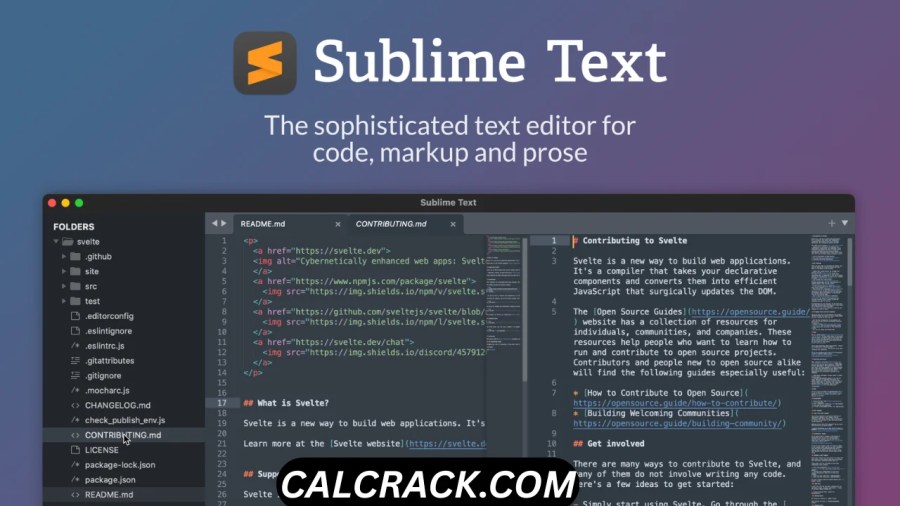
Sublime Text is a fast, lightweight, cross-platform text editor designed for writing code, markup, configuration files, scripts, and ordinary text. It is widely known for its speed, clean interface, powerful search tools, multiple selections, customizable workflows, packages, and support for many programming languages.
If you are searching for Sublime Text download, Sublime Text 3 download, Sublime Text 4, Sublime Text for Windows, Sublime Text for Mac, Sublime Text vs VS Code, or Sublime Text online, this guide explains what the editor is, what it is used for, whether it is better than competing editors, how it works with Python, and whether it is suitable for beginners.
The current official release is Sublime Text 4, while the official download page currently identifies Build 4200 as the stable release. Sublime Text runs on Windows, macOS, and Linux. (Sublime Text)
Sublime Text at a Glance
| Feature | Sublime Text |
|---|---|
| Main purpose | Text and source-code editing |
| Current major version | Sublime Text 4 |
| Current stable build | Build 4200 |
| Windows | Yes |
| macOS | Yes |
| Linux | Yes |
| Python support | Yes |
| JavaScript support | Yes |
| HTML/CSS | Yes |
| C/C++ | Yes |
| Java | Yes |
| PHP | Yes |
| Package ecosystem | Yes |
| Build systems | Yes |
| Multiple selections | Yes |
| Command line | Yes |
| Git integration | Yes |
| Free evaluation | Yes |
| License required for continued use | Yes |
| Traditional full IDE | No |
| Beginner friendly | Yes, after basic setup |
Sublime Text supports Windows, Mac, and Linux, including 64-bit and ARM options on supported platforms. The official compatibility documentation notes that Windows ARM support is not currently available, while macOS uses Universal 2 builds supporting Intel and Apple Silicon. (Sublime Text)
What Is Sublime Text Used For?
Sublime Text is primarily used for editing source code, markup, scripts, configuration files, and plain text.
It can be used by:
- Web developers
- Software developers
- Python programmers
- Front-end developers
- Back-end developers
- Students
- System administrators
- Writers
- Technical authors
- Data analysts
- DevOps users
One of its biggest strengths is that it does not force users into a complicated development environment.
For example, if you want to quickly open a Python file, change a few lines, search an entire project, or edit a large configuration file, Sublime Text can do that without requiring the heavier interface of a full IDE.
It also provides advanced features for programmers, including syntax highlighting, autocomplete, build systems, project management, packages, command-line integration, and code navigation.
The official documentation includes features such as Goto Anything, multiple selection, projects, completions, Git integration, build systems, GPU rendering, and command-line tools. (Sublime Text)
Why Is Sublime Text Popular?
Sublime Text has remained popular because it focuses heavily on speed and efficient editing.
The interface is relatively simple, but the editor can be extensively customized.
Major reasons users choose Sublime Text
1. Fast startup
It is designed to feel responsive even when working with many files.
2. Powerful search
You can search within a file, across folders, or through an entire project.
3. Multiple selections
You can edit multiple locations simultaneously instead of repeating the same operation.
4. Packages
The package ecosystem adds features that are not included in the basic installation.
5. Build systems
You can configure Sublime Text to execute external programs, compile code, run scripts, lint projects, or execute tests. (Sublime Text)
6. Cross-platform support
You can use the editor on Windows, macOS, or Linux. (Sublime Text)
7. Customization
Themes, key bindings, syntax definitions, snippets, plugins, and other components can be customized.
Is Sublime Text Free?
Sublime Text can be downloaded and evaluated for free, but a license is required for continued use.
This is an important distinction.
Sublime Text is not the same as completely free and open-source editors. The official download page says that Sublime Text may be downloaded and evaluated for free, while a license must be purchased for continued use. (Sublime Text)
Therefore, if you search for “Sublime Text free download,” the legitimate approach is to download the official evaluation version rather than looking for a cracked license or unauthorized activation.
Is Sublime Text open source?
No. Sublime Text itself is proprietary software.
However, its ecosystem contains many third-party packages, and the official Package Control project is open source. Package Control describes itself as the official, open-source package management solution for Sublime Text. (Package Control)
Sublime Text 3 vs Sublime Text 4
Many searches still contain phrases such as:
- Sublime Text 3
- Sublime Text 3 download
- Sublime Text 4
- Sublime Text 3 Windows 10
- Sublime Text 3 free download
However, Sublime Text 4 is the current major version.
The official website states that Sublime Text 4 is the current version and provides downloads for Windows, macOS, and Linux. (Sublime Text)
Sublime Text 3 is an older generation.
The official previous-version documentation confirms that users can still access previous releases, including Sublime Text 3, but Sublime Text 4 contains significant improvements over the older version. (Sublime Text)
Should you use Sublime Text 3?
For a new installation, Sublime Text 4 is generally the better choice.
Sublime Text 3 may make sense when:
- An old project depends on an older setup.
- A particular package requires it.
- You need compatibility with an older environment.
- You are maintaining an older computer.
For normal modern development, starting with Sublime Text 4 is more sensible.
Sublime Text Download
The safest way to download Sublime Text is through the official Sublime Text website.
The official download page currently provides:
- Windows installer
- Windows portable version
- macOS version
- Linux packages
- Linux ARM64 packages
The current stable page identifies Sublime Text 4, Build 4200. (Sublime Text)
For Linux, official repositories are provided for major distributions including Ubuntu/Debian, Arch, Fedora, openSUSE, and others. (Sublime Text)
Why avoid unofficial downloads?
Search results may contain:
- Sublime Text crack
- Sublime Text keygen
- Sublime Text license key
- Sublime Text full version free
- Modified portable editions
These downloads can create security and licensing problems.
For software used to edit development projects, downloading the genuine installer is especially important.
Sublime Text for Windows
Sublime Text works on Windows 11, Windows 10, Windows 8/8.1, and older supported versions listed by the developer. (Sublime Text)
Windows users can install the standard version or use the portable edition offered on the official download page. (Sublime Text)
Sublime Text is particularly useful on Windows when you want a lightweight editor for:
- Python
- HTML
- CSS
- JavaScript
- PHP
- JSON
- XML
- Markdown
- SQL
- C/C++
- Configuration files
It can also integrate with command-line tools.
The official documentation provides a subl command-line helper that can open files and projects and can be configured as an editor for tools such as Git and Subversion. (Sublime Text)
Sublime Text for Mac
Sublime Text also works on macOS.
Sublime Text 4 uses a Universal 2 binary, meaning the Mac release supports both Intel and Apple Silicon processors. (Sublime Text)
This makes it suitable for newer Macs using Apple M-series chips as well as supported Intel-based Macs.
Mac users can use Sublime Text for:
- Web development
- Python
- JavaScript
- Markdown
- Shell scripts
- Configuration files
- Software development
- General text editing
The command-line subl tool can also be configured on macOS. (Sublime Text)
Sublime Text for Linux
Linux is another major platform supported by Sublime Text.
The official documentation provides packages for multiple Linux distributions, including:
- Ubuntu
- Debian
- Arch
- Fedora
- openSUSE
Both x86-64 and ARM64 Linux builds are available through the official repositories in supported configurations. (Sublime Text)
This makes Sublime Text useful for developers who want the same editor across Windows, macOS, and Linux.
Is Sublime Text Better Than VS Code?
Neither is universally better. The better choice depends on your workflow.
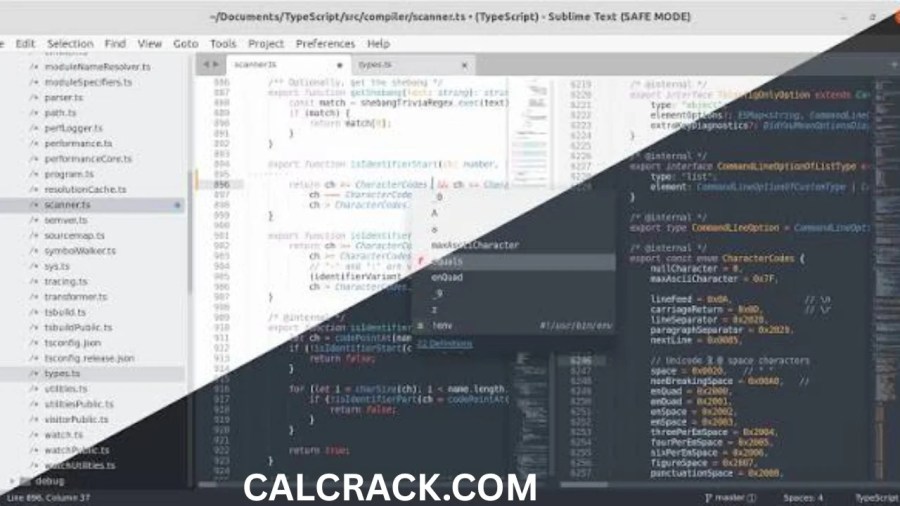
Sublime Text focuses strongly on speed, simplicity, keyboard-driven editing, and customization.
Visual Studio Code generally provides a broader integrated development environment experience with extensive extensions, debugging, source control integration, terminals, and development tooling.
Sublime Text advantages
- Lightweight interface
- Fast editing experience
- Excellent multi-selection
- Powerful search
- Highly customizable
- Cross-platform
- Build-system support
- Large package ecosystem
VS Code advantages
- Integrated debugger
- Integrated terminal
- Extensive extension ecosystem
- Strong source-control interface
- Broad language tooling
- Excellent development workflow for large applications
Sublime Text vs VS Code
| Feature | Sublime Text | VS Code |
|---|---|---|
| Lightweight editor | Excellent | Good |
| Full IDE-style workflow | Limited | Excellent |
| Extensions/packages | Yes | Yes |
| Debugger | Package/tool dependent | Strong built-in workflow |
| Terminal | External/package options | Integrated |
| Git | Supported | Strong built-in integration |
| Multi-cursor editing | Excellent | Excellent |
| Startup speed | Excellent | Good |
| Customization | Excellent | Excellent |
| Beginner friendly | Yes | Yes |
If you want a fast editor first, Sublime Text is attractive.
If you want a complete development environment, VS Code may be more convenient.
Which Is Better: Sublime Text or Notepad++?
Both are excellent editors, but they target somewhat different workflows.
Notepad++ is particularly popular among Windows users who want a simple and lightweight text editor.
Sublime Text provides a broader cross-platform development experience with deeper customization and advanced project-oriented features.
Choose Notepad++ if:
- You mainly use Windows.
- You want a straightforward editor.
- You edit text and configuration files.
- You want a free solution.
- You don’t need a cross-platform workflow.
Choose Sublime Text if:
- You use Windows, Mac, or Linux.
- You write code regularly.
- You want sophisticated multi-selection.
- You want a powerful package ecosystem.
- You need projects and build systems.
- You value speed and customization.
For basic text editing, Notepad++ may be enough.
For more extensive programming workflows, Sublime Text can offer greater flexibility.
Is Anyone Still Using Sublime Text?
Yes.
Sublime Text remains actively developed and supported. The official website currently lists Sublime Text 4 Build 4200, while development builds continue to receive updates. (Sublime Text)
The editor also has an active package ecosystem. Package Control currently lists thousands of packages, including tools for language support, linting, autocomplete, Git, Markdown, terminals, themes, and other development workflows. (Package Control)
That means Sublime Text is not simply an abandoned legacy editor.
It continues to appeal to users who prefer a fast, highly customizable editing environment.
Which Is Better: Vim or Sublime Text?
This is another comparison where there is no universal winner.
Vim is a modal editor with a keyboard-driven workflow. It can be incredibly efficient once learned, but its learning curve is significantly higher for many beginners.
Sublime Text provides a graphical interface and conventional editor controls while still supporting extensive keyboard shortcuts.
Vim is better for users who:
- Prefer keyboard-only workflows
- Work extensively in terminals
- Already know Vim commands
- Want extreme customization
- Frequently work on remote Linux systems
Sublime Text is better for users who:
- Prefer a graphical interface
- Want fast setup
- Want mouse and keyboard workflows
- Need a modern desktop editor
- Want a lower learning curve
For beginners, Sublime Text is generally easier to approach.
For experienced terminal users, Vim can be extremely powerful.
Is Sublime Text a Python IDE?
Sublime Text is not a traditional full Python IDE, but it can be configured as a powerful Python development environment.
This distinction is important.
A traditional Python IDE may provide:
- Debugging
- Project management
- Virtual-environment tools
- Integrated terminals
- Package management
- Refactoring
- Test runners
- Code intelligence
Sublime Text starts primarily as a text editor.
However, its build systems, packages, autocomplete, syntax support, projects, and language tooling allow developers to create an advanced Python workflow.
The official build-system documentation even provides a Python example that runs the currently open Python file. (Sublime Text)
Can Sublime Text Run Python Code?
Yes.
Sublime Text can run Python through a build system as long as Python is installed and correctly configured on your computer.
A typical Python build configuration can execute the current Python file. The official documentation provides a basic example using:
python $file
The build system can then display the output in Sublime Text’s output panel. (Sublime Text)
Basic workflow
- Install Python.
- Make sure Python works from your terminal.
- Open a
.pyfile in Sublime Text. - Select the appropriate Python build system.
- Run the build command.
- View the output.
On Windows and Linux, the default build shortcut is Ctrl+B; on Mac, it is Command+B. (Sublime Text)
How to Run Python in Sublime Text
Suppose you create a file called:
hello.py
with:
print("Hello, world!")Save the file.
Then choose the Python build system and run the build command.
Sublime Text can invoke the Python interpreter and show the output in its build panel.
Important point
Sublime Text does not install Python for you.
You need a functioning Python installation separately.
If the terminal itself cannot recognize Python, Sublime Text may also fail to run the command until your environment is configured correctly.
What Coding Language Does Sublime Text Use?
This question can have two meanings.
Does Sublime Text support programming languages?
Yes.
Sublime Text supports many languages and file formats through built-in syntax definitions and packages.
Examples include:
- Python
- JavaScript
- TypeScript
- HTML
- CSS
- C
- C++
- Java
- PHP
- Ruby
- Go
- Rust
- SQL
- JSON
- XML
- Markdown
- Shell scripts
The exact level of tooling depends on the language and installed packages.
Is Sublime Text itself written in one coding language?
That is a different question. The editor’s internal implementation is not something that should be reduced to one user-facing programming language. What matters for most users is that Sublime Text provides a plugin API and supports customization.
Its plugin environment includes Python, and the official documentation explains that plugins run in a separate plugin_host process. (Sublime Text)
Does Sublime Text Have an IDE?
Not in the traditional sense.
Sublime Text is best described as an advanced text and source-code editor rather than a conventional full IDE.
However, it can provide many IDE-like capabilities through:
- Packages
- Language Server Protocol tools
- Build systems
- Syntax highlighting
- Autocomplete
- Project files
- Git tools
- Linters
- Debugging integrations
- Terminal packages
This is one reason some developers describe Sublime Text as an editor that can be customized into an IDE-like environment.
What Are Sublime Text Packages?
Packages are collections of resources that extend or customize Sublime Text.
The official documentation explains that packages can contain:
- Plugins
- Syntax definitions
- Menus
- Snippets
- Other resources
Packages can be distributed as .sublime-package files or installed in package directories. (Sublime Text)
This architecture is one of the major strengths of Sublime Text.
Instead of adding every possible feature to the core editor, users can install the tools they actually need.
What Is Package Control?
Package Control is the official package manager for Sublime Text.
It provides an interface for discovering, installing, and updating packages.
The Package Control website currently lists thousands of packages, including popular options for:
- LSP
- Markdown
- Terminal functionality
- LaTeX
- Autocomplete
- Git
- Linting
- Themes
- File icons
(Package Control)
This means users can transform Sublime Text from a basic code editor into a much more capable development environment.
Sublime Text Build Systems Explained
One of the most useful features for programmers is the build system.
A build system tells Sublime Text how to execute an external command.
It can be used for:
- Compiling
- Running programs
- Transpiling
- Linting
- Running tests
- Executing scripts
The official documentation says build systems can be configured using .sublime-build files and can automatically select an appropriate build configuration based on the current file type. (Sublime Text)
This is particularly useful for Python, C++, Java, and other programming languages.
Sublime Text Projects
Sublime Text projects provide a way to organize folders, settings, and build systems.
A project uses a .sublime-project file, while a .sublime-workspace file contains user-specific state such as open files and modifications. (Sublime Text)
Projects become useful when you are working on something larger than a single file.
For example, a website might contain:
website/
├── index.html
├── css/
├── js/
├── images/
└── assets/
Instead of opening each file individually, you can open the project folder and navigate through the entire structure.
Sublime Text Autocomplete
Autocomplete helps programmers write code faster.
Sublime Text’s modern autocomplete system is context-aware and can provide suggestions based on symbols in a project. The official site highlights improvements to autocomplete and code navigation in Sublime Text 4. (Sublime Text)
This can reduce typing and help developers discover available functions, variables, classes, and other symbols.
For deeper language intelligence, users can install language-specific packages and LSP tools.
Sublime Text Multiple Selection
Multiple selection is one of Sublime Text’s most recognizable productivity features.
Instead of editing one occurrence at a time, you can place multiple cursors and modify several locations simultaneously.
For example, imagine you have:
Apple
Apple
Apple
Apple
You could select all occurrences and change them together.
This is extremely useful for:
- Renaming variables
- Editing repeated HTML elements
- Changing JSON properties
- Modifying lists
- Updating configuration files
- Formatting repetitive code
Users who become comfortable with multiple selections can perform many editing tasks significantly faster.
Sublime Text Search and Replace
Search is another major strength.
You can search:
- Within the current file
- Across multiple files
- Across folders
- Using regular expressions
- Through project content
This is useful when maintaining large websites or software projects.
For example, if you rename a function throughout a project, project-wide search can help locate every occurrence.
Sublime Text for Web Development
Sublime Text is particularly suitable for front-end development.
You can use it to edit:
- HTML
- CSS
- JavaScript
- TypeScript
- JSON
- Markdown
- XML
- Template files
Packages can add additional functionality such as:
- Linters
- Formatters
- Emmet
- Git tools
- LSP support
- Syntax extensions
- Preview workflows
For a lightweight web-development environment, Sublime Text remains a strong option.
Sublime Text for Python Development
Python is another area where Sublime Text works well.
A Python workflow can include:
- Python installation
- Sublime Text
- Python syntax highlighting
- Python build system
- LSP package
- Linter
- Git integration
- Virtual environment configuration
This can produce a highly productive development setup without requiring a large traditional IDE.
However, developers working on very large Python projects may prefer an IDE with deeper integrated debugging, refactoring, environment management, and testing features.
Is Sublime Text Safe?
Yes, Sublime Text is generally considered safe when downloaded from the official website.
The biggest risk is often not the official application but unofficial copies.
Avoid downloads labeled:
- Sublime Text crack
- Sublime Text keygen
- Sublime Text full version activated
- Sublime Text license generator
- Sublime Text patched executable
Instead, use the official download.
Sublime Text also provides a Safe Mode that can simulate a clean installation, which can be useful for troubleshooting package or configuration problems. The official documentation lists Safe Mode among the application’s features. (Sublime Text)
What Is Better Than Sublime Text?
There are many alternatives, but “better” depends on your needs.
Visual Studio Code
Best for users who want a broad development environment with extensions, debugging, terminal integration, and source-control tools.
Notepad++
Best for Windows users who primarily need a fast, straightforward text editor.
Vim
Best for keyboard-driven users and terminal workflows.
Neovim
Best for users who want a highly customizable modern terminal editor.
PyCharm
Best for developers who want a dedicated Python IDE.
Zed
An alternative modern editor focused on performance and collaborative/developer workflows.
Atom alternatives
Since Atom has been discontinued, users who previously liked its workflow often look toward VS Code, Sublime Text, Zed, or other modern editors.
Sublime Text vs VS Code vs Notepad++
| Category | Sublime Text | VS Code | Notepad++ |
|---|---|---|---|
| Speed | Excellent | Very good | Excellent |
| Windows | Yes | Yes | Yes |
| macOS | Yes | Yes | No |
| Linux | Yes | Yes | No |
| Python | Yes | Excellent | Basic/extension-based |
| Extensions | Yes | Excellent | Plugins |
| IDE features | Customizable | Strong | Limited |
| Beginner friendly | Yes | Yes | Very easy |
| Project support | Yes | Excellent | Basic |
| Build systems | Yes | Extensions/tasks | Limited |
| Terminal workflow | External/package | Built in | Limited |
| Cost model | Paid after evaluation | Free | Free |
There is no universal winner.
For lightweight coding, Sublime Text is excellent.
For a broad integrated development workflow, VS Code may be better.
For simple Windows text editing, Notepad++ can be enough.
Which Text Editor Is Best for Beginners?
For a complete beginner, there are several good choices.
Notepad++
Good if you simply want to start editing code without learning many development tools.
Sublime Text
Good if you want something simple initially but powerful enough to grow with you.
VS Code
Good if you want to learn a modern development workflow that includes extensions, terminals, Git, debugging, and many programming tools.
PyCharm
Good if your primary focus is Python and you want a more complete IDE.
Recommendation
If you are completely new to programming, Sublime Text is a good starting editor, especially if you want to understand files, syntax, folders, and basic programming before moving into a full IDE.
Sublime Text Online: Can You Use It in a Browser?
Sublime Text is primarily a desktop application rather than a browser-based online editor.
The official distribution is for Windows, macOS, and Linux. (Sublime Text)
Therefore, a search for “Sublime Text online” should not be confused with an official web version.
If you need browser-based editing, you would instead use an online code editor or cloud development environment.
Sublime Text for HTML
Sublime Text is very useful for HTML development.
You can:
- Write HTML
- Use syntax highlighting
- Search tags
- Edit multiple elements
- Install web-development packages
- Work with CSS and JavaScript
- Organize website projects
- Use snippets
For a simple static website, Sublime Text can provide everything necessary to write the source code.
Sublime Text for JavaScript
JavaScript developers can use Sublime Text for:
- JavaScript
- TypeScript
- Node.js projects
- JSON
- Front-end applications
- Configuration files
Additional packages can provide more advanced language intelligence.
For large JavaScript applications, developers may prefer VS Code because of its broader integrated tooling, but Sublime Text remains a capable editor.
Sublime Text for PHP
PHP developers can also use Sublime Text.
A typical PHP workflow can include:
- PHP syntax highlighting
- Autocomplete
- LSP support
- Git
- Build systems
- Linters
- Project management
You can configure the editor around your preferred PHP runtime and development tools.
Does Sublime Text Support Git?
Yes.
The official documentation includes Git integration among Sublime Text’s functionality. (Sublime Text)
You can also install packages that provide additional Git features.
For example, developers may use Git integration to:
- View repository changes
- Manage branches
- Review diffs
- Commit changes
- Navigate repositories
The exact workflow depends on which built-in or third-party tools you choose.
Sublime Text Command Line
Sublime Text includes the subl command-line tool.
It can be used to:
- Open files
- Open folders
- Open projects
- Work with Git
- Set Sublime Text as an editor for command-line applications
The official documentation provides setup instructions for Windows, Mac, and Linux. (Sublime Text)
This is particularly useful for developers who frequently switch between the terminal and editor.
Sublime Text Advantages
Fast and responsive
The editor is designed around a lightweight workflow.
Cross-platform
Windows, macOS, and Linux are supported. (Sublime Text)
Powerful editing
Multiple selection, search, navigation, and keyboard commands make repetitive work easier.
Highly customizable
Users can customize settings, packages, themes, syntax definitions, snippets, and commands.
Excellentpackage ecosystem
Package Control provides thousands of available packages. (Package Control)
Build-system support
You can run external programs and development tools directly from the editor. (Sublime Text)
Sublime Text Disadvantages
It is not completely free
The official license requires purchasing a license for continued use. (Sublime Text)
Not a traditional IDE
Some advanced development functions require packages or external tools.
Setup can require technical knowledge
Beginners may need to configure build systems, Python, LSP packages, or external runtimes.
Package quality varies
Third-party packages are not all maintained equally.
Some developers prefer integrated environments
For large projects, a full IDE may provide a more complete workflow out of the box.
Is Sublime Text Still Worth Using?
Yes, especially if you value speed, simplicity, customization, and efficient text editing.
Sublime Text may not be the most obvious choice for every developer in 2026, but it continues to receive updates and maintain a substantial package ecosystem.
Its biggest advantage is that it does not force everyone into the same workflow.
A beginner can use it simply as a code editor.
An experienced developer can add:
- Build systems
- LSP
- Linters
- Git tools
- Terminal packages
- Custom commands
- Snippets
- Themes
That flexibility is a major reason the editor remains relevant.
Final Verdict
Sublime Text is a powerful, fast, and flexible text editor that works well for both programming and general code editing.
It is particularly attractive for users who want:
- A lightweight editor
- Fast startup
- Excellent keyboard workflows
- Multiple selections
- Powerful search
- Project management
- Build systems
- Python support
- Web-development support
- Package customization
- Windows, Mac, and Linux compatibility
The current major release is Sublime Text 4, and the official download page currently lists Build 4200 as the stable release. (Sublime Text)
It is not a traditional full IDE, but its package ecosystem and build systems allow it to provide many IDE-like capabilities. The official documentation confirms support for packages, projects, build systems, command-line integration, autocomplete, Git integration, and other developer-focused features. (Sublime Text)
For Python, Sublime Text can run code through configurable build systems, although you still need Python installed separately. (Sublime Text)
For users deciding between Sublime Text vs VS Code, the choice comes down to workflow. Choose Sublime Text if you prioritize a fast and focused editor; choose VS Code if you want a more integrated development environment with extensive built-in development tooling.
People Also Ask About Sublime Text
What is Sublime Text used for?
Sublime Text is used for editing source code, scripts, HTML, CSS, JavaScript, Python, configuration files, Markdown, and plain text.
Is Sublime Text better than VS Code?
Neither is universally better. Sublime Text emphasizes speed and focused editing, while VS Code provides a broader integrated development environment.
Which is better, Sublime Text or Notepad++?
Notepad++ is excellent for simple Windows text editing. Sublime Text offers broader cross-platform support and more advanced customization and development workflows.
Is anyone still using Sublime Text?
Yes. Sublime Text 4 continues to receive updates, and its package ecosystem remains active. (Sublime Text)
Which is better, Vim or Sublime Text?
Vim is excellent for keyboard-driven and terminal workflows. Sublime Text is generally easier for users who prefer a graphical interface.
Is Sublime Text a Python IDE?
It is primarily a text editor, not a traditional Python IDE. However, Python build systems, packages, LSP tools, and other extensions can provide an IDE-like development workflow.
What is better than Sublime Text?
VS Code, Vim, Neovim, Notepad++, and PyCharm can all be better depending on your requirements.
What coding language does Sublime Text use?
Sublime Text supports many programming languages, including Python, JavaScript, HTML, CSS, C++, Java, PHP, and many others.
Is Sublime Text safe?
Yes, when downloaded from the official Sublime Text website. Avoid unofficial cracked or modified installers.
Can Sublime Text run Python code?
Yes. Sublime Text provides build systems that can execute external programs such as Python. (Sublime Text)
Which text editor is best for beginners?
Sublime Text, VS Code, and Notepad++ are all reasonable choices. The best option depends on whether you prioritize simplicity, development features, or a lightweight workflow.
Does Sublime have an IDE?
Sublime Text is not a conventional IDE. However, packages, build systems, language tools, and project features can provide many IDE-like capabilities.
Download Now
Sublime Text Latest Version
- File Size: 19.7 MB
Download from Theuser.cloud
Download from Usersdrive