Table of Contents
Ashampoo ZIP Pro: Complete People Also Ask Guide
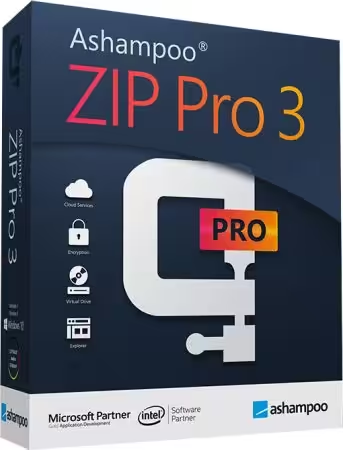
Ashampoo ZIP Pro is a feature-rich Windows archive manager designed for users who need more than basic ZIP compression and extraction. It can compress and unpack files, work with numerous archive formats, encrypt sensitive data, create backups, and integrate with Windows Explorer. The current Ashampoo product page lists ZIP Pro 4 as the latest version, with support for Windows 10 and Windows 11. (Ashampoo)
For users comparing Ashampoo ZIP Pro vs WinZip, WinRAR, 7-Zip, and other file compression tools, the most important factors are supported formats, compression performance, encryption, ease of use, price, and whether a free version is sufficient.
Below are answers to the most common People Also Ask questions related to Ashampoo ZIP Pro, ZIP compression, and popular alternatives.

Is there a free ZIP compressor I can download?
Yes. There are several free ZIP compressors available for Windows. One notable option is Ashampoo ZIP FREE, which is designed for basic archive creation and extraction without requiring a paid ZIP Pro license. Ashampoo describes ZIP FREE as free Windows software for compressing and extracting files. (Ashampoo)
Another widely used free option is 7-Zip. Windows itself can also create and extract standard ZIP files without additional software.
The main difference between a free ZIP utility and Ashampoo ZIP Pro is the number of advanced features available. A basic free compressor is usually enough if you only need to:
- Create ZIP files
- Extract ZIP archives
- Compress folders
- Open downloaded ZIP files
- Share groups of files as one archive
- Save some disk space
Ashampoo ZIP Pro is aimed at users who need a broader archive-management toolkit. ZIP Pro 4 supports around 60 archive types and includes features for compression, extraction, encryption, cloud-related workflows, file management, and Windows Explorer integration. (Ashampoo)
Ashampoo also currently lists ZIP Pro 4 as a trial version, rather than a permanently free edition. Its free-download catalog separately lists ZIP FREE as a free product. (Ashampoo)
Therefore, if your goal is simply to download a free ZIP compressor, you do not necessarily need the Pro edition. If you want advanced archive and file-management features, however, Ashampoo ZIP Pro is the more comprehensive option.
What is a good free software for compressing ZIP files?
A good free ZIP compressor should be easy to use, support common archive formats, integrate smoothly with Windows, and avoid unnecessary complexity.
Some popular choices include:
1. 7-Zip
7-Zip is one of the best-known free archive utilities. It is particularly popular among technically minded Windows users because it supports many formats and offers strong compression capabilities.
It is a good choice when your priorities are:
- No-cost archive management
- High compression
- 7z support
- ZIP creation and extraction
- Lightweight software
- Basic file encryption
2. Ashampoo ZIP FREE
Ashampoo ZIP FREE is another option for Windows users who want a graphical interface and straightforward archive management. According to Ashampoo, it can create and extract several popular formats and includes Windows Explorer integration. (Ashampoo)
3. Windows built-in ZIP support
For ordinary ZIP files, Windows 10 and Windows 11 already provide built-in compression and extraction features. You can right-click files or folders and use the available compression or extraction commands.
4. WinRAR
WinRAR is another established archive utility. It supports ZIP and RAR formats and offers additional archive-management features, although it is not the same type of permanently free product as 7-Zip.
5. Ashampoo ZIP Pro
For users who want a more extensive toolkit, Ashampoo ZIP Pro combines archive management with encryption, backup-related functions, cloud access, and an integrated file explorer. Ashampoo currently lists ZIP Pro 4 as a trial version. (Ashampoo)
Bottom line: If you only need basic ZIP compression, a free utility is usually enough. If you regularly handle different archive formats or need encryption and additional file-management features, a Pro-level application may be worth considering.
How do I compress a file to a .ZIP file?
Creating a ZIP file is straightforward on Windows.
Using Windows
- Locate the file or folder you want to compress.
- Right-click it.
- Choose the ZIP/compression option available in your Windows version.
- Windows creates a ZIP archive in the same general location.
- Rename the archive if required.
You can also select multiple files before creating the archive. Windows then packages the selected items into one ZIP file.
Using Ashampoo ZIP Pro
With Ashampoo ZIP Pro, you can select files through the application or use its Windows Explorer integration. ZIP Pro 4 is designed to work directly from Windows Explorer, allowing users to access archive functions through the context menu. (Ashampoo)
A typical workflow is:
- Select the files or folder.
- Open the context menu.
- Choose the Ashampoo ZIP Pro compression option.
- Select the desired archive format and settings.
- Choose a destination.
- Start the compression process.
The advantage of dedicated software is that you can control additional settings such as compression method, encryption, archive splitting, and other options that may not be available through Windows’ basic ZIP functionality.
What is the best software to open ZIP files?
The “best” ZIP software depends on how frequently you work with archives and which formats you need.
For occasional ZIP files, Windows built-in support may be all you need. There is no reason to install another program simply to open a standard ZIP archive if the operating system handles your files correctly.
For more advanced requirements, several applications are worth considering.
7-Zip is a strong choice for users who want a free and lightweight archive manager.
WinRAR is popular for users who regularly work with RAR archives in addition to ZIP files.
Ashampoo ZIP Pro is useful when you want archive management combined with encryption, cloud connectivity, file browsing, backup-related tools, and additional archive functionality. Ashampoo says ZIP Pro 4 supports 60 archive types. (Ashampoo)
The best choice therefore depends on whether you need only ZIP extraction or a complete archive-management solution.
Is WinZip still free?
WinZip is generally positioned as commercial software rather than a permanently free replacement for every user. Depending on the version and licensing arrangement, users may have access to a trial period or promotional offers, but the full product is normally associated with a paid license.
This is an important distinction when comparing WinZip vs Ashampoo ZIP Pro vs 7-Zip.
If you need a completely free solution, 7-Zip and other free archive utilities may be more appropriate. Windows also handles standard ZIP files natively.
If you want a broader commercial archive suite, WinZip and Ashampoo ZIP Pro are more comparable.
The decision should not be based solely on whether a program has a “free download.” Many commercial applications offer downloadable trial versions while requiring payment for continued access to premium features.
Which app is best for ZIP files?
There is no single ZIP application that is best for everyone.
For completely free use
7-Zip is one of the strongest choices. It is lightweight, popular, and supports numerous archive formats.
For simple Windows use
Windows built-in ZIP functionality is convenient because no additional application is necessary for standard ZIP files.
For a feature-rich commercial toolkit
Ashampoo ZIP Pro is worth considering. ZIP Pro 4 is designed as more than a basic ZIP utility. It combines compression and extraction with encryption, archive management, cloud-related functionality, and a built-in file explorer. (Ashampoo)
For RAR-heavy workflows
WinRAR is often considered when RAR archives are a major part of the workflow.
In other words, the best ZIP application depends on whether your priority is free access, simplicity, compression, advanced features, or support for multiple archive formats.
Is WinZip or 7-Zip better?
The answer depends on what you want from an archive manager.
7-Zip has a major advantage for users who want a free solution. It is lightweight and supports multiple archive formats, including its own 7z format.
WinZip focuses more heavily on a polished commercial experience and a broader collection of productivity and file-management functions.
For someone who only needs to create and extract archives, 7-Zip may provide everything necessary without a paid license.
For users who prefer a commercial interface and additional workflow features, WinZip may be more appealing.
7-Zip vs WinZip at a glance
| Feature | 7-Zip | WinZip |
|---|---|---|
| Free for general use | Yes | Primarily commercial |
| ZIP support | Yes | Yes |
| 7z support | Yes | Yes |
| RAR extraction | Yes | Yes |
| Advanced file management | Basic | Extensive |
| Beginner-friendly interface | Functional | More polished |
| Additional productivity tools | Limited | More extensive |
The same comparison can be extended to Ashampoo ZIP Pro. ZIP Pro is another commercial option aimed at users who want compression alongside encryption, cloud access, file exploration, and additional tools.
What replaced WinZip?
There is no single program that officially “replaced” WinZip. Instead, many alternatives have become popular depending on users’ requirements.
The most common alternatives include:
- 7-Zip
- WinRAR
- Ashampoo ZIP Pro
- PeaZip
- Windows built-in ZIP support
- Other open-source and commercial archive managers
7-Zip is particularly popular among people looking for a free WinZip alternative.
Ashampoo ZIP Pro is another option for users who want a more comprehensive commercial archive suite. Its current ZIP Pro 4 release supports Windows 10 and Windows 11 and includes native Windows Explorer integration. (Ashampoo)
If you are replacing WinZip because of price, start with a free application such as 7-Zip or Ashampoo ZIP FREE. If you are replacing it because you want more features, compare commercial products based on encryption, cloud integration, supported formats, backup tools, and ease of use.
Can I open a ZIP file without WinZip?
Yes. You do not need WinZip to open a standard ZIP file.
Windows 10 and Windows 11 include native support for common ZIP operations. You can usually open a ZIP archive directly from File Explorer and extract its contents without installing third-party software.
This is particularly useful for users who only occasionally download ZIP files.
You can also use free archive applications such as 7-Zip or Ashampoo ZIP FREE. Ashampoo’s free product is specifically designed to extract and compress common archive formats. (Ashampoo)
A third-party application becomes more useful when you regularly work with less common archive formats or need features such as:
- Advanced encryption
- Archive repair
- Multi-volume archives
- Self-extracting archives
- Cloud integration
- Advanced compression controls
- Built-in file management
- Specialized archive formats
Ashampoo ZIP Pro is designed around these more advanced requirements.
Which is better, WinZip or WinRAR?
Both programs are established archive utilities, but they approach file management somewhat differently.
WinRAR is particularly well known for RAR archives and is widely used for creating and extracting compressed files.
WinZip places greater emphasis on ZIP-based compression and a broad collection of file-management and productivity features.
For someone who primarily receives RAR files, WinRAR can be a natural choice. For users who work mainly with ZIP files and want additional productivity features, WinZip may be preferable.
However, there is another important option: Ashampoo ZIP Pro.
ZIP Pro 4 supports approximately 60 archive types and includes encryption, Windows Explorer integration, cloud support, and an integrated file explorer. (Ashampoo)
WinZip vs WinRAR vs Ashampoo ZIP Pro
| Feature | WinZip | WinRAR | Ashampoo ZIP Pro |
|---|---|---|---|
| ZIP support | Yes | Yes | Yes |
| RAR support | Yes | Yes | Yes |
| Multi-format support | Yes | Yes | Yes |
| Encryption | Yes | Yes | Yes |
| Windows integration | Yes | Yes | Yes |
| Cloud-related tools | Yes | Limited | Yes |
| Built-in file explorer | Yes | Yes | Yes |
| Free permanent edition | No | No | No |
| Windows 11 support | Yes | Yes | Yes |
The right choice comes down to your workflow rather than a universal winner.
Why Choose Ashampoo ZIP Pro?
If you are researching Ashampoo ZIP Pro, its biggest selling point is that it attempts to combine several file-management functions in a single Windows application.
Instead of functioning only as a ZIP extractor, ZIP Pro 4 is presented by Ashampoo as a complete archive suite. The company says it can compress, extract, send, and encrypt files while handling around 60 archive types. (Ashampoo)
This can make it useful for people who work with large numbers of compressed files.
1. Multiple archive formats
A major benefit of a dedicated archive application is broader format compatibility.
ZIP Pro supports a wide range of archive types, meaning users do not have to install separate utilities whenever they encounter a different compressed-file format.
This can be particularly useful for developers, IT professionals, designers, students, businesses, and anyone who regularly downloads archives from different sources.
2. ZIP and ZIPX support
ZIP remains one of the most widely used archive formats because it is supported across operating systems and applications.
ZIP Pro is designed to handle ZIP and ZIPX workflows, while also supporting many other archive formats.
Ashampoo also highlights Zstandard support for ZIPX archives in ZIP Pro 4, along with improvements intended to make compression and extraction faster. (Ashampoo)
3. Encryption and password protection
File compression is not only about reducing file size. Sometimes users need to protect the information stored inside an archive.
Ashampoo ZIP Pro includes encryption functionality, with the company highlighting 256-bit encryption for protecting archives. (Ashampoo)
This can be useful when compressing:
- Business documents
- Personal files
- Financial records
- Project folders
- Private photographs
- Confidential PDFs
- Work-related archives
Users should still remember that encryption settings, passwords, and the security of the destination where an archive is stored all matter.
4. Windows Explorer integration
One of the most convenient features of ZIP Pro is its integration with Windows Explorer.
Rather than opening a separate application every time you want to compress a folder, archive-related options can be accessed directly through Windows Explorer. Ashampoo says ZIP Pro 4 includes native Windows 11 shell integration. (Ashampoo)
This can make routine compression and extraction faster.
For example, if you frequently send multiple files by email or upload folders to cloud storage, you can package them into a single archive instead of handling each file individually.
5. Built-in file explorer
ZIP Pro also includes a file explorer with a split-pane interface.
This can be useful when moving files between folders and archives because you do not necessarily need to switch repeatedly between multiple applications.
For advanced users, this type of interface can make archive management more efficient.
6. Cloud and FTP support
Modern file workflows often involve cloud storage and remote servers.
ZIP Pro includes cloud-related functionality and FTP support. Ashampoo describes the built-in file explorer as supporting cloud and FTP connections, while the product page highlights access to several cloud services. (Ashampoo)
This makes the software more relevant to users who frequently compress files before uploading or transferring them.
7. Backup-related features
Another reason users may choose a professional archive utility is the ability to combine compression with backup workflows.
Archives can reduce the amount of storage required for collections of files, although compression effectiveness depends heavily on the file types involved.
For example, documents and uncompressed data may compress significantly, while already-compressed formats such as many JPEG images or modern videos may show much smaller reductions.
A compression application should therefore not be viewed as a replacement for a proper backup strategy. Important data should ideally exist in more than one location.

Is Ashampoo ZIP Pro Free?
This is one of the most important questions when researching Ashampoo ZIP Pro download options.
The current Ashampoo website lists ZIP Pro 4 as a trial version, while Ashampoo ZIP FREE is offered separately as a free product. (Ashampoo)
That means users should distinguish between:
Ashampoo ZIP Pro: Paid professional archive software with a trial version.
Ashampoo ZIP FREE: Free Windows archive software intended for basic compression and extraction.
This distinction is important because searches for terms such as “Ashampoo ZIP Pro free download” can sometimes lead users to unofficial websites claiming to provide modified or unlocked versions.
Downloading software from unofficial sources can expose your computer to malware, unwanted programs, or altered installers. For security, it is better to obtain software from the developer or another reputable distribution channel.
Is Ashampoo ZIP Pro Good for Windows 11?
Yes. Ashampoo ZIP Pro 4 is officially compatible with Windows 11. Ashampoo also says that the application includes Windows 11 shell extensions and a user interface designed to fit the operating system. (Ashampoo)
The current requirements list Windows 10 and Windows 11 as supported operating systems. Ashampoo also notes that an internet connection is required for activation and that the license is periodically verified. (Ashampoo)
This makes ZIP Pro 4 a reasonable option for users looking for a dedicated archive manager on a modern Windows PC.
Ashampoo ZIP Pro vs Ashampoo ZIP FREE
The names can be confusing, so it is useful to understand the difference.
| Feature | Ashampoo ZIP FREE | Ashampoo ZIP Pro |
|---|---|---|
| Free | Yes | Trial version / paid |
| ZIP compression | Yes | Yes |
| ZIP extraction | Yes | Yes |
| Multiple formats | Yes | Extensive support |
| Encryption | Yes | Advanced options |
| Windows Explorer integration | Yes | Yes |
| Cloud features | Limited | Yes |
| File explorer | Basic | Advanced |
| Professional archive tools | Limited | Extensive |
| Windows 11 support | Depends on current release | Yes |
Ashampoo describes ZIP FREE as a free Windows tool for creating, extracting, converting, and repairing archives. (Ashampoo)
ZIP Pro is aimed at users who want a larger collection of archive, encryption, cloud, file-management, and backup-related features.
Ashampoo ZIP Pro: Pros and Cons
Before choosing any archive manager, it is worth considering both strengths and limitations.
Pros
- Supports many archive formats
- Works with Windows 10 and Windows 11
- Windows Explorer integration
- 256-bit encryption support
- Built-in file explorer
- Cloud and FTP functionality
- ZIPX support
- Multi-core processing
- Professional archive-management features
- Designed for both compression and extraction
Ashampoo currently states that ZIP Pro 4 handles around 60 archive types and supports native Windows 11 integration. (Ashampoo)
Cons
- The Pro edition is not a permanently free product
- May provide more features than casual users need
- Requires activation
- Internet connectivity is required for activation and periodic license verification
- A simpler free ZIP tool may be sufficient for basic compression
The current requirements page specifically notes the activation and recurring license-verification requirements. (Ashampoo)
Who Should Use Ashampoo ZIP Pro?
Ashampoo ZIP Pro is most useful for people who frequently work with archives and want more than basic ZIP functionality.
It may be a good fit for:
Professionals
People handling large collections of work files can benefit from compression, encryption, archive management, and file organization.
IT users
IT professionals often encounter multiple archive formats and may appreciate having one application capable of handling many of them.
Businesses
Organizations can use archive tools for packaging documents, transferring data, and protecting sensitive files with encryption.
Students
Students can compress assignments, projects, research material, and groups of documents into convenient archives.
Power users
Anyone who regularly compresses, extracts, encrypts, uploads, or organizes archives may benefit from the broader feature set.
For someone who opens one ZIP file every few months, however, Windows’ built-in ZIP support or a free archive manager may be enough.
How to Choose the Right ZIP Software
Choosing the right archive manager becomes easier when you consider your actual requirements.
Choose Windows built-in tools if:
- You rarely work with archives.
- You only need standard ZIP files.
- You do not require encryption or advanced options.
- You want to avoid installing extra software.
Choose 7-Zip if:
- You want a free archive manager.
- You need good compression.
- You work with several archive formats.
- You prefer lightweight software.
Choose Ashampoo ZIP FREE if:
- You want a free graphical archive tool.
- You primarily need compression and extraction.
- You want Windows Explorer integration.
- You prefer a more traditional desktop application.
Choose Ashampoo ZIP Pro if:
- You frequently manage archives.
- You need advanced encryption.
- You work with many archive formats.
- You want cloud and FTP functionality.
- You want a built-in file explorer.
- You need more professional archive-management features.
Choose WinRAR if:
- You regularly work with RAR archives.
- You want a mature archive-management application.
- RAR creation and extraction are central to your workflow.
Choose WinZip if:
- You prefer a commercial ZIP-focused application.
- You want additional productivity features.
- You are comfortable with paid software.
Final Verdict: Is Ashampoo ZIP Pro Worth It?
Ashampoo ZIP Pro is best understood as a complete archive-management suite rather than simply another ZIP extractor.
Its strongest advantage is the combination of compression, extraction, encryption, archive-format support, Windows integration, file browsing, cloud connectivity, and additional tools in one application. Ashampoo says ZIP Pro 4 supports around 60 archive types and is fully compatible with Windows 11. (Ashampoo)
However, not everyone needs a professional archive manager.
If you only need to open or create ordinary ZIP files, Windows itself can handle many basic tasks. If you want a completely free dedicated application, 7-Zip or Ashampoo ZIP FREE may be more appropriate. Ashampoo currently offers ZIP FREE separately from the trial-based ZIP Pro 4. (Ashampoo)
For users who regularly work with different archive formats, need stronger file-management capabilities, want encryption, or transfer compressed data through cloud and FTP workflows, Ashampoo ZIP Pro is a more comprehensive solution.
Ultimately, the best choice depends on your needs: free and simple, lightweight and powerful, or feature-rich and professional. For everyday ZIP tasks, free tools are usually sufficient; for advanced archive management, Ashampoo ZIP Pro provides considerably more functionality in a single Windows application.
Download Now
Ashampoo ZIP Pro
- File Size: 89.8 MB
- System Type: 32-bit / 64-bit
- Setup Type: Offline / Standalone
Download Options
Explanation of Formatting:
- Used
<h2>for the main heading and<h3>for the software name and download options. - Added a list for file details and download links for clarity.
- Ensured any prohibited words were avoided (none were present in the original text).
- Kept the structure simple and clear for better readability.