Table of Contents
Driver Talent: Complete Guide
Keeping Windows drivers updated is important for maintaining stable hardware performance. Graphics cards, Wi-Fi adapters, Bluetooth devices, printers, audio hardware, chipsets, USB controllers, and other components all depend on drivers to communicate correctly with Windows. When a driver becomes outdated, corrupted, incompatible, or missing, users may experience problems such as poor performance, connection failures, system crashes, missing audio, or hardware that Windows cannot recognize.
Driver Talent is a Windows driver-management utility designed to help users identify outdated, missing, or problematic drivers and update or reinstall them from a central interface. It can also be useful when a computer needs drivers after a fresh Windows installation or when an internet connection is unavailable.
This guide answers common questions about Driver Talent, including whether it is free, whether driver updater software is safe, how to update drivers, whether you actually need a driver updater, and what to consider before installing third-party driver software.

What Is Driver Talent?
Driver Talent is a Windows utility that focuses on finding, updating, backing up, restoring, and managing hardware drivers. Instead of manually searching for individual drivers for every device, the program can scan the computer and present available driver information in one place.
A typical Windows computer may contain dozens of hardware components that require drivers. Some drivers are easy to identify, while others can be difficult to locate manually. For example, after reinstalling Windows, a user might know that the computer has a Wi-Fi adapter but not know the exact model or manufacturer. A driver-management tool can make this process more convenient.
Driver Talent is primarily aimed at users who want a simpler way to manage Windows drivers. It can be particularly useful for:
- Users with missing drivers
- People reinstalling Windows
- Computers with unknown hardware devices
- Users troubleshooting driver-related problems
- Users who want to keep hardware drivers updated
- Technicians maintaining multiple Windows PCs
- Users who want to back up working drivers before making changes
- Computers that have difficulty finding the correct driver manually
However, an automatic driver updater should not be treated as something that every Windows user must install. Windows Update and official hardware manufacturers already provide legitimate ways to obtain many drivers.
Is Driver Talent Free?
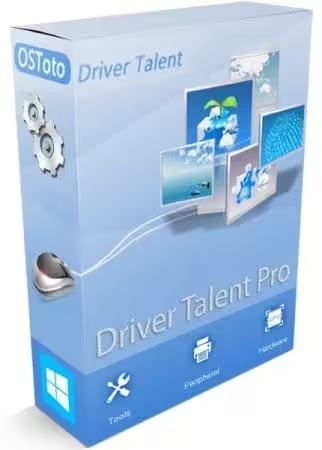
Driver Talent has offered both free and paid functionality, so users should distinguish between the free version and Driver Talent Pro rather than assuming every feature is available without payment.
The free edition can be useful for basic driver-management tasks, while the Pro version is designed to provide additional capabilities and convenience. Exact features, licensing terms, and supported versions can change over time, so users should check the current product information before purchasing.
If your only goal is to update a driver for a specific component, you may not need to purchase a third-party driver updater at all. Windows Update and the hardware manufacturer’s website can often provide the required driver without additional software.
What Can You Do With a Free Driver Updater?
A free driver-management tool may provide features such as:
- Hardware scanning
- Driver detection
- Driver update information
- Driver installation
- Driver troubleshooting
- Basic driver backup or restoration features, depending on the version
The exact functionality depends on the current release and licensing model.
For users who only occasionally need a driver, the free functionality may be sufficient. Users who frequently manage drivers or need advanced backup and restoration capabilities may find a paid edition more convenient.
Is Driver Talent Safe to Use?
The answer depends on where you download it from and how you use it.
Driver Talent itself is a driver-management application, but users should always download software from a trustworthy source and review every driver recommendation before installation.
Driver updates can affect the operating system at a low level. Installing an incorrect or incompatible driver can cause instability, hardware problems, or even system crashes. Therefore, the important question is not simply whether a driver updater is “safe,” but whether the specific driver being installed is appropriate for the hardware and Windows version.
Before updating drivers with Driver Talent or another utility, consider these precautions:
1. Create a Restore Point
A Windows restore point gives you an additional recovery option if a driver update causes unexpected problems.
2. Back Up Important Data
Driver updates normally do not affect personal files, but keeping important documents backed up is always good practice.
3. Avoid Updating Drivers Just Because They Are Old
An older driver is not automatically a bad driver. If the computer is working correctly, there may be little benefit in replacing a stable driver without a specific reason.
4. Check the Hardware Model
Before installing an important driver, confirm that it matches your device. This is particularly important for graphics cards, chipsets, storage controllers, network adapters, and other critical components.
5. Prefer Manufacturer Drivers for Critical Hardware
For major components, downloading directly from the hardware manufacturer’s official support page can be the safest approach.
6. Don’t Install Everything Blindly
A driver updater may detect numerous components. That does not mean every detected update is necessary. Review the list before proceeding.
What Is a Driver?
A driver is software that allows Windows to communicate with a hardware component.
Think of a driver as a translator between the operating system and a device. Windows knows that a particular hardware component exists, but it needs appropriate software instructions to communicate with it properly.
Examples include:
- Graphics drivers
- Audio drivers
- Network drivers
- Wi-Fi drivers
- Bluetooth drivers
- Printer drivers
- Keyboard and mouse drivers
- Chipset drivers
- USB drivers
- Storage-controller drivers
- Webcam drivers
- Touchpad drivers
Without the appropriate driver, hardware may not function correctly or may not function at all.
For example, if a Wi-Fi driver is missing after reinstalling Windows, the computer might not be able to connect to wireless networks. Installing the correct Wi-Fi driver can restore connectivity.
Why Do Drivers Need to Be Updated?
Driver updates can address different issues. Manufacturers may release new versions to improve compatibility, fix bugs, improve performance, or support newer versions of Windows.
Some common reasons for updating drivers include:
Bug Fixes
A driver may contain a software problem that causes crashes or unexpected behavior. A newer release can correct the issue.
Compatibility
New Windows updates or applications may require updated drivers to work properly with particular hardware.
Security
Some driver updates can address security vulnerabilities. Security-related driver updates should generally be taken seriously, particularly on systems exposed to untrusted software or networks.
Performance
Graphics and other performance-sensitive components sometimes receive driver improvements that enhance compatibility or performance in specific applications and games.
Hardware Support
New devices may require updated drivers before Windows can use all of their capabilities.
Is There a 100% Free Driver Updater?
There are free ways to update Windows drivers, but “100% free driver updater” can mean several different things.
Windows itself includes tools for driver management, and hardware manufacturers frequently provide free driver downloads. Some third-party utilities also offer free editions.
For many users, the most straightforward free options are:
- Windows Update
- Device Manager
- The official hardware manufacturer’s website
- A reputable free driver-management utility
Windows Update is particularly convenient because it is integrated into the operating system.
However, Windows Update does not necessarily provide the newest driver for every device. Some manufacturers distribute specialized drivers through their own support pages.
How Do I Update All Drivers?
You do not necessarily need to update every driver on a computer.
A better approach is to identify drivers that are outdated, missing, malfunctioning, or required for a specific hardware problem.
If you use Driver Talent, the general process is:
Step 1: Install the Software
Download and install Driver Talent from a trustworthy source.
Step 2: Run a Driver Scan
Launch the program and allow it to scan your hardware.
Step 3: Review the Results
Look at the devices and drivers identified by the scan.
Step 4: Check Driver Details
Before installing an update, review the device name and driver information. Make sure the driver corresponds to your hardware.
Step 5: Back Up Drivers When Appropriate
If the software provides a driver backup feature, creating a backup before major changes can provide additional protection.
Step 6: Install Selected Updates
Update only the drivers you actually need.
Step 7: Restart Windows
Some driver installations require a restart before the changes take effect.
Step 8: Test the Hardware
After restarting, check your Wi-Fi, audio, graphics, Bluetooth, printer, USB devices, or other affected hardware.
How Can I Update My Drivers Online?
The traditional way to update drivers online is to visit the manufacturer’s support website.
For example, if you have a graphics card, you can identify its model and then visit the graphics-card manufacturer’s official driver page. The same approach works for laptops, motherboards, printers, network adapters, and other devices.
The process generally looks like this:
Identify hardware → Find the manufacturer’s support page → Select the correct Windows version → Download the driver → Install it → Restart if required.
This method takes more time than using an automated driver utility, but it gives you direct control over the driver you install.
How Do I Update Drivers With Windows Update?
Windows includes a built-in driver update mechanism.
To check Windows Update:
- Open Settings.
- Select Windows Update.
- Click Check for updates.
- Install available updates.
- Restart the computer if Windows requests it.
Depending on the version of Windows and hardware, optional driver updates may also appear under advanced or optional update settings.
For many users, Windows Update should be the first place to check before installing third-party driver software.
Can Device Manager Update Drivers?
Yes. Device Manager is another built-in Windows option.
To use it:
- Right-click the Start button.
- Open Device Manager.
- Locate the hardware category.
- Right-click the device.
- Select Update driver.
- Choose the appropriate search or installation option.
Device Manager is particularly useful when you already know which hardware is causing a problem.
For example, if your Bluetooth adapter is not working, you can expand Bluetooth in Device Manager and inspect the corresponding device.
Do I Need a Driver Updater?
No, not necessarily.
Windows can manage many drivers automatically through Windows Update. You can also download drivers directly from hardware manufacturers.
A third-party utility such as Driver Talent is primarily about convenience.
A driver updater can be helpful if:
- You have several unknown devices.
- You recently reinstalled Windows.
- You are missing network drivers.
- You frequently maintain multiple computers.
- You want a centralized driver scan.
- You want driver backup and restoration tools.
- You have difficulty identifying hardware manually.
On the other hand, if your computer is stable and all hardware works correctly, you may not need a dedicated driver updater.
What Is the Best Driver Update Software?
There is no single driver updater that is best for everyone.
The right choice depends on what you need.
Driver Talent
Driver Talent focuses on automated driver detection and management. It can appeal to users who want a dedicated interface for scanning and handling drivers.
Windows Update
Windows Update is integrated into Windows and is a strong first choice for routine driver and operating-system updates.
Device Manager
Device Manager is useful when you need to troubleshoot or update a particular device manually.
Manufacturer Support Tools
Some PC and hardware manufacturers provide their own utilities for finding drivers, firmware, BIOS updates, and system-specific software.
For critical hardware, manufacturer-provided drivers are often preferable because they are specifically designed for the relevant device.

Driver Talent vs. Windows Update
Both approaches can help with driver management, but they serve different purposes.
| Feature | Driver Talent | Windows Update |
|---|---|---|
| Driver scanning | Yes | Yes, automatically |
| Integrated into Windows | No | Yes |
| Automated management | Yes | Yes |
| Driver backup features | Depending on version | Limited |
| Manufacturer-specific support | Depends on database | Depends on Microsoft catalog |
| Ease of use | Designed for centralized driver management | Very simple |
| Cost | Free and paid functionality may be available | Included with Windows |
| Best for | Centralized driver management | Routine Windows maintenance |
For most everyday users, Windows Update is an excellent starting point. Driver Talent can be considered when more dedicated driver-management features are needed.
Driver Talent vs. Driver Easy
Driver Talent and Driver Easy both target users who want to simplify driver management.
The basic concept is similar: scan the computer, identify drivers, and help users find or install updates.
The differences are generally related to:
- User interface
- Driver database
- Free versus paid features
- Download limitations
- Backup and restoration tools
- Scanning capabilities
- Scheduling or automation features
Rather than choosing a product simply because it claims to find more updates, compare the actual features that matter to you.
Driver Talent vs. Snappy Driver Installer
Snappy Driver Installer is another name that frequently appears in searches for free driver-management tools.
It is known for a different approach to driver installation and can be useful in situations where offline driver availability is important.
Driver Talent, meanwhile, is designed around a more conventional software interface for scanning and managing drivers.
Users choosing between them should consider:
- Online versus offline requirements
- Ease of use
- Driver backup functionality
- Hardware compatibility
- Download size
- Update frequency
- Whether the tool supports their particular Windows installation
For inexperienced users, a straightforward interface may be more important than having an enormous offline driver collection.
How Do I Know Which Drivers Need Updating?
A driver should generally receive attention when one or more of the following conditions apply:
- Windows reports a hardware problem.
- Device Manager shows an error.
- A device suddenly stops working.
- A manufacturer recommends a newer driver.
- A Windows upgrade creates compatibility problems.
- A game or application specifically recommends a graphics driver update.
- The current driver is corrupted.
- The hardware is missing from Windows.
- A known bug affects your current driver version.
You should be more cautious about updating drivers merely because a utility says they are “old.”
Old does not always mean defective.
If a stable driver is working correctly, replacing it can sometimes introduce a new compatibility issue.
What Happens If You Install the Wrong Driver?
Installing an incompatible driver can produce different results depending on the device.
Possible symptoms include:
- Hardware not working
- Blue-screen errors
- Windows crashes
- Display problems
- Audio failure
- Network connection problems
- Bluetooth failure
- Reduced performance
- Device instability
This is why driver updates should be handled carefully.
If a new driver causes a problem, you may be able to:
- Roll back the driver
- Uninstall the driver
- Restore a previous driver backup
- Use System Restore
- Install the manufacturer’s recommended driver
Creating a backup before major driver changes is therefore a sensible precaution.
How to Roll Back a Driver
Windows provides a rollback option for many devices.
A typical process is:
- Open Device Manager.
- Find the affected device.
- Right-click it and select Properties.
- Open the Driver tab.
- Select Roll Back Driver, if available.
- Follow the instructions.
- Restart Windows if necessary.
The rollback option may be unavailable if Windows does not have a previous driver version stored.
How to Back Up Drivers
Driver backups can be particularly useful before reinstalling Windows or making significant system changes.
Depending on the version of Driver Talent you use, the program may provide tools for backing up installed drivers.
A backup can help you restore a working driver configuration later if you encounter problems.
However, driver backups should not be considered a substitute for keeping your system recovery options available. A Windows restore point and important-data backup can provide additional protection.
Driver Talent for Offline Driver Installation
One of the useful scenarios for a driver-management utility is a computer that does not have a working internet connection.
Imagine reinstalling Windows on a laptop. The installation completes, but Windows does not recognize the Wi-Fi adapter. Without internet access, downloading the Wi-Fi driver directly on that computer becomes difficult.
An offline driver package or previously prepared driver backup can help solve this problem.
A practical approach is to prepare necessary drivers before reinstalling Windows, particularly:
- Ethernet drivers
- Wi-Fi drivers
- Chipset drivers
- Storage drivers
- Graphics drivers
Once network connectivity is restored, the remaining drivers can be downloaded normally.
Driver Talent for Windows 10
Driver-management software can be useful on Windows 10 when devices are missing drivers or experiencing compatibility issues.
However, users should always make sure that the selected driver supports their particular version of Windows 10 and hardware.
A driver designed for one operating-system version may not be appropriate for another.
Before installing a driver, check:
- Windows version
- 32-bit or 64-bit architecture
- Hardware model
- Driver version
- Manufacturer
- Device category
The same principle applies to Windows 11.
Driver Talent for Windows 11
Windows 11 includes built-in driver management through Windows Update and Device Manager.
Nevertheless, users may still encounter missing or outdated drivers after upgrading or reinstalling the operating system.
Driver Talent can be considered as an additional driver-management option when Windows does not provide the driver you need or when you want centralized scanning and backup capabilities.
For Windows 11, compatibility is particularly important. Do not install a driver simply because its version number appears newer. Verify that it is designed for your hardware and operating system.
Driver Talent 32-Bit vs. 64-Bit
Modern Windows computers are predominantly 64-bit, but some older systems may use 32-bit Windows.
The software version you install should match your Windows architecture when the application provides separate builds.
To check your Windows system type:
- Open Settings.
- Go to System.
- Open About.
- Look for System type.
You may see information indicating whether the operating system is 64-bit or 32-bit.
Always download the appropriate version from a trusted source.
What Skills Does a Driver Need?
If the question “What skills does a driver need?” refers to a human driver rather than a computer driver, it is unrelated to Driver Talent.
A professional vehicle driver generally needs skills such as:
- Road awareness
- Safe driving habits
- Traffic-rule knowledge
- Vehicle control
- Concentration
- Defensive driving
- Basic vehicle maintenance knowledge
- Good judgment
- Navigation skills
This distinction matters because the word driver has two completely different meanings.
In the context of Driver Talent, a driver means software that allows Windows to communicate with hardware.
How Do Computer Drivers Work?
When an application requests something from hardware, Windows communicates through the appropriate system components and driver.
For example, when you play music, the operating system needs to send audio information to the sound hardware. The audio driver helps translate those operating-system requests into instructions the hardware can understand.
The same principle applies to graphics, networking, storage, printers, Bluetooth devices, and other components.
Without the correct driver, the operating system may have limited or no ability to use the hardware.
What Are the Main Types of Computer Drivers?
There are many categories of drivers. Some of the most common include:
Graphics Drivers
Used by GPUs and integrated graphics systems.
Audio Drivers
Allow Windows to communicate with sound cards and audio devices.
Network Drivers
Support Ethernet network adapters.
Wi-Fi Drivers
Allow wireless adapters to communicate with Windows.
Bluetooth Drivers
Provide support for Bluetooth hardware.
Printer Drivers
Allow Windows and applications to communicate with printers.
Chipset Drivers
Help Windows properly interact with motherboard components.
Storage Drivers
Support storage controllers and related hardware.
USB Drivers
Help Windows communicate with USB devices and controllers.
Touchpad Drivers
Provide advanced functionality for laptop touchpads.
Is Driver Update Free?
Driver updates themselves can be free.
Windows Update does not charge separately for installing Windows updates, and manufacturers generally provide drivers for their hardware without requiring users to purchase a driver.
The question becomes different when discussing third-party driver-updater applications.
Some offer free editions, while others reserve certain features for paid versions. Driver Talent has both free and Pro-oriented functionality, so users should check the current edition and feature list.
There is no need to pay for a driver simply because a third-party program identifies an update.
Should I Update Every Driver?
No.
Updating every driver without a reason is generally unnecessary.
A better strategy is to update drivers when:
- The manufacturer recommends an update.
- You are experiencing a hardware problem.
- Windows reports a driver issue.
- A new application requires compatibility.
- A security issue has been fixed.
- You are upgrading Windows.
- A new feature or hardware capability requires the newer driver.
For example, if your audio driver works perfectly and there is no relevant reason to replace it, you may not gain anything from installing a different version.
Can Driver Updates Improve PC Performance?
Sometimes, but expectations should be realistic.
Driver updates can improve performance in certain circumstances, especially for graphics hardware. GPU manufacturers regularly optimize drivers for newer games and applications.
However, installing every available driver update will not magically make an old PC fast.
If your computer is slow because of:
- Limited RAM
- An aging hard drive
- A weak CPU
- Too many startup applications
- Malware
- Insufficient storage
- Thermal throttling
then updating drivers alone may not solve the problem.
Driver updates should therefore be considered one part of Windows maintenance, not a universal performance solution.
How to Fix Driver Problems
If a hardware component is not working, start with basic troubleshooting.
Step 1: Restart the PC
A restart can resolve temporary hardware-detection problems.
Step 2: Check Device Manager
Look for warning icons or unknown devices.
Step 3: Identify the Hardware
Determine the exact model of the affected component.
Step 4: Check Windows Update
Install relevant Windows and driver updates.
Step 5: Check the Manufacturer
Look for the latest compatible driver on the official support page.
Step 6: Reinstall the Driver
If the driver appears corrupted, reinstalling it can help.
Step 7: Roll Back if Necessary
If the problem started after a driver update, consider returning to the previous version.
Step 8: Use System Restore
If a major driver change caused system instability, System Restore may provide a recovery path.
Common Driver Talent Problems
Users searching for Driver Talent may encounter questions about problems such as installation failures, scans that do not complete, or drivers that do not install.
Several factors can cause these issues.
No Internet Connection
Some driver-management functions may require internet access to retrieve driver information.
Incorrect Hardware Identification
A generic or incorrectly identified component can lead to confusion about which driver should be installed.
Windows Compatibility
A driver intended for an older Windows version may not work correctly on a newer system.
Security Software
Antivirus or Windows security settings can sometimes interfere with software installation.
Hardware Manufacturer Restrictions
Some laptops use customized drivers supplied by the laptop manufacturer rather than generic hardware drivers.
When troubleshooting, always verify the computer manufacturer’s support page before forcing an unfamiliar driver onto the system.
How to Choose a Driver Updater
If you decide to use a third-party driver updater, consider more than its number of detected updates.
Look for:
- Clear hardware identification
- Driver backup functionality
- Restore or rollback options
- Transparent version information
- Windows compatibility
- Easy-to-understand warnings
- A reputable distribution source
- Reasonable free functionality
- Clear licensing terms
- A way to review drivers before installation
A good driver-management tool should make the process easier, not make you feel pressured to install every available update.
Is Driver Updater Software Really Necessary?
For many people, no.
Windows already includes several driver-management mechanisms. If your PC works correctly, Windows Update may be all you need.
Third-party utilities become more useful when convenience is important.
For example, someone who frequently reinstalls Windows or manages several computers may appreciate the ability to scan, back up, and manage drivers from a single interface.
The key is to treat a driver updater as a maintenance tool, not as a requirement for every PC.
What Is the Best Free Way to Update Drivers?
For a completely free approach, start with Windows’ built-in options.
Option 1: Windows Update
Best for general automatic maintenance.
Option 2: Device Manager
Best for updating a specific device.
Option 3: Manufacturer Websites
Best when you know the exact hardware model and want the manufacturer’s driver.
Option 4: Free Driver Utility
Best when you want automated scanning and centralized driver management.
Driver Talent falls into the fourth category.
Frequently Asked Questions About Driver Talent
Is there a 100% free driver updater?
Yes, there are free methods for updating drivers. Windows Update and Device Manager are built into Windows, while some third-party applications offer free driver-management features. Driver Talent also provides free functionality, although advanced features may depend on the edition you use.
Is it safe to use a driver updater?
A reputable driver updater can be useful, but driver installation should always be approached carefully. Download software from a trustworthy source, verify the hardware and driver information, create recovery options, and avoid installing unnecessary updates.
Is Driver Talent safe?
Driver Talent is designed as a Windows driver-management application, but safety also depends on downloading the legitimate software and selecting appropriate drivers. For critical hardware, compare recommendations with the manufacturer’s official driver information.
Is driver update free?
Many driver updates are free. Windows Update and most hardware manufacturers do not require a separate payment for drivers. Some third-party driver-management applications charge for advanced features rather than for the driver itself.
How do I update all drivers?
You can use Windows Update for automatic updates or Device Manager for individual devices. A dedicated utility such as Driver Talent can scan multiple devices from one interface. You should still review updates rather than blindly installing every available driver.
Do I need a driver updater?
No. Most users can maintain their drivers through Windows Update and manufacturer websites. A dedicated driver updater is mainly useful for convenience, troubleshooting, driver backup, or managing several devices.
Should I update every driver?
Not necessarily. Update drivers when there is a clear reason, such as a hardware problem, compatibility issue, security fix, manufacturer recommendation, or important performance improvement.
How can I update my drivers online?
Identify the hardware, visit its manufacturer’s official support website, download the driver matching your Windows version, install it, and restart if required. Windows Update is another convenient online method.
What is the best driver update software?
The best choice depends on your requirements. Windows Update is convenient for ordinary users, manufacturer utilities are useful for specific PCs and components, while Driver Talent and similar applications focus on centralized driver scanning and management.
Can old drivers slow down a PC?
They can contribute to performance or compatibility problems, particularly when a driver contains bugs or lacks optimizations for newer applications. However, outdated drivers are not always the reason for a slow PC.
Should I update graphics drivers?
Graphics drivers are among the drivers that can benefit from regular updates, especially for gaming, video editing, and newly released applications. When possible, check the graphics hardware manufacturer’s recommendations.
What should I do before updating drivers?
Create a restore point, back up important files, and consider backing up existing drivers. Then verify that the new driver is intended for your exact hardware and Windows version.
Can a driver update cause problems?
Yes. An incompatible or defective driver can cause hardware failures, crashes, display problems, audio issues, or other instability. This is why backup and rollback options are valuable.
What is an offline driver installer?
An offline driver installer contains driver files that can be installed without downloading them during installation. This can be particularly useful after reinstalling Windows on a computer that does not yet have working network connectivity.
Final Verdict: Should You Use Driver Talent?
Driver Talent can be a convenient option for users who want centralized Windows driver scanning and management. Its main appeal is reducing the amount of manual searching required to identify drivers, particularly after a Windows installation or when several hardware components need attention.
However, it is not essential for every Windows computer.
If your PC is working normally, Windows Update, Device Manager, and official manufacturer websites are usually enough for routine driver maintenance. If you frequently reinstall Windows, troubleshoot missing drivers, maintain multiple computers, or want dedicated backup and restoration functionality, Driver Talent can be a useful addition to your toolkit.
The most important rule is simple: do not update drivers just because a program says they are old. Check whether the update is appropriate for your hardware, Windows version, and actual needs. Keep recovery options available, download software from trustworthy sources, and prefer official manufacturer drivers for critical components when possible.
For users searching for Driver Talent free, Driver Talent Pro, Driver Talent download, Driver Talent offline installer, Driver Talent 32-bit, or is Driver Talent safe, the same principle applies: choose the version that matches your system, understand which features are free or paid, and verify important driver updates before installation.
With a careful approach, driver-management software can save time while helping you keep Windows hardware functioning properly.
Download Now
Driver Talent Pro
File Details:
- Size: 29.2 MB
- System Type: 32-bit / 64-bit
- Setup Type: Offline / Standalone