
Table of Contents
SysTweak Duplicate Files Fixer: Complete Guide
Duplicate Files Fixer is a duplicate-file detection and cleanup utility developed by Systweak Software. It is designed to scan a computer, external storage, connected devices, and selected cloud locations for duplicate files so users can identify unnecessary copies and reclaim storage space. The Windows version supports different scanning modes, automatic duplicate selection, previewing results, folder exclusions, and custom scans.
Duplicate files are common on modern computers. Photos may be copied several times during editing, documents can be downloaded repeatedly, music libraries can contain multiple copies, and backups can create additional versions of the same content. Over time, these files can consume significant storage and make it harder to find the version you actually want.
This is why searches such as Duplicate Files Fixer, Duplicate Files Fixer Pro, Duplicate Files Fixer review, Duplicate Files Fixer free, Duplicate Files Fixer APK, and Duplicate Files Fixer Windows 11 are becoming common among users looking for a practical way to clean their storage.
Duplicate Files Fixer attempts to simplify this process by scanning selected locations and grouping files that it identifies as duplicates. Instead of manually comparing hundreds or thousands of files, users can review the results and use automatic marking or manual selection before deleting anything. Systweak’s current Windows information lists support for Windows 11, Windows 10, Windows 8.1, Windows 8, and Windows 7.
However, duplicate-file cleanup always requires some caution. A file that looks unnecessary may still be important because it belongs to a backup, project folder, application, or synchronization system. No duplicate finder can understand every user’s reason for keeping multiple copies. The safest approach is therefore to scan carefully, review groups, protect important folders, and delete only copies that are genuinely unnecessary.
This complete guide explains Duplicate Files Fixer, its features, safety, Windows 11 compatibility, Pro version, free trial, Android-related searches, alternatives such as dupeGuru and CCleaner, and the correct way to remove duplicate files without accidentally deleting important data.
What Is Duplicate Files Fixer?
Duplicate Files Fixer is software for finding and removing duplicate files from storage devices. It is developed by Systweak Software and is primarily intended to automate a task that can otherwise require substantial manual effort.
Instead of opening folders one by one and comparing files, the program scans selected locations and organizes duplicate results into groups. Users can then preview the results, select files manually, or use the application’s automatic marking functionality.
According to Systweak’s current Windows documentation, Duplicate Files Fixer can scan a computer, external storage, Google Drive, Dropbox, and connected mobile devices. It also includes modes for empty folders and duplicate EML files. (Systweak)
The basic workflow is straightforward:
- Select the location to scan.
- Start the duplicate scan.
- Allow the application to compare the selected files.
- Review duplicate groups.
- Mark copies for removal.
- Delete the marked files.
This makes Duplicate Files Fixer particularly useful for users who have accumulated large collections of photographs, videos, documents, downloads, music, archives, and other personal files.
How Does Duplicate Files Fixer Work?
The fundamental concept is duplicate detection.
A duplicate file is generally another copy of the same content stored in a different location. For example, if the same vacation photograph exists in both the Downloads folder and a Pictures folder, those two copies consume storage separately even though they contain the same data.
Duplicate Files Fixer scans the locations selected by the user and compares files to identify duplicate groups. Systweak’s current documentation describes its scanning process as content-based rather than simply relying on filenames or file sizes. (Systweak)
This distinction is important.
Two files can have different names while containing the same information. For example:
Vacation.jpg
and
Vacation_Copy.jpg
could potentially contain identical content.
Likewise, two files with similar names do not necessarily represent duplicates. A tool therefore needs more information than filename matching alone to identify meaningful duplicates.
Once scanning is complete, Duplicate Files Fixer displays groups of duplicate files. The user can then choose which copy should remain.
Duplicate Files Fixer Features
Duplicate Files Fixer includes several features designed to make duplicate cleanup easier.
Automatic Duplicate Detection
The software can automatically identify groups of duplicate files, reducing the need to manually compare large numbers of files.
Auto Mark
Auto Mark can automatically select duplicate copies while leaving one file in each group unmarked. This is intended to speed up cleanup while maintaining a remaining copy. Systweak describes this as one of the application’s main features. (Systweak)
Users should still review automatically selected files before deleting them.
Custom Scan
Custom Scan provides more control over what is searched. Systweak added the feature specifically to let users narrow scanning according to file types and other criteria. (Systweak)
This can be useful when someone wants to search only for photographs, videos, documents, audio files, or another category instead of scanning everything.
Full and Custom Scanning
Users can perform broader scans or select particular folders and locations. A custom approach is often preferable when working with important files because it reduces the chance of scanning system or application directories unnecessarily.
External Storage Scanning
Duplicate Files Fixer can scan external drives and other storage devices. This can be useful after transferring files between computers or combining several old drives.
Cloud Storage Scanning
The Windows version supports duplicate scanning for Google Drive and Dropbox according to Systweak’s product information. Dropbox support was added as a dedicated feature in 2023. (Systweak)
Preview Before Deletion
Previewing results allows users to inspect duplicate groups before deleting them. This is an important safety feature because automatic duplicate identification should not replace human review.
Folder Exclusion
Users can exclude selected folders from scanning. This can help protect important directories such as backups, work folders, application data, or other locations where multiple copies are intentionally maintained.
Mobile SmartScan
Systweak has also added Mobile SmartScan functionality to its Duplicate Files Fixer ecosystem, allowing duplicate files on smartphones to be identified and removed. (Systweak)
Is Duplicate Files Fixer Safe?
Duplicate Files Fixer is designed specifically for removing duplicate files, but the word “safe” needs to be considered in two different ways.
The first question is whether the software itself is legitimate. Duplicate Files Fixer is published by Systweak Software and is distributed as a commercial Windows utility. Systweak’s current product information lists it for Windows 11, 10, 8.1, 8, and 7. (Systweak)
The second question is whether it is safe to delete the files that the application identifies.
That depends on the files.
A duplicate finder can identify copies, but it cannot always understand why you intentionally kept them. For example, two identical-looking documents could exist in different project folders for organizational reasons. Similarly, a duplicate photograph inside a backup directory may be intentionally preserved.
For that reason, the safest workflow is:
- Scan personal folders first.
- Avoid blindly scanning system directories.
- Review duplicate groups.
- Preview important files.
- Keep at least one required copy.
- Be especially careful with backups.
- Use exclusions for folders that should not be modified.
- Create a backup before large-scale cleanup.
Systweak itself recommends reviewing results and provides manual selection in addition to automatic marking. (Systweak)
How Can I Remove Duplicate Files?
There are several ways to remove duplicate files.
The simplest method is manual cleanup. You can search folders yourself, compare filenames, sizes, dates, and contents, and then delete unnecessary copies. This works for small collections but becomes impractical when thousands of files are involved.
A dedicated duplicate finder is more efficient for larger collections.
With Duplicate Files Fixer, the general process is:
Step 1: Select a location
Choose a folder, drive, external device, or supported cloud location.
Step 2: Start the scan
Click the scan option and allow the program to analyze the selected files.
Step 3: Review duplicate groups
The software organizes matching files so that multiple copies can be compared.
Step 4: Select files
You can select duplicates manually or use Auto Mark.
Step 5: Preview important files
If there is any doubt about a particular file, inspect it before deletion.
Step 6: Delete marked files
Once the selections are confirmed, use the deletion option to remove the unwanted copies.
Systweak’s current guide describes essentially this workflow for Windows 11 and Windows 10. (Systweak)
How Do I Delete All Duplicates?
There is an important difference between “delete all duplicates” and “delete every file except one copy.”
A duplicate-cleaning program should normally preserve at least one copy from each duplicate group. Duplicate Files Fixer’s Auto Mark feature is designed around this concept: it can automatically mark duplicate copies while leaving one copy unmarked. (Systweak)
However, users should not interpret this as a reason to press delete without reviewing the results.
Suppose a folder contains five identical copies of a document. Technically, four can be removed if the fifth is the copy you want to keep. But if one copy is located in a carefully maintained backup folder, deleting it may undermine the purpose of that backup.
The safer approach is to remove unnecessary duplicates rather than trying to eliminate every duplicate-looking file from an entire computer.
Is It Safe to Remove Duplicate Files?
Removing genuine duplicates from personal folders is generally reasonable when you are certain that another required copy remains.
But duplicate does not automatically mean disposable.
For example:
- Two photographs may be identical but intentionally stored in separate project folders.
- A backup may contain copies of files that are also present elsewhere.
- Application folders can contain repeated files that the software requires.
- Synchronization systems can create copies that have a specific purpose.
- Different versions of a document may appear similar while having different metadata or content.
CCleaner’s own community guidance similarly emphasizes that users should decide which files to keep and warns against deleting unknown system files. (CCleaner)
Therefore, the safest answer is: yes, duplicate files can often be removed safely, but only after verifying that they are genuinely unnecessary.
Duplicate Files Fixer Windows 11
Duplicate Files Fixer is currently listed as compatible with Windows 11. Systweak’s current product information lists Windows 11 alongside Windows 10, 8.1, 8, and 7. (Systweak)
Windows 11 users can use the software to scan personal folders, external drives, and supported cloud storage.
This can be especially useful on Windows 11 systems with limited SSD capacity. Modern laptops often use relatively small solid-state drives, and large photo, video, download, and backup collections can quickly consume available space.
Duplicate cleanup does not replace other forms of Windows storage management, but it can complement them by identifying redundant personal files.
Duplicate Files Fixer Pro
Searches for Duplicate Files Fixer Pro generally refer to the full version of the application rather than a separate duplicate-detection technology.
The free or trial version has limitations, while the paid version unlocks the full functionality. Systweak’s current software-deals page lists Duplicate Files Fixer for Windows as a commercial utility, with the displayed price subject to current promotional pricing. (Systweak)
Systweak’s published Windows review lists a subscription model and a 60-day money-back guarantee, although pricing and promotional offers can change over time. (Systweak)
Before purchasing, users should check the current license terms, renewal conditions, and features included in the version being offered.
Duplicate Files Fixer Free
Duplicate Files Fixer can be tried without immediately purchasing the full version, but the free trial has limitations.
Systweak describes the trial as having limited functionality, while the full version provides complete duplicate detection and removal capabilities. (Systweak)
This makes the trial useful for testing whether the application detects the types of duplicates you actually want to remove.
Users looking specifically for a Duplicate Files Fixer free solution can also consider open-source alternatives such as dupeGuru.
Is dupeGuru Trustworthy?
dupeGuru is a separate duplicate-file finder and is particularly notable because it is open source.
Its project documentation describes it as a cross-platform graphical application for Windows, macOS, and Linux. It has three primary modes: Standard, Music, and Picture. (GitHub)
The current project describes itself as free and open source, with its source code available for inspection and community contribution. (dupeGuru)
That transparency is one reason many users consider dupeGuru when looking for a Duplicate Files Fixer alternative.
However, “open source” does not automatically mean that every installation source is safe. Users should obtain software from its legitimate project distribution channels and keep it updated.
dupeGuru is particularly interesting for people who want a free cross-platform solution rather than a commercial Windows utility.
Duplicate Files Fixer vs dupeGuru
These applications approach duplicate cleanup differently.
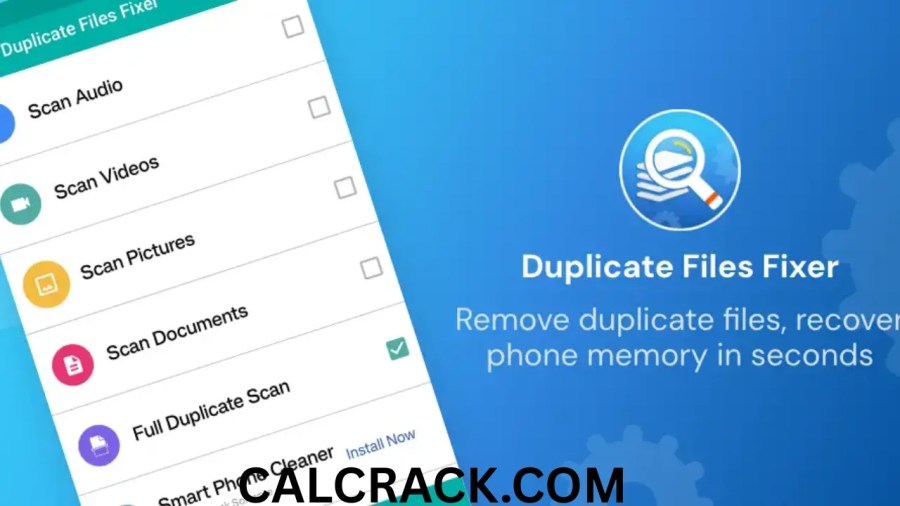
Duplicate Files Fixer emphasizes an accessible interface, automated marking, cloud scanning, mobile scanning, external-device support, custom scanning, and additional cleanup functions. (Systweak)
dupeGuru focuses on being a free, open-source duplicate finder with Standard, Music, and Picture modes. Its picture and music-oriented functionality can be useful for users with large media collections. (GitHub)
| Feature | Duplicate Files Fixer | dupeGuru |
|---|---|---|
| Duplicate detection | Yes | Yes |
| Windows support | Yes | Yes |
| macOS support | Product ecosystem varies | Yes |
| Linux support | Not the main Windows product | Yes |
| Free/open source | No | Yes |
| Custom scans | Yes | Yes |
| Picture mode | Yes | Dedicated mode |
| Music mode | File scanning | Dedicated mode |
| Cloud scanning | Google Drive and Dropbox | Not its primary focus |
| Automatic marking | Yes | Selection tools |
| Commercial support | Yes | Community/open-source model |
The choice depends on whether users prioritize a commercial interface with broader integrated features or a free open-source solution.
Is dupeGuru Better Than Duplicate Files Fixer?
There is no universal answer because the programs target somewhat different needs.
A user who wants a simple commercial application with automatic marking, cloud scanning, external-device support, and dedicated support may prefer the feature set offered by Duplicate Files Fixer. A user who specifically wants free and open-source software may prefer dupeGuru.
For large media collections, dupeGuru’s dedicated Picture and Music modes can be useful. (GitHub)
For Windows users who want cloud scanning and a guided cleanup process, Duplicate Files Fixer’s feature set is broader in those areas. (Systweak)
Rather than choosing solely based on the word “best,” users should decide which functions matter for their particular storage setup.
Is It Safe to Delete Duplicate Files Using CCleaner?
CCleaner includes a Duplicate Finder that can search for duplicate documents, videos, photos, and other files. Its current documentation says users can match files by criteria including filename, size, modified date, and content.
CCleaner is therefore another option for duplicate cleanup.
As with Duplicate Files Fixer, the safety question has two parts: the software itself and the files selected for deletion.
CCleaner states that its cleaning rules are researched and tested and that its software is designed to avoid damaging the user’s system. It also documents a 2017 security compromise and says subsequent infrastructure and certificate changes were made after the incident. (CCleaner)
When using Duplicate Finder, users should still inspect results rather than deleting every matching file automatically.
CCleaner itself has also continued improving Duplicate Finder. Its 2026 version history notes clearer duplicate-file results and improvements to selecting and sorting duplicate files. (CCleaner)
Duplicate Files Fixer vs CCleaner
CCleaner is a broader PC-maintenance application that includes duplicate-file detection as one of its functions. Duplicate Files Fixer, by contrast, is specifically focused on duplicate-file management.
CCleaner’s Duplicate Finder supports matching based on filename, size, modified date, and content.
Duplicate Files Fixer provides dedicated duplicate scanning, Auto Mark, custom scanning, external storage support, Google Drive and Dropbox scanning, and other specialized modes. (Systweak)
This creates a simple distinction:
Duplicate Files Fixer: focused duplicate-file cleanup.
CCleaner: broader PC cleanup and maintenance with duplicate detection included.
If duplicate cleanup is the primary task, a dedicated utility can offer more specialized controls. If users already use CCleaner for general PC maintenance, its built-in Duplicate Finder may be sufficient.
What Is the Best Duplicate File Remover?
There is no single duplicate-file remover that is best for every computer.
Different users have different requirements.
Someone with a Windows PC and Google Drive account may prioritize cloud scanning. A photographer may care more about picture comparison. A music collector may need audio-specific matching. Someone who wants free software may prioritize open-source availability.
Potential choices include:
Duplicate Files Fixer: Commercial Windows utility with automated marking, custom scanning, external-device support, and supported cloud locations. (Systweak)
dupeGuru: Free, open-source, cross-platform tool with Standard, Music, and Picture modes. (GitHub)
CCleaner Duplicate Finder: Duplicate detection integrated into a broader Windows cleaning utility, with matching based on filename, size, date, and content.
The right choice depends on the user’s operating system, storage locations, budget, and desired level of automation.
What Is the Best Free Duplicate Photo Cleaner?
For users specifically looking for a free duplicate photo cleaner, dupeGuru is one option worth considering because it has a dedicated Picture mode and is open source. Its documentation states that the Picture mode has its own scan types and functionality. (GitHub)
The advantage of a picture-oriented duplicate finder is that photographs often have different filenames even when they are visually similar or originate from the same image.
A general duplicate finder can still be useful for photographs, especially when exact duplicate files are being detected.
Before removing pictures, always preview the files. A photo collection may contain edited versions, resized versions, RAW originals, exports, and compressed copies that are related but not interchangeable.
How Do I Find Duplicate Photos on Windows 11?
Windows 11 users can use a dedicated duplicate finder to scan their Pictures folder, external drives, or other locations containing images.
With Duplicate Files Fixer, the process generally involves:
- Open the application.
- Add the Pictures folder or another location.
- Select the appropriate scan mode.
- Start the duplicate scan.
- Review grouped results.
- Preview photographs.
- Mark unwanted copies.
- Delete the selected files.
Systweak’s current Windows guide specifically describes adding a folder, scanning for duplicates, reviewing grouped results, and using automatic or manual selection before deletion. (Systweak)
For photographers, it is particularly important not to confuse an exact duplicate with an edited image. Two photographs may look similar while representing different stages of an editing workflow.
Duplicate Files Fixer APK and Android
The search term Duplicate Files Fixer APK usually refers to the Android version or Android-related distribution of duplicate-file cleanup software.
Systweak has developed Duplicate Files Fixer functionality for mobile devices, including a Mobile SmartScan feature intended to detect duplicate files on smartphones. The company says the mobile functionality can scan and delete duplicate files regardless of format. (Systweak)
Android users should be careful when searching for APK files from third-party websites. The safest practice is to use an official app distribution channel or the publisher’s legitimate mobile distribution method rather than downloading an unknown modified APK.
Terms such as Duplicate Files Fixer MOD, Duplicate Files Fixer Pro APK, and Duplicate Files Fixer full APK may refer to modified or unofficial packages. Such packages can introduce security and privacy risks because their contents may have been changed by an unknown party.
A modified APK should not be treated as equivalent to the publisher’s original application.
Duplicate Files Fixer Review
Duplicate Files Fixer’s main advantage is its focused approach to duplicate management.
The software provides several functions that are useful for people with large collections of files. These include automatic duplicate marking, custom scanning, external-device scanning, previewing results, folder exclusion, and support for selected cloud locations. (Systweak)
Its guided workflow can also be useful for less technical users because the process is essentially scan, review, select, and delete.
There are also limitations.
The trial version has restrictions, and the software is a paid utility. Its subscription and pricing details can change, so users should review current terms before purchasing. (Systweak)
More importantly, no duplicate cleaner can completely remove the need for user judgment. Automatic marking saves time, but users should still review important results before deletion.
Can Duplicate Files Make a PC Slow?
Duplicate files consume storage, but they are not automatically a major cause of poor computer performance.
If a drive becomes very full, the lack of available storage can contribute to certain performance and maintenance problems. Large duplicate collections can also make file organization and backups more cumbersome.
Systweak describes duplicate files as a potential source of wasted storage and organizational clutter. (Systweak)
Removing unnecessary duplicates can therefore make more storage available and simplify file management.
However, deleting duplicates should not be presented as a universal solution for a slow PC. Slow performance can also result from insufficient RAM, aging hardware, excessive startup programs, malware, overheating, outdated drivers, or other issues.
Should You Scan the Entire Computer?
Not necessarily.
For a first cleanup, scanning specific personal folders is usually easier to control than scanning every directory on the computer.
Good starting locations include:
- Downloads
- Pictures
- Videos
- Music
- Documents
- Desktop
- Personal project folders
- External storage containing personal files
System folders should be approached carefully. Applications and Windows itself may legitimately contain identical or similar files in different locations.
The goal should be to find unnecessary duplicates, not to maximize the number of files deleted.
How Often Should You Remove Duplicate Files?
There is no universal schedule.
Users who frequently download, edit, copy, and transfer files may benefit from occasional duplicate scans. Photographers and video editors can accumulate redundant files much faster than someone who primarily uses a PC for web browsing.
A practical approach is to scan after major file migrations, device upgrades, photo imports, or large backup reorganizations.
Systweak’s product review notes that the application does not automatically detect every newly created duplicate in real time, meaning users need to run scans when they want to identify newly accumulated copies. (Systweak)
Frequently Asked Questions
Is Duplicate Files Fixer safe?
Duplicate Files Fixer is a legitimate duplicate-file utility from Systweak Software and is currently listed for Windows 11, 10, 8.1, 8, and 7. The bigger safety consideration is deciding which duplicate files should actually be deleted. (Systweak)
How can I remove duplicate files?
You can remove duplicates manually or use a dedicated duplicate-file finder. With Duplicate Files Fixer, select a location, scan it, review duplicate groups, mark unnecessary copies, and delete the marked files. (Systweak)
Which is the best duplicate file remover?
There is no single best option for every user. Duplicate Files Fixer focuses on dedicated duplicate management, dupeGuru offers a free open-source solution, and CCleaner includes Duplicate Finder within a broader PC-cleaning application.
How can I delete all duplicates?
Use a duplicate finder to group matching files, but do not blindly delete everything marked. Keep the required original or preferred copy from every duplicate group and review important results before deletion.
Is it safe to remove duplicate files?
It can be safe when the files are genuinely unnecessary duplicates and at least one required copy remains. Avoid deleting unknown system files, application files, or important backups simply because they appear duplicated.
Is dupeGuru trustworthy?
dupeGuru is an open-source, cross-platform duplicate-file finder with Standard, Music, and Picture modes. Its source code is publicly available, and the project describes itself as free and open source. (GitHub)
Is it safe to delete duplicate files using CCleaner?
CCleaner includes a Duplicate Finder that can match files using filename, size, modified date, and content. It is designed for duplicate cleanup, but users should still review the results and avoid deleting files whose purpose they do not understand.
What is the best free duplicate photo cleaner?
dupeGuru is one free option because it provides a dedicated Picture mode and is open source. (GitHub)
Does Duplicate Files Fixer work on Windows 11?
Yes. Systweak’s current product information lists Windows 11 among the supported Windows versions. (Systweak)
Is Duplicate Files Fixer free?
It offers a limited free trial, while the full version is commercial software. Current pricing and promotional offers can change. (Systweak)
What is Duplicate Files Fixer Pro?
Duplicate Files Fixer Pro generally refers to the full paid version that unlocks functionality beyond the limitations of the trial version.
Can Duplicate Files Fixer scan external drives?
Yes. The Windows version supports scanning external storage such as external hard drives and other connected storage devices. (Systweak)
Can Duplicate Files Fixer scan Google Drive and Dropbox?
Yes. Systweak documents Google Drive and Dropbox scanning as supported functionality for the Windows version. (Systweak)
Can Duplicate Files Fixer scan smartphones?
Systweak has added Mobile SmartScan functionality for detecting and deleting duplicate files on smartphones. (Systweak)
Is Duplicate Files Fixer APK safe?
An APK obtained from an unknown third-party website should not automatically be considered safe. Use an official app distribution source whenever possible and avoid modified packages whose contents have not been verified.
What does Duplicate Files Fixer MOD mean?
“MOD” generally means a modified application package. It is not necessarily the same as the publisher’s official version and can carry additional security or privacy risks.
Can duplicate files be deleted automatically?
Duplicate Files Fixer provides Auto Mark functionality that can automatically select duplicate copies while leaving one copy unmarked in each group. Users should still review the results before deleting files. (Systweak)
Does deleting duplicate files improve PC performance?
Removing unnecessary duplicates can free storage and make file organization easier, but it is not a universal performance fix. Computer slowdowns can have many other causes.
Should I use Duplicate Files Fixer or dupeGuru?
Duplicate Files Fixer is a commercial tool with features such as Auto Mark, custom scanning, cloud scanning, and mobile-related functionality. dupeGuru is free and open source with Standard, Music, and Picture modes. The appropriate choice depends on the features and licensing model you need. (Systweak)
Should I use Duplicate Files Fixer or CCleaner?
Duplicate Files Fixer is focused specifically on duplicate-file cleanup, while CCleaner is a broader PC maintenance utility that includes Duplicate Finder. CCleaner can match duplicates using filename, size, modified date, and content.
Final Thoughts
Duplicate Files Fixer is designed to solve a simple but increasingly common storage problem: having multiple copies of the same files scattered across a computer, external drives, mobile devices, and supported cloud storage.
Its most useful functions include duplicate detection, custom scanning, Auto Mark, previewing results, folder exclusions, external-storage scanning, and support for Google Drive and Dropbox. The Windows version is currently listed for Windows 11 and earlier supported Windows versions. (Systweak)
For users searching Duplicate Files Fixer Windows 11, the software provides a dedicated approach to identifying unnecessary copies. For people searching Duplicate Files Fixer free, the limited trial can be used for evaluation, while alternatives such as dupeGuru provide a free and open-source route. (dupeGuru)
The most important point is that duplicate cleanup should not become an automatic deletion exercise. A duplicate file may be intentionally preserved as part of a backup, project structure, synchronization system, or archive. Reviewing results before deleting them remains essential.
For users who want a commercial, guided duplicate-cleaning workflow, Duplicate Files Fixer offers a broad collection of scanning and selection tools. For users who prioritize open-source software, dupeGuru provides another approach. CCleaner is also relevant for people who want duplicate detection alongside broader PC-cleaning functions.
Ultimately, the safest duplicate-file strategy is simple: scan carefully, review the results, keep the copy you actually need, and delete only files you are certain you no longer require.
Download Now
Duplicate Files Fixer
- Download Option:
Drop.Download - Download Option:
Userscloud
File Size: 10.3 MB