Table of Contents
Faronics Deep Freeze: Cost, Installation, Windows 11, Alternatives, and Complete Guide
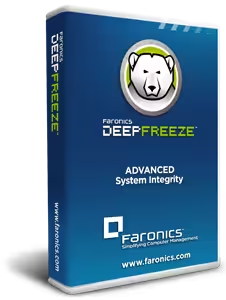
Faronics Deep Freeze is a system restore and workstation protection software designed to keep computers in a known, controlled state. Instead of permanently applying every change made during normal computer use, Deep Freeze can redirect changes and restore the protected system to its original configuration after a restart. This makes the software particularly relevant for shared computers, classrooms, libraries, public-access systems, training rooms, laboratories, and other environments where many different users work on the same machines.
The main idea behind Faronics Deep Freeze is often described as “reboot to restore.” A computer can be used normally, applications can be opened, settings can be changed, and files can be downloaded. When the protected workstation is restarted, unwanted changes to the frozen configuration can be discarded and the computer returns to its predefined state. Faronics describes this technology as a way to reduce configuration drift and simplify workstation recovery. (Faronics)
Deep Freeze is available in different editions and management models, including Faronics Deep Freeze Standard, Deep Freeze Enterprise, and cloud-based management options. The exact licensing and pricing depend on the edition, deployment size, and licensing arrangement, so there is not one universal Deep Freeze price for every user.
This guide answers the major questions people ask about Faronics Deep Freeze, including its purpose, uses, cost, Windows 10 and Windows 11 compatibility, installation, removal, latest Standard version, alternatives, and the difference between the software and a physical deep freezer.

What Is Faronics Deep Freeze?
Faronics Deep Freeze is computer protection software that allows an administrator to preserve a desired workstation configuration and restore that configuration after a restart.
The important concept is the difference between a frozen state and a thawed state.
When a workstation is frozen, Deep Freeze protects the configured drive or partition. Users can still interact with Windows in a normal way, but changes made during the session can be discarded when the computer restarts.
When the workstation is thawed, administrators can intentionally make permanent changes. This is useful for installing software, applying Windows updates, changing configurations, updating applications, or performing other maintenance.
Faronics explains that Deep Freeze redirects information being written to a protected drive or partition to an allocation table while leaving the original data intact. After the computer restarts, the redirected information is no longer referenced, allowing the original state to be restored. (Faronics)
This approach is different from traditional backup software. A backup normally creates a copy of data so that it can be recovered later. Deep Freeze is primarily concerned with maintaining a consistent workstation configuration and restoring the protected state after reboot.
What Is the Purpose of Deep Freeze?
The main purpose of Deep Freeze is to maintain a consistent computer environment and make unwanted changes temporary.
Imagine a computer in a public library. One person downloads an application, another changes Windows settings, another installs a browser extension, and someone else accidentally changes system preferences. Without a restoration mechanism, an administrator may eventually have to clean and reconfigure the computer manually.
With Deep Freeze enabled, the workstation can return to its protected configuration after restarting.
This is why the software is commonly associated with environments such as:
- Schools and colleges
- Libraries
- Computer laboratories
- Internet cafés
- Training centers
- Public-access computers
- Retail or demonstration computers
- Testing environments
- Shared office workstations
- Guest-access systems
The purpose is not simply to prevent users from making changes. Users can generally use the computer normally. The objective is to make many unwanted changes temporary rather than requiring administrators to manually reverse them.
Faronics describes the technology as helping prevent configuration drift and restoring workstations to a predefined state after restart. (Faronics)
What Is Faronics Deep Freeze Used For?
Faronics Deep Freeze is used when an organization wants computers to return to a known configuration after users finish using them.
For example, a university computer laboratory may have dozens of identical PCs. Students may install temporary applications, download files, change settings, or browse websites during a session. Administrators may not want to manually repair every machine after every class.
Deep Freeze can provide a controlled environment where the workstation returns to its protected configuration after reboot.
Another common use is public-access computing. If hundreds of users interact with the same machines over time, configuration changes can accumulate. A reboot-based restoration system can reduce the amount of manual cleanup required.
Deep Freeze can also be useful for software testing and training environments. An administrator can create a known baseline, allow temporary changes, and then restore the baseline when the machine is restarted.
However, Deep Freeze should not be treated as a universal cybersecurity product. It is not a replacement for antivirus software, endpoint detection, backups, patch management, or proper account security. Its main function is maintaining and restoring a protected workstation state.
How Does Faronics Deep Freeze Work?
The technology behind Faronics Deep Freeze is based on redirecting changes rather than simply blocking users from making them.
When a protected computer is frozen, changes made to the protected environment are redirected. The original configuration remains available underneath those temporary changes.
After a restart, the temporary redirected information is no longer referenced in the same way, so the workstation returns to the original frozen configuration. Faronics describes this as restoring the system at the disk-sector level. (Faronics)
This explains why Deep Freeze can allow users to work normally while still restoring the computer after reboot.
For example:
- The administrator freezes a workstation.
- A user changes the desktop background.
- The user downloads a file.
- The user changes certain settings.
- The computer is restarted.
- The protected configuration is restored.
The exact behavior depends on what drives, partitions, folders, or special storage areas have been configured.
This is also why administrators need a maintenance process. Permanent changes should normally be made while the workstation is thawed or through an appropriate maintenance workflow.
Faronics Deep Freeze Standard
Faronics Deep Freeze Standard is the more straightforward edition intended for smaller deployments.
Faronics describes Standard as its basic Deep Freeze product for smaller environments where computers can be managed and updated manually. The current product information describes Standard as supporting deployments from one to ten computers, while Enterprise is designed for much larger workstation environments with centralized management capabilities. (Faronics)
Deep Freeze Standard can therefore make sense when an administrator does not need extensive centralized control over a large fleet of computers.
Typical use cases include:
- Small computer labs
- Home or personal test PCs
- Small training rooms
- Small businesses
- A limited number of public-access machines
The basic concept remains the same: freeze the desired workstation configuration, allow users to work, and restore the protected state after restart.
Faronics Deep Freeze Enterprise
Faronics Deep Freeze Enterprise is designed for larger workstation environments where centralized management becomes important.
According to Faronics, Enterprise provides the same core protection while adding features for remote management, automatic updates, and integration with third-party management tools. (Faronics)
The Enterprise edition is therefore relevant when an administrator has many computers and does not want to configure every workstation individually.
Enterprise also provides administrative features for monitoring and managing workstation states. Its recent release information includes reporting capabilities within the Enterprise Console, including current workstation status and action history. (Faronics)
The difference between Standard and Enterprise is therefore not simply the underlying restore concept. The larger distinction is the management environment and the administrative tools needed when the number of protected computers increases.
How Much Does Faronics Deep Freeze Cost?
There is no single universal Faronics Deep Freeze price because the cost depends on the edition, number of computers, licensing arrangement, maintenance, and deployment requirements.
Faronics offers different Deep Freeze products, including Standard and Enterprise, and licensing can vary according to the customer’s requirements. Small deployments and large organizational deployments may therefore have different pricing structures.
For someone searching for Faronics Deep Freeze price, the important factors to check are:
- Deep Freeze edition
- Number of protected workstations
- Subscription or other licensing arrangement
- Maintenance coverage
- Volume requirements
- Education or organizational pricing
- Whether centralized management is required
The official Faronics product information confirms that Standard and Enterprise serve different deployment sizes and management requirements. (Faronics)
Because software pricing can change, an old price found in a search result may not represent the current purchase price. The current Faronics quotation or store information should be used when calculating the actual cost for a deployment.
Is Deep Freeze Software Free?
Faronics Deep Freeze is commercial software rather than a permanently free Windows utility.
That means users should distinguish between a free trial and a free full license. Software companies may provide trial access so customers can evaluate compatibility and functionality, but that does not mean the full product can be used indefinitely without a license.
The exact licensing options can also differ between Deep Freeze editions.
For a business, school, or organization, the cost should therefore be considered as part of the workstation-management budget rather than assuming that Deep Freeze is a free Windows feature.
There are other technologies available without purchasing Deep Freeze, including Windows features such as Unified Write Filter on supported editions. However, these alternatives can have different requirements and management characteristics.
Is Deep Freeze Worth It?
Whether Deep Freeze is suitable depends on what a computer environment needs.
The software is designed around a specific problem: keeping workstations consistent and allowing unwanted changes to disappear after a restart.
It can be particularly relevant when:
- Many users share the same computers.
- Computers need to return to a standard configuration.
- Administrators spend significant time cleaning or reconfiguring PCs.
- Temporary software and settings changes are common.
- A controlled baseline is important.
- The organization wants a reboot-based restoration workflow.
It may be less appropriate as the only solution when the main requirement is data backup, disaster recovery, centralized endpoint security, or long-term file preservation.
A key consideration is that changes made during a frozen session should not automatically be treated as permanent user data. Organizations should plan where documents, profiles, application data, and other information that needs to survive a restart will be stored.
Therefore, the practical question is not simply whether Deep Freeze is “worth it.” The more useful question is whether its reboot-to-restore model matches the environment’s operational requirements.
Is Deep Freeze Available for Windows 11?
Yes. Faronics Deep Freeze supports Windows 11.
Faronics currently lists Windows 11 support up to version 25H2 for its Deep Freeze products. The Enterprise 10.10 release information specifically states support for Windows 11 through version 25H2. (Faronics)
Deep Freeze Standard also received enhancements for Windows 10 and Windows 11 compatibility, including support related to Core Isolation. Its release notes identify version 9.0.020.5760, released June 26, 2024, and document Windows 10/11 compatibility improvements. (Faronics)
Windows 11 compatibility should still be checked against the exact Deep Freeze edition and Windows build being deployed because operating-system updates can affect software compatibility.
Faronics Deep Freeze for Windows 10
Faronics Deep Freeze also supports Windows 10.
The current Faronics product specifications list Windows 10 through version 22H2 for supported Deep Freeze editions. (Faronics)
Windows 10 environments can therefore use the same general freeze-and-restore concept as supported Windows 11 environments.
However, administrators should consider the maintenance lifecycle of Windows itself. A frozen computer can preserve a particular operating-system configuration, but freezing a system does not remove the need for security updates, application updates, driver updates, and other maintenance.
A sensible maintenance process normally involves thawing the system, applying required updates, testing the configuration, and then returning the workstation to its protected state.
What Is the Latest Version of Deep Freeze Standard?
The Faronics release information currently identifies Deep Freeze Standard version 9.0.020.5760, released on June 26, 2024. The release included enhanced Windows 10 and Windows 11 compatibility, Core Isolation support, and additional local event logging. (Faronics)
The event logging enhancement is useful because it records information about the Deep Freeze state, including states such as Frozen, Thawed, Locked, and Maintenance, along with information about changes made locally. (Faronics)
It is important to distinguish the Standard version from Enterprise. Faronics identifies Deep Freeze Enterprise 10.10.220.5788 as an Enterprise release from February 10, 2025. (Faronics)
Therefore, the latest version number depends on which Deep Freeze product is being discussed.
How to Install Deep Freeze?
Installing Deep Freeze should be treated as a system-management task rather than simply installing an ordinary desktop application.
Before installation, administrators should make sure that the operating system and applications are properly updated and that important data is backed up.
A general installation workflow is:
- Obtain the correct Deep Freeze installer for the required edition.
- Confirm that the Windows version is supported.
- Close unnecessary applications.
- Run the installer with the required administrative permissions.
- Accept the license terms.
- Select the appropriate installation and protection options.
- Configure the partitions or drives that should be protected.
- Configure the required password or management settings.
- Complete the installation.
- Restart the computer.
- Confirm that Deep Freeze is operating in the intended state.
Faronics documentation notes that the computer restarts during installation, and the protected configuration should be prepared carefully before freezing the workstation. (Faronics)
Windows updates are especially important during this stage. Faronics documentation warns that incomplete Windows updates can create problems if the system is frozen before maintenance has been completed.

How to Remove Faronics Deep Freeze?
To remove Faronics Deep Freeze, the workstation must first be placed into a Thawed state.
For Deep Freeze Standard and Enterprise, Faronics describes the local process as follows:
- Hold the Shift key and double-click the Deep Freeze icon.
- Alternatively, use Ctrl + Alt + Shift + F6.
- Enter the Deep Freeze password if one has been configured.
- Open the Boot Options.
- Select Boot Thawed.
- Restart the computer.
- Run the original Deep Freeze installation file.
- Choose Uninstall.
- Allow the computer to restart when the removal process completes.
Faronics specifically states that Deep Freeze must be disabled before uninstalling it. (Faronics Support)
In an Enterprise environment, administrators can also use the Enterprise Console to uninstall Deep Freeze from workstations. The workstation must be in a Thawed state for the uninstall process. (Faronics)
If the Deep Freeze password has been forgotten, the normal password-protected workflow may require administrator or organizational support rather than simply deleting program files.
Faronics Deep Freeze Login and Password
The term Faronics Deep Freeze login can refer to several different administrative situations depending on the edition being used.
On a local workstation, Deep Freeze uses its configured password to control actions such as changing between Frozen and Thawed states. The local interface can be accessed using the Deep Freeze icon and the appropriate keyboard shortcut.
Enterprise deployments can involve centralized administration through the Enterprise Console, so the management experience is different from a single Standard workstation.
Password protection is important because a user who can freely switch a workstation from Frozen to Thawed could make permanent changes to the system.
For organizations, administrative credentials should therefore be handled as part of the normal IT security process.
Faronics Deep Freeze Cloud
Faronics Deep Freeze Cloud provides a cloud-based management approach rather than relying only on traditional local workstation management.
Faronics describes Deep Freeze Cloud as a cloud-based management platform incorporating Deep Freeze Enterprise with a web-based management console and additional features for managing protected computer systems. (Faronics)
This type of management can be useful when an organization needs visibility across multiple machines without relying entirely on manual workstation-by-workstation administration.
The distinction is important:
Deep Freeze Standard focuses on smaller deployments and simpler management.
Deep Freeze Enterprise adds centralized management capabilities for larger workstation environments.
Deep Freeze Cloud adds a cloud-based management model around Deep Freeze functionality.
The appropriate option depends on deployment size, administrative requirements, and the organization’s management infrastructure.
What Are Some Alternatives to Faronics Deep Freeze?
There are several alternatives to Faronics Deep Freeze, but they work in different ways.
One important Windows-native option is Microsoft Unified Write Filter (UWF). Microsoft describes UWF as a Windows feature that intercepts writes to protected drives and redirects them to a temporary virtual overlay. The overlay can be cleared after a reboot or guest logout. (Microsoft Learn)
UWF is available on supported Windows 10 and Windows 11 editions, including Enterprise, Education, and IoT Enterprise. It is not supported on Windows Home or Pro according to Microsoft documentation. (Microsoft Learn)
Other approaches include:
- Disk imaging and reimaging
- Virtual desktop infrastructure
- Endpoint management platforms
- System recovery products
- Windows deployment tools
- Restore-point and backup strategies
- Cloud-managed workstation environments
These alternatives are not identical to Deep Freeze.
A disk image, for example, can restore a machine from a complete captured image, while Deep Freeze is designed around maintaining a frozen workstation configuration and restoring it through reboot-based protection.
UWF uses Windows’ own filtering architecture and may be useful for organizations already using supported Windows editions. (Microsoft Learn)
The right approach depends on whether the priority is instant workstation restoration, centralized management, operating-system deployment, backup, virtualization, or another requirement.
Does Faronics Deep Freeze Delete Files?
Deep Freeze does not simply mean that every file disappears immediately when it is created.
Instead, the important distinction is between protected and persistent data.
When a user creates or changes information on a frozen protected volume, those changes can be discarded when the workstation restarts. Faronics documentation explains that users can make changes during a session, but frozen drives and partitions can be restored to their original configuration and contents after restart. (Faronics)
This means users should not store important permanent documents in a location that is intended to be restored after every reboot.
Organizations often design a separate workflow for persistent documents, user profiles, shared storage, or other data that must survive system restoration.
Does Deep Freeze Replace Backup Software?
No. Deep Freeze and backup software solve different problems.
A backup system is designed to preserve recoverable copies of data or systems. Deep Freeze is primarily designed to restore a workstation to a predefined state after unwanted changes.
For example, if a user accidentally deletes an important business document, Deep Freeze should not be considered a replacement for a properly configured backup system.
Likewise, if a hard drive fails completely, reboot-based restoration technology cannot substitute for an independent backup.
For this reason, organizations using Deep Freeze should still consider:
- File backups
- Cloud backups
- System images
- Disaster recovery procedures
- Application-specific backups
- Protection for user-generated data
Deep Freeze can complement these technologies, but it serves a different purpose.
How Does Deep Freeze Handle Windows Updates?
Windows updates require special attention because a frozen workstation can restore the system to its previous state if updates are installed without the correct maintenance process.
A typical approach is to place the workstation into a Thawed state, perform Windows and application updates, restart and test the machine, and then return it to the Frozen state.
Faronics documentation specifically discusses Windows update completion during installation and warns about incomplete updates when Deep Freeze is configured improperly. (Faronics)
For organizations managing many computers, the maintenance process should therefore be scheduled rather than relying on users to update machines randomly.
This is especially important for security patches because freezing a system does not automatically make outdated software secure.
What Is the Average Cost of a Deep Freezer?
This question refers to a physical deep freezer, not Faronics Deep Freeze software.
The two terms can be confusing because both are commonly called “Deep Freeze,” but one is computer software and the other is a household appliance.
Current U.S. cost data varies considerably by size and type. Angi’s 2026 data places the average home deep-freezer purchase around $675, with an overall range of roughly $220 to $2,000. Its listed average ranges include approximately $300–$1,200 for chest freezers and $400–$1,600 for upright models. (Angi)
Consumer Reports’ 2026 buying guide gives a different market range, listing chest freezers from about $170 to $1,200 and upright freezers from approximately $450 to $2,100. (Consumer Reports)
The difference between these figures shows why there is no single universal “average” price. Capacity, brand, features, design, energy efficiency, and local retail pricing all influence the final cost.
How Much Does It Cost to Run a Deep Freeze a Month?
Again, this PAA question refers to a physical freezer appliance.
Electricity costs depend on the freezer’s energy consumption and the local electricity rate.
ENERGY STAR currently estimates that a certified chest freezer uses about 215 kWh per year and costs approximately $30 per year to operate under its stated assumptions. That works out to roughly $2.50 per month. A certified upright freezer uses about 395 kWh per year, or approximately $60 per year, which is around $5 per month. (ENERGY STAR)
Actual household costs can be higher or lower.
Factors include:
- Freezer size
- Energy efficiency
- Electricity price
- Room temperature
- Frequency of door opening
- Amount of food stored
- Freezer age
- Manual versus automatic defrost
- Condition of door seals
ENERGY STAR recommends keeping a freezer around 0°F and notes that larger freezers generally consume more energy. (ENERGY STAR)
How Cold Is a Deep Freeze?
For a physical food freezer, the commonly recommended storage temperature is 0°F (-18°C).
ENERGY STAR recommends keeping a freezer at 0°F. (ENERGY STAR)
The term “deep freeze” is sometimes used casually to describe very cold conditions, but household freezers generally operate around the standard frozen-food storage range rather than at extremely low industrial temperatures.
This question has no direct connection to Faronics Deep Freeze software. Faronics Deep Freeze does not make a computer physically cold. The word “Deep Freeze” in the software name refers to the idea of preserving and restoring a computer’s state.
Frequently Asked Questions
How much does Faronics Deep Freeze cost?
Faronics Deep Freeze pricing depends on the edition, number of computers, licensing model, maintenance, and deployment requirements. Standard and Enterprise are designed for different deployment environments, so there is no single price that applies to every customer. (Faronics)
How to remove Faronics Deep Freeze?
First place the workstation into the Thawed state. On supported local installations, Shift-click the Deep Freeze icon or use Ctrl + Alt + Shift + F6, enter the password, choose Boot Thawed, restart, and then run the installer and select Uninstall. (Faronics Support)
Is Deep Freeze software free?
Faronics Deep Freeze is commercial software. Trial availability and licensing depend on the product, but a trial should not be confused with a permanently free full license.
What is the purpose of Deep Freeze?
Its purpose is to preserve a desired computer configuration and restore protected workstations after unwanted changes, commonly through a reboot-to-restore approach.
What is Faronics Deep Freeze used for?
It is commonly used on shared, public-access, educational, laboratory, training, and other managed computers where administrators want workstations to return to a controlled configuration after restart.
Is Deep Freeze worth it?
Its suitability depends on the environment. It can be useful where reboot-based workstation restoration is important, but it does not replace backups, antivirus, patch management, or disaster recovery.
Is Deep Freeze available for Windows 11?
Yes. Faronics currently lists Deep Freeze support for Windows 11, including support up to Windows 11 version 25H2 for relevant current editions. (Faronics)
What is the average cost of a deep freezer?
For a physical household deep freezer in the U.S., current estimates vary. Angi reports an average of about $675, with a broader range of approximately $220–$2,000, while Consumer Reports lists different ranges by freezer type. (Angi)
How much does it cost to run a Deep Freeze a month?
For a physical freezer, ENERGY STAR estimates about $30 per year for a certified chest freezer and about $60 per year for a certified upright freezer, or roughly $2.50 and $5 per month respectively under its stated assumptions. (ENERGY STAR)
What is the latest version of Deep Freeze Standard?
The current Faronics release information identifies Deep Freeze Standard 9.0.020.5760, released June 26, 2024. (Faronics)
What are some alternatives to Faronics Deep Freeze?
Alternatives include Microsoft Unified Write Filter, disk imaging, reimaging solutions, virtualization, endpoint-management systems, and other system-recovery products. Microsoft UWF is available on supported Windows Enterprise, Education, and IoT Enterprise editions. (Microsoft Learn)
How to install Deep Freeze?
Download the appropriate installer, verify Windows compatibility, prepare the workstation, run the installer with the necessary permissions, configure the protected drives or partitions, complete the installation, and restart the computer. Windows and application updates should be handled correctly before freezing the production configuration. (Faronics)
How cold is a Deep Freeze?
If the question refers to a physical food freezer, the commonly recommended temperature is 0°F (-18°C). This is separate from Faronics Deep Freeze software. (ENERGY STAR)
Final Thoughts on Faronics Deep Freeze
Faronics Deep Freeze is fundamentally a workstation restoration technology. Its central idea is straightforward: establish a desired computer state, allow users to work normally, and restore the protected configuration when the computer restarts.
The software is particularly relevant to environments where computers are shared among many users and administrators need a consistent configuration. Faronics Deep Freeze Standard is aimed at smaller deployments, while Deep Freeze Enterprise adds centralized management capabilities for larger workstation environments. Cloud-based management provides another model for organizations that need broader administrative control. (Faronics)
For Windows users, current Faronics documentation supports Windows 10 and Windows 11 within the stated version limits, while the latest identified Standard release is version 9.0.020.5760. (Faronics)
The most important point is to understand what Deep Freeze does and what it does not do. It can help maintain workstation consistency, but it is not a replacement for backups, security software, patch management, or a complete disaster-recovery strategy.
And when searching for terms such as “deep freezer cost,” “how cold is a deep freeze,” or “cost to run a Deep Freeze,” remember that those questions may refer to a physical freezer rather than Faronics Deep Freeze software. Keeping these two meanings separate makes it much easier to find the correct information.
Download Now
Faronics Deep Freeze Latest Version
- File Size: 12.4 MB
- System Type: 32-bit / 64-bit
- Setup Type: Offline / Standalone
Download Options
This format adheres to the specified rules, ensuring clarity and proper organization without inappropriate terms.