
Table of Contents
FastStone Capture Review: Features
If you frequently need to capture screenshots, record your desktop, explain software problems, create tutorials, or annotate images, FastStone Capture is a Windows utility worth considering. It combines screenshot capture, screen recording, image annotation, editing, scrolling-page capture, and several productivity tools in one lightweight application.
FastStone Capture is designed for users who need more control than a basic screenshot shortcut provides. You can capture a window, object, full screen, rectangular region, freehand region, fixed-size region, or scrolling page. You can then annotate the result with arrows, text, highlights, shapes, watermarks, blur effects, and other tools. It can also record screen activity with microphone audio, speaker audio, webcam video, and mouse movements. (FastStone)
As of July 29, 2026, the latest version is FastStone Capture 11.3. The current release adds MP3 as an audio-only output option for Screen Recorder and includes other fixes and improvements. (FastStone)
One important point for anyone searching “FastStone Capture free download” is that FastStone Capture is not permanently free software. It offers a 30-day trial, after which a license is required. The current standard lifetime license is $29.95 USD as a one-time purchase. (FastStone)
This guide covers everything you need to know about FastStone Capture, including its features, pricing, free trial, portable version, safety, latest version, screen recording capabilities, and how it compares with other screenshot tools.
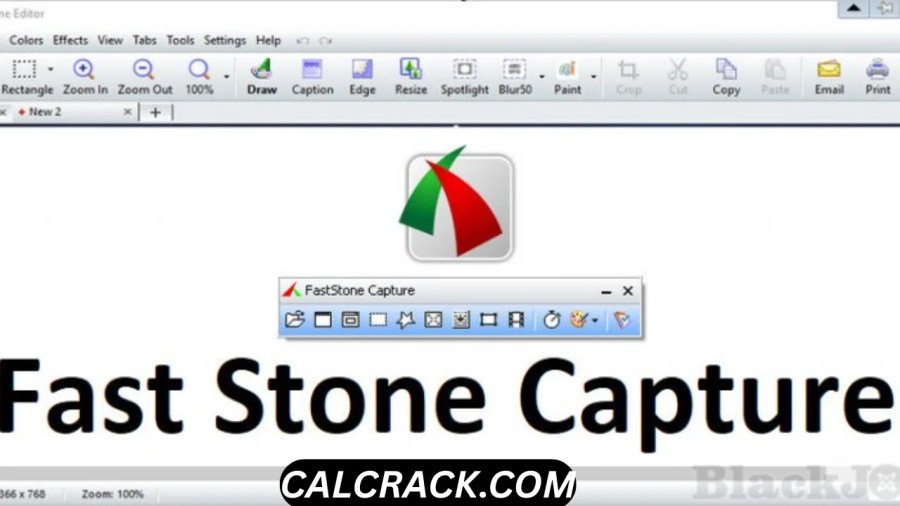
What Is FastStone Capture?
FastStone Capture is a Windows screen capture and screen recording application developed by FastStone Corporation.
It is designed for capturing and editing visual content from your computer screen. Unlike a simple screenshot tool, FastStone Capture combines several functions into one application.
Its main capabilities include:
- Screenshot capture
- Full-screen capture
- Window and object capture
- Rectangular and freehand selection
- Scrolling webpage capture
- Screen recording
- Microphone recording
- Speaker audio recording
- Webcam recording
- Screenshot annotation
- Image editing
- Image resizing and cropping
- Blur and highlighting
- Screen magnifier
- Screen ruler
- Screen color picker
- Screen crosshair
- Multiple-monitor support
- PDF creation
- Image combination
- Scanner support
- Automatic screen capture
The developer describes it as a lightweight, full-featured screen capture and recorder for Windows. It supports capturing and annotating windows, menus, full screens, selected regions, scrolling windows, and webpages. (FastStone)
This makes FastStone Capture useful for students, teachers, software developers, technical-support teams, content creators, office workers, and anyone who regularly needs to explain something visually.
Is FastStone Capture Free?
FastStone Capture is not completely free.
It provides a 30-day free trial, allowing users to test the software before purchasing a license. After the trial period, you need a license to continue using the full product. (FastStone)
The current official pricing lists FastStone Capture at:
- 30-day trial: Free
- Standard lifetime license: $29.95 USD
- Family lifetime license: $69.95 USD for up to five computers for home use
- Volume licenses: Discounted pricing is available for multiple users
The standard license is a one-time purchase, rather than a recurring monthly subscription. FastStone’s licensing page also states that upgrades are free. (FastStone)
Therefore, if you see a website advertising a permanently free “full version” of FastStone Capture, you should be careful. The legitimate official model is a trial followed by a paid lifetime license.
How Long Is the FastStone Capture Free Trial?
The official download page currently provides a 30-day trial of FastStone Capture. (FastStone)
This gives you enough time to evaluate the major features before deciding whether you need a license.
During the trial, you can test:
- Screenshot capture
- Scrolling capture
- Screen recording
- Annotation
- Image editing
- Webcam recording
- Audio recording
- Video editing
- PDF creation
- Productivity tools
For many users, 30 days is more than enough to determine whether the workflow fits their needs.
How Much Does FastStone Capture Cost?
The current standard FastStone Capture license costs $29.95 USD and provides a lifetime license. (FastStone)
FastStone also offers volume discounts.
| Users | Price per user |
|---|---|
| 1 | $29.95 |
| 2–9 | $25 |
| 10–19 | $21 |
| 20–49 | $17 |
| 50–99 | $12 |
| 100–299 | $9 |
| 300–999 | $7 |
| 1000+ | Contact FastStone |
These are the current prices shown by FastStone’s official volume pricing page. (FastStone)
For families, FastStone lists a $69.95 lifetime family license covering up to five computers for home use. (FastStone)
Because pricing can change, it is always best to check the official purchase page before buying.
What Is the Latest Version of FastStone Capture?
As of August 2026, the latest version is FastStone Capture 11.3, released on July 29, 2026. (FastStone)
Version 11.3 introduced:
- MP3 output for audio-only Screen Recorder recordings
- Support for copying and pasting tiny images down to 1 × 1 pixel in Editor and Draw tools
- Improved selection alignment while zoomed in
- Additional improvements and bug fixes
(FastStone)
If you find older search results mentioning FastStone Capture 11.2, 11.1, 11.0, or earlier versions, those are previous releases.
For most users, downloading the current version is preferable because newer releases can contain compatibility improvements, bug fixes, and additional functionality.
FastStone Capture 11.3 Features
FastStone Capture 11.3 provides a surprisingly broad collection of tools for a relatively lightweight application.
1. Screenshot Capture
You can capture different parts of your desktop instead of taking only a complete-screen screenshot.
Supported capture methods include:
- Active window
- Window/object
- Full screen
- Rectangular region
- Freehand region
- Fixed-size region
- Scrolling window
- Webpage
This flexibility makes the software useful for documentation and tutorials.
Scrolling Screenshot Capture
One of FastStone Capture’s most useful features is scrolling-window capture.
A normal screenshot only captures what is visible on the screen.
A scrolling capture can capture content that extends beyond the visible area.
For example, imagine a webpage containing a long article. Instead of taking 10 separate screenshots, FastStone Capture can capture the scrolling content as one image.
This can be useful for:
- Webpage documentation
- Long software interfaces
- Online articles
- Chat histories
- Reports
- Settings pages
- Long documents
FastStone specifically lists scrolling windows and webpages among its supported capture types. (FastStone)
Screen Recorder
FastStone Capture is not limited to still images.
It also includes a Screen Recorder for recording desktop activity.
According to FastStone, the recorder can capture:
- On-screen activity
- Microphone speech
- Speaker audio
- Webcam video
- Mouse movements
- Mouse clicks
The resulting videos can be saved in MP4 or WMV formats. (FastStone)
This makes FastStone Capture suitable for creating:
- Software tutorials
- Demonstration videos
- Training materials
- Troubleshooting recordings
- Presentation recordings
- How-to videos
- Educational content
Can FastStone Capture Record Audio?
Yes.
FastStone Capture can record microphone input and speaker audio along with screen activity. The developer also added MP3 as an audio-only recording output in version 11.3. (FastStone)
This is useful if you want to create a tutorial where you explain what is happening on the screen.
For example, you can record a software demonstration while narrating the steps through your microphone.
The ability to capture speaker audio can also be useful when demonstrating applications that generate sound.
Can FastStone Capture Record Webcam Video?
Yes.
FastStone Capture supports webcam recording as part of its Screen Recorder.
Webcam functionality was added in an earlier version and remains part of the current application. (FastStone)
This means you can combine your screen recording with webcam footage when creating instructional or presentation content.
For example:
- Start the Screen Recorder.
- Enable the webcam.
- Enable microphone input.
- Select the screen area you want to record.
- Start recording.
- Edit the resulting video.
This provides a simple workflow for tutorial creation without requiring multiple separate applications.
Does FastStone Capture Have a Video Editor?
Yes.
FastStone Capture includes a built-in video editor for recordings.
The developer lists tools for:
- Drawing annotations
- Applying zoom effects
- Cutting unwanted sections
- Converting videos
- Creating animated GIFs
The Screen Recorder also provides a Convert to MP4 feature that can convert or resize MP4 and WMV video files using different resolution and quality settings. (FastStone)
This means users do not necessarily need to open a separate video editor for simple screen-recording edits.
For advanced video production, however, dedicated video-editing software will generally provide more sophisticated features.
FastStone Capture Annotation Tools
One of the biggest reasons users choose FastStone Capture is its annotation system.
After capturing a screenshot, you can add visual explanations using tools such as:
- Arrows
- Text
- Callouts
- Highlights
- Rectangles
- Circles
- Step numbers
- Emojis
- Watermarks
- Blur
- Spotlight
- Drop shadows
- Borders
- Other drawing elements
(FastStone)
These tools are particularly useful for technical documentation.
For example, if you are explaining how to change a Windows setting, you can capture the settings screen and place a numbered arrow over each button the reader needs to click.
That can be much easier to understand than explaining the same process entirely through text.
Can FastStone Capture Blur Parts of a Screenshot?
Yes.
FastStone Capture includes a blur function that allows users to obscure selected areas of an image. (FastStone)
This can be useful when preparing screenshots containing information that should not be publicly visible.
For example, you might want to hide:
- Email addresses
- Account identifiers
- Personal names
- Order numbers
- Private messages
- Other visible information
However, users should always verify that sensitive information has actually been obscured before sharing a screenshot.
FastStone Capture Image Editor
FastStone Capture includes an internal editor for modifying captured images.
Available functions include:
- Resize
- Crop
- Rotate
- Sharpen
- Brightness adjustment
- Color adjustment
- Blur
- Caption
- Annotation
- Effects
- Undo and redo
It also supports multiple tabs and optional workspaces for organizing captured images. (FastStone)
This is useful because you can capture an image and immediately edit it without opening a separate graphics program.
What Image Formats Does FastStone Capture Support?
FastStone Capture can save images in multiple formats, including:
- BMP
- GIF
- JPEG
- PCX
- PNG
- TGA
- TIFF
- WEBP
It also supports its own FSC format, which is designed to preserve annotation objects alongside image data for later editing. (FastStone)
The availability of PNG, JPEG, WEBP, TIFF, and PDF makes the software suitable for both casual screenshots and professional documentation.
Can FastStone Capture Create PDFs?
Yes.
FastStone Capture includes tools for converting images into a single PDF file.
This can be useful if you have captured several screenshots and want to combine them into one document.
For example, you could create:
Page 1: Introduction screenshot
Page 2: Installation instructions
Page 3: Settings screenshot
Page 4: Final result
and combine the images into a PDF.
This is useful for:
- Guides
- Manuals
- Tutorials
- Documentation
- Training materials
- Reports
FastStone Capture Screen Ruler and Magnifier
FastStone Capture also includes several tools that go beyond basic screenshots.
These include:
- Screen Color Picker
- Screen Magnifier
- Screen Crosshair
- Screen Focus
- Screen Ruler
(FastStone)
These features can be particularly useful for designers, developers, educators, and anyone who needs to inspect details on the screen.
The ruler, for example, can help estimate screen dimensions, while the color picker can identify colors displayed on your monitor.
Does FastStone Capture Support 4K Monitors?
Yes.
FastStone states that FastStone Capture supports high-DPI and high-resolution displays, including 4K monitors. It also supports multiple monitors and touch interfaces. (FastStone)
This is important because modern computers often use high-resolution displays.
A screen-capture program that handles high-DPI scaling properly can make screenshots more consistent and easier to use in documentation.
Does FastStone Capture Support Multiple Monitors?
Yes.
FastStone Capture supports multiple-monitor environments. (FastStone)
This can be particularly helpful for:
- Developers
- Designers
- Traders
- Video editors
- Office professionals
- Technical support staff
If you use two or more monitors, the capture options provide greater flexibility than a basic screenshot shortcut.
Is FastStone Capture Portable?
Yes. FastStone provides a portable version.
The official download page offers several package choices, including an installer, ZIP package, and portable version. (FastStone)
The portable package can run independently from a folder without a traditional installation.
This is particularly useful if you want to:
- Carry FastStone Capture on a USB drive
- Use it on multiple PCs
- Avoid installing the software permanently
- Keep a portable toolkit for technical support
- Run the application from a specific folder
The portable edition is one reason FastStone Capture appears in searches for “FastStone Capture portable.”
FastStone Capture Portable vs Installer
The two versions are primarily different in how the software is deployed.
Installer
The standard EXE installer installs FastStone Capture on Windows and is the recommended choice for most users. (FastStone)
Portable
The portable package can run independently from a folder without conventional installation. FastStone specifically notes that this can be useful for USB drives and migrations. (FastStone)
For everyday personal use, the installer is usually the simplest choice.
For technicians or users working across multiple computers, portable FastStone Capture can be more convenient.
Is FastStone Capture Safe?
FastStone Capture is presented by its developer as a legitimate Windows application without adware or spyware.
The official product page explicitly describes FastStone Capture as having “No adware” and “No spyware.” (FastStone)
The safest way to obtain it is directly from FastStone’s official website.
Downloading the software from unofficial websites can introduce unnecessary risks because modified installers, fake activation tools, or bundled software may not be the same as the original application.
For safety:
- Download from FastStone’s official website.
- Keep Windows updated.
- Use reputable security software.
- Avoid cracked versions.
- Avoid unofficial license generators.
- Verify downloaded installers before running them.
The official FastStone download center currently provides FastStone Capture 11.3 and multiple download package options. (FastStone)
Is FastStone Capture Good?
Yes, FastStone Capture is a strong choice for users who want a combination of screenshots, screen recording, annotation, and lightweight image editing in one Windows application.
Its biggest strength is not necessarily one individual feature.
Instead, it is the combination of many features in a relatively compact program.
For example, you can:
Capture → Annotate → Edit → Save → Share
without repeatedly switching between applications.
The software is particularly good for:
- Tutorials
- Software documentation
- Technical support
- Education
- Presentations
- Screenshot-based guides
- Bug reporting
- Screen demonstrations
- Quick image editing
Its limitations become more apparent if you need advanced video editing, professional image manipulation, or a completely free screen recorder.
What Is the Best Screen Capture Software?
There is no single best screen-capture program for everyone.
Different users have different requirements.
FastStone Capture
Best suited to users who want:
- Screenshots
- Screen recording
- Annotation
- Scrolling capture
- Lightweight editing
- Portable use
Windows Snipping Tool
Useful for basic Windows screenshot tasks without installing third-party software.
OBS Studio
Better suited to users who want advanced video recording and live streaming capabilities.
ShareX
A strong choice for users looking for a powerful open-source screenshot and automation-oriented toolkit.
FastStone Capture
Stands out by combining a user-friendly capture workflow with extensive annotation and editing tools.
The right choice depends on whether your priority is simplicity, advanced recording, automation, editing, or streaming.
FastStone Capture vs FastStone Image Viewer
These two products are sometimes confused because they are both made by FastStone.
However, they serve different primary purposes.
FastStone Capture
FastStone Capture focuses on:
- Screen capture
- Screen recording
- Annotation
- Screenshot editing
- Scrolling screenshots
- Screen utilities
FastStone Image Viewer
FastStone Image Viewer is primarily an image browser, viewer, converter, and editor. The official download center describes it as supporting image viewing, management, comparison, resizing, cropping, color adjustment, slideshows, and many common image formats. (FastStone)
Importantly, FastStone Image Viewer is free for personal and educational use, while FastStone Capture is paid after its 30-day trial. (FastStone)
So if your primary requirement is viewing and managing photographs, Image Viewer may be the better choice.
If you primarily need screenshots and screen recording, Capture is the more relevant application.
Can I Download FastStone Image Viewer for My PC?
Yes.
FastStone Image Viewer is available for Windows and is currently listed as version 8.5, released June 24, 2026. The official site states that it is free for personal and educational use. (FastStone)
It supports major image formats and provides features such as:
- Image browsing
- Image comparison
- Resizing
- Cropping
- Color adjustment
- Red-eye removal
- Slideshows
- Image conversion
- RAW image support
(FastStone)
It is important not to confuse the licensing of FastStone Image Viewer with FastStone Capture.
Image Viewer: free for personal/educational use
Capture: 30-day trial, then paid license
Is FastStone Image Viewer Safe to Download?
The safest approach is to download FastStone Image Viewer directly from the official FastStone website.
The official download center currently lists version 8.5 and provides installer, ZIP, and portable packages. (FastStone)
As with any software, users should avoid suspicious third-party download portals, cracked versions, and unofficial installers.
If you want the cleanest installation experience, the developer’s official download page is the logical source.
How to Install FastStone Capture
Installing FastStone Capture is straightforward.
Step 1: Download the software
Visit the official FastStone Capture download page and select the installer package. FastStone provides an EXE installer, ZIP package, and portable option. (FastStone)
Step 2: Run the installer
Open the downloaded installation file.
Step 3: Follow the setup instructions
Choose your preferred installation options and allow the setup process to complete.
Step 4: Launch FastStone Capture
After installation, start the program from Windows.
Step 5: Try the capture tools
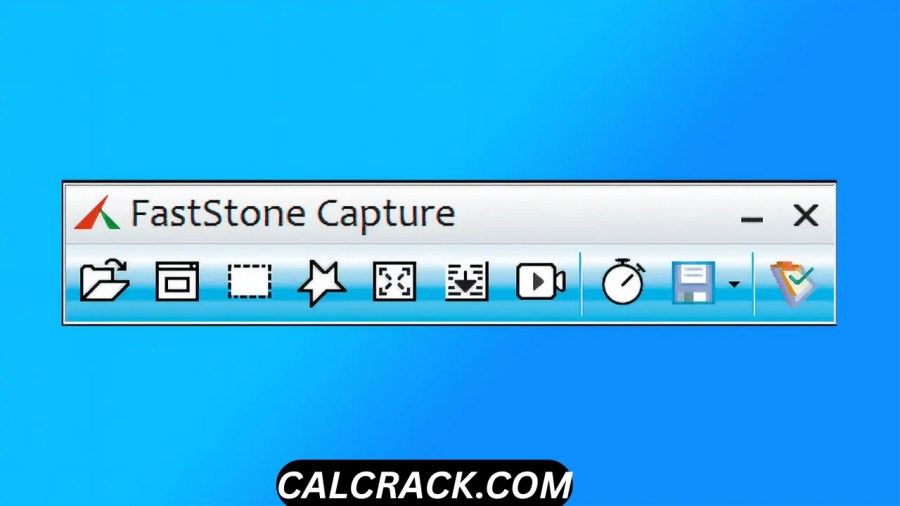
You can test different capture modes from the FastStone Capture toolbar.
Step 6: Test Screen Recorder
Open Screen Recorder if you need to create videos.
Step 7: Explore the Editor
Capture an image and experiment with annotations, cropping, resizing, blur, arrows, and other tools.
How to Use FastStone Capture for a Screenshot
The exact workflow depends on your settings, but the basic process is simple.
Step 1
Open FastStone Capture.
Step 2
Choose the capture type.
You can select options such as:
- Active window
- Window/object
- Full screen
- Rectangular region
- Freehand region
- Scrolling window
Step 3
Select the content.
If you choose a region capture, drag over the part of the screen you want to capture.
Step 4
Edit the screenshot.
The captured image can be sent to the internal editor where you can add annotations or make adjustments.
Step 5
Save or export.
You can save the image in a supported format such as PNG, JPEG, WEBP, TIFF, or PDF. (FastStone)
How to Record Your Screen With FastStone Capture
To record a screen video:
- Open FastStone Capture.
- Select Screen Recorder.
- Choose the area or screen you want to record.
- Configure microphone, speaker, or webcam options if needed.
- Start recording.
- Perform the actions you want to demonstrate.
- Stop the recording.
- Review the video.
- Use the built-in editor if you need simple cuts or annotations.
- Save the result.
FastStone supports MP4 and WMV video output, and the current version adds MP3 output for audio-only recording. (FastStone)
Can FastStone Capture Record for One Hour?
FastStone Capture includes screen recording and timer/scheduling functionality, but recording duration can depend on available storage, system resources, recording settings, and the particular workflow.
A long recording consumes considerably more disk space than a screenshot.
For lengthy recordings, it is therefore sensible to:
- Check available disk space.
- Test microphone levels.
- Confirm the correct recording area.
- Verify webcam settings.
- Close unnecessary applications.
- Perform a short test recording first.
If you need extremely long recordings or professional streaming workflows, dedicated recording software may provide more specialized controls.
Does FastStone Capture Work on Windows 10?
Yes.
FastStone’s website lists compatibility with Windows 10 and Windows 11. The company’s main site currently lists Windows 11, 10, 8.x, 7, Vista, and XP among supported operating systems. (FastStone)
However, individual features can have more specific requirements.
For example, the Capture product history notes that some newer features were specifically enhanced for Windows 10/11. (FastStone)
Does FastStone Capture Work on Windows 11?
Yes.
FastStone Capture is compatible with Windows 11, and recent releases include improvements specifically related to Windows 10/11 environments. (FastStone)
Version 11.1, for example, included improvements to the native skin of the FastStone Editor on Windows 10/11, while earlier releases added support for multiple desktops in Windows 10/11. (FastStone)
Therefore, Windows 11 users can use FastStone Capture for both screenshot capture and screen recording.
FastStone Capture for Online Work
FastStone Capture can also be useful for online work.
For example, you can use it to capture:
- Webpage sections
- Online forms
- Software dashboards
- Website designs
- Online presentations
- Tutorials
- Web-based applications
The scrolling-window function is particularly useful for long webpages because it can capture content beyond the visible portion of the screen. (FastStone)
FastStone Capture for YouTube Creators
FastStone Capture can be useful for creators who make software tutorials or educational videos.
Its screen recorder supports:
- Screen activity
- Microphone
- Speaker audio
- Webcam
- Mouse movement
- Mouse clicks
It also includes a built-in video editor for basic adjustments. (FastStone)
However, creators who need advanced editing, multi-track timelines, complex transitions, color grading, or professional streaming controls may want dedicated video-production software.
FastStone Capture is strongest when the content is centered around screen demonstrations and straightforward tutorials.
FastStone Capture for Students and Teachers
Students can use FastStone Capture to create screenshots for assignments, documentation, and presentations.
Teachers can use it to:
- Create software tutorials
- Explain application workflows
- Annotate screenshots
- Record demonstrations
- Create visual instructions
- Prepare PDF guides
The annotation tools make it easy to highlight exactly where students should click or what they should pay attention to.
FastStone Capture for Technical Support
Technical-support professionals can benefit significantly from FastStone Capture.
Suppose a customer reports a software problem.
Instead of describing the problem entirely through text, a support technician can:
- Capture the relevant screen.
- Circle the error.
- Add an arrow.
- Add a short explanation.
- Blur private information.
- Save the screenshot.
- Send it to the customer or development team.
This workflow can make bug reporting much more efficient.
Advantages of FastStone Capture
Powerful screenshot tools
FastStone Capture supports multiple capture modes, including scrolling windows and webpages. (FastStone)
Built-in screen recorder
You do not need a separate application for basic desktop recording.
Excellent annotation features
Arrows, callouts, highlights, blur, shapes, step numbers, and other tools make screenshots easy to explain.
Portable version
The portable edition can run without traditional installation. (FastStone)
Lightweight
FastStone describes the software as lightweight and having a small memory footprint. (FastStone)
One-time license
The standard license costs $29.95 rather than requiring a recurring subscription. (FastStone)
Multiple-monitor support
Useful for modern multi-display workstations.
High-resolution support
The software supports high-DPI, high-resolution, and 4K displays. (FastStone)
Disadvantages of FastStone Capture
Not permanently free
The free trial lasts 30 days, after which a license is required. (FastStone)
Windows-focused
FastStone Capture is primarily a Windows application, so users looking for a native macOS or Linux version need another solution.
Not a professional video editor
Its built-in video tools are useful for simple recordings and edits but are not intended to replace advanced video-editing suites.
Some users may prefer free alternatives
If you only need occasional screenshots, Windows’ built-in tools may be sufficient.
Too many features for simple users
Someone who only wants to press a shortcut and save a screenshot may not need the application’s extensive toolkit.
FastStone Capture vs Free Screenshot Tools
The biggest question is whether the additional features justify the price.
If you only take occasional screenshots, a built-in Windows tool can be enough.
But if you regularly create documentation, tutorials, or technical guides, FastStone Capture can save time because capture, annotation, editing, and recording are integrated into one workflow.
The value becomes particularly clear for people who repeatedly need to:
Capture → Explain → Edit → Export
rather than simply:
Capture → Save
Frequently Asked Questions About FastStone Capture
Is FastStone Capture free?
FastStone Capture offers a 30-day free trial, but the full version requires a paid license after the trial. The current standard lifetime license costs $29.95 USD. (FastStone)
What is the best screen capture software?
There is no universal best option. FastStone Capture is particularly strong for users who want screenshots, scrolling captures, annotations, screen recording, and lightweight editing in one Windows application.
How much does FastStone cost?
FastStone Capture currently costs $29.95 USD for a standard lifetime license. FastStone also offers volume discounts and a $69.95 family license covering up to five home-use computers. (FastStone)
Is FastStone Capture good?
Yes. It is a strong option for Windows users who regularly capture, annotate, edit, and record screen content. Its combination of capture modes, annotation tools, screen recording, and portability is its main advantage.
Can I download FastStone Image Viewer for my PC?
Yes. FastStone Image Viewer 8.5 is currently available for Windows and is free for personal and educational use. (FastStone)
Is FastStone Image Viewer safe to download?
For the safest installation, download it from the official FastStone website. The official download page provides the current version and installer, ZIP, and portable packages. (FastStone)
Is capture download free?
FastStone Capture can be downloaded for a 30-day free trial, but it is not permanently free. A license is required after the trial. (FastStone)
What is the latest version of FastStone Capture?
The latest version is FastStone Capture 11.3, released July 29, 2026. (FastStone)
How do I use FastStone Image Viewer?
FastStone Image Viewer is primarily used for browsing, viewing, managing, comparing, resizing, cropping, converting, and editing images. The official documentation provides additional instructions and tutorials. (FastStone)
Does FastStone Capture have a portable version?
Yes. FastStone provides a portable package that can run without traditional installation and can be used from a USB drive or other folder. (FastStone)
Can FastStone Capture record the screen?
Yes. It can record screen activity along with microphone audio, speaker audio, webcam video, and mouse movements. (FastStone)
Can FastStone Capture capture a scrolling webpage?
Yes. FastStone Capture supports scrolling-window and webpage capture, allowing users to capture content beyond the visible area of the screen. (FastStone)
Does FastStone Capture work on Windows 11?
Yes. FastStone Capture supports Windows 11 and recent releases include Windows 10/11-specific improvements. (FastStone)
Is FastStone Capture safe?
The developer states that FastStone Capture contains no adware or spyware. For the safest experience, download the software from FastStone’s official website rather than unofficial or modified sources. (FastStone)
Can FastStone Capture record webcam video?
Yes. Webcam recording is supported alongside screen recording. (FastStone)
Can FastStone Capture save videos as MP4?
Yes. FastStone Capture supports MP4 video output, and the Screen Recorder also includes a tool for converting or resizing supported video files to MP4. (FastStone)
Can FastStone Capture create animated GIFs?
Yes. The built-in Screen Recorder/video workflow can convert recordings into animated GIFs. (FastStone)
Can FastStone Capture edit screenshots?
Yes. Its internal editor provides tools for cropping, resizing, rotating, sharpening, brightness and color adjustments, captions, annotations, blur, and other effects. (FastStone)
Is FastStone Image Viewer the same as FastStone Capture?
No. FastStone Image Viewer focuses primarily on viewing, organizing, converting, and editing images, while FastStone Capture focuses on screenshots, screen recording, annotations, and screen-related utilities. (FastStone)
Final Verdict: Is FastStone Capture Worth It?
FastStone Capture is one of the more comprehensive Windows tools for users who regularly work with screenshots and screen recordings.
Its biggest advantage is the way it combines several workflows into one lightweight application. You can capture a screen, annotate the image, blur sensitive areas, resize it, save it as an image or PDF, and even record a video tutorial without constantly switching between different applications.
The current release, FastStone Capture 11.3, was released on July 29, 2026. It includes MP3 audio-only recording and other improvements. (FastStone)
For users searching for FastStone Capture free download, it is important to remember that the official product is trialware rather than freeware. You can use the 30-day trial at no cost, but the full version requires a license. The current standard lifetime license is $29.95, while a family license covering up to five home-use computers costs $69.95. (FastStone)
The portable version is another useful advantage. It can run without conventional installation, making it convenient for USB drives, technicians, migrations, and multi-PC workflows. (FastStone)
FastStone Capture is particularly recommended for:
- Screenshot-heavy workflows
- Software tutorials
- Technical documentation
- Education
- Online guides
- Customer support
- Bug reporting
- Screen demonstrations
- Simple screen-recording projects
It may be unnecessary for someone who only takes occasional screenshots, and users seeking advanced professional video editing or streaming may want a more specialized application.
FastStone Capture at a glance
| Feature | FastStone Capture |
|---|---|
| Latest version | 11.3 |
| Latest release | July 29, 2026 |
| Platform | Windows |
| Free trial | 30 days |
| Full version | Paid |
| Standard price | $29.95 lifetime |
| Family license | $69.95, up to 5 home-use computers |
| Portable version | Yes |
| Screenshot capture | Yes |
| Scrolling capture | Yes |
| Screen recording | Yes |
| Webcam recording | Yes |
| Microphone recording | Yes |
| Speaker audio | Yes |
| MP4 output | Yes |
| WMV output | Yes |
| MP3 audio output | Yes, version 11.3 |
| Image annotation | Yes |
| Blur tool | Yes |
| PDF creation | Yes |
| 4K/high-DPI support | Yes |
| Multiple monitors | Yes |
| Built-in video editor | Yes |
| Adware/spyware | Developer states no adware/no spyware |
Overall, FastStone Capture is a well-rounded screen capture and recording solution for Windows. Its combination of screenshot flexibility, scrolling capture, annotation, editing, screen recording, portable operation, and one-time licensing makes it particularly attractive to people who create tutorials and technical documentation regularly.
If you only need a basic screenshot occasionally, a free built-in Windows tool may be enough. But if screenshots and screen recordings are part of your everyday workflow, FastStone Capture provides a much broader set of tools in a single application. (FastStone)
Download Now
FastStone Capture
- Download Option:
Theuser.cloud - Download Option:
Usersdrive
File Details:
- File Size: 8.0 MB
- System Type: 32-bit / 64-bit
- Setup Type: Offline / Standalone