
Table of Contents
Mailbird Pro: Complete Guide
Mailbird Pro is the name many users still search for when looking for Mailbird’s paid email client, although Mailbird’s current licensing is centered on Mailbird Free and Mailbird Premium. Mailbird Premium is the modern full-featured plan and includes support for unlimited email accounts, a unified inbox, Microsoft Exchange, app integrations, email tracking, templates, ChatGPT integration, custom apps, and cross-platform licensing for Windows and macOS. Mailbird’s own support documentation notes that older licenses may have names such as Personal, Business, and Pro, while the current Mailbird 3.0 license structure uses Free, the legacy Standard tier, and Premium. (Mailbird Support)
If you are searching for Mailbird Pro download, Mailbird free download, Mailbird Premium, Mailbird 2.0 download, Mailbird for Android, Mailbird vs Thunderbird, Mailbird reviews, or whether Mailbird is safe, this detailed guide covers the most important questions.

Mailbird Pro at a Glance
| Feature | Mailbird |
|---|---|
| Software type | Desktop email client |
| Current main paid plan | Mailbird Premium |
| “Mailbird Pro” | Older/legacy paid-plan naming still widely searched |
| Free version | Yes |
| Free email accounts | 1 |
| Premium email accounts | Unlimited |
| Windows | Yes |
| macOS | Yes |
| Linux | No native desktop version |
| Android | No full Mailbird mobile app currently |
| iPhone/iPad | Not currently supported by a native Mailbird app |
| Unified inbox | Premium |
| Microsoft Exchange | Premium |
| IMAP | Yes |
| POP3 | Windows support; Mac has limitations |
| Email tracking | Premium |
| Templates | Premium |
| ChatGPT integration | Premium |
| Custom app integrations | Premium |
| One-time purchase option | Yes |
| Annual subscription | Yes |
| Best for | Multi-account desktop email management |
Mailbird states that Mailbird 3.0 licenses purchased through its website can be used across Windows and macOS, while its current Premium license covers up to three devices. Mailbird’s Mac version requires macOS Ventura or later, and POP3 is currently not supported on Mac. (Mailbird)
What Is Mailbird Pro?
Mailbird Pro is an older name for Mailbird’s paid email-client offering. Today, users looking for “Mailbird Pro” will generally want Mailbird Premium.
Mailbird is not an email provider in the same sense as Gmail, Outlook.com, Yahoo Mail, or Proton Mail. Instead, it is an email client that connects to existing email accounts and lets you manage them in one application.
For example, you can use Mailbird with accounts from services such as:
- Gmail
- Outlook
- Microsoft 365
- Yahoo Mail
- iCloud Mail
- Custom-domain email
- IMAP providers
- POP3 accounts on supported platforms
- Microsoft Exchange with Premium
The main goal is to reduce the need to keep several browser tabs or separate email applications open.
Mailbird Premium currently includes features such as:
- Unlimited email accounts
- Unified inbox
- Microsoft Exchange support
- Email tracking
- Custom apps
- Email templates
- ChatGPT integration
- Block Sender
- Integrations
- Cross-platform Windows/macOS licensing
Mailbird’s official support page describes Premium as its most feature-rich license and confirms those capabilities. (Mailbird Support)
Is Mailbird Pro Still Available?
The name Mailbird Pro is still widely searched, but Mailbird’s current consumer licensing uses Mailbird Free and Mailbird Premium.
Mailbird explains that customers may still have older licenses named:
- Personal
- Business
- Pro
- Other historical plans
If you own one of those older licenses, its exact entitlements can differ from the current Premium plan. Mailbird recommends contacting its support team to check what an older license includes. (Mailbird Support)
Therefore, this article uses Mailbird Pro as the main SEO keyword while referring to Mailbird Premium when discussing the current paid product.
What Is Mailbird Used For?
Mailbird is used to manage multiple email accounts, calendars, contacts, and productivity services from one desktop interface.
Instead of opening Gmail, Outlook, Yahoo, and your work email separately, you can connect supported accounts to Mailbird.
Common Mailbird use cases
Managing multiple email accounts
Mailbird Premium supports unlimited connected email accounts. (Mailbird Support)
This is useful if you manage:
- Personal email
- Business email
- Freelance email
- Multiple company addresses
- Customer-support accounts
- Several custom domains
Unified inbox
Mailbird Premium combines mail from multiple accounts into a unified inbox.
This is especially useful when you don’t want to manually switch between accounts throughout the day.
Email productivity
Paid Mailbird features include tools such as:
- Snooze
- Send later
- Email tracking
- Templates
- Snippets
- Advanced search
- Filters/rules
- Undo send
- Block Sender
Mailbird’s current materials list many of these as part of its Premium desktop workflow. (Mailbird)
App integrations
Mailbird is designed as more than a simple mailbox.
Its Premium tier includes app integrations and a Custom Apps feature so users can access supported productivity tools from within the application. (Mailbird Support)
AI-assisted email writing
Mailbird Premium includes a ChatGPT integration designed to help with email drafting and writing assistance. Mailbird positions this primarily as an AI writing feature rather than a fully autonomous inbox assistant. (Mailbird)
How Much Does Mailbird Cost?
Mailbird has a free plan, an annual Premium plan, and a Pay Once option.
Mailbird’s own 2026 pricing material listed:
- Free: $0
- Premium Yearly: about $4.03 per user/month when billed annually
- Premium Pay Once: $99.75
- Lifetime Updates add-on: around $69 for the Pay Once license
Prices can change due to promotions, taxes, region, and sales campaigns. (Mailbird)
Mailbird pricing summary
| Plan | Approximate current pricing* | Best for |
|---|---|---|
| Mailbird Free | $0 | One basic email account |
| Premium Yearly | Around $4.03/user/month billed yearly | Users wanting ongoing updates |
| Premium Pay Once | Around $99.75 | Users avoiding subscriptions |
| Lifetime Updates | Separate optional one-time add-on | Pay Once users wanting future upgrades |
*Pricing can change. Always check the current checkout page before purchasing.
Does Mailbird Have a Lifetime License?
Yes. Mailbird currently offers a Pay Once option.
This is one of Mailbird’s most attractive selling points for users who dislike subscriptions.
However, there is an important distinction:
A Pay Once license continues working, but future features and major updates may require the separate Lifetime Updates add-on. Mailbird says that without Lifetime Updates, the purchased version remains usable but does not receive future improvements or major product upgrades. (Mailbird Support)
This means “lifetime license” should not automatically be interpreted as:
Every future Mailbird version and feature forever at no additional charge.
Check exactly what the current Pay Once offer includes before purchasing.
Is Mailbird Completely Free?
No. Mailbird has a genuinely free version, but the full Mailbird Premium feature set is paid.
Mailbird Free currently supports:
- One email account
- Customizable interface
- Themes and color options
It does not include most Premium functions. (Mailbird Support)
So Mailbird is best described as freemium rather than completely free.
Mailbird Free vs Premium
| Feature | Mailbird Free | Mailbird Premium |
|---|---|---|
| Cost | Free | Paid |
| Email accounts | 1 | Unlimited |
| Themes | Yes | Yes |
| Unified inbox | Limited/not Premium-complete | Yes |
| Microsoft Exchange | No | Yes |
| Email tracking | No/full access unavailable | Unlimited |
| Integrations | Limited | All integrations |
| ChatGPT | No | Yes |
| Templates | No | Yes |
| Custom Apps | No | Yes |
| Cross-platform paid license | N/A | Windows + Mac |
(Mailbird Support)
Mailbird Free Download
Users searching Mailbird free download should download the software from Mailbird’s official website.
The free plan can be useful if you want to:
- Test the interface
- Connect one account
- Decide whether you like Mailbird
- Evaluate its desktop experience
- Compare it with Thunderbird or Outlook
Avoid searching for:
- Mailbird Pro crack
- Mailbird Premium keygen
- Mailbird full version patched
- Mailbird lifetime activation crack
Unofficial modified installers create unnecessary risks such as malware, credential theft, broken updates, or manipulated email software.
Because an email client handles usernames, tokens, messages, contacts, and potentially sensitive business correspondence, downloading a modified version is particularly risky.
Is Mailbird Safe?
Mailbird is a legitimate commercial email client, but users should download it from the official Mailbird website and use normal account-security practices.
The more useful security question is not simply “Is Mailbird safe?” but:
How does Mailbird connect to my accounts, and what security practices should I use?
Use:
- Official installer
- Strong account passwords
- Two-factor authentication
- OAuth login where supported
- Current software versions
- Secure operating system
- Updated antivirus/security software
- Unique passwords
Mailbird should not be confused with an email-hosting service. Your actual email messages may remain with providers such as Google, Microsoft, Yahoo, or your organization’s mail server, depending on your account configuration.
Avoid old or unofficial downloads
Search suggestions sometimes include Mailbird 2.0 download.
Old versions may be available on third-party sites, but downloading outdated email software is generally less desirable than using the current supported version.
Email clients connect directly to internet mail services, so current authentication and security support matter.
Mailbird 2.0 Download vs Mailbird 3.0
Mailbird 2.0 is an older generation. Mailbird 3.0 is the current licensing/product generation discussed in Mailbird’s support documentation.
Mailbird launched the 2.0 generation years ago, when its pricing and product structure were different. For example, historical Mailbird pages referenced Mailbird Lite, Pro, and Lifetime at much lower historical prices. Those old prices should not be used to describe today’s product. (Mailbird)
Current Mailbird support specifically discusses Mailbird 3.0 licenses. (Mailbird Support)
Therefore, users searching for Mailbird 2.0 download should normally install the latest supported version unless they have a specific compatibility reason not to.
Mailbird for Windows
Mailbird began as a Windows-focused email client, and Windows remains one of its primary platforms.
Mailbird is useful on Windows for users who want an alternative to:
- Outlook
- Thunderbird
- Windows Mail
- New Outlook
- eM Client
- Mailspring
Mailbird provides a desktop interface with multiple-account support and productivity features.
Microsoft ended support for the older Windows Mail, Calendar, and People applications on December 31, 2024 and directs users toward the new Outlook for Windows, making alternative email clients such as Mailbird, Thunderbird, and eM Client increasingly relevant. (Mailbird)
Mailbird for Mac
Mailbird is no longer Windows-only.
The current version supports macOS, and Mailbird says licenses purchased from its website for Mailbird 3.0 or newer work across Windows and Mac. (Mailbird)
However, there are platform differences.
Mailbird currently notes that:
- Mac requires macOS Ventura or newer
- POP3 is not currently supported on Mac
- Some capabilities may arrive on Mac later than Windows
(Mailbird)
This means Mac users should compare Mailbird with:
- Apple Mail
- Thunderbird
- eM Client
- Outlook for Mac
- Spark
before purchasing.
Mailbird for Android
A common search query is Mailbird for Android, but this requires an important clarification.
Mailbird does not currently provide a full native Android version comparable to its Windows and macOS desktop applications.
Mailbird’s 2026 product material says that mobile apps remain on the roadmap and that it is not currently compatible with iPhone or iPad as a native Mailbird mobile app. (Mailbird)
Therefore, avoid random websites claiming to provide:
- Mailbird Android APK
- Mailbird Pro APK
- Mailbird mobile mod
- Mailbird Android cracked APK
unless Mailbird itself officially releases a mobile application.
For Android, your existing Gmail, Outlook, Thunderbird mobile, Proton Mail, or provider-specific app may be a better choice.
Thunderbird now has an official mobile offering on Android through Google Play and F-Droid. (Thunderbird)
Is Mailbird Better Than Outlook?
Mailbird can be better than Outlook for users who want a simpler multi-account desktop experience, while Outlook is generally better for organizations deeply integrated into Microsoft 365.
There is no universal winner.
Mailbird advantages
Mailbird is particularly appealing for:
- Managing email accounts from different providers
- Unified inbox
- Simpler interface
- App integrations
- Templates
- Email tracking
- ChatGPT integration
- One-time purchase option
- Windows/Mac licensing
Outlook advantages
Outlook is stronger when you rely heavily on:
- Microsoft 365
- Exchange
- Microsoft Teams
- OneDrive
- Word
- Excel
- PowerPoint
- Microsoft calendar workflows
- Enterprise administration
- Microsoft security/compliance systems
Microsoft currently provides a free Outlook option with 15 GB of mailbox storage and 5 GB of cloud storage, while Microsoft 365 subscriptions add more mailbox/cloud storage and desktop Office applications. (Microsoft)
Mailbird vs Outlook
| Feature | Mailbird Premium | Outlook |
|---|---|---|
| Multiple providers | Excellent | Excellent |
| Unified inbox | Strong | Strong |
| Microsoft Exchange | Yes, Premium | Excellent/native ecosystem |
| Gmail | Yes | Yes |
| Windows | Yes | Yes |
| Mac | Yes | Yes |
| Android/iOS | No native Mailbird app currently | Yes |
| Microsoft 365 integration | Moderate | Excellent |
| ChatGPT integration | Yes | Microsoft Copilot ecosystem |
| One-time purchase | Available | Depends on Office product/licensing |
| Free version | Yes | Yes |
| Best for | Mixed multi-account desktop workflow | Microsoft ecosystem |
Verdict
Choose Mailbird if your priority is a clean desktop email hub for accounts from multiple providers.
Choose Outlook if your organization depends heavily on Microsoft 365 or Exchange.
Is Mailbird Better Than Thunderbird?
Mailbird is easier and more polished for some users, but Thunderbird offers exceptional value because it is free, open source, cross-platform, and supports multiple accounts.
Thunderbird currently describes itself as free forever and provides desktop applications for Windows, macOS, and Linux. It includes email, calendar, contacts, unified inbox functionality, and multiple-account support. (Thunderbird)
Mailbird vs Thunderbird
| Feature | Mailbird Premium | Thunderbird |
|---|---|---|
| Cost | Paid Premium | Free |
| Open source | No | Yes |
| Windows | Yes | Yes |
| macOS | Yes | Yes |
| Linux | No | Yes |
| Android | No full native Mailbird app | Yes |
| Unlimited accounts | Premium | Yes |
| Unified inbox | Premium | Yes |
| Microsoft Exchange | Premium support | More dependent on configuration/add-ons |
| Templates | Built in Premium features | Possible through features/add-ons |
| Email tracking | Built in Premium | Not core built-in equivalent |
| ChatGPT integration | Built in Premium | Extensions/third-party possibilities |
| Customization | Easy visual customization | Extensive |
| Add-ons | Integrations | Large extension ecosystem |
| Best for | Ease of use | Free/open-source control |
Thunderbird explicitly supports unified management of multiple accounts and is available across Windows, macOS, and Linux. (Thunderbird)
Which one should you choose?
Choose Mailbird Premium if you prefer:
- A polished commercial interface
- Built-in email tracking
- Templates
- Integrated productivity services
- ChatGPT integration
- Official commercial support
Choose Thunderbird if you prefer:
- Completely free software
- Open-source development
- Linux support
- Greater technical customization
- No paid license
- Desktop plus Android availability
Is There a Better Email Client Than Thunderbird?
Yes, depending on your priorities.
Thunderbird is excellent, but another client may be better for specific needs.
Mailbird
Better if you prioritize:
- Ease of use
- Email tracking
- Built-in integrations
- Templates
- Commercial support
- AI writing assistance
eM Client
Better if you want:
- Full email/calendar/contact/task integration
- Native PGP/S/MIME capabilities
- Windows/Mac plus free Android/iOS apps
- Paid support
- Modern desktop interface
eM Client currently offers both subscription and one-time licenses and supports unlimited email accounts on its paid plans. (eM Client)
Outlook
Better if your workplace is built around Microsoft 365.
Apple Mail
Better if you use only Apple devices and want a built-in solution.
Mailspring
Potentially better for users who prefer its interface or its particular workflow and platform support.
Which Is Better, Mailspring or Mailbird?
Mailbird is generally the stronger choice for users who want a broad integrated productivity environment, while Mailspring may appeal to users who value a simpler email-centric workflow and cross-platform desktop availability.
Mailbird’s current Premium plan includes:
- Unlimited accounts
- Unified inbox
- Integrations
- Microsoft Exchange
- Email tracking
- Templates
- ChatGPT integration
- Custom apps
(Mailbird Support)
Mailbird advantages over Mailspring
Mailbird’s strengths include:
- Rich productivity integrations
- Unified workspace
- App integrations
- Premium support
- Pay Once license
- Windows + Mac cross-platform licensing
- Microsoft Exchange support in Premium
Mailspring advantages
Mailspring has historically attracted users who want:
- A modern email-focused interface
- Windows, macOS, and Linux support
- A lighter email-first workflow
Linux support is a particularly important difference because Mailbird has no native Linux version.
Verdict
Mailbird is better for integrated productivity and multi-account desktop management.
Mailspring may be better if Linux support or a simpler email-first design matters more.
Which Email Client Is Better: Mailbird or eM Client?
This is one of the closest comparisons.
Mailbird is particularly strong for unified inbox workflows, integrations, and simplicity, while eM Client provides a very comprehensive email, calendar, contacts, tasks, encryption, and multi-device ecosystem.
eM Client currently offers:
- Free plan
- Personal paid plan
- Business plan
- Subscription option
- One-time purchase option
- Windows and Mac desktop applications
- Free Android and iOS apps
- Unlimited accounts on paid plans
- PGP and S/MIME support
- Email, calendar, contacts, and tasks
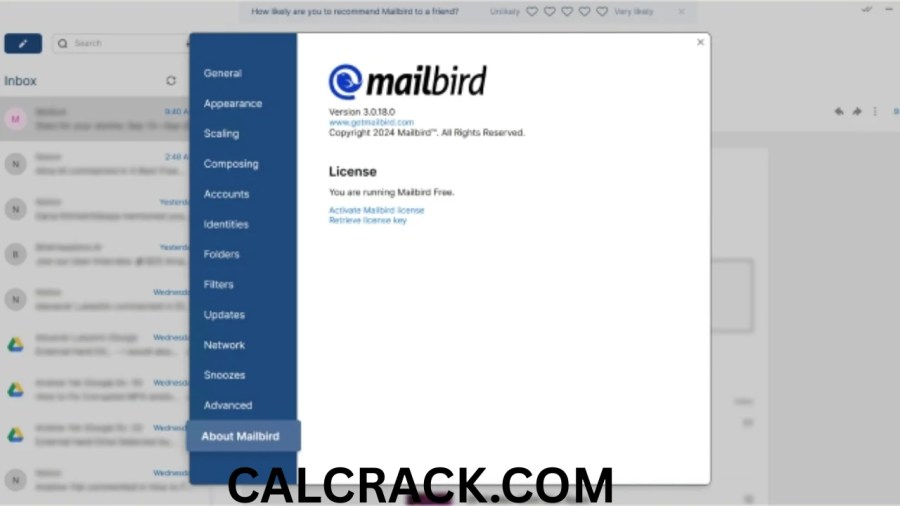
Mailbird vs eM Client
| Feature | Mailbird Premium | eM Client Personal |
|---|---|---|
| Windows | Yes | Yes |
| macOS | Yes | Yes |
| Android | No full native app currently | Yes |
| iOS | No full native app currently | Yes |
| Linux | No | No |
| Unlimited accounts | Yes | Yes |
| Unified inbox | Yes | Yes |
| Calendar | Integrations/workflow | Built in |
| Contacts | Yes | Yes |
| Tasks | Integration-oriented | Built in |
| Encryption | Depends on account/workflow | PGP & S/MIME built in |
| AI | ChatGPT integration | AI support/add-on depending plan |
| Free version | 1 account | Up to 2 accounts |
| One-time license | Yes | Yes |
| Best for | Integrated productivity | Full personal-information management |
eM Client’s Free license supports a maximum of two email accounts for personal, non-commercial use, while its paid Personal and Business plans allow unlimited accounts. (eM Client)
Verdict
Choose Mailbird if you want a simpler integrated productivity hub.
Choose eM Client if you want strong built-in calendar, contacts, task management, mobile apps, or encryption features.
Is Mailbird Any Good?
Yes. Mailbird is a strong email client for people who regularly manage several email accounts and prefer an easy-to-use desktop interface.
Its biggest strengths are:
- Clean interface
- Unified inbox
- Multiple-account management
- Integrations
- Email tracking
- Templates
- Snooze
- Send later
- ChatGPT integration
- Windows and Mac support
- One-time payment option
Its biggest weaknesses are:
- The free plan is limited to one email account
- No native Linux version
- No full Mailbird Android/iPhone app yet
- Premium costs money
- Some advanced users may prefer Thunderbird’s flexibility
- Outlook is stronger in Microsoft-heavy organizations
- Mac feature parity can differ from Windows
- POP3 is not currently available on the Mac version
(Mailbird Support)
Mailbird Reviews: What Should You Look For?
When reading Mailbird reviews, pay attention to the date.
Old Mailbird reviews may say:
- Windows only
- No Mac version
- Older pricing
- Mailbird Pro
- Mailbird Personal
- Different account limitations
- No AI features
Some of those points are now outdated.
For example, a 2022 TechRadar review described Mailbird as Windows-only and noted the absence of a mobile application. (TechRadar)
The mobile limitation remains relevant, but the Windows-only statement is no longer current because Mailbird now supports Mac.
This is why current software reviews should always be checked against the developer’s newest documentation.
What Is the Best Free Email Client?
For most users, Thunderbird is one of the strongest completely free desktop email clients.
Thunderbird is:
- Free forever
- Open source
- Available for Windows
- Available for macOS
- Available for Linux
- Available on Android
- Supports multiple email accounts
- Includes unified inbox
- Includes email, calendar, and contacts
(Thunderbird)
Other free email-client options
Mailbird Free
Best if you like Mailbird but only need one account.
eM Client Free
Good for personal, non-commercial use with up to two accounts. (eM Client)
Outlook Free
Good for people who want a Microsoft-backed email/calendar solution. Microsoft currently provides free Outlook web, desktop, and mobile access for an individual account. (Microsoft)
Best overall free choice
If your main criterion is desktop email-client capability without paying, Thunderbird is difficult to beat.
What Is the Best Free Email Service?
This question is different from “best free email client.”
An email client displays and manages your accounts.
An email service gives you the actual mailbox and email address.
Examples of free email services include:
- Gmail
- Outlook.com
- Proton Mail
- Yahoo Mail
The best choice depends on your needs.
Gmail
Strong for Google ecosystem users.
Outlook.com
Strong for Microsoft users.
Microsoft’s free Outlook plan currently includes 15 GB of mailbox storage and 5 GB of cloud storage. (Microsoft)
Proton Mail
Strong for privacy-focused users.
Proton says its Free plan includes one email address and up to 1 GB of dedicated Mail storage after completing its setup checklist. (Proton)
Yahoo Mail
Another long-standing free webmail option.
Which Mail Service Is Free?
Many email services offer free accounts.
Popular examples include:
- Gmail
- Outlook.com
- Proton Mail
- Yahoo Mail
- iCloud Mail for Apple account users
If you want a privacy-focused free service, Proton Mail is notable because Proton states that its free email tier will remain available and is funded by paying subscribers rather than advertising-based profiling. (Proton)
If you want integration with Microsoft services, Outlook is a strong option.
If you use Google Docs, Drive, Calendar, and Android extensively, Gmail is often the most convenient.
What Is the Cheapest Email Hosting?
The cheapest email hosting depends on whether you mean:
- Free personal email
- Custom-domain business email
- Shared web hosting with email
- Dedicated business mail hosting
Free personal email
If you do not need your own domain, Gmail, Outlook, Proton Mail, and similar services can cost $0.
Custom-domain email
Custom-domain email generally requires a paid hosting service or a bundled web-hosting plan.
When comparing cheap email hosting, check:
- Price per mailbox
- Storage per user
- Custom domain support
- Spam filtering
- IMAP/SMTP access
- Calendar/contacts
- Mobile support
- Two-factor authentication
- Backup/recovery
- Number of aliases
- Renewal price
The renewal price is especially important because very cheap introductory plans can become much more expensive after the first year.
Mailbird itself is not email hosting; it is an email client. You still need an email provider or mail server.
What Is the Difference Between Mailbird and Email Hosting?
This is an important SEO and user-intent distinction.
Mailbird
Mailbird is the application you use to read, send, search, and organize email.
Email hosting
Email hosting provides:
- Mailbox storage
- Email address
- Mail server
- Incoming/outgoing mail infrastructure
- Custom domain support
For example:
You might purchase:
from an email-hosting provider and then add that account to Mailbird.
Mailbird does not replace your hosting provider.
Mailbird Unified Inbox
The Unified Inbox is one of Mailbird Premium’s most important features.
If you have:
- Gmail account
- Outlook account
- Work account
- Personal domain account
you can access messages through a combined inbox rather than opening each inbox separately.
Mailbird Premium officially includes Unified Inbox functionality. (Mailbird Support)
This is especially valuable to:
- Freelancers
- Agency owners
- Business owners
- Salespeople
- Support staff
- Consultants
- Anyone managing multiple addresses
Mailbird Email Tracking
Mailbird Premium includes unlimited Email Tracking according to its current license comparison. (Mailbird Support)
Email tracking generally helps users determine whether supported tracked messages were opened.
This can be useful for:
- Sales follow-ups
- Freelance proposals
- Client communication
- Job outreach
- Business correspondence
However, email tracking is not perfect.
Privacy protections, image blocking, proxy services, and mail-provider technology can make open tracking inaccurate.
Therefore, don’t assume:
“No tracked open = recipient definitely never read the email.”
Mailbird ChatGPT Integration
Mailbird Premium includes a ChatGPT integration.
Mailbird describes its AI capabilities mainly around email authoring—helping users create or improve drafts rather than automatically taking control of every aspect of the inbox. (Mailbird)
Potential uses include:
- Drafting professional emails
- Changing tone
- Improving clarity
- Shortening messages
- Generating replies
- Brainstorming wording
Users handling confidential business information should still consider organizational privacy and compliance rules before sending sensitive content through any AI integration.
Mailbird Integrations
A major reason to choose Mailbird over a traditional minimalist email client is its integrations.
Mailbird Premium includes access to all Mailbird integrations and Custom Apps. (Mailbird Support)
The concept is to turn Mailbird into a broader communication workspace rather than requiring users to constantly switch between applications or browser tabs.
This can be especially convenient for professionals who spend most of the workday in their inbox.
Mailbird vs Thunderbird for Business
For business use, Mailbird and Thunderbird represent very different philosophies.
Mailbird
Offers:
- Commercial paid product
- Premium support
- Email tracking
- Templates
- Integrations
- Exchange support
- ChatGPT integration
- Polished user interface
Thunderbird
Offers:
- Free/open-source software
- No per-user purchase for the client itself
- Extensive customization
- Windows/Mac/Linux
- Community ecosystem
Thunderbird can be financially attractive for companies, but organizations may need to handle deployment, configuration, support, and add-ons internally.
Mailbird can be attractive when employees need a simpler standardized interface.
Mailbird vs Outlook for Business
Outlook remains the stronger option for companies already standardized on:
- Exchange Online
- Microsoft 365
- Teams
- SharePoint
- OneDrive
- Microsoft Defender
- Microsoft compliance tools
Mailbird is more attractive when users have many accounts from multiple providers and do not need the full Microsoft collaboration stack.
The best decision is not simply “which email client looks nicer?” but:
Which one fits the systems your organization already uses?
Mailbird vs eM Client for Business
eM Client is arguably one of the strongest direct alternatives to Mailbird.
Its paid Business license supports unlimited accounts and commercial/institutional usage. It also provides email, calendar, contacts, tasks, PGP/S/MIME encryption, and VIP support. (eM Client)
Mailbird may be preferable for teams prioritizing:
- Simple interface
- Productivity integrations
- Email tracking
- ChatGPT
- Unified workflow
eM Client may be preferable for teams wanting:
- Native calendar/task depth
- Encryption features
- Mobile companion apps
- More traditional PIM functionality
Mailbird Pros and Cons
Advantages of Mailbird Pro/Premium
- Attractive interface
- Easy account setup
- Unlimited Premium accounts
- Unified inbox
- Windows and Mac support
- Microsoft Exchange support
- Email tracking
- Templates
- Snooze
- Send later
- App integrations
- Custom Apps
- ChatGPT integration
- One-time purchase option
- Free plan available
- Good fit for mixed email providers
(Mailbird Support)
Disadvantages
- Full functionality requires payment
- Free plan limited to one account
- No native Linux client
- No full native Android/iPhone Mailbird client currently
- Pay Once updates require careful license consideration
- Mac has some platform-specific limitations
- POP3 unavailable on Mac currently
- Outlook remains more tightly integrated with Microsoft 365
- Thunderbird provides much of the core email functionality for free
Mailbird Free vs Thunderbird
If cost is your primary concern, Thunderbird is generally better.
Why?
Mailbird Free supports one account, while Thunderbird supports multiple accounts and unified inbox functionality without requiring a paid license. (Mailbird Support)
Mailbird Free makes sense when:
- You only need one account
- You want to test Mailbird
- You prefer its interface
Thunderbird makes sense when:
- You have several accounts
- You want free software
- You need Linux
- You value open source
- You want Android support
Mailbird Premium vs Thunderbird
Mailbird Premium becomes much more competitive.
Its advantages include:
- Built-in tracking
- Templates
- ChatGPT
- Exchange
- Premium integrations
- Commercial support
- More curated user experience
Thunderbird still wins on:
- Price
- Open source
- Linux
- Freedom/customization
- Community ecosystem
Mailbird vs eM Client Free
Mailbird Free allows one email account, while eM Client Free currently allows up to two email accounts for personal, non-commercial use. (Mailbird Support)
Therefore, eM Client Free can offer more value to someone with two personal email accounts.
However, Mailbird’s interface may still appeal more to users who prefer its design.
Mailbird Alternatives
If Mailbird does not fit your needs, consider:
Thunderbird
Best for free/open-source desktop email.
eM Client
Best for a full desktop productivity and email suite.
Outlook
Best for Microsoft 365 users.
Mailspring
Useful for users wanting a modern cross-platform email experience including Linux.
Apple Mail
Best for many Apple-only households.
Spark
Good for users interested in collaboration and AI-heavy email workflows.
Proton Mail
Best viewed primarily as an email service with privacy-focused applications rather than a direct Mailbird-style universal desktop client.
How to Choose the Best Email Client
Before choosing Mailbird Pro, Mailbird Premium, Thunderbird, Outlook, or eM Client, ask yourself these questions.
How many email accounts do you use?
One account may be fine with Mailbird Free.
Many accounts make Premium, Thunderbird, or paid eM Client more suitable.
Which operating systems do you use?
- Windows + Mac → Mailbird works
- Linux → Thunderbird/Mailspring
- Android → Thunderbird/eM Client/Outlook and other mobile apps
- iPhone/iPad → Outlook/eM Client/Apple Mail and others
Do you need Microsoft Exchange?
Mailbird Premium supports it. (Mailbird Support)
Do you need a free solution?
Thunderbird is the strongest recommendation.
Do you want AI?
Mailbird Premium includes ChatGPT integration. (Mailbird Support)
Do you need encryption features?
eM Client provides built-in PGP and S/MIME support. (eM Client)
Do you dislike subscriptions?
Mailbird and eM Client both provide one-time purchase options.
Frequently Asked Questions About Mailbird Pro
How much does Mailbird cost?
Mailbird has a free tier and paid Premium plans. Mailbird’s 2026 materials listed Premium Yearly at approximately $4.03 per user/month billed annually and Premium Pay Once at about $99.75. Pricing and promotions can change. (Mailbird)
Is Mailbird completely free?
No. Mailbird Free is genuinely free but supports only one email account and lacks many Premium features. (Mailbird Support)
Is Mailbird better than Outlook?
Mailbird can be better for managing multiple providers in a simpler desktop interface. Outlook is generally better for organizations deeply integrated with Microsoft 365, Exchange, Teams, and OneDrive.
Is Mailbird better than Thunderbird?
Mailbird has a more commercial, integrated experience with tracking, templates, AI, and Premium support. Thunderbird is completely free, open source, and available on Windows, Mac, Linux, and Android. (Thunderbird)
What is the cheapest email hosting?
Free personal email from Gmail, Outlook, Proton Mail, and similar providers costs nothing. Custom-domain hosting normally costs money. Compare mailbox price, storage, aliases, IMAP/SMTP, security, and renewal rates.
Which is better, Mailspring or Mailbird?
Mailbird is generally stronger for productivity integrations, premium multi-account management, and Exchange support. Mailspring may be more suitable for users who need Linux support.
Is Mailbird any good?
Yes. Mailbird is particularly good for Windows and Mac users who manage several email accounts and want unified inbox, integrations, templates, tracking, and AI-assisted writing.
What is the best free email service?
Gmail and Outlook are excellent mainstream choices, while Proton Mail is especially attractive to privacy-focused users. Proton Mail offers a permanent free tier with one address and up to 1 GB Mail storage after setup actions. (Proton)
Is there a better email client than Thunderbird?
Mailbird, eM Client, Outlook, and Mailspring can all be better for particular users, although Thunderbird remains one of the strongest free and open-source options.
What is the best free email client?
Thunderbird is one of the best free email clients because it is free forever, open source, multi-account, and supports Windows, macOS, Linux, and Android. (Thunderbird)
Which mail service is free?
Gmail, Outlook.com, Proton Mail, Yahoo Mail, and several others offer free mailbox plans.
Which email client is better, Mailbird or eM Client?
Mailbird is better if you prioritize integrations, unified inbox, tracking, and a simple interface. eM Client is especially strong for users who want integrated email, contacts, calendars, tasks, encryption, and mobile apps. (eM Client)
People Also Ask About Mailbird Pro
Is Mailbird Pro the same as Mailbird Premium?
Not exactly. “Pro” is an older Mailbird license name. Current Mailbird 3.0 licensing primarily uses Free and Premium. Existing older Pro licenses may have different entitlements. (Mailbird Support)
Is Mailbird Premium worth it?
It can be worth it if you manage many email accounts and need unified inbox, Exchange, templates, tracking, integrations, ChatGPT, and productivity features.
Does Mailbird have a free trial?
Mailbird provides a free plan and paid purchasing options. Promotional/trial arrangements may change, so check the current official offer before installing or buying.
Does Mailbird support Gmail?
Yes. Mailbird is designed to connect to major email providers, including Gmail-compatible accounts.
Does Mailbird support Outlook accounts?
Yes. Outlook and Microsoft accounts can be connected, while Premium also includes Microsoft Exchange support. (Mailbird Support)
Can Mailbird manage multiple accounts?
Premium supports an unlimited number of connected email accounts. (Mailbird Support)
Does Mailbird support Mac?
Yes. Current Mailbird supports Windows and macOS under its cross-platform Premium licensing. (Mailbird Support)
Is Mailbird available on Android?
There is currently no full native Mailbird Android application equivalent to its desktop product. Mobile apps remain part of Mailbird’s roadmap. (Mailbird)
Is Mailbird available for Linux?
No native Mailbird Linux desktop application is currently offered. Thunderbird or Mailspring may be better alternatives for Linux users.
Is Mailbird open source?
No. Mailbird is proprietary commercial software. Thunderbird is the more appropriate choice if open-source software is a priority.
Does Mailbird have a unified inbox?
Yes. Unified Inbox is included with Mailbird Premium. (Mailbird Support)
Does Mailbird have email tracking?
Yes. Mailbird Premium includes unlimited Email Tracking. (Mailbird Support)
Does Mailbird use AI?
Yes. Mailbird Premium includes ChatGPT integration for email-writing assistance. (Mailbird Support)
Can I buy Mailbird once instead of subscribing?
Yes. Mailbird currently offers a Pay Once option. Future feature/update rights depend on whether Lifetime Updates are included or purchased separately. (Mailbird Support)
Is Thunderbird really free?
Yes. Thunderbird describes its desktop software as free forever and offers downloads for Windows, macOS, and Linux. (Thunderbird)
Is eM Client free?
Yes, eM Client has a free license for personal, non-commercial use with a maximum of two email accounts. (eM Client)
Mailbird Pro Download: What You Should Know Before Installing
Before downloading Mailbird, decide whether you actually need Premium.
Use Mailbird Free if:
- You have one account
- You simply want to test Mailbird
- You don’t need email tracking
- You don’t need Exchange
- You don’t need advanced integrations
Use Mailbird Premium if:
- You manage several inboxes
- You want unified inbox
- You need Exchange support
- You use email professionally
- You want tracking
- You want templates
- You want ChatGPT integration
- You want app integrations
Use Thunderbird instead if:
- You want everything to remain free
- You use Linux
- You prefer open-source software
- You need multiple accounts without paying
Use Outlook instead if:
- Your workplace uses Microsoft 365 extensively
- Exchange and Teams integration are critical
- You need Outlook mobile apps
Use eM Client instead if:
- You want an integrated calendar/tasks/contact system
- You want PGP/S/MIME
- You want official iOS and Android versions
Final Verdict: Is Mailbird Pro Worth Using?
Mailbird Pro—now best understood as the current Mailbird Premium experience—is one of the more attractive desktop email clients for users who want to manage multiple inboxes in one polished Windows or Mac application.
Its biggest advantage is convenience.
Instead of juggling Gmail, Outlook, business mail, and custom-domain accounts in separate browser tabs, Mailbird Premium can place them inside a single desktop environment. Its current Premium license adds unlimited email accounts, Unified Inbox, Microsoft Exchange, app integrations, unlimited Email Tracking, Templates, Custom Apps, Block Sender, and ChatGPT integration. (Mailbird Support)
Its pricing model is also flexible because users can choose an annual plan or a Pay Once license. Current 2026 Mailbird material listed Premium Yearly at around $4.03 per user per month when billed annually and the Pay Once license at roughly $99.75, though prices can change. (Mailbird)
That does not mean Mailbird is automatically better than every competitor.
Thunderbird is the stronger choice for users who want a completely free, open-source email client. It runs on Windows, macOS, Linux, and Android and supports multiple accounts and unified inbox functionality without requiring a paid license. (Thunderbird)
Outlook is usually the stronger choice for Microsoft 365 organizations, particularly where Exchange, Teams, OneDrive, Office applications, and enterprise administration are closely connected.
eM Client is one of the best direct Mailbird alternatives for users who want integrated email, calendars, contacts, tasks, encryption, mobile apps, and both free and paid licensing options. Its current free license supports up to two personal email accounts, while paid licenses support unlimited accounts. (eM Client)
Recommended choice by user type
| User | Best choice |
|---|---|
| Wants easy multi-account desktop email | Mailbird Premium |
| Wants free/open-source email client | Thunderbird |
| Uses Microsoft 365 heavily | Outlook |
| Wants email + calendar + tasks + encryption | eM Client |
| Needs Linux | Thunderbird or Mailspring |
| Wants a free personal email service | Gmail, Outlook, Proton Mail, etc. |
| Wants privacy-focused free email | Proton Mail |
| Wants one-time desktop email software | Mailbird or eM Client |
For most people researching Mailbird Pro, the most important point is that the product has evolved. “Mailbird Pro” is now largely a legacy search term, while Mailbird Premium represents the current full-featured Mailbird experience. If you want a clean, modern desktop email client with a unified inbox, multiple-account management, integrations, tracking, templates, and AI-assisted writing, Mailbird Premium is worth considering. If your priority is simply getting a capable email client for free, Thunderbird remains the better value.
Download Now
Mailbird Pro Latest Version
- Download Option 1:
Send.cm
- Download Option 2:
Theuser.cloud
File Details:
- Version: Not specified
- File Size: 265.3 MB
- System Type: Not specified
- Setup Type: Not specified
Explanation:
- Download Now is the main heading.
- Mailbird Pro Latest Version is categorized under a subsection to indicate that it’s the latest version.
- Two download links are listed clearly with strong emphasis on their descriptions.
- The file details are enumerated for clarity, though the version and system type aren’t specified from the provided content.