Table of Contents
Paragon Linux File Systems for Windows: Complete Guide
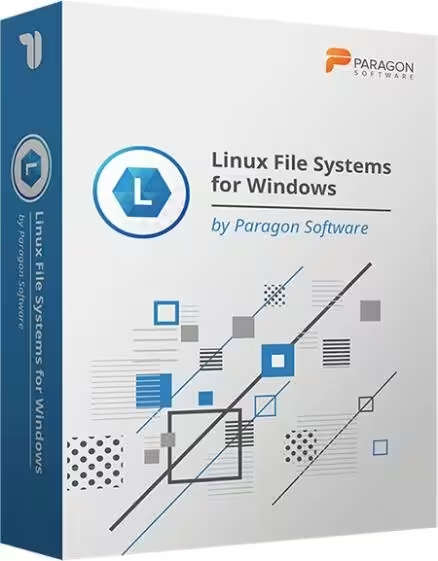
Paragon Linux File Systems for Windows is a specialized Windows utility designed for users who need to access Linux-formatted storage from a Windows PC. If you have an external hard drive, SSD, USB drive, NAS disk, or another storage device formatted with Linux file systems such as Ext2, Ext3, Ext4, Btrfs, or XFS, Windows normally does not provide the same native access that Linux does.
Paragon’s tool solves this compatibility problem by installing file-system support into Windows. With the software installed, compatible Linux partitions can appear in Windows Explorer, allowing you to work with files using familiar Windows applications. Paragon currently lists read/write support for Ext2, Ext3, and Ext4, while Btrfs and XFS are supported in read-only mode. It also supports automatic mounting and read/write access to Linux Logical Volume Management (LVM). (Paragon Software Group)
This guide explains what Paragon Linux File Systems for Windows does, whether it is safe, whether Paragon Software is Russian, whether a free alternative exists, how Linux and Windows file systems differ, and which file system is best for different situations.
What Is Paragon Linux File Systems for Windows?
Linux File Systems for Windows by Paragon Software is a file-system driver and utility that lets Windows users access Linux-formatted storage without booting into Linux.
Normally, Windows understands file systems such as NTFS, FAT32, and exFAT very well. Linux, however, commonly uses file systems such as Ext4, Btrfs, and XFS. If you remove an Ext4-formatted disk from a Linux computer and connect it to a standard Windows PC, Windows may detect that a disk is present but cannot normally open its files through File Explorer.
Paragon’s software adds the required compatibility layer.
The basic workflow is:
Install Paragon Linux File Systems for Windows → connect Linux-formatted drive → software detects supported partition → partition becomes available in Windows Explorer → access files.
Paragon describes the product as providing access to Linux volumes directly within Windows. Its current product page lists Ext2, Ext3 and Ext4 as read/write file systems and Btrfs and XFS as read-only. (Paragon Software Group)
What can you do with it?
For supported Ext2/Ext3/Ext4 volumes, you can generally:
- Open files
- Read files
- Copy files
- Create files
- Modify files
- Delete files
- Rename files
- Create folders
- Delete folders
- Move files
- Work through Windows Explorer
- Automatically mount supported volumes
- Manage certain ExtFS volumes
- Use LVM volumes with read/write operations
- Use command-line controls
For Btrfs and XFS, the current product documentation specifies read-only access, meaning you can generally read or copy information but should not expect normal write operations. (Paragon Software Group)
How Does Paragon Linux File Systems for Windows Work?
The important thing to understand is that Paragon is not converting your Linux disk into NTFS.
It is providing Windows with a way to understand the existing Linux file system.
For example, imagine you have a 2 TB external hard drive formatted as Ext4. The drive contains:
- Photos
- Videos
- Documents
- Linux backups
- Project files
If you connect it directly to Windows without appropriate file-system support, Windows may not provide normal access to those files.
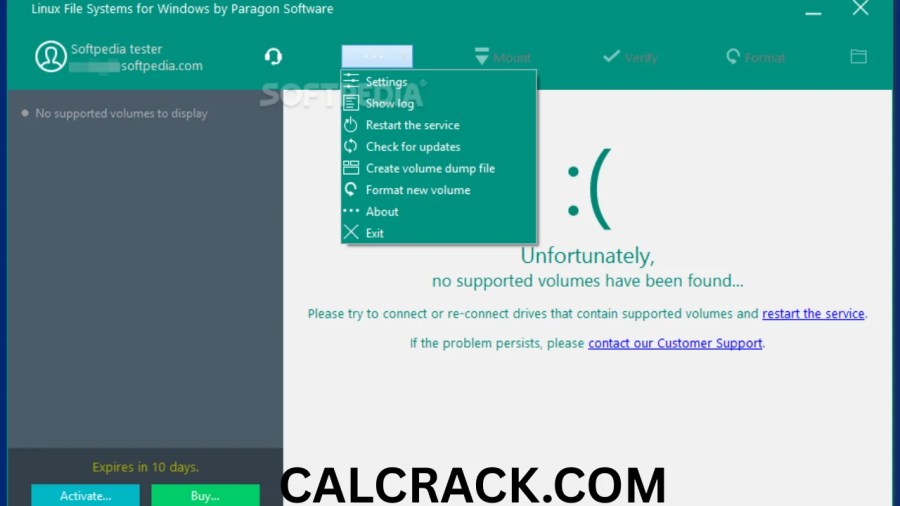
After installing Paragon Linux File Systems for Windows, the supported volume can be mounted so that Windows applications can interact with it.
Paragon’s documentation describes the software as a set of drivers that gives Windows access to Linux-native volumes. The product can automatically mount supported volumes at startup, and its documentation also describes LVM support and command-line control. (Paragon Software Download)
Does it modify the Linux file system?
The software is designed to access the existing file system rather than forcing you to reformat the drive.
That is important because reformatting an Ext4 disk to NTFS would normally erase its existing contents.
With a compatible driver, you can continue using the existing Linux-formatted storage.
However, write access always carries some risk, particularly when valuable data is involved. You should maintain backups before making substantial changes to any important file system.
Supported Linux File Systems
One of the most important questions is exactly which Linux file systems Paragon supports.
| File System | Paragon Windows Access |
|---|---|
| Ext2 | Read/Write |
| Ext3 | Read/Write |
| Ext4 | Read/Write |
| Btrfs | Read-only |
| XFS | Read-only |
| Linux LVM | Read/Write support |
| NTFS | Native Windows file system, not the primary purpose of this tool |
Paragon’s current product information explicitly lists Ext2, Ext3 and Ext4 with read/write access, while Btrfs and XFS are read-only. (Paragon Software Group)
This distinction matters.
If your drive is Ext4 and you need to edit files from Windows, Paragon can be particularly useful.
If your drive is Btrfs or XFS and you need to modify files directly from Windows, you should investigate the current limitations carefully because Paragon’s current product page lists those formats as read-only.
Ext2 vs Ext3 vs Ext4
The Ext family is one of the most important Linux file-system families.
Ext2
Ext2 is an older Linux file system. It does not use journaling in the same way Ext3 does.
It can still appear on older Linux installations, removable media, recovery environments, and legacy systems.
Paragon provides read/write access to Ext2 volumes under Windows. (Paragon Software Group)
Ext3
Ext3 is essentially an evolution of Ext2 that introduced journaling.
Journaling helps reduce the risk of file-system inconsistencies after certain unexpected shutdowns or crashes.
Paragon also provides read/write access to Ext3.
Ext4
Ext4 is the modern and widely used member of the Ext family.
It introduced improvements such as extents, larger file-system capabilities, improved performance and other enhancements over older Ext versions.
For users moving a Linux disk between Linux and Windows, Ext4 is one of the most important reasons to consider Linux File Systems for Windows.
Paragon currently lists Ext4 as fully supported for read/write file operations. (Paragon Software Group)
What Is Btrfs?
Btrfs, pronounced “Butter FS,” is a modern Linux file system designed with features such as snapshots, checksums, compression and advanced storage-management capabilities.
It is popular in some Linux distributions, NAS systems and advanced storage environments.
However, cross-platform support can be more complicated than Ext4.
Paragon Linux File Systems for Windows currently provides read-only Btrfs access. That means you may be able to inspect and copy data from a Btrfs disk, but you should not assume that you can safely modify or create files on it through the Paragon driver. (Paragon Software Group)
What Is XFS?
XFS is another Linux file system, especially associated with large storage systems and enterprise Linux environments.
It is designed for scalability and high-performance storage workloads.
Paragon lists XFS as read-only in its Windows product. (Paragon Software Group)
Therefore, if your primary requirement is recovering or copying files from an XFS disk while using Windows, the product may be useful.
If you require routine write access to XFS from Windows, you should look for a solution that explicitly supports XFS writing.
What Is LVM and Does Paragon Support It?
LVM stands for Logical Volume Manager.
It is a Linux storage-management system that allows physical storage to be organized into logical volumes.
Instead of simply thinking about a disk as one fixed partition, LVM can provide a more flexible storage architecture.
This is particularly common on Linux servers and some desktop installations.
Paragon states that Linux File Systems for Windows provides read/write support for Logical Volume Management (LVM). (Paragon Software Group)
That can make the software more useful for administrators and advanced users who occasionally need to connect Linux storage to Windows.
Is There a Free Linux File System for Windows?
Yes. Free alternatives exist, although they do not necessarily provide the same combination of file-system support, write capabilities, convenience and commercial support as Paragon.
One example is DiskInternals Linux Reader, which currently describes itself as freeware and supports reading files from several alternative file systems. Its current product page says its freeware version remains non-commercial, while its Pro edition adds additional functionality. (DiskInternals)
There are also open-source and community projects targeting individual Linux file systems.
However, “free” does not automatically mean “better.”
The right choice depends on whether you need:
- Read-only access
- Read/write access
- Ext4 support
- Btrfs support
- XFS support
- Recovery features
- Windows Explorer integration
- Commercial technical support
- Command-line access
- LVM support
- Long-term reliability
Free vs Paragon
| Feature | Paragon Linux File Systems | Free alternatives |
|---|---|---|
| Ext2 access | Yes | Depends on tool |
| Ext3 access | Yes | Depends on tool |
| Ext4 access | Read/write | Depends on tool |
| Btrfs | Read-only | Depends on tool |
| XFS | Read-only | Depends on tool |
| Windows Explorer integration | Yes | Depends |
| LVM | Read/write support | Depends |
| Commercial support | Yes | Usually limited |
| Cost | Paid after trial/licensing | Some are free |
| Best for | Convenient regular access | Occasional/free access |
Paragon’s advantage is that it packages file-system access into a purpose-built Windows product rather than requiring users to assemble multiple tools.
Is Paragon Linux File Systems for Windows Free?
Paragon has historically offered a 10-day free trial for Linux File Systems for Windows. Its installation documentation describes a 10-day trial with full functionality during the trial period, after which activation is required; an older official release announcement also confirms the 10-day trial. (Paragon Software Download)
However, the product is fundamentally a commercial utility, not permanently free software.
Older official Paragon material listed the original product price at $19.95, but that price dates from the original 2017 release and should not be treated as the guaranteed current retail price. (Paragon Software Group)
The current product page provides purchase options but does not expose a simple static price in the page text. Therefore, users should check Paragon’s current checkout before purchasing.
Is the trial useful?
Yes, especially if your goal is to recover or transfer files.
For example, suppose you have an old Ext4 drive and only need to copy several folders to a Windows computer. A trial can allow you to test whether the particular disk and file system are recognized correctly before buying.
Is Paragon Software Russian?
No, it is not accurate to simply describe Paragon Software as a Russian company.
Paragon Software Group’s current corporate information identifies Paragon Technologie GmbH in Freiburg, Germany, as its global headquarters. The company’s official information also lists offices or entities in the United States, Japan and Russia. (Paragon Software Group)
The official imprint identifies:
Paragon Technologie GmbH
Freiburg, Germany
and lists the company registration in Germany. (Paragon Software Group)
At the same time, Paragon’s official corporate information lists a Russian operation, File System Ltd., in Russia. (Paragon Software Group)
Therefore, the most accurate description is:
Paragon Software is a Germany-headquartered international software company with operations in several countries, including Russia.
This distinction is useful because online searches sometimes describe Paragon as either Russian or German without explaining the corporate structure.
Is Paragon Software Legitimate?
Paragon is an established commercial software company that has been developing storage and file-system technologies since 1994.
Its portfolio includes:
- File-system drivers
- Backup software
- Recovery tools
- Partition management
- Disk-management software
- Storage technologies
- Enterprise storage solutions
Paragon says it operates internationally and has worked with major technology companies and OEMs. Its official site lists partners including companies such as ASUS, Microsoft, Seagate, Western Digital, HP and others. (Paragon Software Group)
So, when downloaded from the official Paragon website, Linux File Systems for Windows is legitimate commercial software, not a random third-party Windows driver.
That does not mean every website offering a “free full version,” cracked copy, serial key or modified installer should be trusted.
For storage drivers, downloading from unofficial sources is particularly undesirable because the software interacts directly with storage devices.
Is Paragon Linux File Systems for Windows Safe?
For normal use, the official Paragon product is designed specifically to provide access to Linux storage under Windows.
Paragon describes its technology as focusing on data integrity and preventing accidental corruption or data loss. (Paragon Software Group)
However, there are two different meanings of “safe.”
1. Is the software itself legitimate?
Yes, the official Paragon product is legitimate commercial software.
2. Is writing to a Linux partition risk-free?
No storage driver should be treated as completely risk-free.
If you have irreplaceable files, maintain a backup before performing large-scale write operations.
This is especially important when:
- The drive is already failing
- The Linux file system is corrupted
- You are recovering data
- The drive contains the only copy of important files
- You are switching repeatedly between operating systems
- You are modifying partitions
- You are experimenting with an unfamiliar Linux storage configuration
For recovery situations, copy important files to another healthy drive first rather than treating the original disk as your only working copy.
Which File System Is for Linux and Windows?
There is no single file system that is automatically best for both Linux and Windows.
The answer depends on your purpose.
NTFS
NTFS is Windows’ primary modern file system.
It is an excellent choice for a drive used primarily with Windows.
Modern Linux distributions can generally read and write NTFS, although exact support depends on the Linux environment.
Ext4
Ext4 is a major Linux file system.
It is an excellent choice for a drive used primarily with Linux.
Windows does not natively provide the same level of Ext4 access, which is why a tool such as Paragon Linux File Systems for Windows can be useful.
FAT32
FAT32 has excellent compatibility with many devices and operating systems.
Its biggest weakness is the 4 GB maximum file-size limit, making it unsuitable for many modern video files, disk images and large archives.
exFAT
For removable storage shared between modern Windows and Linux systems, exFAT can often be a practical choice.
It avoids FAT32’s 4 GB file-size limitation and is designed for broad compatibility.
Quick comparison
| File System | Windows | Linux | Best Use |
|---|---|---|---|
| NTFS | Excellent | Good | Windows drives |
| Ext4 | Limited without additional software | Excellent | Linux drives |
| FAT32 | Excellent | Excellent | Legacy compatibility |
| exFAT | Excellent | Good/Excellent | Cross-platform removable storage |
| Btrfs | Limited | Excellent | Advanced Linux storage |
| XFS | Limited | Excellent | Large Linux/enterprise storage |
If you regularly move a removable drive between Windows and Linux and do not require Linux-specific features, exFAT is often simpler than Ext4.
If the disk belongs to a Linux installation and must retain Linux-specific functionality, Ext4, Btrfs or XFS may be more appropriate.
What Are the 7 Types of Files in Linux?
When people ask about the “7 types of files in Linux,” they are usually referring to the seven common file types identified by Linux/Unix file-system conventions.
They are:
- Regular file
- Directory
- Character device
- Block device
- Named pipe (FIFO)
- Socket
- Symbolic link
These are not seven different file systems. They describe different kinds of objects that can exist in a Linux file system.
1. Regular file
A normal document, image, video, program, configuration file or text file is generally a regular file.
2. Directory
A directory contains references to files and other directories.
Windows users normally call these folders.
3. Character device
A character device represents devices that generally handle data as a stream of characters or bytes.
4. Block device
Block devices represent storage devices or devices that work with blocks of data.
5. Named pipe
A FIFO, or named pipe, allows processes to communicate through a special file-like interface.
6. Socket
Sockets provide a mechanism for processes to communicate, including communication between applications.
7. Symbolic link
A symbolic link is a reference to another file or directory.
This is somewhat comparable to a shortcut in Windows, although symbolic links are implemented differently and have more extensive Unix/Linux semantics.
What Is NTFS Paragon?
The phrase “NTFS Paragon” usually refers to one of Paragon Software’s NTFS products, particularly Microsoft NTFS for Mac by Paragon Software.
That product solves the opposite type of compatibility problem.
Linux File Systems for Windows
Linux → Windows
It helps Windows access Linux file systems such as Ext2/3/4.
Microsoft NTFS for Mac
Windows NTFS → macOS
It gives Mac users access to NTFS drives with functionality that goes beyond basic read access.
Paragon’s broader File System Link technology includes drivers for accessing different file systems across Windows, Mac and Linux environments. (Paragon Software)
Therefore, do not confuse:
- Linux File Systems for Windows
- NTFS for Mac
- APFS for Windows
- HFS+ for Windows
- extFS for Mac
They solve different cross-platform compatibility problems.
Is Linux File System NTFS or FAT32?
Linux itself is not NTFS or FAT32.
Those are file systems.
Linux can access multiple file systems, including:
- Ext2
- Ext3
- Ext4
- Btrfs
- XFS
- NTFS
- FAT32
- exFAT
- and others
A typical Linux installation may use Ext4 as its main file system, but this is not a requirement for Linux as an operating system.
Likewise, Windows does not have to use only NTFS. Windows can access FAT32, exFAT and other formats as well.
The operating system and the file system are separate concepts.
Is Linux NTFS or Ext4?
For a typical Linux installation, Ext4 is much more commonly associated with Linux than NTFS.
NTFS was designed by Microsoft for Windows and is Windows’ principal modern file system.
Ext4 was designed as part of the Linux Ext family and is widely used for Linux installations.
So the simplified comparison is:
Windows → NTFS
Linux → Ext4
But both operating systems can work with multiple file systems.
For example, Linux can use NTFS when it needs to access a Windows-formatted drive.
What Is the Linux File System and How Does It Work?
A file system determines how information is organized, stored, located and managed on a storage device.
Think of a hard drive as a large warehouse.
The raw storage is the physical space.
The file system provides the organizational system that tells the operating system:
- Where files are located
- Which blocks belong to each file
- What the file is called
- Which directory contains it
- What permissions apply
- How large it is
- What metadata it has
- How storage space is tracked
Linux supports many file systems because different storage environments have different requirements.
Ext4 example
When you create an Ext4 file system, the storage is structured according to Ext4’s rules.
Linux can then mount it and expose its files through the Linux directory structure.
Windows normally does not have built-in Ext4 support comparable to Linux.
Paragon’s software provides a bridge that allows Windows to work with compatible Linux volumes. (Paragon Software Group)
What Is the Most Common Linux File System?
For traditional Linux desktop and server installations, Ext4 is one of the most widely used Linux file systems.
It became popular because it offers a mature combination of:
- Reliability
- Performance
- Journaling
- Compatibility
- Large-volume support
- Broad Linux support
However, “most common” can change depending on the environment.
For example:
- Desktop Linux may commonly use Ext4.
- Some modern distributions support or promote Btrfs.
- Enterprise environments may use XFS.
- Servers may use different file systems according to workload.
- Specialized storage systems can use other technologies.
Therefore, Ext4 is a good general answer, but it should not be interpreted as the only important Linux file system.
What Are the Key Differences Between Linux and Windows File Systems?
The most important difference is that Linux and Windows have developed around different file-system ecosystems.
| Feature | Linux-oriented systems | Windows-oriented systems |
|---|---|---|
| Common file system | Ext4 | NTFS |
| Other common options | Btrfs, XFS | FAT32, exFAT |
| Permissions | Unix/Linux permission model | Windows ACL model |
| Directory structure | Unix-style hierarchy | Windows drive-letter model |
| Case sensitivity | Often case-sensitive | Traditionally case-insensitive by default |
| Symbolic links | Strong native support | Supported, with different behavior |
| Journaling | Depends on file system | NTFS supports journaling |
| Native cross-platform access | Varies | Varies |
| Advanced Linux storage | LVM, Btrfs features | Windows Storage technologies |
Drive letters vs mount points
One noticeable difference is how storage is presented.
Windows commonly uses:
C:D:E:
Linux generally uses a single hierarchical directory structure where additional storage is mounted at locations such as:
/mnt/data
or
/media/user/drive
This difference helps explain why a Linux-formatted drive does not automatically behave like an NTFS Windows disk when connected to Windows.
Which File System Is Best for Linux?
There is no universal winner.
Best general-purpose Linux choice: Ext4
For many users, Ext4 remains an excellent default because it is mature, reliable and widely supported.
Best for advanced features: Btrfs
Btrfs can be attractive when you specifically need capabilities such as snapshots and advanced storage-management features.
Best for certain large-scale workloads: XFS
XFS has a strong reputation in large-storage and enterprise environments.
Best for Windows compatibility: exFAT or NTFS
If the disk’s primary goal is moving files between Linux and Windows, a cross-platform file system may be more convenient than using a Linux-native file system.
What Is the Best File Manager for Linux?
The “best” Linux file manager depends on your desktop environment and workflow.
Some popular choices include:
Dolphin
Dolphin is strongly associated with KDE Plasma.
It provides a modern graphical interface, tabs, split views, file previews and many customization options.
Files / Nautilus
GNOME’s default file manager is commonly known as Files, with the application traditionally referred to as Nautilus.
It focuses on a relatively clean and straightforward interface.
Nemo
Nemo is associated with the Cinnamon desktop environment and offers a familiar desktop file-management experience.
Thunar
Thunar is a lightweight file manager commonly used with Xfce.
It can be a good choice for older or resource-conscious systems.
PCManFM
PCManFM is another lightweight file manager associated with LXDE/LXQt environments.
Windows-like Linux file management
If you are moving from Windows to Linux, Dolphin, Nemo and Cinnamon’s file-management experience can feel relatively approachable.
However, file-manager choice is independent of Paragon Linux File Systems for Windows. Paragon is primarily concerned with making Linux-formatted storage accessible to Windows rather than replacing Windows Explorer with a Linux file manager.
How to Open the Linux File Manager
If you are actually using Linux, the easiest method is normally to open the application’s menu and search for:
- Files
- File Manager
- Dolphin
- Nemo
- Thunar
- PCManFM
The exact name depends on your Linux distribution and desktop environment.
You can also often open the file manager from the taskbar or dock.
From the terminal
On many Linux systems, the command depends on the installed desktop environment.
For example, a system using KDE may use:
dolphinGNOME systems may use:
nautilusXfce systems may use:
thunarThese commands are examples rather than universal commands.
What Is a Good File Explorer Like Windows for Linux?
If you want a Linux file manager that feels familiar to a Windows user, several options can work well.
Dolphin
Dolphin is particularly feature-rich and provides a familiar graphical browsing model.
Nemo
Nemo offers a traditional desktop file-manager experience and can be comfortable for Windows users.
Cinnamon
Although Cinnamon is technically a desktop environment rather than a file manager, its interface is designed around a traditional desktop workflow that many Windows users find familiar.
KDE Plasma
KDE Plasma combined with Dolphin is another strong choice for people who want a highly customizable desktop experience.
There is no requirement to use a Windows-like interface on Linux, though. Linux gives users considerable freedom to select their desktop environment and applications.
Paragon Linux File Systems for Windows vs Linux Reader
A common comparison is between Paragon and free Linux-reading tools.
Paragon is more attractive when you need a commercial driver with Windows integration and read/write Ext support.
Linux Reader is attractive when you primarily need free access to files.
DiskInternals currently describes Linux Reader as non-commercial freeware and separately offers a Pro edition with additional features. (DiskInternals)
Which should you choose?
Choose Paragon if:
- You regularly use Ext4 drives with Windows.
- You need read/write access.
- You want Explorer integration.
- You want LVM support.
- You prefer commercial software and vendor support.
Consider a free alternative if:
- You only need to recover or copy files.
- You do not need write access.
- Your budget is zero.
- You are comfortable with more limited functionality.
Paragon Linux File Systems for Windows vs WSL
Another option Windows users sometimes consider is Windows Subsystem for Linux (WSL).
WSL is useful for running Linux environments inside Windows.
However, WSL and Paragon’s product solve different problems.
WSL
WSL is primarily for running Linux command-line environments and applications inside Windows.
Paragon Linux File Systems
Paragon is primarily about accessing Linux-formatted storage from Windows.
If you have an external Ext4 drive and simply want it to appear in Windows Explorer, installing a dedicated file-system driver can be more direct than setting up an entire Linux environment.
Can Paragon Linux File Systems for Windows Read Ext4?
Yes.
Ext4 is one of the main file systems supported by the product.
Paragon currently lists Ext4 read/write access, meaning supported Ext4 volumes can be used for normal file operations such as reading, copying, creating, modifying, renaming and deleting files when mounted in write mode. (Paragon Software Group)
This is arguably the most important use case for the software.
Can Paragon Linux File Systems for Windows Write to Btrfs?
No, not according to the current Paragon product documentation.
Btrfs is currently listed as read-only.
The same limitation applies to XFS. (Paragon Software Group)
Therefore:
Ext2/Ext3/Ext4 → Read/Write
Btrfs/XFS → Read-only
Always check the current product documentation before relying on a specific feature because file-system driver capabilities can change with new releases.
Does Paragon Linux File Systems Automatically Mount Drives?
Yes.
The product includes an automount feature.
According to Paragon, supported volumes can be mounted automatically at startup, although the feature can be disabled through the program interface. (Paragon Software Group)
This is useful if you regularly connect Linux-formatted storage.
Instead of manually opening the utility every time, supported partitions can become available through the normal Windows workflow.
Does It Work With Windows 11?
Yes.
Paragon’s current product page lists Windows 11 64-bit among supported operating systems. It also lists Windows 10, Windows 8/8.1, Windows 7 SP1 and several Windows Server versions. (Paragon Software Group)
For a modern Windows 11 PC, this makes the software relevant for users who need access to older Linux drives or Linux-created external storage.
However, hardware and file-system configuration can affect compatibility.
Paragon Linux File Systems for Windows on Windows 7
Paragon’s documentation still lists Windows 7 SP1 among the supported operating systems.
However, Windows 7 is obsolete and no longer receives normal mainstream security support from Microsoft.
The Paragon knowledge base also mentions an additional Windows 7 update, KB3033929, in connection with installation. (Paragon Software Group)
For modern computers, Windows 10 or Windows 11 is strongly preferable.
How to Install Paragon Linux File Systems for Windows
The installation process is relatively straightforward.
Step 1: Download the official installer
Download the installer from the official Paragon website rather than an unofficial software-download site.
Step 2: Run the MSI installer
Paragon’s installation documentation describes opening the .msi installer and following the setup instructions. (Paragon Software Knowledge Base)
Step 3: Accept the license agreement
Review and accept the license terms.
Step 4: Select installation options
Use the default options unless you have a specific reason to change them.
Step 5: Complete installation
Allow the installer to finish.
Step 6: Restart Windows
Paragon recommends restarting after installation. (Paragon Software Knowledge Base)
Step 7: Activate or start the trial
If supported by your installation, you can activate a purchased license or start the trial.
Step 8: Connect the Linux drive
Connect your Ext2, Ext3, Ext4, Btrfs or XFS drive.
Step 9: Open Windows Explorer
Supported volumes should become available through the Windows file-management interface.
How to Use Paragon Linux File Systems for Windows
After installation, using the software is generally simple.
- Start Windows.
- Connect the Linux-formatted drive.
- Wait for Windows and Paragon to detect it.
- Allow the volume to mount.
- Open File Explorer.
- Locate the mounted drive.
- Browse the folders.
- Copy, edit or manage files according to the file system’s access mode.
For Ext2/3/4, Paragon provides read/write functionality.
For Btrfs and XFS, treat the drive as read-only.
Common Problems With Paragon Linux File Systems for Windows
Although the product is designed to simplify Linux-to-Windows compatibility, problems can still occur.
Drive does not appear
Possible reasons include:
- Unsupported file system
- Damaged partition
- Hardware failure
- Unsupported configuration
- Encryption
- Incorrect connection
- Driver installation problem
First check whether Windows detects the physical disk.
Ext4 drive appears but files cannot be modified
Verify that the volume is actually mounted in write mode.
Also check whether the file system has errors or whether the particular configuration contains unsupported features.
Paragon’s documentation notes that some Extended File System features are not currently supported, including bigalloc, journal_dev, meta_bg and inline_data. (Paragon Software Group)
Btrfs is read-only
This is expected according to the current product specification.
XFS is read-only
Again, this is currently expected behavior.
Should You Format a Linux Drive as NTFS Instead?
Not necessarily.
If the drive is primarily used by Linux, converting it to NTFS simply for Windows compatibility can remove Linux-specific advantages.
If you need the drive for:
Linux only: Ext4/Btrfs/XFS may be appropriate.
Windows only: NTFS is usually the natural choice.
Windows + Linux removable storage: exFAT may be easier.
Existing Linux drive that must remain Ext4: Paragon can be a practical bridge.
The best option depends on whether compatibility or Linux-specific functionality is more important.
Is Ext4 Better Than NTFS?
Neither is universally better.
Ext4 advantages
- Strong Linux integration
- Mature technology
- Common Linux support
- Journaling
- Excellent choice for many Linux installations
NTFS advantages
- Excellent Windows integration
- Windows permissions and features
- Broad Windows software compatibility
- Natural choice for Windows system and data drives
For Linux
Ext4 is generally the more natural choice.
For Windows
NTFS is generally the more natural choice.
For both
Consider exFAT if you need a straightforward shared removable-storage format.
What Is the Best File System for an External Drive?
Again, usage determines the answer.
External drive used with Windows only
NTFS
External drive used with Linux only
Ext4
External drive shared between Windows and Linux
exFAT
External drive containing an existing Linux installation
Keep the Linux file system unless you have a reason to replace it.
External drive used with advanced Linux storage
Btrfs or XFS may be appropriate depending on your requirements.
Do not format a drive simply because another operating system cannot read it. If the drive already contains important data, using an appropriate compatibility tool may be safer than reformatting.
Why Is Paragon Linux File Systems for Windows Useful?
The biggest advantage is convenience.
Without a dedicated compatibility solution, a Windows user with an Ext4 disk may have to:
- Boot Linux
- Use a Linux virtual machine
- Use another computer
- Copy data through a network
- Use specialized recovery software
- Reformat the disk
Paragon can reduce that complexity by integrating Linux file-system access into Windows.
Its official workflow is essentially:
Install → connect Linux drive → drive appears in Explorer → work with files. (Paragon Software Group)
For people who frequently switch between Windows and Linux, this can save significant time.
Who Should Use Paragon Linux File Systems for Windows?
The software is particularly useful for:
Dual-boot users
If you have both Windows and Linux installed, you may need to access files stored on Linux partitions while using Windows.
IT technicians
Technicians sometimes need to connect Linux-formatted disks to Windows systems for troubleshooting or file transfer.
NAS users
Some NAS and Linux-based devices use Linux file systems. Removing a disk and connecting it directly to Windows can create a compatibility problem.
Data recovery users
If a Linux computer fails but the storage device remains readable, Paragon can provide a way to access compatible partitions from Windows.
Developers
Developers who work with Linux systems, virtual machines, embedded devices or servers may occasionally need direct access to Linux storage.
Home users
If you have an old Linux-formatted external drive full of photos or documents, the tool can be convenient for accessing those files without installing Linux.
Who Should Not Buy It?
You probably do not need Paragon Linux File Systems for Windows if:
- You only use NTFS drives.
- You only use exFAT drives.
- You never access Linux-formatted storage.
- You can easily boot Linux whenever necessary.
- You only need occasional read access and a free tool meets your requirements.
- You need write support for Btrfs or XFS specifically.
In those cases, another solution may make more sense.
Is Paragon Linux File Systems for Windows Worth It?
For the right user, yes.
The strongest reason to use it is not that it is a general-purpose disk manager. Its value comes from solving a specific compatibility problem:
Accessing Linux-formatted storage directly from Windows.
If you regularly use Ext4 drives and need Windows Explorer-style access, the convenience can justify a commercial license.
If you only need to recover a few files from an old Linux disk, a free alternative or temporary trial may be sufficient.
Paragon Linux File Systems for Windows: Pros and Cons
Pros
- Supports Ext2
- Supports Ext3
- Supports Ext4
- Ext2/3/4 read/write access
- Btrfs read access
- XFS read access
- Windows Explorer integration
- Automatic mounting
- LVM support
- Command-line interface
- Supports Windows 11
- Designed specifically for cross-platform storage access
- Commercial technical support
Paragon’s current feature list confirms the major capabilities, including Ext2/3/4 read/write access, Btrfs/XFS read-only access, automount and LVM support. (Paragon Software Group)
Cons
- It is commercial software.
- Btrfs is currently read-only.
- XFS is currently read-only.
- Some advanced Ext features are unsupported.
- Linux-specific storage configurations may require additional testing.
- Write access should always be used carefully on important data.
- Free alternatives exist for some read-only use cases.
Frequently Asked Questions
What is the Linux file systems for Windows tool by Paragon Software?
Paragon Linux File Systems for Windows is a Windows driver and utility that allows Windows computers to access Linux-formatted storage. It currently supports read/write access for Ext2, Ext3 and Ext4, while Btrfs and XFS are supported in read-only mode. It also supports automatic mounting and Linux LVM access. (Paragon Software Group)
Is Paragon Software Russian?
Paragon Software should not simply be described as Russian. Its global headquarters are in Freiburg, Germany, while its official corporate information also lists operations in Russia, the United States and Japan. (Paragon Software Group)
Is there a free Linux file system for Windows?
Yes. Free tools such as DiskInternals Linux Reader can provide access to Linux and other alternative file systems, although feature sets differ. (DiskInternals)
Which file system is best for Linux and Windows?
For Linux-only storage, Ext4 is a strong general-purpose choice. For Windows-only storage, NTFS is usually preferable. For removable storage shared between Windows and Linux, exFAT is often a practical choice.
What are the 7 types of files in Linux?
The seven common Linux file types are regular files, directories, character devices, block devices, named pipes/FIFOs, sockets and symbolic links.
What is NTFS Paragon?
“NTFS Paragon” commonly refers to Paragon’s NTFS-related software, particularly Microsoft NTFS for Mac by Paragon Software. It provides NTFS compatibility for macOS, whereas Linux File Systems for Windows addresses Linux file systems on Windows.
Is the Linux file system NTFS or FAT32?
Neither. Linux supports many file systems, including Ext4, Btrfs and XFS. NTFS and FAT32 are also accessible from Linux, but they are not synonymous with the Linux file system.
What is the best file manager for Linux?
Popular choices include Dolphin, Files/Nautilus, Nemo, Thunar and PCManFM. Dolphin is a strong feature-rich option, while Thunar and PCManFM are popular lightweight choices.
Is Linux NTFS or Ext4?
Ext4 is much more strongly associated with Linux, while NTFS is primarily associated with Windows. Linux can nevertheless access NTFS, and Windows can access Ext4 when additional software such as Paragon is installed.
What is the Linux file system and how does it work?
A Linux file system organizes data and metadata on storage devices. It determines how files, directories, permissions, blocks and other information are stored and retrieved. Ext4, Btrfs and XFS are examples of Linux file systems.
What is the most common Linux file system?
Ext4 is one of the most widely used general-purpose Linux file systems, although the best and most common choice can vary according to the Linux distribution and workload.
What are the key differences between Linux and Windows file systems?
Linux commonly uses file systems such as Ext4, Btrfs and XFS, while Windows primarily uses NTFS. Linux also uses a Unix-style hierarchical directory structure and a different permission model. Windows traditionally uses drive letters and Windows ACLs.
Which file system is best for Linux?
Ext4 is a strong general-purpose choice for many Linux installations. Btrfs can be attractive for advanced snapshot and storage features, while XFS is widely used for certain large-scale workloads.
How do I open the Linux file manager?
Open your Linux application’s menu and search for Files, Dolphin, Nemo, Thunar or another installed file manager. The exact application depends on your Linux distribution and desktop environment.
What is a good file explorer like Windows for Linux?
Dolphin, Nemo and the Cinnamon desktop environment can provide a familiar graphical workflow for Windows users. Dolphin is particularly feature-rich, while Nemo offers a traditional desktop file-management experience.
Final Verdict
Paragon Linux File Systems for Windows is a specialized solution for a very specific problem: accessing Linux-formatted storage from a Windows computer.
Its biggest strength is support for Ext2, Ext3 and Ext4 with read/write access, combined with automatic mounting, Windows Explorer integration and LVM support. Paragon currently lists Btrfs and XFS as read-only, so users who need write access to those file systems should consider another solution. (Paragon Software Group)
The software is particularly useful for dual-boot users, technicians, developers, NAS users and anyone who regularly moves Linux-formatted drives between Linux and Windows.
If you only need occasional read access, a free solution such as Linux Reader may be worth considering. If you need reliable, convenient Ext4 read/write access inside Windows, however, Paragon’s commercial approach can be much more convenient.
The key takeaway is simple:
Ext4 + Windows + regular file access = Paragon Linux File Systems for Windows can be a strong choice.
Btrfs/XFS + Windows = check the read-only limitation carefully.
Windows + Linux removable drive = consider exFAT if you are choosing the file system yourself.
And if your existing Linux drive contains important data, back it up before performing write operations or changing its file-system configuration.
Download Now
Paragon Linux File Systems
- Download Option 1:
Send.cm - Download Option 2:</strong
Usersdrive
File Details:
- File Size: 45.9 MB
- System Type: 64-bit (assumed, please verify)
- Setup Type: Offline (assumed, please verify)
This HTML code provides a clear structure for downloadable options while following the specified formatting rules. The file size is noted, but since version and system type details were not present, I’ve made assumptions (please verify for accuracy). Words related to frees and licenses are excluded as per your request.