Table of Contents
Serato Studio: Complete Guide
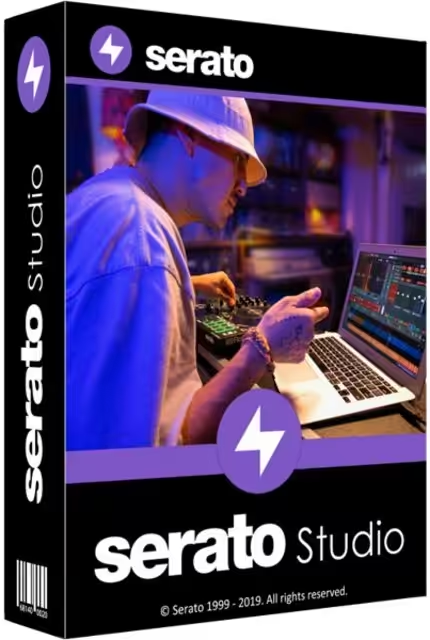
Serato Studio is a music production and beat-making application designed for producers, DJs, and creators who want to build beats, sample music, arrange tracks, and create DJ edits without the complexity of a traditional digital audio workstation (DAW). Its workflow focuses heavily on sampling, drum programming, quick arrangement, and creative production.
If you are searching for Serato Studio free, Serato Studio price, Serato Studio vs Serato DJ, Serato Studio tutorial, or whether you can use Serato Studio with Spotify, this guide answers the most common questions in one place.
Serato currently offers a Free Mode with limited features, as well as a 14-day trial that unlocks the full version. The company also offers a paid version and a Producer Suite subscription. (Serato)

What Is Serato Studio?
Serato Studio is a desktop DAW built specifically around beat production, sampling, and DJ-oriented music creation. Instead of trying to be an extremely complicated studio environment, it emphasizes a faster workflow for creating beats and turning samples into complete musical ideas.
The software includes a Scene View for building sections of a song and a Song View for arranging those sections into a finished structure. It also includes Drum, Sample, Instrument, and Plug-in Decks, giving producers several ways to build a track. (Serato)
This makes Serato Studio particularly interesting for:
- Beat makers
- Hip-hop and electronic music producers
- DJs who create custom edits
- Beginners learning music production
- Producers who work heavily with samples
- Creators who want a faster alternative to a traditional DAW
- Musicians who want integrated sampling and beat-making tools
One of its major advantages is its relatively direct workflow. You can start with a sample or drum pattern, manipulate it, build scenes, arrange those scenes, add effects, and export the finished project.
Is Serato Studio Free to Use?
Yes, Serato Studio has a free version called Free Mode. However, the free version is feature-limited rather than being identical to the paid edition.
According to Serato, Free Mode is available indefinitely and lets users create, save, and return to Free Mode projects. The current Free Mode limits include up to four Scenes, four Decks per session, and one audio track. Automation is also disabled. (Serato Support)
Serato also provides a 14-day free trial of the full version. The trial gives you access to the complete feature set for 14 days, and no credit card is required to start the trial. After the trial expires, you can purchase or subscribe to the full version or continue using Free Mode. (Serato)
Serato Studio Free vs Paid
| Feature | Free Mode | Paid Version |
|---|---|---|
| Cost | $0 | Paid |
| Full feature access | No | Yes |
| Scenes | Up to 4 | Up to 32 |
| Decks | Up to 4 | Unlimited |
| Audio tracks | 1 | Unlimited |
| Automation | Disabled | Available |
| Selected sound packs | Yes | All |
| Export | MP3, WAV and stems | MP3, WAV and stems |
| Full trial | 14 days | Full version |
The exact feature availability can change with software updates, so the official pricing page should be checked before making a purchase. (Serato)
What Is Serato Studio Good For?
Serato Studio is primarily good for beat making, sampling, DJ edits, and fast music production.
It is especially useful if you prefer creating music by manipulating existing sounds rather than building everything from scratch.
1. Beat Making
The software is designed around quickly creating drum patterns, melodies, basslines, and complete beat ideas. Its Scene View lets you construct individual sections before arranging them into a larger song.
2. Sampling
Sampling is one of Serato Studio’s strongest areas. Producers can bring audio into the software and manipulate pitch, timing, and other characteristics to develop new musical ideas.
3. DJ Edits
DJs can use Studio to create customized versions of tracks, edits, transitions, and other material before using them during a performance.
4. Stem-Based Production
Serato highlights its audio separation technology, which can separate elements such as vocals, melody, bass, and drums from suitable samples. This can be useful when you want to isolate a particular part of a recording for creative production. (Serato)
5. Learning Music Production
Beginners may find Serato Studio easier to approach than some traditional DAWs because its interface and workflow are focused on getting a beat started quickly.
Serato Studio vs Serato DJ: What Is the Difference?
This is one of the most important distinctions for people searching for Serato Studio vs Serato DJ.
Although both products are made by Serato, they serve different purposes.
Serato Studio is primarily a music production and beat-making application.
Serato DJ Pro is professional DJ software designed for mixing and live DJ performance.
In simple terms:
Studio = produce music and create beats.
DJ Pro = perform and mix music.
Serato Studio provides tools for arranging songs, creating beats, sampling, recording, effects, and production. Serato DJ Pro focuses on decks, mixing, DJ hardware, performance features, effects, and live sets.
Serato itself describes Studio as a DAW for beat production and DJ edits, while DJ Pro is its professional DJ software. (Serato)
Which One Should You Choose?
Choose Serato Studio if you want to:
- Make beats
- Produce songs
- Create samples
- Make DJ edits
- Arrange musical ideas
- Build drum patterns
Choose Serato DJ Pro if you want to:
- DJ live
- Mix tracks
- Use DJ controllers
- Work with supported club hardware
- Perform sets
- Use professional DJ performance features
You can also use both if you produce your own music and perform as a DJ.
How Much Does Serato Studio Cost?
Serato’s current pricing page lists several ways to use Studio.
At the time of writing, Serato lists:
- Free Mode: $0
- Buy Serato Studio: $149 USD
- Producer Suite: $9.99 USD per month
The Producer Suite includes Serato Studio, Serato Sample, Serato Hex FX, and all sound packs. (Serato)
The important point is that Serato Studio does not require everyone to purchase a subscription. Users who want the complete Studio application can choose the purchase option shown by Serato, while users who only need basic functionality can remain in Free Mode.
Prices and available purchasing options can change, so check Serato’s current pricing page before purchasing.
Does Serato Studio Have a Free Trial?
Yes. Serato provides a 14-day free trial with full functionality.
The trial is different from Free Mode.
During the 14-day trial, you can use the complete version without the feature restrictions associated with Free Mode. Serato states that you do not need to provide a credit card to download and use the trial. (Serato)
How to Start the Serato Studio Trial
- Create or sign in to your Serato account.
- Download Serato Studio from Serato’s official website.
- Install the application.
- Launch Studio.
- Sign in through your Serato account.
- Select the option to unlock all features.
- Choose the trial option.
- Use the complete version for 14 days.
When the trial ends, the software moves to Free Mode unless you purchase or subscribe to continue using the full feature set. (Serato Support)
What Are the Limitations of Serato Studio Free Mode?
The free edition is useful for testing the workflow, but serious producers may eventually encounter its limitations.
According to Serato’s current Free Mode documentation, the main restrictions include:
- Maximum of 4 Scenes
- Maximum of 4 Decks per session
- 1 audio track
- Automation disabled
- Selected sound packs rather than the complete sound library
- Selected instruments and other production resources
You can still save and reopen Free Mode projects. (Serato Support)
This makes Free Mode a good way to determine whether the software fits your workflow before spending money.
For example, a beginner who simply wants to experiment with beat production may find Free Mode sufficient. A producer working on larger arrangements may quickly need the unlimited tracks, decks, scenes, and additional content available in the paid edition.
Is Serato Studio Good for Beginners?
Yes, Serato Studio can be a good choice for beginners, particularly those interested in beat making and sampling.
Traditional DAWs can initially seem overwhelming because they often provide a huge number of controls and production options. Studio approaches music creation from a more focused perspective.
A beginner can start by:
- Opening a new project.
- Choosing a drum kit.
- Creating a basic drum pattern.
- Adding a sample.
- Adjusting its pitch and timing.
- Adding instruments or bass.
- Building multiple Scenes.
- Arranging the Scenes.
- Adding effects.
- Exporting the finished track.
This workflow lets new users learn fundamental production concepts without immediately having to understand every feature found in a large professional DAW.
However, beginners should remember that learning music production still takes practice. Serato Studio can simplify the interface and workflow, but it cannot replace learning rhythm, arrangement, mixing, sound selection, and basic audio concepts.
Is Serato Studio Good for Professional Producers?
It can be, particularly for producers whose workflow revolves around sampling, beat production, and DJ edits.
The software supports more advanced production capabilities in its paid edition, including additional tracks, decks, scenes, sound packs, instruments, effects, automation, and other features. (Serato)
Professional producers may also use Studio alongside another DAW rather than treating it as their only production environment.
For example, you could use Studio to quickly create:
- Drum patterns
- Sample ideas
- Melodic loops
- Vocal edits
- DJ edits
- Beat sketches
You could then move into another production environment for more specialized mixing, mastering, orchestration, or recording work.
This makes Serato Studio particularly valuable as a fast idea-generation tool.
Serato Studio Tutorial: How to Make a Beat
If you are searching for a Serato Studio tutorial, the easiest way to learn is to start with a simple beat rather than trying to understand every feature at once.
Step 1: Create a New Project
Open Studio and start a new project.
Think about the style of music you want to create. Your choice of tempo, drums, samples, and instruments will depend on the genre.
Step 2: Set the Tempo
Choose an appropriate BPM.
For example, hip-hop, house, trap, and other genres often use different tempo ranges. Don’t worry about choosing the perfect BPM initially because you can adjust it later.
Step 3: Add Drums
Select a drum kit and create a simple pattern.
Start with:
- Kick
- Snare
- Hi-hat
Once the basic rhythm works, add additional percussion.
Step 4: Add a Sample
Import or select a suitable sample.
Serato Studio is designed around sampling, so you can manipulate the sample to fit your beat.
You can experiment with:
- Pitch
- Timing
- Chopping
- Repetition
- Arrangement
Step 5: Add Bass
A bassline can help connect the drums and sample.
Keep the first bassline simple. The goal is to create a musical foundation rather than overcrowd the beat.
Step 6: Build Scenes
Create different sections such as:
- Intro
- Verse
- Chorus
- Breakdown
- Outro
Studio’s Scene View is designed specifically for constructing these sections. (Serato)
Step 7: Arrange the Song
Move your Scenes into Song View to create a complete structure.
This turns a collection of loops into an actual song arrangement.
Step 8: Add Effects
Use effects to give the track more character.
Don’t add effects simply because they are available. Listen carefully and use them when they improve the sound.
Step 9: Check the Mix
Before exporting, listen to the track at different volume levels.
Make sure the kick, bass, vocals or samples, drums, and instruments are not fighting for space.
Step 10: Export
Once you’re happy with your project, export it using an available format.
Serato’s current pricing comparison lists MP3, WAV, and stems among the export formats.

Does Serato Studio Work on Windows?
Yes. Serato Studio is available for Windows as well as macOS.
Serato’s current download page lists a Windows installer alongside macOS versions. The page currently lists Studio 2.5.0 installers and recommends checking the latest system requirements before installation. (Serato)
Serato also officially supports Windows 11 for Studio. (Serato Support)
For the best experience, your computer should meet or exceed the recommended specifications.
The current Serato download information lists recommended specifications including:
- 2017 or later computer
- Intel Core i5 or Apple M1/M2 or higher
- 8 GB RAM or more
- 15 GB or more of free local storage
These specifications can change as new versions are released, so always verify them against Serato’s current download page. (Serato)
Does Serato Studio Work on Mac?
Yes. Serato Studio is available for macOS.
Studio also supports Apple Silicon Macs natively. Serato states that Studio 2.0.2 and later are available as a Universal macOS Binary, allowing the application to run natively on Apple Silicon and Intel Macs. (Serato Support)
One important consideration is third-party plug-ins. If a plug-in only supports Intel Macs, it may require compatibility adjustments when running Studio natively on Apple Silicon.
For the smoothest experience, keep Studio and your compatible plug-ins updated.
Can I Use Serato Studio With Spotify?
This question often appears because Serato supports Spotify streaming in its DJ software.
However, Spotify integration in Serato DJ Pro is different from using Spotify as a normal source for music production in Serato Studio.
Serato’s current documentation states that Spotify streaming is available in Serato DJ Pro and DJ Lite under supported versions, with an active Spotify Premium subscription and an internet connection. (Serato Support)
Spotify streaming also has restrictions. For example, Serato says Spotify streaming requires an active internet connection and cannot currently be used offline. Recording Spotify streaming tracks in Serato DJ Pro is also not supported. (Serato Support)
Therefore, you should not assume that having Spotify Premium means you can import Spotify tracks into Studio as ordinary local audio files.
If you want to produce music in Studio, use audio files and samples that you are legally permitted to use.
Which Is the Best Free DJ Software?
There is no single DJ application that is best for everyone.
The right choice depends on your hardware, experience, music library, and whether you need production tools.
Serato’s own ecosystem includes Serato DJ Lite, which provides a free way to get started with DJ software, while Serato DJ Pro provides additional professional features. Serato also offers a 14-day DJ Pro trial. (Serato)
If your goal is beat making, however, Serato Studio is more relevant than DJ software.
Choose based on your goal:
For beat production: Serato Studio
For beginner DJing: Serato DJ Lite
For professional DJing: Serato DJ Pro
For production plus professional DJ features: Consider using Studio and DJ Pro together.
Does Serato DJ Cost Money?
Serato DJ has both free and paid options depending on the product and features you need.
Serato DJ Pro is a paid professional application, although Serato provides a 14-day trial. Serato currently lists DJ Pro at $11.99 USD per month or a $299 USD purchase option on its pricing page. (Serato)
There is also Serato DJ Suite, which combines DJ Pro, expansions, and Serato Studio. The current listed price is $14.99 USD per month or $499 USD to buy. (Serato)
If you only want basic DJ functionality, you may not need DJ Pro.
Can I Download Music for Serato?
Yes, but the important issue is where the music comes from and whether you have permission to use it.
Serato software does not give you permission to download copyrighted music illegally.
You can use music that you:
- Purchased legally
- Own
- Created yourself
- Received with appropriate permission
- Downloaded from a service that grants the necessary rights
- Obtained from royalty-free or properly licensed libraries
Avoid websites that distribute copyrighted music without permission.
For production, always check the license attached to samples, loops, vocals, and other audio content. A sample being available online does not automatically mean that it is free for commercial use.
Is Serato Studio Better Than Ableton?
It depends on what you want to do.
Serato Studio focuses heavily on sampling, beat creation, and DJ-oriented production.
Ableton Live is a broader production environment with extensive tools for composition, recording, sound design, live performance, and advanced workflows.
For a producer who primarily wants to make beats quickly, Studio may feel more direct.
For someone who needs an extensive DAW capable of handling complex recording, sound design, live performance, and large productions, Ableton Live may be the better fit.
The important thing is not which software has the longest feature list. The better application is the one that matches your workflow.
Serato Studio vs FL Studio
Serato Studio and FL Studio both support beat making, but their approaches are different.
FL Studio provides a broad production environment with extensive sequencing, instruments, effects, piano-roll capabilities, and customization.
Serato Studio is more focused on an intuitive sampling and beat-making workflow.
Serato Studio may be better if you:
- Prefer sampling
- Are coming from DJing
- Want a simple beat-making workflow
- Create DJ edits
- Want quick results
FL Studio may be better if you:
- Want extensive MIDI production
- Build complex arrangements
- Use a large collection of virtual instruments
- Want extensive customization
- Prefer a traditional DAW workflow
Neither application is universally better.
Serato Studio vs Serato DJ Pro vs Producer Suite
These products can be confusing because they are part of the same ecosystem.
| Product | Main Purpose |
|---|---|
| Serato Studio | Beat making and music production |
| Serato DJ Pro | Professional DJing |
| Serato DJ Lite | Entry-level DJing |
| Producer Suite | Studio plus additional production products |
| DJ Suite | DJ Pro, expansions, and Studio |
The Producer Suite currently includes Serato Studio, Serato Sample, Serato Hex FX, and all sound packs. (Serato)
The DJ Suite includes Serato DJ Pro, multiple DJ expansions, and Serato Studio. (Serato)
This makes the bundles useful for users who need several Serato products rather than only one application.
Is Serato Studio Worth It?
For the right user, Serato Studio can be worth it.
Its strongest advantage is workflow. If you want to quickly turn samples and drum patterns into beats, the software gives you a focused environment for doing that.
The paid version becomes more attractive if you regularly need:
- More than four Scenes
- More than four Decks
- Multiple audio tracks
- Automation
- Larger projects
- More sound packs
- More instruments
- Advanced production capabilities
If you are uncertain, the best approach is to start with Free Mode or use the 14-day full-featured trial. This lets you determine whether Studio actually improves your production workflow before spending money. (Serato)
Is Serato Studio Good for DJ Edits?
Yes. DJ edits are one of the use cases Serato specifically highlights for Studio.
A DJ may want to create a custom intro, extended section, transition edit, or alternate arrangement before using a track during a performance.
Studio’s Scene and Song views can help organize these edits into structured arrangements. (Serato)
This is particularly useful for DJs who want more control over their music rather than relying entirely on the original arrangement.
Can Serato Studio Replace a Traditional DAW?
For some users, yes. For others, no.
If your main purpose is:
- Beat making
- Sampling
- DJ edits
- Loop creation
- Basic song arrangement
then Studio may cover much of what you need.
However, producers working on highly complex projects may still prefer a larger DAW with specialized tools for recording, orchestration, advanced routing, detailed sound design, and mastering.
There is nothing wrong with using multiple applications. Many producers choose software based on the specific task.
Serato Studio can therefore function as a complete production environment for one creator and as a specialized beat-making tool for another.
Is Serato Studio Easy to Learn?
The basic workflow is relatively approachable, but becoming proficient takes practice.
The easiest way to learn is to avoid trying to master every feature immediately.
Start with:
- Drum programming
- Sampling
- Pitch and timing
- Scene creation
- Arrangement
- Effects
- Mixing
- Exporting
Once these concepts become familiar, move into more advanced production techniques.
Serato also provides tutorials and support resources for users who want structured guidance. Its official Studio page directs users toward tutorials and learning resources. (Serato)
Is Serato Studio Safe to Download?
Yes, when downloaded from the official Serato website.
As with any desktop software, the safest approach is to download the installer directly from the developer rather than using unofficial repackaged installers.
Official installers help reduce the risk of:
- Malware
- Modified executables
- Unwanted bundled programs
- Fake activation tools
- Outdated versions
- Tampered installers
Avoid unofficial “cracked,” modified, or suspicious installers. Apart from security risks, they may also violate software licensing terms.
Serato Studio Download: What Should You Check?
Before installing Serato Studio, check:
Operating System
Confirm that your Windows or macOS version is supported.
Hardware
Make sure your processor, RAM, and available storage meet the recommended requirements. (Serato)
Audio Hardware
If you plan to use an audio interface, MIDI controller, or other hardware, verify compatibility.
Plug-ins
Check that third-party plug-ins are compatible with your operating system and Studio version.
Storage
Sample libraries can consume considerable disk space, so leave sufficient storage available.
Serato recommends checking the latest system requirements because compatibility can change between software versions. (Serato Support)
Common Problems With Serato Studio
Even good music software can encounter technical problems.
Common issues may include:
- Installation problems
- Activation errors
- Audio latency
- Missing plug-ins
- Audio driver conflicts
- Projects failing to load
- Performance issues
- Insufficient system resources
If Studio runs slowly, first check whether your computer meets the recommended specifications.
You should also optimize your operating system for audio production. Serato recommends optimization steps for both Windows and macOS users. (Serato Support)
Keep your operating system, audio drivers, Studio installation, and supported plug-ins updated where appropriate.
Frequently Asked Questions About Serato Studio
Is Serato Studio free to use?
Yes. Serato Studio has a Free Mode that can be used indefinitely, but it has feature restrictions. Serato also provides a 14-day trial of the full version. (Serato)
What is Serato Studio good for?
It is mainly designed for beat making, sampling, music production, and DJ edits. It is particularly useful for creators who want a fast, sample-focused workflow. (Serato)
Is Serato Studio the same as Serato DJ?
No. Studio is primarily a music-production and beat-making application, while Serato DJ is designed for DJ performance and mixing.
Which Serato software is free?
Serato offers free options including Studio Free Mode and Serato DJ Lite. The exact capabilities differ between products. Studio Free Mode has production limitations, while DJ Lite is designed for entry-level DJing. (Serato Support)
Does Serato DJ cost money?
Serato DJ Pro is a paid product, although a 14-day trial is available. Serato DJ Lite provides a free entry-level option. (Serato)
Can I use Serato DJ with Spotify?
Yes, Spotify streaming is supported in compatible versions of Serato DJ Pro and DJ Lite, but an active Spotify Premium subscription and internet connection are required. Availability can also depend on region. (Serato Support)
Can I listen to Spotify offline on Serato DJ?
No. Serato’s current Spotify documentation says Spotify streaming requires an active internet connection for playback. (Serato Support)
Is VirtualDJ still free?
VirtualDJ has free options under certain conditions, but its licensing depends on how you use the software and whether you connect professional DJ hardware. If you are comparing DJ applications, check the developer’s current licensing terms before choosing one.
How do I download music for Serato?
Use music that you have legally purchased, created, or otherwise obtained with appropriate rights. Avoid unauthorized copyrighted downloads.
Is Serato DJ Pro available for Windows?
Yes. Serato DJ Pro supports Windows as well as macOS, although specific operating-system and hardware requirements vary by version. (Serato Support)
Final Verdict: Should You Use Serato Studio?
Serato Studio is a strong option for beat makers, sample-based producers, DJs, and beginners who want a fast music-production workflow.
Its biggest strength is its focus. Rather than overwhelming users with an enormous number of production features, Studio emphasizes the areas many beat makers use most: drums, samples, instruments, arrangements, effects, and DJ edits.
The Free Mode makes it easy to test the application without paying, although its restrictions mean that serious producers may eventually want the full version. The 14-day trial is another useful option because it provides full access before you make a purchasing decision. (Serato)
If you are primarily a DJ, Serato DJ Pro is the more appropriate product for live mixing. If you produce beats and samples, Serato Studio is the better fit. And if you do both professionally, the broader Serato bundles can combine production and DJ functionality.
Overall, Serato Studio is worth considering if your priority is fast, sample-focused beat production and DJ editing, especially if you prefer a straightforward workflow over a highly complex traditional DAW.
Note: Pricing, features, operating-system support, and version availability can change. The current Serato pages should be checked before downloading or purchasing the software. (Serato)
Download Now
Serato Studio
- Download Option: Theuser.cloud
- Download Option: Usersdrive
File Details:
- File Size: 1.3 GB
- Version: Latest Version
- System Type: (Information not provided)
- Setup Type: (Information not provided)
This format presents the download options clearly while adhering to the specified formatting rules. If additional details about the version, system type, or setup type become available, they can be easily inserted into the designated areas.