Table of Contents
SysTweak Advanced Driver Updater – People Also Ask: Complete Guide
If you are searching for SysTweak Advanced Driver Updater, you may have questions about whether a driver updater is safe, which driver updater is best, whether you really need one, and how driver updates work on Windows 10 and Windows 11.
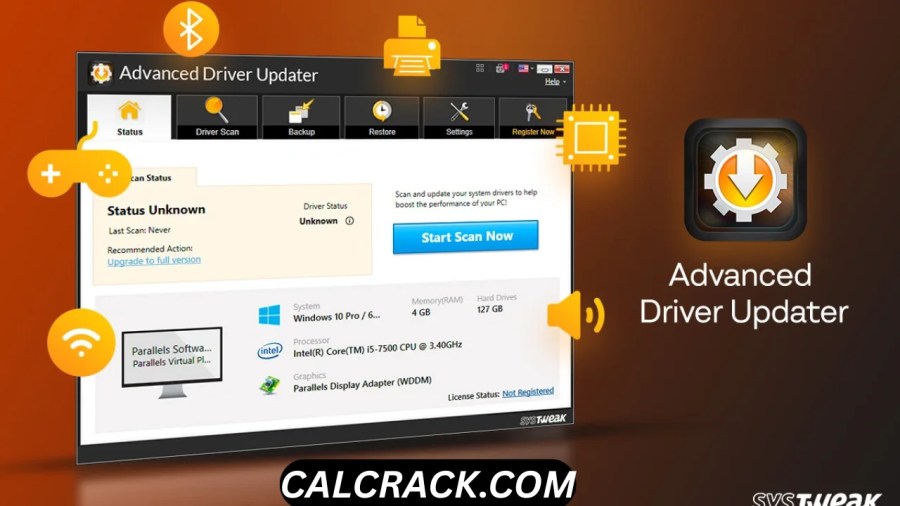
SysTweak Advanced Driver Updater, commonly referred to as Systweak Advanced Driver Updater, is a Windows utility designed to scan a computer for outdated, missing, faulty, or incompatible device drivers. It can help users identify available driver updates, back up existing drivers, and restore previous drivers if an update causes compatibility problems. According to Systweak, the software supports Windows 11, Windows 10, Windows 8.1, Windows 8, and Windows 7 in both 32-bit and 64-bit environments. (Systweak)
However, a driver updater is not something every Windows user necessarily needs. Windows already includes driver-update functionality through Windows Update, and Microsoft explains that Windows regularly checks for available certified driver updates and can automatically download and install them. (Microsoft Support)
So, is SysTweak Advanced Driver Updater safe? Is it better than Windows Update? Is there a completely free driver updater? And what actually happens when you update a driver?
This guide answers the most common People Also Ask questions in detail.
Quick Answer: Is SysTweak Advanced Driver Updater Safe?
Yes, SysTweak Advanced Driver Updater is a legitimate Windows driver-update utility, and its official documentation states that it uses WHQL-certified driver updates, creates driver backups, and provides a restore option. Systweak also says its driver database is monitored for malware and that the program supports WHQL-certified drivers. (Systweak)
That said, no third-party driver updater should be treated as completely risk-free. A driver is low-level software that communicates directly with hardware, so installing an unsuitable driver can cause hardware problems, instability, crashes, or compatibility issues.
For most users, the safest approach is:
- Use Windows Update first.
- Use the hardware manufacturer’s official website when you need a specific driver.
- Use a third-party updater such as SysTweak Advanced Driver Updater when convenience, scanning, backup, restore, or finding multiple outdated drivers is important.
- Always create a backup or restore point before making significant driver changes.
1. Is the Advanced Driver Updater Safe?
Yes, Systweak Advanced Driver Updater is generally considered a legitimate and safe driver-update application when downloaded from its official source and used properly.
The software is developed by Systweak Software and is specifically designed to detect outdated device drivers and help users update them. Systweak’s current product documentation states that Advanced Driver Updater supports WHQL-certified drivers and includes backup and restore functionality. (Systweak)
The backup feature is particularly important because driver updates can occasionally introduce compatibility problems. If a newly installed driver does not work correctly, Systweak provides a restore mechanism that can return the system to a previous driver configuration. (Systweak)
Why is a driver updater considered risky in the first place?
The concern is not necessarily that driver-updater software itself is malicious. The bigger issue is that drivers operate at a low level inside Windows.
A bad or incompatible driver can potentially cause:
- Blue Screen of Death errors
- Audio problems
- Wi-Fi or Bluetooth failures
- Graphics glitches
- Printer problems
- Touchpad or keyboard issues
- Game crashes
- Device detection problems
- Windows instability
This is why driver updates should not be installed blindly just because a program reports that a driver is “old.”
Microsoft explains that drivers act as translators between Windows and hardware, allowing the operating system and applications to communicate with devices. (Microsoft Support)
Is SysTweak Advanced Driver Updater malware?
There is no basis for describing the legitimate Systweak product itself as malware. Systweak’s official documentation says its driver updates are intended to be secure and that its driver database is monitored for malware and infections. (Systweak)
However, users should still be careful about where they download the software from. Fake download pages and modified installers can exist for many popular Windows applications.
The safest practice is to obtain SysTweak Advanced Driver Updater from Systweak’s official website rather than an unknown third-party download portal.
Is it completely risk-free?
No software that modifies system drivers should be described as completely risk-free.
The important distinction is:
Safe software does not mean every driver installation will be problem-free.
A perfectly legitimate updater can install a newer driver that is technically compatible but less suitable for a particular PC configuration. This is why backup and rollback features matter.
2. Which Driver Updater Is Best?
There is no single driver updater that is automatically the best for every Windows computer.
For many users, Windows Update is the best first choice because it is built into Windows and Microsoft uses Windows Update to distribute certified driver updates. Microsoft states that Windows devices regularly check Windows Update and can automatically download and install newer drivers when they are available. (Microsoft Support)
For users who want additional automation and convenience, a dedicated tool such as SysTweak Advanced Driver Updater can be useful.
A good driver updater should provide:
- Reliable driver matching
- Hardware detection
- Driver backup
- Driver restore or rollback
- Support for current Windows versions
- Secure driver sources
- Clear driver information
- Ability to skip unwanted updates
- A straightforward interface
- Manufacturer-compatible drivers
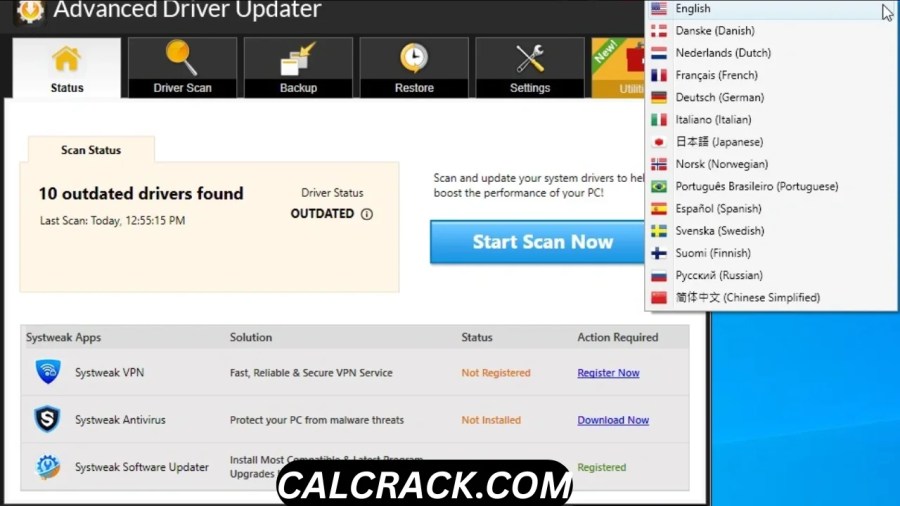
SysTweak Advanced Driver Updater provides several of these features. According to Systweak, it can automatically scan for outdated drivers, back up drivers, restore incompatible updates, schedule scans, and exclude drivers that users do not want updated. (Systweak)
SysTweak Advanced Driver Updater vs Windows Update
Windows Update is the simplest option and should usually be the first place to check.
SysTweak Advanced Driver Updater is more focused on centralized driver management and can be useful for users who want a dedicated scan, driver database, backup, restore, scheduling, and exclusion features.
The choice therefore depends on what you need.
| Feature | Windows Update | SysTweak Advanced Driver Updater |
|---|---|---|
| Built into Windows | Yes | No |
| Driver updates | Yes | Yes |
| Automatic driver checking | Yes | Yes |
| Driver backup | Limited system-level options | Yes |
| Driver restore | Windows recovery options | Yes |
| Dedicated driver scanner | No | Yes |
| Driver exclusion | Limited | Yes |
| Scheduled driver scans | No dedicated driver scheduler | Yes |
| Beginner-friendly | Yes | Yes |
| Requires separate software | No | Yes |
3. Is There a 100% Free Driver Updater?
Yes, Windows itself provides a built-in driver update system through Windows Update, so you do not have to pay for a third-party driver updater to update drivers.
Windows 11 can automatically obtain many drivers through Windows Update. Microsoft says certified driver updates can be published through Windows Update and that Windows regularly checks for newer drivers. (Microsoft Support)
You can also manually check:
Settings → Windows Update → Advanced options → Optional updates → Driver updates
Microsoft specifically identifies this location for available driver updates. (Microsoft Support)
What about free third-party driver updaters?
Some driver-updater programs provide free scanning or limited updating, while advanced features may require payment.
For example, Systweak’s official product information says the trial version of Advanced Driver Updater allows one driver to be updated at a time, while the registered version provides the ability to update all outdated drivers. (Systweak)
Therefore, if by “100% free driver updater” you mean a solution that can automatically update every driver with no restrictions, you should carefully check the individual product’s licensing terms.
Is Windows Update enough?
For many users, yes.
Windows Update is particularly appropriate when:
- Your PC is working normally
- You do not have a specific hardware problem
- You want the safest simple approach
- You prefer Microsoft-provided updates
- You do not want additional software
A dedicated updater becomes more attractive when you want centralized driver scanning, easier identification of outdated drivers, backups, restoration, scheduling, or more convenient driver management.
4. Do I Really Need a Driver Updater?
No, most Windows users do not absolutely need a third-party driver updater.
Windows already provides built-in driver management through Windows Update and Device Manager. Microsoft explains that Windows can automatically obtain driver updates through Windows Update when compatible updates are available. (Microsoft Support)
The important question is not:
“Do I have old drivers?”
The better question is:
“Is an updated driver actually needed for my PC?”
A driver that is several months old is not automatically a problem.
If your:
- Wi-Fi works correctly
- Graphics card works correctly
- Audio works correctly
- Printer works correctly
- Bluetooth works correctly
- Games run normally
- Windows is stable
then you may not need to update every driver simply because an updater says newer versions exist.
When can a driver update be useful?
A driver update can be worthwhile when:
- A device is not working correctly
- Windows cannot properly recognize hardware
- A manufacturer released an important bug fix
- A game requires a newer graphics driver
- You are experiencing graphics glitches
- Wi-Fi or Bluetooth is unstable
- A printer or scanner has compatibility problems
- A driver update fixes a known security issue
- You installed new hardware
Should you update every outdated driver?
Not necessarily.
This is one of the most important points about driver updates.
Newer does not always mean better for every computer.
If a device is functioning perfectly, there may be little reason to replace a stable driver without a specific benefit.
This is especially relevant to:
- Chipset drivers
- Storage-controller drivers
- Network drivers
- Laptop-specific drivers
- OEM-customized drivers
For these components, the PC manufacturer’s support page can sometimes be preferable to a generic driver.
5. Is It Risky to Update to Windows 11?
Updating to Windows 11 is not inherently dangerous, but compatibility should be checked before upgrading.
Windows 11 is an operating system upgrade, not simply a driver update. The process can affect applications, hardware compatibility, settings, storage requirements, and drivers.
Before upgrading, users should check whether their PC meets Microsoft’s Windows 11 requirements and whether their important applications and hardware are supported.
Why can drivers matter during a Windows 11 upgrade?
Drivers are responsible for communication between Windows and hardware.
If a computer has:
- very old graphics drivers
- unsupported network hardware
- outdated chipset software
- incompatible peripherals
- manufacturer-specific utilities
the Windows 11 upgrade may expose compatibility issues.
Microsoft explains that Windows relies on drivers to communicate with hardware and that third-party manufacturers work with Microsoft to certify compatible drivers. (Microsoft Support)
Should you update drivers before Windows 11?
If your existing Windows installation is stable, you do not necessarily need to update every driver immediately before an upgrade.
A better approach is:
- Check Windows 11 compatibility.
- Back up important files.
- Install important Windows updates.
- Check for important manufacturer driver updates.
- Disconnect unnecessary peripherals if appropriate.
- Perform the Windows 11 upgrade.
- Check Device Manager afterward for hardware problems.
Avoid using a driver updater to install dozens of unrelated drivers immediately before a major operating-system upgrade unless you have a specific reason.
6. Is PC Help Driver Updater Safe?
PC HelpSoft Driver Updater is a separate Windows utility from PC HelpSoft, and its official support documentation confirms that it scans a PC for outdated drivers. (support.pchelpsoft.com)
However, “safe” should not be interpreted as “every driver it recommends should automatically be installed.”
The same principle applies to all third-party driver utilities.
Before using PC HelpSoft Driver Updater or any similar application:
- Download it from the official vendor.
- Check what drivers it recommends.
- Review the driver manufacturer and version.
- Create a backup or restore point.
- Avoid updating hardware that is already working unless there is a reason.
- Keep Windows recovery options available.
- Be cautious with drivers for critical hardware.
PC HelpSoft’s official documentation also lists features such as automated driver backup, driver restore, system restore, and driver rollback. (support.pchelpsoft.com)
Is PC HelpSoft better than SysTweak Advanced Driver Updater?
There is no universal winner.
Both are third-party utilities designed to simplify driver management. The better choice depends on:
- Driver database coverage
- Backup and restore options
- Ease of use
- Pricing
- Update accuracy
- Your particular hardware
- Your preference for manual versus automatic control
For a simple Windows setup, Windows Update may still be enough.
7. Does Windows 11 Have a Built-In Driver Updater?
Yes. Windows 11 has built-in driver-update functionality through Windows Update.
Microsoft states that Windows regularly checks Windows Update for available driver updates. When a newer compatible driver is available, Windows can download and install it automatically. (Microsoft Support)
You can also manually look for optional driver updates.
How to check driver updates in Windows 11
Go to:
Settings → Windows Update → Advanced options → Optional updates → Driver updates
If driver updates are available, Windows displays them there. Microsoft specifically recommends checking Windows Update for available certified drivers. (Microsoft Support)
Can Device Manager update drivers?
Yes.
You can open Device Manager, select a hardware device, right-click it, choose Update driver, and allow Windows to search for an appropriate driver.
However, Device Manager is not necessarily the best way to find every manufacturer’s newest driver.
For specialized hardware, the manufacturer’s official support page may provide newer or more specific packages.
Windows Update vs third-party driver updater
Windows Update has a major advantage: it is integrated into the operating system.
A third-party utility’s advantage is convenience.
For example, SysTweak Advanced Driver Updater is specifically designed to scan drivers and provides features such as backups, restore options, scheduled scans, and a driver exclusion list. (Systweak)
8. Is Driver Updater Real?
Yes, driver updater software is a real type of Windows utility.
A driver updater scans installed hardware and compares the drivers currently installed on the computer with available driver versions.
If it identifies a newer compatible version, the program may offer to download and install it.
The basic concept is legitimate because device drivers really do receive updates.
Microsoft explains that drivers allow Windows and applications to communicate with hardware devices. Driver updates can be distributed through Windows Update after being provided and certified by hardware manufacturers. (Microsoft Support)
But are all driver updaters legitimate?
No.
The phrase “driver updater” describes a software category, not a guarantee of trustworthiness.
Some websites may use aggressive advertising, fake scan results, misleading warnings, or questionable download practices.
This is why you should distinguish between:
Legitimate driver-management software
and
unknown software claiming that your PC has hundreds of dangerous driver problems.
A reputable updater should clearly explain:
- Which driver is outdated
- Which device it belongs to
- Current driver version
- Available driver version
- Driver manufacturer
- Backup or rollback options
- Where the driver comes from
Should you trust a driver updater that says every driver is dangerous?
Be cautious.
An outdated driver does not automatically mean your computer is in danger.
Driver age alone is not enough to determine whether an update is necessary.
9. Is CCleaner a Good Driver Updater?
CCleaner Driver Updater is a legitimate driver-update feature offered as part of CCleaner’s Windows software, and it can scan hardware for outdated or broken drivers.
CCleaner’s official documentation says its Driver Updater scans hardware devices and uses a large driver database to find suitable matches based on the PC’s manufacturer and hardware configuration.
CCleaner also states that its Driver Updater downloads driver installers from verified manufacturers and creates backups and a Windows System Restore point before installing new drivers.
Is CCleaner Driver Updater free?
The full Driver Updater functionality is associated with CCleaner Professional, although free users can scan for drivers and the product offers a trial of the full functionality according to CCleaner’s support documentation.
Is CCleaner better than SysTweak Advanced Driver Updater?
That depends on what you want.
SysTweak Advanced Driver Updater focuses heavily on driver scanning, updating, backup, restore, scheduling, and driver exclusions. Systweak currently advertises a large driver database and support for WHQL-certified drivers. (Systweak)
CCleaner Driver Updater is integrated into the broader CCleaner application and combines driver management with other PC-maintenance features. (CCleaner)
If you only want driver management, a dedicated product may feel more focused. If you already use CCleaner Professional, its integrated Driver Updater may be more convenient.
10. What Happens If I Update My Driver?
When you update a driver, Windows replaces or modifies the software that allows a particular hardware component to communicate with the operating system.
For example, a graphics driver allows Windows and applications to communicate properly with your GPU.
A network driver allows Windows to communicate with your network adapter.
An audio driver allows the operating system to interact with your sound hardware.
A successful driver update can:
- Fix hardware bugs
- Improve compatibility
- Resolve device errors
- Improve stability
- Add support for newer software
- Fix graphics problems
- Improve networking reliability
- Address security issues
- Enable hardware features
However, a driver update can occasionally cause problems.
What can go wrong?
An incompatible or problematic driver can result in:
- Device malfunction
- Audio loss
- Network disconnection
- Graphics crashes
- Game instability
- Blue screens
- System freezes
- Reduced performance
This is why driver backups and rollback options are valuable.
Systweak states that Advanced Driver Updater backs up existing drivers before installing new ones and provides a restore option if an update causes problems. (Systweak)
Should you restart after updating drivers?
Usually, yes.
Some driver changes take effect immediately, while others require Windows to restart before the new driver becomes fully active.
If a driver updater asks you to restart the computer, save your work and restart rather than repeatedly postponing it.
11. Does Updating Drivers Make Your PC Faster?
Sometimes, but not always.
A driver update is not a universal PC-performance booster.
If a driver is causing a specific problem, updating it can make the computer feel significantly better.
For example, a graphics-driver update may fix:
- Game crashes
- Rendering problems
- Compatibility issues
- Graphical glitches
A network-driver update may resolve:
- Disconnects
- Wi-Fi instability
- Connection problems
An audio-driver update may fix:
- Sound distortion
- Missing audio
- Microphone problems
But if your PC is already using stable drivers and everything works correctly, installing a newer driver may produce little or no noticeable speed improvement.
Does a driver updater increase FPS?
It can sometimes help gaming performance when a newer graphics driver contains performance improvements, game optimizations, or bug fixes.
However, a driver updater cannot magically turn weak hardware into high-end hardware.
Your FPS still depends on:
- GPU
- CPU
- RAM
- Game settings
- Resolution
- Storage
- Cooling
- Power settings
- Game optimization
So claims that updating every driver will dramatically increase FPS should be treated carefully.
12. Should I Update Graphics Drivers?
Graphics drivers are one of the categories where updating can be especially useful.
NVIDIA, AMD, and Intel frequently release graphics-driver updates for:
- New games
- Bug fixes
- Performance improvements
- Compatibility
- Security
- New GPU features
If you are a PC gamer, content creator, or someone experiencing graphics problems, checking the graphics-card manufacturer’s official driver page can be worthwhile.
Should you update graphics drivers automatically?
You can, but manual review is often preferable for critical systems.
Before updating, check:
- GPU model
- Current driver version
- New driver version
- Release notes
- Supported Windows version
If a game is working perfectly and a new driver does not address anything relevant to you, you do not necessarily need to install it immediately.
13. Are Old Drivers Always Bad?
No. An old driver is not automatically a bad driver.
This is an important distinction that many driver-updater articles overlook.
A driver can be old but stable.
For example, if your laptop manufacturer released a customized audio driver specifically for your laptop model, replacing it with a generic newer package may not necessarily improve your experience.
The manufacturer’s driver may contain:
- Custom hardware settings
- OEM-specific features
- Power-management adjustments
- Device-specific fixes
- Compatibility improvements
Therefore, the objective should not be:
“Update every driver.”
The objective should be:
“Keep important drivers stable, compatible, and appropriately updated.”
14. Is SysTweak Advanced Driver Updater Better Than Manually Updating Drivers?
For convenience, it can be.
Manually updating drivers means identifying each hardware component, finding the correct manufacturer website, downloading the correct package, installing it, and restarting when necessary.
For a computer with many devices, that can become time-consuming.
SysTweak Advanced Driver Updater is designed to centralize this process. Systweak says the program can automatically scan the system, identify outdated drivers, provide driver information, and allow users to update individual drivers or multiple drivers depending on the license. (Systweak)
Manual updates are better when:
- You know exactly which driver you need.
- You need a manufacturer’s specific driver.
- You are troubleshooting one hardware problem.
- You need a particular driver version.
- You are managing a business or production PC.
- You want complete control over every installation.
A driver updater is convenient when:
- You have many devices.
- You do not know which drivers are outdated.
- You want one centralized scan.
- You want automated driver backups.
- You want a restore option.
- You prefer not to search multiple manufacturer websites.
15. How Does SysTweak Advanced Driver Updater Work?
The general process is straightforward.
Step 1: Install the software
Install SysTweak Advanced Driver Updater from its legitimate source.
Step 2: Scan your PC
The program checks installed hardware and compares driver versions with its available database.
Step 3: Review the results
You can see which drivers are considered outdated or require attention.
Step 4: Create a backup
Before installing significant driver updates, keeping a backup is a good precaution.
Systweak specifically provides driver backup functionality. (Systweak)
Step 5: Select the drivers
Do not assume every listed driver must be updated immediately.
Review the devices and prioritize drivers related to the problem you are actually trying to solve.
Step 6: Install the update
Allow the program to download and install the selected drivers.
Step 7: Restart Windows
Restart if required.
Step 8: Test the hardware
Check:
- Sound
- Wi-Fi
- Bluetooth
- Graphics
- USB devices
- Printer
- Keyboard
- Mouse
- Games
If everything works correctly, the update was successful.
If a device stops working, use the available restore or rollback option.
16. What Is WHQL and Why Does It Matter?
WHQL stands for Windows Hardware Quality Labs.
Microsoft’s hardware certification process helps verify that drivers meet Microsoft’s compatibility and quality requirements for Windows.
Systweak states that Advanced Driver Updater supports WHQL-certified drivers and uses certified driver packages as part of its update process. (Systweak)
This matters because drivers interact directly with the operating system.
A digitally signed and appropriately certified driver can provide more confidence than an unknown driver downloaded from a random website.
However, WHQL certification should not be interpreted as a guarantee that a driver will work perfectly on every possible hardware configuration.
17. Should I Use a Driver Updater on a Gaming PC?
You can, but gaming PCs require a little more care.
The most important driver for gaming is usually the graphics driver.
If you play modern games, keeping your GPU driver reasonably current can be beneficial because manufacturers release updates that may include:
- Game-specific optimizations
- Bug fixes
- Compatibility improvements
- Performance improvements
- Security updates
For gaming PCs, however, it is often better to prioritize the official graphics-card manufacturer rather than blindly updating every device driver.
Best approach for gamers
Use:
Windows Update for normal Windows driver maintenance.
Use:
GPU manufacturer’s official driver tools or website for graphics drivers.
Use:
SysTweak Advanced Driver Updater when you want broader driver scanning and centralized management.
This gives you more control instead of treating every outdated driver as equally important.
18. Can Driver Updates Fix Blue Screen Errors?
Yes, driver updates can sometimes fix Blue Screen of Death errors, but they are not a universal solution.
Faulty or incompatible drivers are one possible cause of system crashes.
If a blue screen began after:
- Installing a new device
- Updating a driver
- Installing a Windows update
- Installing graphics software
- Changing hardware
then the relevant driver may deserve investigation.
What should you do?
First identify the error and the device or driver involved.
Then consider:
- Windows Update
- Manufacturer driver
- Driver rollback
- System Restore
- Hardware diagnostics
Do not update every driver simply because Windows crashed once.
A blue screen can also be caused by:
- Faulty RAM
- Storage problems
- Overheating
- Power issues
- Corrupted system files
- Hardware failure
- Software conflicts
Therefore, diagnosis is more important than blindly updating drivers.
19. Can I Roll Back a Driver If Something Goes Wrong?
Yes, Windows and many driver-management tools provide ways to return to an earlier driver.
SysTweak Advanced Driver Updater includes backup and restore features. Systweak states that the software backs up existing drivers and allows users to restore them if an updated driver creates compatibility problems. (Systweak)
Windows Device Manager may also provide a Roll Back Driver option when an earlier driver is available.
When should you roll back?
Consider a rollback if:
- Wi-Fi stopped working after an update
- Audio disappeared
- Your GPU started crashing
- Bluetooth stopped connecting
- A game became unstable
- Windows became less stable
- A device stopped being recognized
Before experimenting with many additional updates, return to the known-working driver and troubleshoot from there.
20. Should I Update All Drivers at Once?
Not necessarily.
The “Update All” button is convenient, but updating many system drivers simultaneously makes troubleshooting harder if something goes wrong.
For example, imagine you update:
- Audio
- Wi-Fi
- Bluetooth
- Graphics
- Chipset
- Storage
and then the computer starts crashing.
You may not know which update caused the issue.
A more controlled approach is:
- Identify the important driver.
- Back up the current driver.
- Update it.
- Restart.
- Test the system.
- Continue only if everything works correctly.
For normal home users, updating multiple drivers may be acceptable when the software provides reliable backups and restore functionality, but critical systems should generally be changed more carefully.
21. Is SysTweak Advanced Driver Updater Free?
SysTweak Advanced Driver Updater offers a free/trial version, but its functionality is limited compared with the registered version.
According to Systweak’s current product information, the trial version allows users to update one driver at a time, while the registered version supports updating all outdated drivers at once. (Systweak)
This means it should not be described as a completely unrestricted free driver updater.
The free/trial version can still be useful for scanning and evaluating the software before deciding whether its additional features are worth paying for.
22. Does SysTweak Advanced Driver Updater Work on Windows 11?
Yes. SysTweak Advanced Driver Updater supports Windows 11.
Systweak’s current product page lists compatibility with Windows 11, Windows 10, Windows 8.1, Windows 8, and Windows 7, including both 32-bit and 64-bit systems. (Systweak)
Systweak’s support documentation also specifically states that Advanced Driver Updater is compatible with Windows 11. (Advanced Driver Updater)
For the best results, always use the current version of the software and verify the hardware manufacturer’s compatibility when dealing with specialized devices.
23. What Is the Safest Way to Update Windows Drivers?
The safest strategy is not simply to install the largest number of updates possible.
Instead, follow a controlled process.
Recommended driver-update strategy
1. Start with Windows Update
Check Windows Update first because it is built into Windows and distributes certified driver updates. (Microsoft Support)
2. Check Optional Updates
Look under:
Settings → Windows Update → Advanced options → Optional updates → Driver updates
Microsoft provides this section for available driver updates. (Microsoft Support)
3. Identify hardware problems
If a device works correctly, there may be no urgent reason to replace its driver.
4. Use manufacturer websites for critical devices
For GPUs, laptops, motherboards, printers, and specialized hardware, the manufacturer can provide device-specific drivers.
5. Back up before major changes
A backup gives you a recovery path.
6. Update one important component at a time
This makes troubleshooting easier.
7. Restart and test
Check the hardware after installation.
8. Roll back if necessary
Do not continue installing more drivers if the first update causes problems.
24. SysTweak Advanced Driver Updater: Pros and Cons
Like any third-party utility, SysTweak Advanced Driver Updater has advantages and disadvantages.
Pros
- Dedicated driver-scanning tool
- Supports Windows 11 and Windows 10
- Automatic driver scanning
- Driver backup functionality
- Driver restore functionality
- Driver exclusion list
- Scheduled scans
- Large driver database
- Supports WHQL-certified drivers
- Easier than manually checking many manufacturer websites
Systweak lists these features on its official product documentation. (Systweak)
Cons
- A third-party updater is not essential for every PC.
- The trial/free version has limitations.
- Some users may prefer Windows Update.
- Updating a driver that is already stable can introduce unnecessary risk.
- Paid driver-updater software may not be worthwhile for users who rarely need driver maintenance.
- Manufacturer-specific drivers can sometimes be preferable to generic alternatives.
Independent reviews have also highlighted that Advanced Driver Updater is easy to use but has fewer extra features outside its core driver-update, backup, and restore functions, while pricing can be higher than some competitors. (TechRadar)
25. Final Verdict: Is SysTweak Advanced Driver Updater Worth Using?
SysTweak Advanced Driver Updater can be a useful and legitimate driver-management tool for Windows users who want a convenient way to scan, update, back up, and restore device drivers.
Its biggest advantage is convenience.
Instead of manually searching through multiple hardware manufacturers’ websites, the software provides a centralized driver-scanning and management experience. Systweak also provides backup, restore, scheduling, exclusion, and WHQL-certified driver support according to its current documentation. (Systweak)
However, you do not have to use a third-party driver updater.
Windows 11 already includes driver-update functionality through Windows Update, and Microsoft recommends checking Windows Update and optional driver updates when appropriate. (Microsoft Support)
Therefore, the best choice depends on your situation.
Best choice for most casual users
Windows Update
It is already built into Windows and is sufficient for many users.
Best choice for users who want dedicated driver management
SysTweak Advanced Driver Updater
It provides additional scanning, backup, restore, scheduling, and exclusion features.
Best choice for a specific hardware problem
The hardware manufacturer’s official driver
If your NVIDIA GPU, AMD GPU, Intel hardware, Dell laptop, HP laptop, Lenovo system, printer, Wi-Fi adapter, or other device has a specific problem, the manufacturer’s support page is often the most direct source.
Bottom line
Is SysTweak Advanced Driver Updater safe? Generally yes, when obtained from the legitimate Systweak source and used carefully.
Which driver updater is best? There is no universal winner. Windows Update is the best starting point for most users, while dedicated tools provide additional convenience.
Is there a 100% free driver updater? Windows Update provides a built-in, no-cost way to obtain many driver updates.
Do I really need a driver updater? No. A third-party updater is optional.
Is it risky to update to Windows 11? The upgrade itself is not inherently dangerous, but compatibility and backups should be checked beforehand.
Is PC Help Driver Updater safe? It is a legitimate PC HelpSoft product, but users should still review driver recommendations and use normal precautions.
Does Windows 11 have a built-in driver updater? Yes. Windows Update handles many driver updates automatically.
Is driver updater software real? Yes, but not every program marketed as a driver updater deserves the same level of trust.
Is CCleaner a good driver updater? It is a legitimate option with driver scanning, manufacturer matching, backups, and restore functionality, but whether it is worth using depends on your needs.
What happens if you update your driver? Windows replaces the existing driver with a newer version, potentially fixing bugs or improving compatibility, but an incompatible driver can also cause problems.
The most sensible driver-update strategy is therefore not to update everything blindly. Keep Windows updated, use trusted driver sources, update drivers when there is a clear reason, create backups before major changes, and keep a rollback option available.
SEO/GEO note: Is article mein direct-answer FAQs, comparison table, semantic keywords, entity/context signals, concise answer-first sections, and detailed explanations intentionally include kiye gaye hain taake traditional search ke saath AI-generated answers/GEO ke liye bhi content easy-to-understand aur extractable rahe.
Download Now
SysTweak Advanced Driver Updater Latest Version
File Details:
- File Size: 23.7 MB
- System Type: 32-bit / 64-bit
- Setup Type: Offline / Standalone