Table of Contents
Technocom Android Bulk SMS Sender: How to Send Bulk SMS, Costs, Features, Android Setup, and Complete Guide
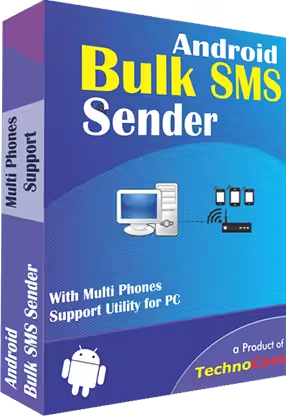
Technocom Android Bulk SMS Sender is a bulk messaging solution designed to help users send SMS messages to many phone numbers through Android phones connected to a computer. Instead of manually opening a messaging application and sending the same message repeatedly, the software provides a centralized way to manage recipients, prepare messages, personalize SMS content, and send messages through connected Android devices. Technocom’s documentation describes support for importing recipient lists from files such as TXT, CSV, XLS, and XLSX and connecting Android phones over a local Wi-Fi network. (Technocom Solutions)
The main idea behind Technocom Android Bulk SMS Sender is simple: an Android phone acts as the SMS-sending device while the Windows-based software provides the interface for organizing and sending messages. Depending on the version and product configuration, multiple Android phones can be connected so that larger recipient lists can be processed through several devices. Technocom’s current product information describes the software as a Windows application that can use connected Android phones to send SMS messages from a PC. (Technocom Solutions)
For businesses, schools, organizations, retailers, service providers, and other users who regularly need to communicate with groups of contacts, bulk SMS can reduce repetitive manual work. It can be used for reminders, announcements, customer communication, notifications, promotions, and other legitimate business messages. However, sending large numbers of messages does not remove the need to follow telecommunications, privacy, anti-spam, and messaging-platform rules.
This guide explains Technocom Android Bulk SMS Sender, how it works, how to send bulk SMS from Android, how to handle 100, 1,000, or larger recipient lists, what affects the cost, whether free bulk SMS is possible, and how SMS bulk messaging differs from WhatsApp bulk messaging.
If you are searching for Technocom Android Bulk SMS Sender because you want a practical way to send messages to many contacts, the most important concepts are the Android phone connection, recipient list preparation, SMS personalization, carrier charges, sending limits, and compliance with applicable messaging rules.

What Is Technocom Android Bulk SMS Sender?
Technocom Android Bulk SMS Sender is software that allows users to manage and send SMS messages to multiple recipients using Android phones. The software is generally operated from a Windows PC, while Android devices provide the mobile network connection used to transmit SMS messages.
According to Technocom’s documentation, users can connect Android phones to the software through a local network. The Android side uses an SMS Sender Modem application, while the Windows application adds the phone using the IP address displayed by the Android application. (Technocom Solutions)
The software is designed around a bulk messaging workflow rather than ordinary one-to-one texting. A typical process includes:
- Preparing a list of mobile numbers.
- Connecting one or more Android phones.
- Adding the phones to the software.
- Importing or entering recipient numbers.
- Creating an SMS message.
- Personalizing messages when required.
- Checking the recipient list.
- Sending the SMS campaign.
- Monitoring sending results.
This approach can be particularly useful when a business already has Android phones and SIM cards available and wants to use those devices as SMS gateways.
How Does Technocom Android Bulk SMS Sender Work?
The basic architecture is different from a conventional cloud SMS platform. Instead of sending every message through a remote SMS gateway, the software can use connected Android phones and their SIM/network connections.
The Android phone runs the required modem or sender application. The Windows computer runs the main bulk SMS software. The two communicate over the local network, allowing the computer to instruct the connected phone to send SMS messages.
Technocom’s support documentation explains that the Android phone and computer can be connected using Wi-Fi on the same local network. The phone’s modem application provides connection information, which is then entered into the desktop software. (Technocom Solutions)
This setup means your actual SMS costs can depend on the mobile carrier plan associated with the SIM card. Technocom’s Android bulk SMS information also notes that SMS sending is subject to the applicable service-provider plan or SMS charges. (Bulk SMS Sender)
How to Send Bulk Messages on SMS on Android?
To send bulk SMS using Android with Technocom software, you generally need an Android phone, an active SIM/mobile plan, a Windows computer, the Technocom bulk SMS software, and the required Android sender/modem application.
The basic process is as follows.
Step 1: Prepare the Android Phone
Install the required SMS sender/modem application on the Android phone. Technocom’s instructions refer to an Android and desktop SMS sender/modem application for establishing communication between the phone and computer. (Technocom Solutions)
Make sure the phone has:
- An active SIM card
- Sufficient SMS service or balance
- A reliable battery or power source
- A stable Wi-Fi connection
- The required Android application installed
Step 2: Connect Android and PC
Connect the Android phone and Windows computer to the same local network. Open the Android sender/modem application and start its server function if required.
The application displays connection information such as an IP address. The desktop software can then use that information to add the Android phone. (Technocom Solutions)
Step 3: Add the Android Phone
Open Technocom Android Bulk SMS Sender and choose the option for adding an Android phone. Enter the host IP shown by the Android application and add the device.
Once connected, select the Android device that will be used for SMS sending.
Step 4: Add Recipients
Recipients can be entered manually or imported from supported files. Technocom’s documentation lists TXT, CSV, XLS, and XLSX among supported formats, although exact supported formats can vary between versions. (Technocom Solutions)
Step 5: Write the SMS
Create your message in the SMS text field. If the same message is appropriate for every recipient, it can be applied to the entire list.
For business communication, personalization can be useful. For example:
Hello [Name], your appointment is scheduled for tomorrow at 10:00 AM.
Technocom documents an Excel-based custom message wizard for creating personalized SMS messages from spreadsheet data. (Technocom Solutions)
Step 6: Review and Send
Before sending, check the phone numbers, country codes, message content, and recipient list. Once everything is correct, start the sending process.
A small test batch is useful before sending a large campaign because it can reveal formatting, country-code, device-connection, or carrier-related problems.
Can I Send Bulk SMS Messages for Free?
You may be able to use some software without paying an additional software fee during a trial or demo period, but bulk SMS is not necessarily free.
There are usually several separate costs to consider:
- Bulk SMS software licensing
- Mobile SIM or carrier charges
- SMS package or message balance
- Android devices
- Internet or Wi-Fi connectivity
- Additional phones for larger workloads
- Maintenance and support
Technocom documentation indicates that a demo version can be available for testing, while activation requires a purchased license. (Technocom Solutions)
Even if the software itself is available in a demo or free form, the cellular network may still charge for each SMS according to the SIM’s mobile plan. A genuinely free large-scale SMS campaign is therefore difficult to assume.
The practical distinction is important: free software does not automatically mean free SMS delivery.
How Can I Send 100 Text Messages at Once?
To send 100 text messages at once, you need a recipient list containing the 100 intended numbers and a suitable SMS-sending method.
With Technocom Android Bulk SMS Sender, the general workflow is:
- Put the 100 phone numbers into a spreadsheet or supported file.
- Check that the numbers are correctly formatted.
- Add country codes where necessary.
- Import the file into the software.
- Add the SMS message.
- Personalize the message if needed.
- Connect an Android phone.
- Send the messages through the connected device.
Technocom specifically supports importing recipient numbers from Excel and other file formats, which can make a 100-recipient list easier to manage than entering numbers individually. (Technocom Solutions)
However, sending 100 messages does not necessarily mean that 100 messages leave the phone at exactly the same instant. The actual sending speed depends on the Android device, SIM/carrier, software configuration, network conditions, and any configured delay between messages.
How Can I Send 1000 SMS at a Time?
Sending 1,000 SMS requires more planning than sending 100. The recipient list should be clean, the Android device should remain connected, and the SIM or carrier plan must support the intended volume.
Technocom’s product information describes support for sending thousands of SMS through connected Android phones, and its product documentation describes configurations involving multiple Android phones. (Bulk SMS Sender)
For a 1,000-recipient campaign, a practical workflow is:
- Prepare the recipient database.
- Remove duplicate numbers.
- Validate country codes.
- Separate invalid or incomplete numbers.
- Create a concise SMS.
- Test the message with a small group.
- Connect the Android phone or phones.
- Import the recipient list.
- Assign or personalize the message.
- Start sending.
- Monitor failed messages and connection status.
- Review the results after the campaign.
Using multiple Android phones can increase the available sending capacity, but the actual rate is still affected by carrier restrictions and the capabilities of the devices and SIM plans.
How Can I Send Bulk SMS Messages?
There are several ways to send bulk SMS, and Technocom Android Bulk SMS Sender represents one approach.
Using Android Phones
This method uses Android devices and SIM cards as the SMS-sending infrastructure. Technocom’s software manages recipients and messages from a computer while the connected phones handle SMS transmission.
Using an SMS Gateway
Businesses can also use cloud SMS providers that send messages through carrier-connected infrastructure. This model generally uses an online dashboard or API instead of physical Android phones.
Using Business Messaging Platforms
Some organizations use specialized communication platforms that combine SMS, customer databases, automation, analytics, and other messaging features.
The right technical approach depends on message volume, geographic coverage, available infrastructure, personalization needs, reporting requirements, and regulatory obligations.
For users who already have Android phones and want to send SMS through their own SIM connections, Technocom’s approach can be structured around those existing devices.
Which App Is Best for Bulk SMS Sending?
There is no universal answer to which bulk SMS application is “best” because different users need different features.
When comparing bulk SMS tools, examine:
- Number of supported Android phones
- Recipient-list import options
- Excel support
- Personalization
- Message templates
- Country-code management
- Sending delays
- Delivery status
- Campaign logs
- License model
- Operating-system compatibility
- Customer support
- SMS carrier compatibility
- Privacy and compliance features
Technocom’s documentation includes recipient imports, personalized SMS through Excel, saved projects, SMS templates, country-code prefixes, configurable sending delays, and device connection features. (Technocom Solutions)
For someone specifically searching for Technocom Android Bulk SMS Sender, these features are important because the software is built around PC-controlled Android phone messaging rather than only a traditional online SMS dashboard.
How to Send Bulk SMS Easily?
The easiest bulk SMS workflow is usually the one that minimizes repetitive manual tasks.
A clean process looks like this:
Prepare → Import → Personalize → Test → Send → Monitor
First, prepare the recipient list in a spreadsheet. Keep names and phone numbers in separate columns if personalization is required.
Next, import the list into the software. Technocom supports importing phone numbers from spreadsheet and text-based files. (Technocom Solutions)
Then create the SMS template. If each recipient needs a different name or another data field, use the personalization functionality rather than manually creating hundreds of messages.
Before sending to the complete list, test a few numbers. This can help identify mistakes before they affect the entire campaign.
Finally, send the campaign and monitor the results.
This process is much easier than copying and pasting the same message into an ordinary Android messaging application hundreds of times.
Can Technocom Android Bulk SMS Sender Personalize Messages?
Yes. Personalization is one of the features documented for the software.
Technocom describes an Excel-based custom message wizard that allows users to select spreadsheet data and create unique SMS content for individual recipients. The documentation also explains that users can preview the SMS before completing the process. (Technocom Solutions)
For example, instead of sending:
Your order is ready.
a personalized campaign could produce:
Hello Ahmed, your order #2451 is ready for collection.
Personalization can make transactional and customer communication more useful, but users should ensure that personal data is handled appropriately and that recipients have the necessary relationship or permission for the messages being sent.
Can I Import 1000 or More Phone Numbers?
Technocom’s documented file-import functionality is designed to make large recipient lists easier to manage. Supported formats include common spreadsheet and text formats such as CSV, XLS, XLSX, and TXT in the documented versions. (Technocom Solutions)
For large lists, spreadsheet preparation is important. Before importing, check for:
- Duplicate numbers
- Empty rows
- Incorrect country codes
- Spaces or unusual characters
- Missing numbers
- Invalid phone-number lengths
- Numbers that should no longer receive messages
Technocom’s support documentation specifically advises checking spreadsheet structure when import problems occur, including ensuring the correct sheet and column are selected. (Technocom Solutions)
How Much Does It Cost to Send Bulk SMS?
The cost of bulk SMS has two major components: software cost and message-delivery cost.
Technocom’s published product information has shown different plans and configurations. One current product page lists an Android Bulk SMS Sender configuration with one-year, two-year, and three-year options priced at $100, $120, and $140 respectively, while another Technocom page lists a 10-phone-support version at $120. Because product configurations and pricing can differ, users should verify the exact edition and current price before purchasing. (Technocom Solutions)
The software license is only part of the total cost. Your mobile operator may charge for SMS according to the SIM’s package. Technocom’s own product information states that SMS charges can depend on the service provider’s plan. (Bulk SMS Sender)
For a business, the total budget can therefore be calculated as:
Software license + SMS/carrier charges + Android devices + SIM plans + internet/network costs
The final cost per campaign depends heavily on the carrier and country.
Is Bulk SMS Legal?
Bulk SMS can be legal, but the legality depends on the country, the type of message, the recipient, the sender, and the applicable telecommunications and privacy regulations.
A responsible bulk SMS campaign should generally involve recipients who have a legitimate reason to receive the communication, appropriate consent where required, clear sender identification, and an effective method for handling opt-out requests.
In the United States, for example, FCC rules address consent and revocation rights for certain robocalls and robotexts under the TCPA. The FCC has stated that consumers can revoke consent through reasonable means and that senders must honor revocation requests within the applicable period. (FCC Docs)
Rules differ between countries, so a campaign intended for Pakistan, the United States, the United Kingdom, the European Union, or another jurisdiction should be checked against the applicable local requirements.
Technocom Android Bulk SMS Sender provides the technical ability to send messages, but software does not determine whether a particular campaign is legally permissible.
How Can I Send 10,000 Messages on WhatsApp?
Sending 10,000 messages on WhatsApp is different from sending 10,000 ordinary SMS messages.
WhatsApp has its own terms, business policies, messaging rules, and restrictions. The official WhatsApp guidelines prohibit certain forms of bulk messaging, automation, spam, and behavior that can harm users or the platform. (WhatsApp.com)
For legitimate business communication, organizations generally need to use the appropriate WhatsApp Business services and follow the applicable policies. WhatsApp’s business terms require businesses to comply with relevant policies and applicable legal requirements, including obtaining necessary rights and permissions for customer data and communications. (WhatsApp.com)
Therefore, Technocom Android Bulk SMS Sender should not be treated as a tool for sending 10,000 WhatsApp messages. It is primarily an SMS solution. WhatsApp bulk messaging requires a separate WhatsApp-compatible business workflow.
If you need to communicate with 10,000 WhatsApp users, the appropriate approach is to use authorized WhatsApp business functionality and follow current messaging and consent requirements rather than attempting to automate the consumer WhatsApp application.
Where Can I Send Free SMS Messages?
Free SMS services are usually limited compared with paid bulk SMS systems.
Some websites and applications may offer free messages for personal communication, promotional trials, or limited usage. However, free services may impose restrictions such as:
- Daily message limits
- Character limits
- Geographic restrictions
- Advertising
- Verification requirements
- Recipient restrictions
- No bulk functionality
- Limited delivery reporting
For large-scale business communication, a service that appears free may still have indirect costs or limitations.
With a SIM-based solution such as Technocom Android Bulk SMS Sender, the software and cellular SMS charges should be considered separately. A free software trial does not necessarily make the actual carrier-based messages free.

What Features Does Technocom Android Bulk SMS Sender Offer?
The feature set documented by Technocom includes several functions designed specifically for bulk SMS management.
Multiple Android Phone Connections
The software can work with connected Android phones, allowing users to build a multi-device SMS setup. Some Technocom product versions specifically advertise support for multiple phones. (Technocom Solutions)
Phone Number Import
Users can import phone numbers from files instead of entering every number manually. Documented formats include TXT, CSV, XLS, and XLSX. (Technocom Solutions)
Personalized SMS
Excel data can be used to create personalized messages for different recipients.
SMS Templates
Users can save SMS text as templates for future campaigns, reducing the need to recreate frequently used messages. (Technocom Solutions)
Country Code Prefixes
The software provides options for adding country-code prefixes to recipient numbers, which can help standardize international phone lists. (Technocom Solutions)
Sending Delay
Technocom documentation includes a setting for controlling delay between SMS messages. This can be relevant when managing the sending rate through mobile devices. (Technocom Solutions)
Project Saving
Recipient data can be saved as a project and imported again later, which can be useful for recurring campaigns. (Technocom Solutions)
What Should I Prepare Before Sending Bulk SMS?
Good preparation can prevent many bulk SMS problems.
Start with the recipient list. Keep it clean and remove duplicate or outdated numbers. If the campaign is international, standardize numbers using the correct country-code format.
Next, write a message that is short and understandable. Include the business or organization name where appropriate so the recipient can recognize the sender.
If the campaign is promotional, make sure the recipients are eligible to receive the communication and provide the required opt-out mechanism.
Then test the campaign with a small number of recipients.
Finally, make sure the Android phone is connected to Wi-Fi, has sufficient battery or power, has an active SIM, and has the required SMS service available.
What If Technocom Android Bulk SMS Sender Cannot Find My Phone?
A “No Device Found” problem can occur when the Android application and Windows software cannot establish their connection.
Technocom’s support instructions recommend checking the connection process and ensuring that the Android phone is correctly connected to the local network. The phone’s modem application must be running and providing the connection information needed by the Windows software. (Technocom Solutions)
Common things to check include:
- Android and PC are on the same network.
- The Android modem application is running.
- The server function is started.
- The correct IP address is entered.
- Windows firewall is not blocking the software.
- The Android phone remains connected to Wi-Fi.
- The phone has sufficient battery.
- The selected Android device is available for sending.
Technocom also identifies firewall, activation, phone connection, battery, and SMS-plan issues among troubleshooting considerations. (Technocom Solutions)
Does Bulk SMS Require Internet?
The answer depends on which part of the system you are discussing.
Technocom’s Android-phone workflow uses a local network connection between the Android phone and PC. The software documentation specifically describes connecting the Android phone to the local network through Wi-Fi. (Technocom Solutions)
However, the actual SMS delivery occurs through the mobile network associated with the Android phone’s SIM. Therefore, an active mobile service and SMS capability remain important.
Internet connectivity may also be required for software activation, updates, account functions, or other application features.
Technocom Android Bulk SMS Sender for Business Communication
Bulk SMS can be useful when information needs to reach many customers or members quickly.
Common legitimate applications include:
- Appointment reminders
- Order notifications
- Delivery updates
- Event announcements
- Customer alerts
- Internal notifications
- Service updates
- Marketing messages where permitted
- Educational announcements
- Payment reminders
- Verification or transactional communication
The key is to match the message type with the recipient relationship and applicable rules.
For recurring campaigns, features such as saved projects, templates, imported lists, and personalization can make the process more organized than manually sending individual SMS messages.
Technocom Android Bulk SMS Sender vs. Traditional SMS Apps
A normal Android messaging application is generally designed around individual conversations or small groups. Bulk SMS software is designed around structured recipient lists and repeated sending workflows.
With ordinary SMS:
- Contacts are often selected manually.
- Messages may be copied and pasted.
- Personalization is mostly manual.
- Large recipient lists are harder to manage.
- Spreadsheet-based workflows are limited.
With a bulk SMS application:
- Recipients can be imported.
- Messages can be assigned to large lists.
- Excel data can be used for personalization.
- Templates can be saved.
- Multiple Android devices may be connected.
- Country-code processing can be managed centrally.
That difference is the primary reason businesses consider dedicated bulk SMS software.
Frequently Asked Questions
Can I send bulk SMS messages for free?
A software trial or free tool may allow limited use, but SMS delivery itself can still incur carrier charges. Technocom documentation describes demo availability for some versions, while activated use requires a license. (Technocom Solutions)
How to send bulk messages on SMS on Android?
Connect the Android phone to the same local network as the PC, run the required SMS sender/modem application, add the phone to Technocom Android Bulk SMS Sender, import your recipient list, create the message, and start sending. (Technocom Solutions)
Which app is best for bulk SMS sending?
The appropriate application depends on requirements such as phone support, recipient volume, personalization, file imports, reporting, carrier compatibility, price, and compliance features. Technocom Android Bulk SMS Sender is one option designed around Android phones connected to a PC.
How can I send 100 text messages at once?
Prepare a list of 100 valid phone numbers, import the list into the bulk SMS software, create the message, test it, and send through the connected Android phone. Actual delivery speed depends on the device, carrier, network, and sending configuration.
How can I send 10,000 messages on WhatsApp?
WhatsApp bulk messaging is separate from SMS. For business communication at that scale, use authorized WhatsApp Business functionality and follow WhatsApp’s current terms, messaging policies, and consent requirements. (WhatsApp.com)
Is bulk SMS legal?
Bulk SMS can be legal when used in accordance with applicable telecommunications, privacy, marketing, and anti-spam laws. Requirements vary by country and message type. In the United States, FCC rules address consent and revocation for certain robotexts. (FCC Docs)
How to send bulk SMS easily?
Use a structured workflow: prepare a clean contact list, import it, create a message, personalize it if needed, test a small group, and then send the campaign. Technocom supports several of these steps through file imports, templates, personalization, and Android phone connections. (Technocom Solutions)
How can I send 1000 SMS at a time?
Import a list of 1,000 recipients into the software and send through a connected Android phone or supported multi-phone configuration. The actual sending speed and successful delivery depend on the carrier, SIM plan, phone configuration, network, and software settings.
How can I send bulk SMS messages?
You can use Android-based bulk SMS software, a cloud SMS gateway, or another authorized business messaging platform. Technocom Android Bulk SMS Sender uses connected Android phones and a Windows computer to manage bulk SMS campaigns. (Technocom Solutions)
Where can I send free SMS messages?
Some services offer limited free SMS, but free services may have restrictions. For large campaigns, you should consider both software costs and the SMS charges associated with the carrier or messaging provider.
How much does it cost to send bulk SMS?
There is no single universal price. Technocom’s published product pages have listed different license configurations, while SMS delivery can also depend on the mobile carrier and SIM plan. One published configuration lists $100 for one year, $120 for two years, and $140 for three years, while another version is listed at $120, so the exact edition should be checked before purchase. (Technocom Solutions)
Final Thoughts on Technocom Android Bulk SMS Sender
Technocom Android Bulk SMS Sender is designed for users who want to manage bulk SMS through Android phones rather than relying exclusively on a cloud SMS gateway. Its documented workflow includes Android-phone connections, recipient imports, Excel-based personalization, SMS templates, country-code prefixes, saved projects, and configurable sending settings. (Technocom Solutions)
For small campaigns such as 100 messages, a single properly configured Android phone may be enough depending on the carrier and sending requirements. Larger campaigns such as 1,000 or several thousand messages require more attention to device availability, SMS plans, sending speed, recipient-list quality, and compliance.
It is also important to keep SMS and WhatsApp separate. A tool designed for Android-based SMS sending should not be assumed to provide an authorized method for mass WhatsApp messaging. WhatsApp has separate business terms and messaging policies governing business communication and bulk or automated activity. (WhatsApp.com)
Ultimately, successful bulk SMS depends on more than the software itself. A clean recipient database, appropriate consent, a reliable Android/SIM setup, accurate message content, proper country codes, and awareness of carrier and legal requirements are all important parts of a responsible bulk messaging campaign.
Download Now
Technocom Android Bulk SMS Sender
- Download Option 1:
Send.cm - Download Option 2:
Userscloud
File Details:
- File Size: 4.4 MB
- System Type: Not specified
- Setup Type: Not specified