
Table of Contents
Advanced System Optimizer: Complete Guide
Advanced System Optimizer is a Windows system optimization and maintenance utility designed to help users clean unnecessary files, manage system settings, improve startup performance, protect privacy, and troubleshoot common PC issues. It combines several maintenance tools into one interface, making it useful for people who prefer an all-in-one approach instead of installing multiple separate utilities.
When a Windows PC becomes slower over time, the cause is not always a single problem. Temporary files, unnecessary startup programs, outdated system components, browser clutter, fragmented storage, privacy traces, and other configuration issues can all contribute to a less responsive experience. A system optimizer attempts to address some of these areas through automated scans and maintenance tools.
This guide explains what Advanced System Optimizer does, whether PC optimization software is useful, how it compares with alternatives such as CCleaner, and answers common questions users ask about system optimization software.
Important: Advanced System Optimizer should not be confused with Advanced SystemCare, which is a separate PC optimization product from IObit. Some search results mix the two names, but they are different applications from different developers.
What Is Advanced System Optimizer?
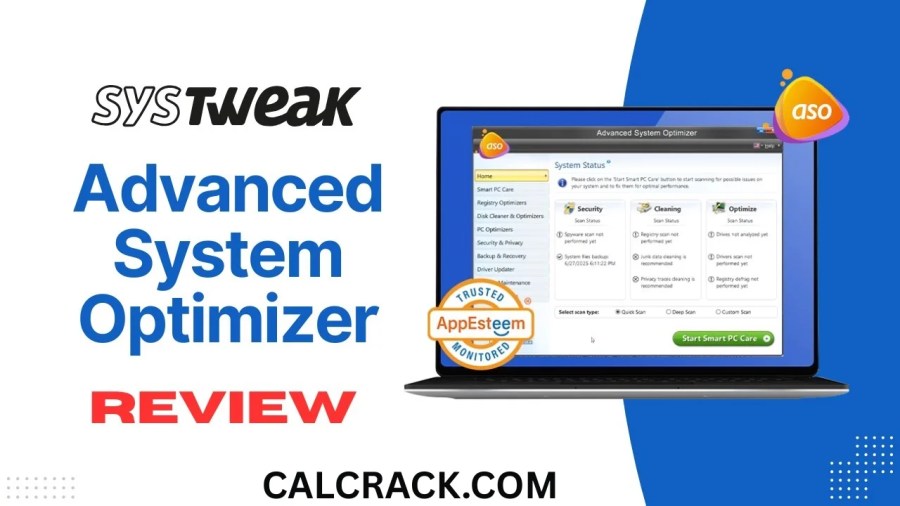
Advanced System Optimizer is a Windows utility focused on PC maintenance, cleanup, optimization, privacy, and system management. It provides a collection of tools that can be used to inspect and maintain different parts of a Windows installation.
Instead of opening several Windows utilities individually, users can access multiple maintenance functions from a centralized dashboard. Depending on the version and edition, these functions can include junk-file cleanup, registry-related maintenance, privacy cleaning, startup management, memory optimization, disk tools, security-oriented features, and other system utilities.
The main idea behind Advanced System Optimizer is convenience. Rather than manually searching for temporary files or checking different Windows settings, the software brings many maintenance options together.
However, system optimization software should be used carefully. Windows already performs many maintenance tasks automatically, and aggressive cleaning or registry modification does not necessarily make every PC faster. A good optimizer should therefore be treated as a maintenance tool rather than a guaranteed performance booster.
What Does Advanced System Optimizer Do?
Advanced System Optimizer contains multiple utilities intended for different maintenance tasks. The exact feature set can vary by edition and software version, but its general purpose can be divided into several categories.
1. Junk File Cleanup
Windows and installed applications can create temporary files, caches, logs, thumbnails, and other data during normal operation.
Some of these files are eventually removed automatically, while others can remain on the storage drive. A cleanup utility can scan selected locations and identify unnecessary files.
Removing genuinely unnecessary temporary data can:
- Recover storage space
- Reduce accumulated clutter
- Make storage management easier
- Remove old temporary application files
- Help users identify what is consuming disk space
However, deleting files should always be done carefully. Not every large or old file is unnecessary.
2. Startup Management
Programs configured to start automatically with Windows can increase boot time and consume memory in the background.
Advanced System Optimizer provides tools intended to help users review startup-related entries. Disabling applications that are not needed immediately after startup can sometimes improve the startup experience.
For example, if several third-party applications launch automatically but are only used occasionally, preventing them from launching with Windows may reduce background activity.
Users should avoid disabling Windows components or software they do not recognize.
3. Privacy Cleanup
Web browsers and Windows applications can store browsing history, cached information, cookies, temporary data, and other usage traces.
Privacy-oriented cleaning tools can help users review and remove some of this information.
This can be useful on a shared computer where users want to reduce locally stored browsing traces. However, privacy cleaning should not be interpreted as complete anonymity. Deleting local browser history does not erase information already stored by websites, internet service providers, cloud services, or online accounts.
4. Registry-Related Tools
Registry cleaning is one of the areas where users should be especially cautious.
The Windows Registry contains configuration information used by the operating system and applications. Some optimization utilities provide tools that scan for obsolete or invalid registry entries.
Although removing genuinely unnecessary entries may seem beneficial, registry cleaning is not a magic solution for slow computers. Incorrect modifications can cause application or Windows problems.
For that reason, users should create backups or restore points when available and avoid automatically deleting entries they do not understand.
5. Memory and Performance Tools
Advanced System Optimizer also includes performance-oriented functions intended to help manage system resources.
Users may see options related to memory optimization, background processes, or other performance settings.
These tools can be useful for diagnosing what is consuming resources, but Windows itself already manages memory dynamically. Manually forcing memory cleanup repeatedly is not necessarily better than allowing Windows to manage RAM normally.
The most useful approach is to identify the actual cause of high memory usage instead of repeatedly running an optimizer.
Is Advanced System Optimizer Safe?
Whether any PC optimization utility is safe depends on where it was obtained, which features are used, and whether changes are reviewed before they are applied.
Users should download software from a reputable source and avoid modified installers, suspicious mirrors, unofficial cracks, or unknown executable files.
Advanced System Optimizer should also be used conservatively. Before performing major cleanup or system changes, it is sensible to:
- Create a Windows restore point.
- Back up important files.
- Review scan results.
- Avoid deleting files you do not recognize.
- Avoid changing critical Windows settings unnecessarily.
- Keep Windows and security software updated.
- Download the program from a trustworthy source.
The biggest concern with any optimizer is not simply whether the application launches correctly. The more important question is what changes it makes to the operating system.
A responsible system-maintenance routine should prioritize reversible changes and backups.
Is Advanced System Optimizer Free?
Advanced System Optimizer has been offered in different editions and licensing arrangements, so users should check the current edition and licensing terms before purchasing or installing it.
A free version or trial, where available, may provide access to a limited selection of functions, while premium features can require a paid license.
Users searching for Advanced System Optimizer free should be careful with websites offering “full version,” “activated,” or modified copies. Such downloads can create security and privacy risks.
A legitimate free alternative is generally safer than downloading a modified commercial application.
Advanced System Optimizer vs. Advanced SystemCare
This is an important distinction because search engines frequently show similar queries for both products.
Advanced System Optimizer and Advanced SystemCare are not the same software.
Advanced System Optimizer is associated with Systweak, while Advanced SystemCare is an IObit product.
Both products target Windows maintenance and optimization, which explains why users often compare them. Their broad goals overlap, including cleanup and performance-related utilities, but their interfaces, developers, licensing, and individual features differ.
If you are specifically looking for Advanced SystemCare, you should search for that product by its full name instead of assuming that Advanced System Optimizer is the same application.
People Also Ask About Advanced System Optimizer
Is Advanced SystemCare safe to use?
Advanced SystemCare is a separate Windows optimization product from Advanced System Optimizer. Like any system-cleaning application, it should be downloaded from a legitimate source and used carefully.
Before running automated cleanup or optimization, review what the software intends to change. Creating a restore point and keeping backups of important files are sensible precautions.
It is also worth remembering that no PC optimizer should be treated as a replacement for Windows Security, regular updates, backups, or good browsing practices.
How do I clean up my PC so it runs faster?
Start with the basics before relying on third-party optimization software.
First, remove applications you no longer use. Then review startup applications, free up unnecessary storage, install Windows updates, and check whether your storage drive has enough free space.
You can also use Windows’ built-in cleanup features to remove temporary files.
If the computer remains slow, identify the actual bottleneck. Open Task Manager and check CPU, memory, disk, and GPU usage while the computer is slow.
For example:
- High CPU usage may indicate a demanding application or background process.
- High memory usage may indicate too many applications or a memory-heavy program.
- High disk usage may indicate updates, indexing, storage problems, or an application performing intensive disk operations.
- Low free storage can affect overall system usability.
A system optimizer can be an additional maintenance tool, but finding the cause is usually more useful than repeatedly running automated optimization.
Is it good to optimize your PC?
Yes, but optimization should mean sensible maintenance rather than changing everything possible.
A well-maintained PC should have:
- Enough free storage
- Current Windows updates
- Updated drivers where appropriate
- Reasonable startup applications
- Reliable security protection
- Regular backups
- Unused software removed
- Adequate hardware for the workload
Aggressive optimization can sometimes create problems if important files, registry entries, services, or startup components are removed.
Therefore, the best optimization strategy is targeted optimization.
What is the best optimizer for PC?
There is no single optimizer that is best for every Windows computer.
For basic maintenance, Windows includes several useful built-in tools. Third-party applications such as Advanced System Optimizer can provide a larger collection of utilities in one interface.
The right choice depends on what you need.
If your main goal is removing temporary files, a simple cleanup utility may be enough. If you want startup management, privacy cleanup, disk tools, and several maintenance functions in one application, an all-in-one optimizer may be more convenient.
Hardware upgrades can be more effective than software optimization when a PC has insufficient RAM, an old mechanical hard drive, or an outdated processor.
Which is better, CCleaner or Advanced SystemCare?
CCleaner and Advanced SystemCare take somewhat different approaches to PC maintenance, and neither should automatically be considered superior for every user.
CCleaner has traditionally focused strongly on cleanup and privacy-related maintenance, while Advanced SystemCare offers a broader collection of optimization and maintenance functions.
The better option depends on your requirements.
Choose a simpler cleanup-focused tool if you mainly want to remove temporary files and manage application clutter. Consider a broader optimization suite if you want multiple maintenance utilities under one interface.
Whichever software you choose, avoid blindly applying every recommended setting.
Can IObit be trusted?
IObit is the company behind products including Advanced SystemCare and IObit Uninstaller. Trust should be evaluated based on the specific product, installer source, permissions, privacy practices, and current reputation rather than simply assuming that every utility from a company is automatically safe or unsafe.
Always download software from an official or reputable source and pay attention during installation.
If an installer attempts to add unrelated software or makes unexpected changes, stop and review the installation options.
How good is IObit software?
IObit produces several Windows utilities covering areas such as optimization, uninstalling software, driver management, and security-related maintenance.
Whether a particular IObit product is useful depends on the job you want it to perform.
For example, an uninstaller can be useful when Windows’ standard uninstall process leaves behind application data. Similarly, an optimization utility can provide a convenient collection of maintenance features.
However, users should still understand what an automated tool is changing instead of assuming that every recommendation will improve performance.
Is IObit Uninstaller a Chinese company?
IObit is a software company associated with products such as Advanced SystemCare and IObit Uninstaller. Users asking this question should distinguish the company’s background from the functionality and safety of a particular application.
For software security decisions, the more practical questions are where the installer comes from, what permissions it requests, how it handles data, and whether the version being installed is legitimate.
Which is better, IObit Uninstaller or Revo Uninstaller?
Both are designed to help users remove Windows applications, but they offer different approaches and feature sets.
Windows already provides a standard uninstall mechanism. Third-party uninstallers can add features such as leftover scanning, forced removal, monitoring, or more detailed application management.
Revo Uninstaller is well known for its leftover-scanning approach, while IObit Uninstaller provides its own collection of uninstall and software-management features.
For basic software removal, either can be useful. If you frequently need to remove problematic programs and inspect leftover files, compare the specific features of the current editions before choosing.
What is Advanced SystemCare by IObit?
Advanced SystemCare is a Windows maintenance and optimization application developed by IObit.
It is designed as an all-in-one utility with functions related to system cleanup, optimization, privacy, startup management, and other maintenance tasks.
It should not be confused with Advanced System Optimizer, despite the similar names.
This distinction is especially important when searching for downloads or troubleshooting instructions.
Advanced System Optimizer Features in More Detail
System Cleanup
One of the primary reasons people install an optimizer is to remove accumulated clutter.
Temporary files can be generated by Windows, browsers, installers, and applications. Over time, these files can consume storage.
A cleanup tool can make it easier to locate this data instead of searching through numerous folders manually.
However, storage cleanup should be performed based on scan results rather than simply selecting every available option.
Startup Optimization
Startup management can have a noticeable effect on older computers.
If dozens of applications start with Windows, they can compete for CPU, memory, disk access, and network resources.
A startup manager makes it easier to identify unnecessary programs.
For example, a music application or messaging program may not need to launch every time Windows starts. Disabling unnecessary startup entries can make the initial desktop experience feel faster.
The key is to distinguish optional applications from essential Windows services.
Privacy Maintenance
Privacy tools can remove locally stored traces such as browser caches and history.
This can be particularly useful on shared PCs.
Nevertheless, users should understand the limitations. Local cleanup does not make internet activity anonymous, and it does not erase data stored remotely.
For stronger privacy, users should also review browser permissions, account security, tracking settings, and application permissions.
Disk Management
Storage problems can also make a computer feel slower.
An optimizer may provide disk-related utilities that help users understand storage usage or manage files.
If a drive is nearly full, freeing space can be useful. Large unused applications, duplicate files, downloads, and temporary data are common areas to review.
For modern SSDs, users should also avoid treating old hard-drive optimization advice as universally applicable. SSD maintenance differs from traditional mechanical hard-drive maintenance.
Windows Maintenance
Windows has its own built-in maintenance mechanisms, including storage management, security updates, troubleshooting tools, and performance monitoring.
Third-party optimization software can complement these tools, but it should not replace them.
Keeping Windows updated is generally more important than running an optimizer every day.
Does a PC Optimizer Really Make Windows Faster?
This is one of the most important questions surrounding system optimization software.
The answer is: sometimes, but not always.
Removing unnecessary startup applications can improve boot performance. Freeing a critically full drive can improve usability. Removing unused applications can reduce clutter.
But if a computer has a slow processor, insufficient RAM, failing storage, overheating issues, or another hardware limitation, cleaning temporary files will not magically transform its performance.
For example, replacing an old mechanical hard drive with an SSD can make a much larger difference to everyday responsiveness than repeatedly cleaning the Windows Registry.
Similarly, adding adequate RAM can be more effective than using a memory optimization feature when the computer frequently runs out of available memory.
Therefore, software optimization should be considered one part of PC maintenance.
Advanced System Optimizer vs. Manual Windows Maintenance
Users often wonder whether they need an optimizer at all.
For experienced Windows users, many maintenance tasks can be performed manually.
Windows provides tools for:
- Removing applications
- Managing storage
- Controlling startup applications
- Monitoring processes
- Checking system updates
- Managing security
- Troubleshooting common problems
- Creating restore points
- Managing notifications and background permissions
The advantage of Advanced System Optimizer is convenience. It gathers multiple functions into a single application.
The disadvantage is that automated tools can encourage users to change settings they do not fully understand.
If you prefer complete control, manual Windows maintenance may be the better approach.
If you prefer an all-in-one dashboard, a reputable optimizer can be convenient.
How to Use Advanced System Optimizer Safely
If you decide to use Advanced System Optimizer, follow a conservative maintenance strategy.
Step 1: Create a Restore Point
Before making significant system changes, create a Windows restore point where supported.
This provides an additional recovery option if a configuration change causes problems.
Step 2: Scan Before Cleaning
Do not immediately remove everything presented by an automated scanner.
Review the categories and results first.
Step 3: Keep Personal Files Backed Up
A system optimizer is not a backup solution.
Important documents, photographs, projects, and other irreplaceable files should be backed up independently.
Step 4: Be Careful With Registry Changes
Registry modifications should be approached cautiously.
If you do not understand a registry entry, there is little reason to remove it simply because a program labels it as unnecessary.
Step 5: Review Startup Programs
Disable only programs you recognize and know you do not need at startup.
Step 6: Restart Windows
After major maintenance, restart the computer and check whether the original problem has actually improved.
This helps you determine whether the optimization made a meaningful difference.
What Are the Best Free Alternatives?
Users searching for Advanced System Optimizer free may also consider built-in Windows tools or established third-party utilities.
Windows itself can handle many routine maintenance tasks without requiring additional software.
For example, Storage settings can help remove temporary files, Task Manager can manage startup applications, and Windows Security provides built-in protection.
For file cleanup, users can also find dedicated utilities that focus on a narrower task rather than changing multiple system settings.
A focused tool can sometimes be preferable because it reduces the chance of unnecessary configuration changes.
Advanced System Optimizer for Windows 11
Modern Windows versions already include many automatic maintenance features, so third-party optimization software should be used as a supplement rather than a replacement.
On Windows 11, users should first check:
- Windows Update
- Available storage
- Startup applications
- Background applications
- Task Manager resource usage
- Installed applications
- Windows Security
- Driver and hardware issues
If these areas are healthy, an optimizer may offer additional convenience, but it may not produce a dramatic performance improvement.
Users with older PCs should also determine whether the hardware itself is the limiting factor.
Is a Registry Cleaner Necessary?
Usually, no.
The Windows Registry is important, but the presence of unused or obsolete entries does not automatically mean that the computer is slow.
Modern Windows systems are capable of handling large numbers of registry entries.
Registry cleaning therefore should not be considered a routine requirement.
If an application specifically requires a registry repair, create a backup or restore point first and use a reputable tool carefully.
Avoid aggressive registry-cleaning practices simply because a software scan reports a large number of “issues.”
A large scan number does not necessarily translate into better Windows performance.
What Should You Do If Your PC Is Still Slow?
If optimization software does not solve the problem, investigate the underlying cause.
Check Task Manager
Task Manager can reveal which applications are consuming CPU, RAM, disk, or network resources.
Check Storage Health
A failing or heavily stressed storage drive can cause freezes and slowdowns.
Check Available Space
A nearly full system drive can create practical problems.
Remove Unused Applications
Unused software can consume storage and sometimes run background services.
Check for Malware
Unexpected pop-ups, high resource usage, unknown processes, browser redirects, and other unusual behavior may indicate a security problem rather than an optimization problem.
Check Temperatures
Overheating can cause modern CPUs and GPUs to reduce performance.
Consider Hardware Upgrades
If the computer has an old hard drive or insufficient RAM, hardware improvements can provide a much larger performance gain than software cleanup.
Final Verdict on Advanced System Optimizer
Advanced System Optimizer is best understood as an all-in-one Windows maintenance utility rather than a guaranteed performance booster. Its appeal comes from bringing cleanup, startup management, privacy-related maintenance, and other system tools together in one application.
It can be useful for users who want a centralized interface for PC maintenance. However, users should not expect an optimizer to solve hardware limitations or every Windows performance problem.
The safest approach is to use system-cleaning features selectively, maintain backups, create restore points before significant changes, and investigate the actual cause of performance problems.
It is also important to distinguish Advanced System Optimizer from Advanced SystemCare. Despite their similar names and overlapping search queries, they are separate products.
For most Windows users, the best maintenance strategy combines built-in Windows tools, regular updates, reliable security protection, sufficient storage, sensible startup management, and good backup practices. A third-party optimizer such as Advanced System Optimizer can then be used as an optional convenience layer rather than something Windows depends on.
Quick Summary
| Question | Short Answer |
|---|---|
| What is Advanced System Optimizer? | A Windows maintenance and optimization utility |
| Is it the same as Advanced SystemCare? | No, they are separate products |
| Can it clean junk files? | Its feature set includes cleanup-oriented tools |
| Can optimization make a PC faster? | Sometimes, depending on the actual problem |
| Is registry cleaning essential? | No |
| Should important files be backed up? | Yes |
| Is Windows’ built-in maintenance useful? | Yes |
| Is an optimizer a replacement for antivirus? | No |
| Is it suitable for Windows 11? | It is designed for Windows PC maintenance; check the current version’s compatibility |
| Should users blindly apply all recommendations? | No, review changes first |
Download Now
Advanced System Optimizer (Latest Version)
- Download Option:
Download from Theuser.cloud - Download Option:
Download from Usersdrive
File Details:
- File Size: 32.1 MB
- System Type: Not specified
- Setup Type: Not specified