Table of Contents
Stardock WindowBlinds: Complete Guide
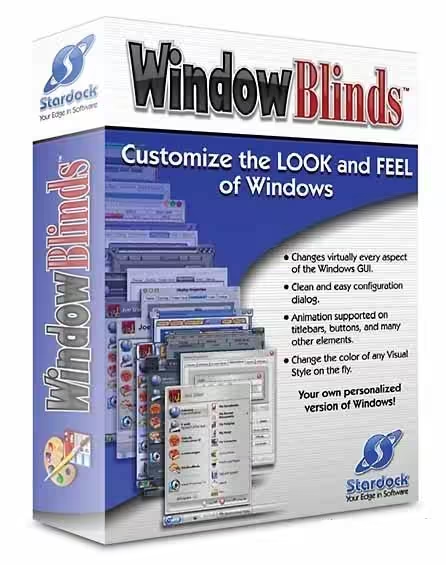
Stardock WindowBlinds is a Windows customization program designed to change the appearance of the desktop, windows, buttons, title bars, taskbars, menus, and other interface elements. Instead of using the standard Windows visual design, users can apply custom skins and themes to create a desktop that matches their personal style.
Whether you want a modern minimalist desktop, a classic Windows appearance, a futuristic interface, or something completely different, WindowBlinds provides a way to customize Windows beyond the personalization options built into the operating system.
This guide answers the most common questions about Stardock WindowBlinds, including its cost, Windows 10 and Windows 11 compatibility, how to use it, free alternatives, and whether older programs can work with Windows 11. It also explains an important point about the search term “window blinds”: Stardock WindowBlinds is software, not physical window blinds for homes or offices.

What Is Stardock WindowBlinds?
Stardock WindowBlinds is desktop customization software developed by Stardock. Its primary purpose is to let Windows users replace or modify the default visual style of the operating system.
Windows already provides some customization features, such as changing wallpapers, accent colors, light and dark modes, and certain theme settings. WindowBlinds goes further by allowing much deeper visual changes through downloadable and customizable skins.
A WindowBlinds skin can alter elements such as:
- Window borders
- Title bars
- Buttons
- Taskbars
- Start menu appearance
- Scrollbars
- Menus
- Control elements
- Colors
- Fonts and visual effects
- Overall desktop style
This makes WindowBlinds particularly attractive to people who spend a lot of time on their Windows PC and want an interface that looks different from the standard Microsoft design.
The software can also appeal to users who prefer older Windows interfaces. For example, someone who dislikes the visual direction of a newer Windows release may use a suitable skin to create a more familiar-looking environment.
How Does WindowBlinds Work?
WindowBlinds works by applying a visual skin to supported areas of the Windows interface. Instead of manually changing individual settings, you select a skin and apply it through the WindowBlinds interface.
The basic process is straightforward:
- Install WindowBlinds.
- Open the WindowBlinds application.
- Browse available skins.
- Select the design you prefer.
- Preview the appearance.
- Apply the skin.
- Adjust additional customization settings if necessary.
The exact appearance and available controls depend on the WindowBlinds version, Windows version, and skin being used.
Is Stardock WindowBlinds Worth Using?
Whether WindowBlinds is worth using depends on how important desktop customization is to you.
If you are satisfied with Windows’ default interface, you may not need additional customization software. However, WindowBlinds can be useful if you want considerably more control over the appearance of your desktop.
Reasons to consider WindowBlinds
1. Extensive visual customization
WindowBlinds provides considerably more customization than changing a wallpaper or accent color.
2. Large selection of styles
Users can choose from different visual themes and styles rather than designing everything from scratch.
3. Personalization
You can create a desktop that reflects your preferred aesthetic, whether that means modern, classic, colorful, dark, futuristic, or minimalist.
4. Useful for themed desktops
People who enjoy building customized PC setups can coordinate WindowBlinds with wallpapers, icons, cursors, and other desktop customization tools.
5. Alternative to the default Windows appearance
If you do not like the standard Windows interface, WindowBlinds gives you another option without changing the operating system itself.
On the other hand, users who prefer a lightweight Windows installation may decide that additional customization software is unnecessary.
How Much Does WindowBlinds Cost?
One of the most common questions surrounding Stardock WindowBlinds is its price.
WindowBlinds is generally offered as commercial software, although Stardock may provide trials, promotions, or different purchasing options depending on the product version and current offers.
Because software pricing can change, users should check the current Stardock product page before purchasing.
The important distinction is that WindowBlinds is not normally the same thing as a permanently free Windows customization utility. If you are looking for completely free personalization software, there are alternative tools available.
Is WindowBlinds free?
WindowBlinds has historically been commercial software rather than a completely free product. A trial or limited evaluation option may be available depending on the current version and Stardock’s offer.
Therefore, if you see a website advertising a “free full version” of WindowBlinds, be cautious. Downloading modified or unauthorized versions can expose your computer to malware, unwanted software, or security risks.
For safety, download Windows customization software from a legitimate source.
Does WindowBlinds 11 Work on Windows 10?
Compatibility depends on the particular version of WindowBlinds.
This is important because WindowBlinds 11 refers to a product generation rather than simply meaning “software that works with Windows 11.” Users should always check the official system requirements for the specific release they intend to install.
If you are running Windows 10, do not assume that every feature or version designed around Windows 11 will work identically on Windows 10.
Before installing, check:
- Supported Windows versions
- 32-bit or 64-bit requirements
- Required system updates
- Hardware requirements
- Skin compatibility
- Known limitations
- Whether a particular WindowBlinds release supports your Windows build
Compatibility can also change after major Windows updates.
What if a skin does not work correctly?
A third-party skin may have been created for an earlier version of Windows or WindowBlinds. If the appearance is broken, missing, or inconsistent, the problem may be the skin rather than the WindowBlinds application itself.
In that situation, try:
- Installing a skin designed for your Windows version.
- Updating WindowBlinds.
- Checking for Windows updates.
- Switching temporarily to another skin.
- Removing recently installed customization tools.
- Checking Stardock’s support information.
Does WindowBlinds Work on Windows 11?
Yes, WindowBlinds is designed to provide Windows customization on supported Windows versions, including Windows 11 in compatible releases.
Windows 11 introduced a noticeably different interface compared with older versions of Windows. This includes changes to the Start menu, taskbar, window styling, icons, menus, and other interface elements.
For users who want additional control over the Windows 11 appearance, WindowBlinds can provide a broader customization layer.
However, not every old skin is necessarily compatible with Windows 11.
Why skin compatibility matters
A skin designed for an older operating system may depend on interface components that Microsoft has changed or removed. As a result, an old theme may not produce the intended appearance on Windows 11.
For the best experience, choose skins specifically intended for your version of Windows and WindowBlinds.
What Is the Best Way to Use WindowBlinds?
The easiest approach is to start with an existing skin rather than immediately trying to customize every element manually.
Step 1: Install WindowBlinds
Download the software from a trustworthy source and complete the installation.
Step 2: Open the application
Launch WindowBlinds after installation. You should see the available customization options and installed skins.
Step 3: Choose a skin
Browse through the available designs. Look for a theme compatible with your version of Windows.
Step 4: Preview the design
Preview the skin before applying it. This lets you see how your windows and desktop may look.
Step 5: Apply the skin
Apply your preferred design. Windows may briefly refresh parts of the interface while the customization is applied.
Step 6: Customize further
Depending on your version and selected skin, you may be able to adjust visual elements such as colors and other appearance options.
Step 7: Keep a default option available
It is a good idea to remember how to return to the standard Windows appearance. If a third-party skin causes unexpected visual behavior, switching back can help determine whether the skin is responsible.
What Are Some Free Alternatives to WindowBlinds on Windows 11?
If you want to customize Windows without paying for WindowBlinds, several alternatives may be worth considering.
The best option depends on what you actually want to customize.
1. Windows Personalization
Before installing third-party software, check the customization options already included with Windows 11.
You can change things such as:
- Wallpaper
- Colors
- Light and dark mode
- Lock screen settings
- Themes
- Transparency-related settings
- Some taskbar and Start menu options
This is the safest and simplest choice for basic customization.
2. Open-source customization tools
There are open-source Windows customization projects that modify specific parts of the interface. These can be powerful but may require more technical knowledge.
Always research the project, check its compatibility with your Windows version, and download software from its legitimate project page.
3. Rainmeter
Rainmeter is popular among Windows customization enthusiasts. It is particularly useful for desktop widgets, system information, clocks, meters, launchers, and visual overlays.
Rainmeter does not work exactly like WindowBlinds. It is better understood as a desktop customization and widget platform rather than a complete Windows skinning replacement.
4. Explorer customization utilities
Some tools focus specifically on File Explorer, the taskbar, Start menu, or context menus. These can be useful if you only want to modify one part of Windows rather than the entire visual environment.
Which alternative is best?
For basic customization, built-in Windows personalization may be enough.
For desktop widgets and information displays, Rainmeter can be a strong choice.
For broad visual skinning, WindowBlinds remains more directly focused on the task.
What Software Does Not Work With Windows 11?
There is no single list of every program that does not work with Windows 11 because compatibility depends on the software, version, hardware, drivers, and Windows configuration.
Older programs can encounter problems for several reasons.
Common compatibility issues
Outdated system requirements:
Some programs were designed for much older Windows versions.
Old drivers:
Applications that depend on old drivers may not function correctly.
Unsupported system components:
A program may depend on Windows features that Microsoft has changed or removed.
Security restrictions:
Newer Windows security policies can prevent older software from operating normally.
Hardware dependencies:
Specialized software may depend on hardware that is no longer supported.
Interface modifications:
Older customization utilities can be particularly sensitive to major Windows interface changes.
If you need an older application, check whether the developer offers a Windows 11-compatible release before installing it.
Will Older Programs Run on Windows 11?
Many older Windows programs can still run on Windows 11, but there is no universal guarantee.
Compatibility depends on how the program was built and which Windows components it requires.
Windows includes compatibility features that can sometimes help older applications run. If a program does not work normally, you can try Windows’ compatibility troubleshooting options.
However, compatibility mode cannot fix every problem.
For example, if an old application depends on discontinued hardware drivers or system components, compatibility settings may not be enough.
Before installing old software
Check:
- The developer’s website
- Supported operating systems
- User reports
- Software version
- Required drivers
- Security warnings
- Whether a newer version exists
This is especially important for old system utilities and desktop customization programs because they interact more deeply with Windows than ordinary applications.
Is Stardock WindowBlinds Safe?
When obtained from a legitimate source and used with compatible software and skins, WindowBlinds is a mainstream Windows customization application.
However, the safety of a program can depend heavily on where you download it from.
Search results may include websites offering modified installers, unofficial “full versions,” cracked software, or suspicious downloads. These files can carry risks that have nothing to do with the legitimate WindowBlinds application.
How to use WindowBlinds more safely
Follow these practices:
- Download the application from a reputable source.
- Avoid cracked or pirated versions.
- Keep Windows updated.
- Keep your security software enabled.
- Be careful with unknown third-party skins.
- Review permissions before installing additional software.
- Avoid suspicious installers and bundled programs.
- Keep backups of important files.
A customized desktop is not worth compromising the security of your computer.

What Is the Difference Between WindowBlinds and Windows Themes?
Windows themes and WindowBlinds both affect the appearance of your computer, but they provide different levels of customization.
Windows Themes
Windows themes are integrated into the operating system. They can control elements such as:
- Wallpaper
- Colors
- Sounds
- General appearance
- Certain interface preferences
They are convenient and usually require no additional software.
WindowBlinds
WindowBlinds is designed to provide deeper visual customization. Depending on the version and skin, it can change the appearance of window frames, buttons, menus, taskbars, and other interface components.
In simple terms:
Windows Themes = built-in personalization
WindowBlinds = advanced third-party visual customization
If you only want a new wallpaper and color scheme, Windows’ built-in tools may be enough. If you want a substantially different desktop style, WindowBlinds is more appropriate.
Why Do People Use WindowBlinds?
There are several reasons users install desktop customization software.
Personal expression
Your computer is something you may use every day. Customizing its appearance can make it feel more personal.
Productivity
Some people find that a carefully organized and visually consistent desktop makes it easier to work.
Nostalgia
Users who preferred older Windows interfaces may enjoy recreating a classic visual style.
Themed PC setups
Gaming and enthusiast PCs often use coordinated wallpapers, RGB lighting, icons, cursors, and desktop skins.
Accessibility and visual preference
Changing colors and interface elements can sometimes make a desktop more comfortable to use, although users with specific accessibility needs should also rely on Windows’ dedicated accessibility settings.
Is WindowBlinds Better Than a Regular File Manager?
This comparison is not quite accurate because WindowBlinds and file managers perform completely different jobs.
A file manager helps you browse, organize, copy, move, rename, and manage files and folders.
WindowBlinds changes the visual appearance of Windows.
For example:
- File Manager → manages files
- WindowBlinds → customizes the Windows interface
You might use both applications on the same computer, but they are not direct alternatives.
Why Are WindowBlinds So Expensive?
The question “Why are window blinds so expensive?” can have two different meanings.
If you are asking about Stardock WindowBlinds, the price reflects commercial software development, maintenance, compatibility work, updates, support, and the creation or distribution of customization features.
If you are asking about physical window blinds, that is a completely different product category. Physical blinds can vary in price depending on materials, size, design, motorization, installation, and brand.
The keyword Stardock WindowBlinds specifically refers to computer software.
Is Stardock WindowBlinds Good for Windows 11?
For users who prioritize visual customization, WindowBlinds can be a useful Windows 11 customization tool.
Its main advantage is that it focuses on changing the overall visual experience rather than only modifying one small setting.
However, whether it is “good” depends on your needs.
WindowBlinds may be a good choice if:
- You enjoy customizing Windows.
- You want more than built-in Windows themes.
- You like downloadable desktop skins.
- You want a different appearance for windows and interface elements.
- You enjoy themed PC setups.
It may not be necessary if:
- You prefer the default Windows interface.
- You want the fewest background utilities possible.
- You only need to change wallpaper and colors.
- You do not want third-party software modifying the desktop.
How to Choose the Right WindowBlinds Skin
Choosing a skin is more important than many new users realize.
A visually impressive theme may not necessarily provide the best everyday experience.
Look for compatibility
Choose skins designed for your Windows version and WindowBlinds release.
Consider readability
Extremely dark, bright, or decorative themes can make text difficult to read.
Check contrast
Buttons and menus should remain easy to distinguish.
Avoid unnecessary complexity
A clean theme may be more comfortable for daily use than one filled with visual effects.
Match your wallpaper
A coordinated wallpaper and skin can make the entire desktop look more polished.
Consider performance
If your computer is older or already under heavy load, avoid unnecessary visual effects and background customization utilities.
What Should You Do If WindowBlinds Causes Problems?
Most customization problems can be investigated systematically.
First, switch back to the default Windows appearance. If the problem disappears, the skin or customization software may be involved.
Next, check whether a newer version of WindowBlinds is available.
You can also try:
- Restarting Windows.
- Installing available Windows updates.
- Updating WindowBlinds.
- Trying a different skin.
- Removing recently installed customization software.
- Checking official support documentation.
- Restoring the default Windows theme if necessary.
If a Windows update suddenly causes a customization tool to malfunction, the developer may need to release an update before full compatibility is restored.
Can WindowBlinds Slow Down a PC?
The impact of desktop customization software varies depending on the computer, Windows version, skin, and features being used.
A modern PC generally has enough resources for ordinary desktop customization, but complex visual effects can consume additional system resources.
If you notice slower performance after installing customization software, compare the system with WindowBlinds enabled and disabled.
You can also reduce the number of visual effects or use a simpler skin.
For users with older hardware, lightweight themes and fewer background utilities may provide a better experience.
Can You Use WindowBlinds With Other Customization Software?
Technically, users can install multiple Windows customization applications, but combining several tools that modify the same interface components can create conflicts.
For example, if two applications attempt to change the taskbar or Start menu simultaneously, unexpected behavior may occur.
Potential problems include:
- Visual glitches
- Settings being overwritten
- Increased resource usage
- Inconsistent interface elements
- Problems after Windows updates
For a stable setup, avoid installing several tools that perform exactly the same system modifications unless you understand how they interact.
What Are the Four Types of Utility Software?
This question is broader than WindowBlinds, but it is useful to understand the category.
Utility software generally helps users maintain, manage, configure, protect, or optimize a computer.
Common categories include:
1. File management utilities
These help users organize, copy, move, search, compress, or manage files.
2. System maintenance utilities
These can assist with tasks such as cleanup, optimization, diagnostics, and system management.
3. Security utilities
Antivirus, anti-malware, firewall-related tools, and other security programs fall into this broad category.
4. Backup and recovery utilities
These help users create backups and recover data or system configurations.
WindowBlinds is better described as a desktop customization utility rather than a traditional disk cleanup, backup, or security utility.
What Are Five Examples of Utility Software?
Examples can include:
- File compression tools
- Backup applications
- Disk management utilities
- System diagnostic tools
- Security software
Desktop customization software can also be considered a type of utility depending on how utility software is categorized.
The main purpose of utility software is generally to help manage or improve some aspect of a computer system.
Can WindowBlinds Replace Windows 11 Completely?
No.
WindowBlinds is a customization application, not a replacement operating system.
It works within Windows and changes supported visual elements. Windows itself continues to provide the underlying operating system, security framework, drivers, applications, services, and hardware support.
Think of WindowBlinds as a visual customization layer, not a new version of Windows.
Is WindowBlinds Suitable for Beginners?
Yes, the basic concept is relatively easy to understand.
A beginner does not need to manually modify Windows system files to start customizing the desktop. Instead, the user can generally select a skin and apply it through the program.
Advanced users can explore additional customization options, while beginners can keep things simple.
A good starting strategy is:
Install → choose a compatible skin → preview → apply → customize gradually.
This minimizes the chance of making unnecessary changes before you understand the software.
Frequently Asked Questions About Stardock WindowBlinds
What is Stardock WindowBlinds?
Stardock WindowBlinds is Windows customization software that allows users to change the visual appearance of supported Windows interface elements using skins and themes.
How much does WindowBlinds cost?
WindowBlinds is commercial software, although pricing, trials, promotions, and available editions can change. Check the current Stardock offering before purchasing.
Does WindowBlinds 11 work on Windows 10?
Compatibility depends on the specific WindowBlinds release and supported Windows versions. Check the product’s current system requirements rather than assuming that every WindowBlinds 11 feature works on Windows 10.
What is the best free alternative to WindowBlinds?
There is no single best alternative for everyone. Built-in Windows personalization is best for simple changes, while tools such as Rainmeter are useful for desktop widgets and advanced desktop customization.
Is WindowBlinds safe?
The legitimate WindowBlinds application can be used safely when obtained from a trustworthy source. Avoid cracked installers and suspicious third-party downloads, as they can contain malware or unwanted software.
How do I use WindowBlinds?
Install the application, open it, select a compatible skin, preview it, and apply the design. You can then explore additional customization settings.
Will older programs run on Windows 11?
Many older Windows programs run on Windows 11, but compatibility varies. Programs that depend on obsolete drivers, system components, or hardware may not work correctly.
What software does not work with Windows 11?
There is no universal list because compatibility depends on each application’s version and requirements. Older programs that rely on unsupported drivers or Windows components are more likely to experience problems.
Why do people use WindowBlinds?
People use WindowBlinds to personalize their desktop, apply custom skins, recreate classic Windows styles, build themed PC environments, and gain more visual control than Windows’ built-in personalization provides.
Is WindowBlinds better than Windows themes?
WindowBlinds offers deeper customization, while Windows themes are simpler and built directly into Windows. The better choice depends on how much customization you want.
Can WindowBlinds customize Windows 11?
Compatible WindowBlinds releases can provide extensive visual customization for supported Windows 11 environments. Skin compatibility should be checked before installation.
Can WindowBlinds slow down my computer?
Customization software can use additional system resources, particularly when complex visual effects are enabled. The impact depends on your hardware, Windows version, and selected skin.
Can I use several Windows customization tools together?
You can, but using multiple tools that modify the same Windows components may cause conflicts. For a more stable setup, avoid overlapping customization utilities unless they are known to work together.
Final Verdict: Is Stardock WindowBlinds Worth It?
Stardock WindowBlinds is primarily designed for Windows users who want more control over the look and feel of their desktop than the standard Windows personalization tools provide.
Its biggest advantage is visual customization. Instead of simply changing wallpaper or an accent color, users can apply broader interface styles and skins. This makes WindowBlinds particularly appealing to Windows enthusiasts, customization fans, and anyone who wants a distinctive desktop.
For users who only need basic personalization, the built-in Windows settings may be sufficient. Those looking for free options can also explore alternative customization tools, depending on the specific part of Windows they want to modify.
Before installing WindowBlinds, always verify Windows compatibility, skin compatibility, system requirements, and current pricing. Most importantly, obtain the software and additional skins from trustworthy sources rather than downloading cracked or modified versions.
Overall, WindowBlinds is a specialized desktop customization solution rather than a general Windows utility. If your main goal is to transform the visual appearance of Windows 10 or Windows 11, it can be a practical option worth considering.
Download Now
Stardock WindowBlinds Latest Version
- Download Option 1:
Download from Theuser.cloud - Download Option 2:
Download from Usersdrive
File Details:
- Size: 98.0 MB
- System Type: 32-bit / 64-bit
- Setup Type: Offline / Standalone