
Table of Contents
UMT Unisoc Module v1.7 Technical Guide (2026)
Summary
The UMT Unisoc Module is an essential tool for local PC installation, providing a single-package setup for its users. This tool is compatible with Windows 11/10, and even older versions of Windows, ensuring broad accessibility for Indian users seeking effective solutions for mobile device management. With a free trial option and official access available, you can explore its features without any risk. To learn more about this tool, visit this link.
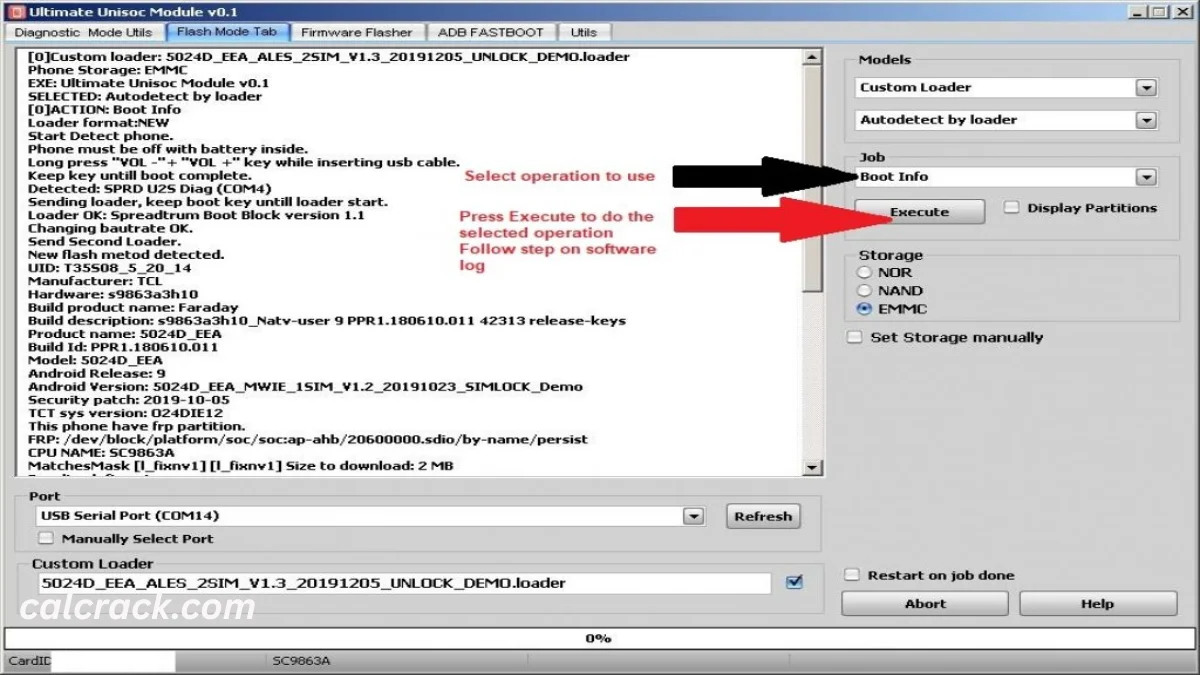
Core Functionality: What Makes This Tool Unique?
The UMT Unisoc Module v1.7 is designed specifically for devices powered by SpreadTrum/Unisoc SOC. Its architecture not only allows flashing the stock ROM but also facilitates the removal of FRP locks, screen locks, and privacy locks. Additionally, it aids in repairing invalid IMEI issues, making it a versatile choice for mobile servicing. The tool’s intuitive interface allows both beginners and experienced users to navigate its features with ease.
This tool significantly enhances mobile optimization and servicing. With its streamlined operations, users can execute various functions seamlessly, such as flashing PAC and XML files on smartphones, feature phones, and tablets. This straightforward process is invaluable for professionals in the mobile repair domain, allowing them to deliver quicker and effective solutions to their clients.
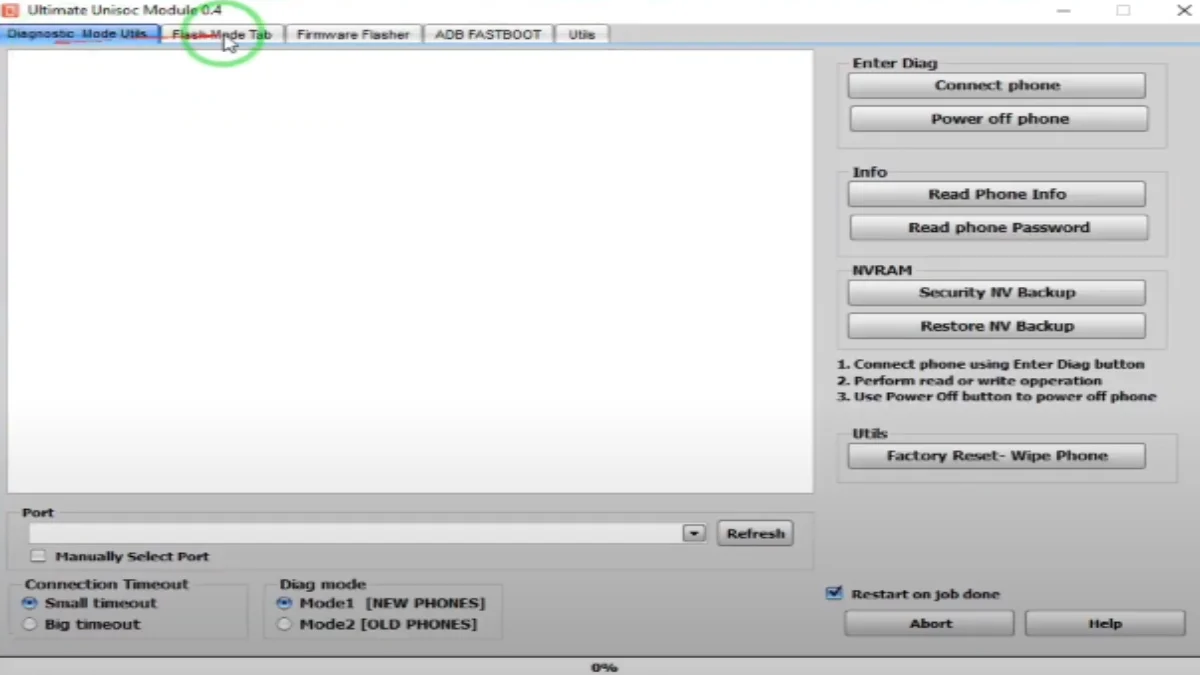
Advanced Capabilities of UMT Unisoc Module
- Flash Stock ROM: Easily flash stock ROM on SpreadTrum devices.
- Remove FRP Lock: Quickly reset factory reset protection for better accessibility.
- Reset Screen Locks: Effective for bypassing unwanted screen locks.
- Privacy Lock Reset: Restore device settings for immediate access.
- Repair Invalid IMEI: Fix IMEI issues with simple commands.
- PAC Flasher: Experience efficient flashing of PAC files for custom ROMs.
- XML Flasher: Utilize XML files for enhanced system adaptability.
- Device Compatibility: Works with a wide range of SpreadTrum-powered devices.
- User Interface: Simple and user-friendly design for effortless navigation.
- Multi-language Support: Cater to users in multiple languages for better understanding.
- Automatic Device Detection: Quickly identifies connected devices for seamless execution.
- Backup and Restore: Enable users to protect their data before flashing.
- Read/Write Firmware: Access advanced firmware operations for comprehensive control.
- Update Checker: Stay up to date with the latest tool version alerts.
- Comprehensive Tutorial: Full guide included for first-time users.
- Fast Flashing Speed: Optimized for quick and efficient flashing operations.
- Community Support: Access forums and online communities for additional help.
- Secure Tool: Tools are scanned for viruses ensuring user safety.
- Continuous Development: Regular updates to avoid bugs and improve functionality.
Hardware & Environment Specifications
| Specification | Requirement |
|---|---|
| OS Compatibility | Windows 11/10 and older versions |
| RAM | Minimum 2 GB |
| Processor | Intel or AMD processor with 2.0 GHz |
| USB Drivers | SPD/Unisoc USB Driver required |
| Hard Disk Space | At least 300 MB free space for installation |
| Screen Resolution | 1024 x 768 or higher |
| Connectivity | USB cable for device connection |
Installation Guide
The installation process for UMT Unisoc Module is simplified into a few steps, ensuring an effortless experience for the users. Follow these steps for a successful installation:
- Download the UMT Unisoc Module Tool from the provided links.
- Extract the zip file to a desired location on your PC.
- Install the SPD/Unisoc USB Driver.
- Launch the UMT Unisoc Module Tool.
Common Errors & Fixes
| Error | Solution |
|---|---|
| Driver not detected | Install the latest SPD/Unisoc USB Driver. |
| Device not responding | Check the USB connection; ensure your device is in flash mode. |
| Unable to flash ROM | Ensure you selected the correct flash file format. |
| Tool not launching | Check for sufficient RAM and close any unnecessary applications. |
| IMEI not repaired | Check the device model and try using a different method in the tool. |
Real Usage Workflow of UMT Unisoc Module for PC Users
After the installation of the UMT Unisoc Module, users can quickly initiate the application. Upon launching the program, the user is greeted with an interface that makes initial settings adjustments intuitive. Navigating to the PAC Flasher tab, the user can conveniently choose the desired stock ROM for their device. This marks the beginning of a smooth workflow where they can perform the first flashing task without confusion.
Once settled into the daily use of the software, users can experience enhanced performance without unnecessary delays. With the tool handling multiple operations simultaneously, the workflow remains uninterrupted. The tool’s optimization ensures that tasks such as IMEI repairs and lock removals are executed promptly, thereby increasing efficiency and productivity during mobile servicing.
This module’s real power is derived from its reliability and ease of use, as users continuously find new ways to leverage its capabilities. The ability to adapt to changing mobile servicing needs allows technicians to maintain a competitive edge in the industry.
Alternative Tool
While the UMT Unisoc Module is a remarkable tool, users might want to consider alternatives for specific requirements. For instance, Qualcomm Product Support Tool is another alternative that specializes in Qualcomm-based devices and offers diverse functionalities for flashing and servicing. Similarly, tools like QFIL also serve specific needs efficiently.
Looking into these alternatives, users can compare capabilities and select the tool that best suits their needs. The mobile servicing ecosystem is vast, and the right tools ensure that each technician can find their perfect fit, enhancing service quality for customers.
Important FAQ
Question?
Answer
What is UMT Unisoc Module?
It is a tool used for flashing stock ROMs on SpreadTrum/Unisoc SOC devices.
Is it compatible with all Windows versions?
Yes, it works with Windows 11/10 and older versions.
Can I use it without a UMT box?
No, a UMT box/dongle is necessary to run the tool.
What should I do if the tool does not detect my device?
Check if the SPD/Unisoc USB driver is installed correctly.
Can I recover data after flashing?
Flashing a stock ROM will erase your data; ensure you have a backup.
Is there a trial version available?
Yes, a free trial version can be accessed for testing the tool.
How often is the tool updated?
The UMT team regularly updates the tool for better performance and features.
Can I flash other devices?
This tool is specifically designed for SpreadTrum/Unisoc devices only.
Final Verdict
As we move further into 2026, the UMT Unisoc Module v1.7 stands as a powerful aid in mobile servicing. Its array of functions tailored for SpreadTrum devices coupled with its user-friendly interface makes it a solid choice for technicians and hobbyists alike.
Download Now
UMT Unisoc Tool Latest Version
- Version: v1.7
- File Size: 143.8 MB
- System Type: Windows
- Setup Type: Offline
- Download (Direct)
- Download (G-Drive)
Old Versions
- Version: v1.1
Download (Direct) |
Download (G-Drive) - Version: v0.9
Download (Direct) |
Download (G-Drive) - Version: v0.8
Download (Direct) |
Download (G-Drive) - Version: v0.7
Download (Direct) |
Download (G-Drive) - Version: v0.61
Download (Direct) |
Download (G-Drive) - Version: v0.4
Download (Direct) |
Download (G-Drive) - Version: v0.2
Download (Direct) |
Download (G-Drive) - Version: v0.1
Download (Direct) |
Download (G-Drive)