Table of Contents
Ashampoo PDF Pro: Complete Setup Guide
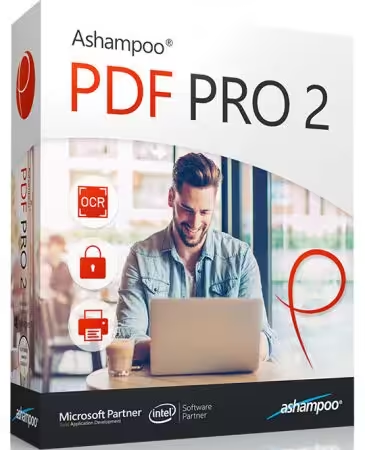
Ashampoo PDF Pro is a professional PDF editing and document-management program designed for Windows users who want more than a basic PDF reader. It allows you to create, edit, convert, merge, protect, annotate, and manage PDF documents from one desktop application.
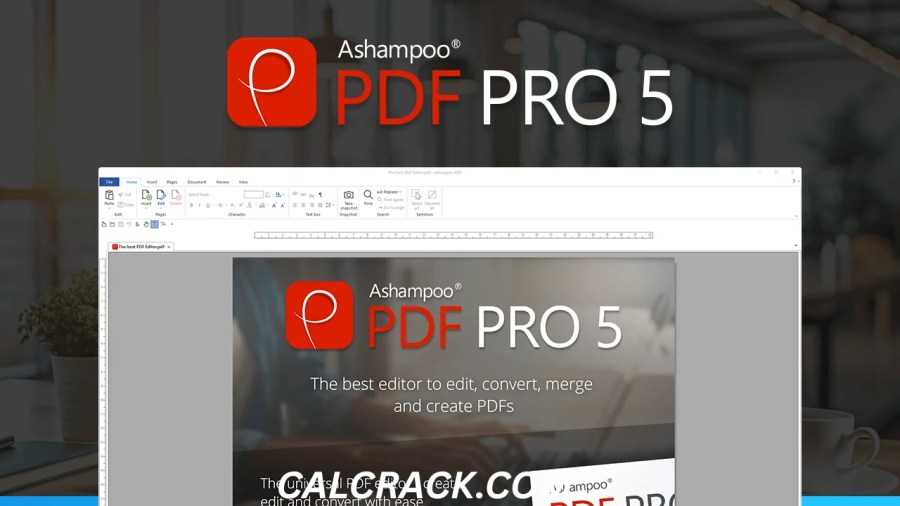
The current product is Ashampoo PDF Pro 5, which Ashampoo describes as a complete PDF package for creating, editing, converting, merging, and protecting PDF files. The software supports Windows 10 and Windows 11 and is sold with a lifetime license rather than a recurring subscription for the product listed on Ashampoo’s current store page. (Ashampoo)
But is Ashampoo PDF Pro worth paying for when there are free PDF editors available? Is Ashampoo software safe? Is PDF Pro 5 actually good? And can you edit PDFs without paying?
This detailed guide answers those questions and explains the major features, pricing, system requirements, free alternatives, and practical advantages and disadvantages of Ashampoo PDF Pro.
What Is Ashampoo PDF Pro?
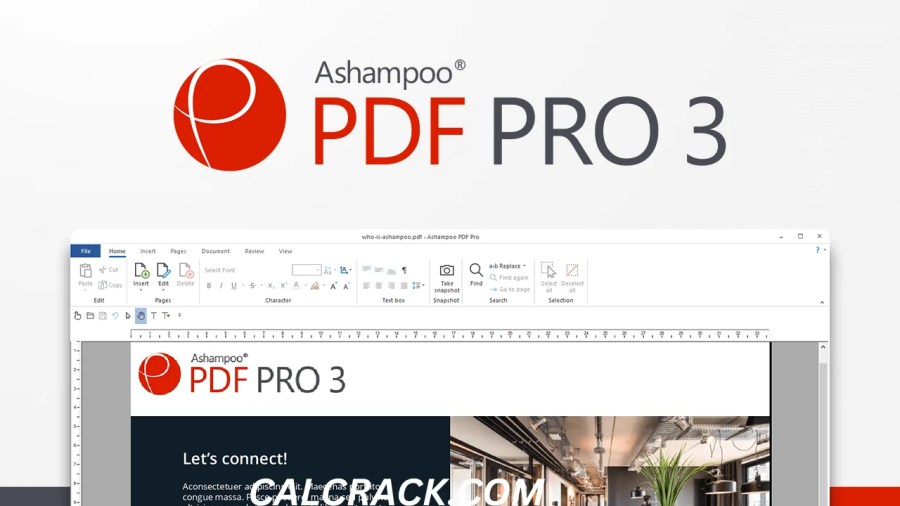
Ashampoo PDF Pro is a Windows PDF editor and document-management application.
It is designed to make PDF documents easier to create, edit, organize, convert, and protect. Instead of using one program to read a PDF, another to edit it, and another to convert it, PDF Pro attempts to combine many common PDF tasks into one application.
According to Ashampoo, PDF Pro can be used to:
- Create PDF documents
- Edit existing PDFs
- Convert documents
- Merge PDF files
- Protect PDFs
- Encrypt documents
- Add annotations
- Work with PDF pages
- Create documents intended for different devices
- Edit PDFs in a workflow similar to working with word-processing documents
Ashampoo positions PDF Pro 5 as a complete PDF solution rather than simply a PDF reader. (Ashampoo)
This makes it particularly relevant for students, office workers, freelancers, small businesses, teachers, and home users who regularly work with PDF files.
Is Ashampoo PDF Pro Good?
Yes, Ashampoo PDF Pro is a capable PDF editor, particularly for Windows users who want an all-in-one desktop application.
Its biggest advantage is the combination of PDF editing, creation, conversion, merging, and security features in one package.
For example, someone who works with contracts might need to:
- Open a PDF.
- Correct text.
- Add a note.
- Insert an image.
- Rearrange pages.
- Protect the document.
- Save the finished file.
Using a dedicated PDF application can make this workflow easier than switching between several unrelated programs.
Ashampoo currently lists PDF Pro 5 with a 4.4/5 customer rating based on more than 1,100 verified customer ratings on its product pages. The exact review count can change as new ratings are added. (Ashampoo)
However, whether it is the best PDF editor depends on what you need. Users who only want to read PDFs or perform occasional basic edits may not need a paid application. There are also completely free solutions such as PDF24.
Is Ashampoo PDF Pro 5 Good?
Ashampoo PDF Pro 5 is a strong option for users who want a full-featured Windows PDF editor without committing to a recurring subscription for the listed lifetime license.
The software is particularly attractive if you frequently work with PDF documents and need several features in one application.
Its main strengths include:
- PDF editing
- PDF creation
- Conversion
- Document merging
- PDF protection
- Encryption
- Page management
- Professional document workflows
- Windows 10 and Windows 11 support
- Lifetime licensing
Ashampoo’s current product page lists PDF Pro 5 as a lifetime-license product. (Ashampoo)
The main limitation is that it is not a universal solution for every platform. The current official requirements list Windows 10 and Windows 11, so users looking for a native Mac, Linux, Android, or iPhone desktop application should consider other options. (Ashampoo)
Ashampoo PDF Pro Features
1. Edit PDF Documents
The primary reason people choose PDF Pro is the ability to modify existing PDF documents.
Rather than treating a PDF as an untouchable image, a dedicated PDF editor can allow you to work with elements inside the document.
Common editing tasks can include changing document content, adjusting layouts, adding elements, and correcting information.
This is particularly helpful when you receive a PDF containing a typo or outdated information and still have to return it as a PDF.
2. Create PDF Files
Ashampoo PDF Pro is not limited to opening existing PDF files.
You can also create PDF documents.
This is useful when producing:
- Reports
- Forms
- Business documents
- Educational material
- Instructions
- Digital paperwork
- Printable documents
Creating PDFs directly from a dedicated PDF application can help maintain consistent formatting.
3. Convert PDF Documents
PDF conversion is another important part of professional document workflows.
You may receive information in one format but need to deliver it in another. A PDF editor with conversion functionality can reduce the need to use separate applications.
This can be useful for users who regularly work with documents between different formats.
However, conversion quality can vary depending on how the original document was created. A simple text document is usually easier to convert accurately than a heavily designed PDF containing complex columns, images, fonts, forms, and graphical elements.
4. Merge PDFs
Combining several PDF files into one document is a common office task.
For example, imagine you have:
- Cover page
- Application form
- Identification document
- Supporting letter
- Invoice
Instead of sending five separate attachments, you may want to create one organized PDF.
PDF management software can make this workflow much easier.
Ashampoo specifically lists PDF merging among the capabilities of PDF Pro 5. (Ashampoo)
5. Protect PDF Files
PDF Pro can also be used to protect documents.
Document protection can be important when sharing sensitive information.
Depending on the document and security settings, protection can help control how a PDF is accessed or modified.
Ashampoo states that PDF Pro can use encryption to protect PDF documents. (Ashampoo)
Users should still remember that no PDF protection method should be treated as a substitute for broader security practices. Sensitive documents should be stored and transmitted carefully.
Is Ashampoo Software Safe?
Ashampoo is an established software publisher, and Ashampoo PDF Pro is an official product distributed through Ashampoo’s website.
Ashampoo operates an official software platform through which its own products and partner products can be downloaded and managed. The company says its platform uses SSL encryption, follows GDPR requirements, provides updates, and distributes verified digitally signed software from trusted sources. (Ashampoo)
That makes downloading Ashampoo PDF Pro from the official Ashampoo website considerably preferable to obtaining it from an unknown third-party download page.
For a safer installation:
- Download from the official Ashampoo website.
- Avoid cracked editions.
- Avoid key generators.
- Do not use modified installers from unknown websites.
- Keep Windows updated.
- Keep the application updated.
- Review installation options before clicking through the installer.
A major safety issue with software searches is not necessarily the legitimate program itself but unofficial copies. A website offering “Ashampoo PDF Pro full version free” may provide an altered installer, outdated build, unwanted bundled software, or malware.
For that reason, the safest approach is to use the publisher’s official download channel.
Is Ashampoo PDF Pro Free?
No, the full version of Ashampoo PDF Pro 5 is not permanently free.
The official Ashampoo product page currently lists PDF Pro 5 as a paid product with a lifetime license. At the time of checking, the page displayed a promotional price of $40, reduced from $80, although prices and promotions can change. (Ashampoo)
This means you should distinguish between:
- Free PDF reader
- Free PDF editor
- Free trial
- Discounted paid version
- Lifetime license
Ashampoo PDF Pro belongs to the paid professional PDF-editor category.
If your goal is simply to read PDFs, you do not need to purchase PDF Pro. If you need frequent editing and document-management features, however, the paid application may provide better convenience than relying on several free tools.
Does Ashampoo PDF Pro Have a Lifetime License?
Yes.
The current Ashampoo PDF Pro 5 product page lists a lifetime license. (Ashampoo)
This is an important difference for people comparing PDF software subscriptions.
A lifetime license generally means you purchase the listed version and can continue using that licensed version rather than paying every month.
However, users should distinguish a lifetime license for a particular product/version from guaranteed access to every future major release. Upgrade policies can differ when a new major version is released.
Ashampoo also currently lists an upgrade option for owners of older versions. (Ashampoo)
How Much Does Ashampoo PDF Pro Cost?
Ashampoo’s current product page lists the regular price of PDF Pro 5 at $80, while another current product page displays a promotional price of $40. Because Ashampoo runs promotions, the actual price you see may differ depending on the offer available when you visit the store. (Ashampoo)
The product includes:
- Lifetime license
- Windows support
- 30-day money-back guarantee
Ashampoo currently lists the money-back period as 30 days. (Ashampoo)
Therefore, anyone researching Ashampoo PDF Pro price should check the current official product page before purchasing rather than relying on an old article or cached price.
Ashampoo PDF Pro System Requirements
The current official requirements page lists:
Operating systems:
- Windows 11
- Windows 10
Ashampoo states that the program requires an internet connection to activate the software, and that the license is verified repeatedly at regular intervals. (Ashampoo)
This is worth knowing if you intend to use PDF Pro on an isolated computer.
The current requirements are relatively straightforward, but you should always check the official requirements before installation because software compatibility can change with future versions.
Does Ashampoo PDF Pro Work on Windows 11?
Yes.
Windows 11 is officially supported by Ashampoo PDF Pro 5. (Ashampoo)
This makes it suitable for modern Windows 11 PCs and laptops.
If you’re using Windows 11 and want a desktop PDF editor rather than a browser-based tool, PDF Pro 5 is an option worth considering.
Does Ashampoo PDF Pro Work on Windows 10?
Yes.
Ashampoo’s current requirements specifically list Windows 10 as a supported operating system. (Ashampoo)
This means users who have not moved to Windows 11 can still use the current product, assuming their system meets the stated requirements.
Is Ashampoo PDF Pro Available for Mac?
The current official system requirements for PDF Pro 5 list Windows 10 and Windows 11. They do not list macOS as a supported operating system. (Ashampoo)
Therefore, users searching for Ashampoo PDF Pro for Mac should not assume that a Windows installer will work natively on macOS.
Mac users may want to consider a PDF editor specifically designed for macOS or a browser-based PDF solution.
Is Ashampoo PDF Pro Available for Android?
Ashampoo PDF Pro 5’s official requirements are for Windows 10 and Windows 11. (Ashampoo)
It should therefore not be confused with an Android PDF-editing application.
If you see an APK claiming to be an official version of Ashampoo PDF Pro, verify its source carefully before installing it.
For Android users, a dedicated Android PDF editor from a reputable publisher is generally more appropriate.
What Can You Do With Ashampoo PDF Pro?
A typical PDF workflow might look like this:
Step 1: Open the document
Load the PDF into PDF Pro.
Step 2: Inspect the document
Review the text, pages, graphics, and layout.
Step 3: Edit the content
Make the required corrections or additions.
Step 4: Organize pages
Merge, rearrange, or manage pages as necessary.
Step 5: Add protection
If the document contains sensitive information, configure suitable protection.
Step 6: Save the final PDF
Export or save the completed document for sharing or archiving.
This workflow is one of the reasons all-in-one PDF applications can be useful.
Ashampoo PDF Pro for Students
Students often deal with PDFs every day.
Common tasks include:
- Reading lecture notes
- Editing assignments
- Adding annotations
- Combining research documents
- Creating reports
- Converting documents
- Preparing documents for printing
- Organizing reference material
For someone who only needs to read PDFs, purchasing a professional editor may be unnecessary.
But students who frequently manipulate PDF files can benefit from having editing and organization features in one application.
Free tools may be enough for occasional work, especially when budgets are limited.
Ashampoo PDF Pro for Business
Businesses frequently depend on PDF documents for communication and record keeping.
Examples include:
- Contracts
- Invoices
- Reports
- Forms
- Proposals
- Manuals
- Policies
- Applications
- Internal documentation
A professional PDF application can reduce the number of separate tools employees need.
The security capabilities are also relevant when documents contain business information. Ashampoo specifically highlights encryption and document protection as part of PDF Pro’s feature set. (Ashampoo)
Organizations should nevertheless evaluate licensing, security policies, document workflows, and compliance requirements before deploying software across many computers.
Ashampoo PDF Pro vs Free PDF Editors
One of the biggest questions is whether you actually need to buy PDF Pro.
There are plenty of free PDF tools.
For example, PDF24 Creator is available completely free of charge and without restrictions according to its official website. It includes PDF creation, merging, splitting, conversion, compression, OCR, a PDF reader, PDF printing, and other tools. (PDF24 Tools)
PDF24 Creator is also designed to work offline, with files remaining on the user’s PC. (PDF24 Tools)
That makes it an excellent alternative for users whose priority is avoiding paid software.
Is PDF24 Completely Free?
Yes.
According to PDF24’s official website, PDF24 Creator can be used free of charge without limitations, including by companies and organizations. (PDF24 Tools)
The desktop PDF24 Creator includes:
- PDF reader
- PDF creation
- PDF merging
- PDF splitting
- PDF conversion
- PDF compression
- OCR
- PDF printing
- Page organization
- Other PDF tools
PDF24 states that the desktop Creator works offline and keeps files on the PC. (PDF24 Tools)
This makes PDF24 particularly attractive to users who ask:
“What is the best 100% free PDF editor?”
There isn’t one universal best choice, but PDF24 is one of the strongest free Windows-oriented options for a broad range of PDF tasks.
Is There a Fully Free PDF Editor?
Yes, fully free PDF tools exist, but their feature sets differ.
PDF24 is one example.
Its online PDF editor is also free and does not require a subscription or registration. PDF24 says its online files are transferred over SSL and automatically removed from its servers after a short period. (PDF24 Tools)
For sensitive files, however, users should understand the difference between online and offline processing.
With an online PDF editor, your document is processed through remote servers.
With PDF24 Creator’s desktop version, files remain on your PC. (PDF24 Tools)
This distinction can matter for confidential documents.
Can I Edit a PDF Without Adobe?
Yes.
You do not need Adobe software to edit every PDF.
Alternative desktop and online applications can provide PDF editing functionality.
Ashampoo PDF Pro is one paid alternative, while PDF24 offers a free collection of PDF tools. (Ashampoo)
The best choice depends on what you need.
If you only need:
- Merge
- Split
- Compress
- Convert
- Basic annotations
a free tool may be sufficient.
If you need a more complete professional editing environment, a paid application such as PDF Pro may be more appropriate.
What Is the Best 100% Free PDF Editor?
There is no single answer for every user.
However, PDF24 Creator is one of the most compelling free options for Windows because its official offering includes a wide range of PDF tools without charging users for the desktop software. (PDF24 Tools)
PDF24 also includes an integrated PDF reader and PDF printer. (PDF24 Tools)
For users who prioritize:
- No subscription
- No license fee
- Offline processing
- Windows support
- PDF creation
- PDF conversion
- PDF organization
PDF24 is worth considering.
However, Ashampoo PDF Pro may be preferable when the user wants a commercial product with a more traditional professional PDF-editing workflow and vendor-supported licensing.
Which Is Better: Ashampoo PDF Pro or PDF24?
The answer depends on your priorities.
| Feature | Ashampoo PDF Pro 5 | PDF24 Creator |
|---|---|---|
| PDF editing | Yes | Yes, with various tools |
| PDF creation | Yes | Yes |
| PDF conversion | Yes | Yes |
| PDF merging | Yes | Yes |
| PDF protection | Yes | Yes |
| Offline use | Desktop software | Yes |
| Windows support | Windows 10/11 | Windows 10/11 |
| Free forever | No | Yes |
| Lifetime paid license | Yes | Not needed |
| Online tools | Not the primary model | Yes |
| Mac desktop app | Not listed | No desktop Creator; online tools available |
| Android/iPhone online tools | Not the desktop product | Online tools available |
PDF24 officially states that Creator is free without limitations and that the desktop application works offline. (PDF24 Tools) Ashampoo lists PDF Pro 5 as a paid lifetime-license product for Windows. (Ashampoo)
Choose Ashampoo PDF Pro if:
- You want a commercial PDF editor.
- You prefer a lifetime license.
- You regularly edit PDF documents.
- You want many PDF tasks in one desktop program.
- You are comfortable paying for dedicated software.
Choose PDF24 if:
- You want free PDF software.
- You don’t want to pay for a license.
- You need many basic PDF utilities.
- Offline processing is important.
- You primarily use Windows.
Is Ashampoo PDF Pro Better Than Adobe Acrobat?
This depends heavily on your workflow.
Adobe Acrobat is a major professional PDF ecosystem with extensive document features and integrations. Ashampoo PDF Pro takes a simpler desktop-software approach.
For a home user who primarily wants to edit and manage PDFs on Windows, Ashampoo can provide enough functionality without requiring the broader Adobe ecosystem.
For businesses that rely heavily on Adobe workflows, cloud collaboration, enterprise integrations, or advanced document-management capabilities, Adobe may be a better fit.
Therefore, it would be inaccurate to say that Ashampoo PDF Pro is universally better.
The better question is:
Which PDF software provides the features you actually need at a price you are willing to pay?
Is Ashampoo PDF Pro Worth Buying?
For frequent Windows PDF users, it can be worth buying.
The strongest argument is convenience.
Instead of installing separate programs for:
- Editing
- Converting
- Merging
- Protecting
- Creating PDFs
you can use one application.
The lifetime license is another advantage for users who dislike subscription-based software. Ashampoo currently lists PDF Pro 5 as a lifetime-license product and provides a 30-day money-back guarantee. (Ashampoo)
However, if you rarely edit PDFs, buying professional software may not be necessary.
A free application such as PDF24 may already provide enough functionality for your needs. (PDF24 Tools)
Advantages of Ashampoo PDF Pro
1. All-in-One PDF Workflow
PDF Pro combines multiple document functions into one application.
2. Professional PDF Editing
It is designed for more than simply reading PDF files.
3. Lifetime License
The current product is sold with a lifetime license. (Ashampoo)
4. Windows 10 and 11 Support
The current requirements list both operating systems. (Ashampoo)
5. PDF Protection
Ashampoo includes encryption and document-protection functionality. (Ashampoo)
6. Conversion
Users can work with PDF conversion as part of the overall document workflow.
7. Established Software Publisher
Ashampoo distributes its products through its official software platform and provides digitally signed software through that platform. (Ashampoo)
Disadvantages of Ashampoo PDF Pro
1. It Is Not Completely Free
The full version requires a purchase.
2. Windows Focus
The current PDF Pro 5 requirements list Windows 10 and Windows 11 rather than macOS or Linux. (Ashampoo)
3. Free Alternatives Exist
PDF24 offers a surprisingly large collection of PDF functions completely free of charge. (PDF24 Tools)
4. Activation Requires Internet
Ashampoo says an internet connection is required to activate PDF Pro and that the license is verified repeatedly at regular intervals. (Ashampoo)
5. Advanced Users May Want More Specialized Tools
Professionals with highly specific PDF, publishing, enterprise, or collaboration requirements may need software designed specifically for those workflows.
How to Edit a PDF With Ashampoo PDF Pro
The exact interface can change between versions, but the general workflow is straightforward.
Step 1: Install PDF Pro
Download the software from Ashampoo’s official website and complete the installation.
Step 2: Open Your PDF
Launch PDF Pro and open the document you want to modify.
Step 3: Choose the Editing Function
Select the relevant editing or document-management feature.
Step 4: Make Your Changes
Correct text, adjust content, add elements, or perform other available modifications.
Step 5: Organize the Document
Rearrange or merge pages if required.
Step 6: Protect the PDF
If necessary, apply appropriate security or encryption.
Step 7: Save the Document
Save the completed file as a PDF.
Always keep an original copy before making major changes to an important document.
How to Edit a PDF Totally Free
If you don’t want to purchase PDF Pro, you have several options.
One of the easiest is PDF24.
The official PDF24 online editor allows users to upload a PDF, edit it using available tools, and save the result. PDF24 states that its online editor is free, requires no registration, and has no time restrictions. (PDF24 Tools)
The desktop PDF24 Creator is another option for Windows users who want offline processing. PDF24 says files remain on the PC when using the Creator. (PDF24 Tools)
For simple PDF tasks:
Free PDF24 may be enough.
For regular professional editing:
Ashampoo PDF Pro may be more attractive.
Which PDF Reader Is Really Free?
A PDF reader is different from a PDF editor.
A reader primarily lets you:
- Open PDFs
- View pages
- Search text
- Print documents
- Sometimes add basic annotations
PDF24 Reader is completely free and is included with PDF24 Creator. PDF24 describes it as a lightweight PDF reader with no charge. (PDF24 Tools)
If your only requirement is opening and reading PDFs, there is little reason to purchase a full professional PDF editor.
What Is Ashampoo Used For?
Ashampoo is a software publisher with products covering several categories, including productivity, multimedia, system utilities, backup, security, and PDF software.
Ashampoo PDF Pro specifically focuses on PDF creation and document management.
The broader Ashampoo platform is also designed to help users discover, download, manage, and update Ashampoo and partner software. (Ashampoo)
Therefore, when someone asks “What is Ashampoo used for?”, the answer depends on the particular Ashampoo application.
PDF Pro is used specifically for PDF-related work.
Is Ashampoo Software Any Good?
Ashampoo has a broad software catalog, so quality can vary by product and by what the user expects.
For PDF Pro specifically, the current product page shows a 4.4/5 customer rating from more than 1,100 verified customers. (Ashampoo)
That suggests generally positive customer feedback, although ratings alone should not determine a software purchase.
A better evaluation includes:
- Features
- Price
- Compatibility
- Update policy
- Licensing
- Security
- Ease of use
- Your actual workflow
For Windows users seeking a traditional paid PDF application, PDF Pro is a reasonable option to evaluate.
Ashampoo PDF Pro 5 Review: Final Verdict
Ashampoo PDF Pro 5 is a capable all-in-one PDF editor for Windows users who need more than a basic PDF reader.
Its strongest selling points are its broad PDF functionality, Windows 10/11 support, document-management features, security options, and current lifetime-license model. Ashampoo describes the software as a complete PDF package for creating, converting, editing, merging, and protecting PDF files. (Ashampoo)
It is particularly suitable for:
- Students
- Home users
- Freelancers
- Office workers
- Small businesses
- Professionals who regularly edit PDFs
The main reason not to buy it is simple: free alternatives exist.
PDF24 Creator is officially available free of charge without limitations and includes many PDF features, including creation, conversion, merging, splitting, compression, OCR, reading, and offline processing. (PDF24 Tools)
So the decision comes down to your priorities.
Choose Ashampoo PDF Pro if you want:
- A commercial PDF editor
- A traditional desktop workflow
- A lifetime license
- A broad collection of PDF features
- Windows 10/11 compatibility
- PDF editing and protection in one application
Choose a free alternative if you want:
- No purchase
- No subscription
- Basic and advanced PDF utilities without licensing costs
- Offline PDF processing
- A simple solution for occasional PDF work
Overall, Ashampoo PDF Pro 5 is a good choice for Windows users who work with PDFs frequently and prefer paying once for a dedicated desktop application. For casual users, however, a free solution such as PDF24 Creator may provide enough functionality without the additional cost.
Frequently Asked Questions About Ashampoo PDF Pro
What is the best 100% free PDF editor?
There is no universal best free PDF editor, but PDF24 Creator is a strong option for Windows users because it is officially free without limitations and includes a wide range of PDF tools. (PDF24 Tools)
Is Ashampoo software safe?
Ashampoo is an established software publisher, and its official platform states that software distributed through the platform is verified and digitally signed. For maximum safety, download PDF Pro from Ashampoo’s official website rather than unofficial sources. (Ashampoo)
Is PDF Pro a good program?
Yes. Ashampoo PDF Pro 5 is a capable PDF editing and document-management program for Windows. It supports PDF creation, editing, conversion, merging, and protection. (Ashampoo)
What is the best professional PDF software?
The answer depends on your requirements. Professional users may choose between commercial products such as Ashampoo PDF Pro and other major PDF ecosystems. Compare editing, conversion, collaboration, security, compatibility, and pricing before purchasing.
Is there a fully free PDF editor?
Yes. PDF24 provides free online PDF tools and a free desktop PDF24 Creator for Windows. (PDF24 Tools)
Which is the best free PDF?
For Windows users looking for a broad free PDF toolkit, PDF24 Creator is worth considering. It provides many PDF functions without charging users for the desktop application. (PDF24 Tools)
Which free app is best for PDF editing?
PDF24 is one of the strongest free options, while other applications may be better depending on the specific editing features you require.
Which PDF reader is really free?
PDF24 Reader is free and included with PDF24 Creator. (PDF24 Tools)
Can I edit a PDF for free without paying?
Yes. Free online and desktop tools can edit or modify PDFs. PDF24’s online editor is free and does not require registration. (PDF24 Tools)
Is PDF24 completely free?
Yes. PDF24 states that its Creator can be used free of charge and without limitations, including by businesses. (PDF24 Tools)
Which PDF reader is best for PC free?
PDF24 Reader is one option for Windows users. It is lightweight and included with the free PDF24 Creator package. (PDF24 Tools)
Is there a better free PDF reader than Adobe?
“Better” depends on your requirements. If you want a lightweight free reader with additional PDF tools, PDF24 Reader is an alternative worth considering. (PDF24 Tools)
Can I edit a PDF without Adobe?
Yes. Ashampoo PDF Pro, PDF24, and other PDF applications can provide PDF editing functionality without requiring Adobe software.
How can I edit a PDF for free?
You can use PDF24’s online editor for free or install PDF24 Creator on Windows for offline PDF tools. (PDF24 Tools)
What is the best PDF editor software?
The best PDF editor depends on your needs. Ashampoo PDF Pro is a strong Windows-focused option for users who want a paid, all-in-one desktop editor, while PDF24 is a compelling choice for users who prioritize free PDF tools.
Which PDF is free to edit?
There is no special “free PDF” format. PDF files can be edited using compatible PDF-editing software. Whether the software is free or paid depends on the application you choose.
What is the best free PDF reader?
PDF24 Reader is a strong free option, particularly for Windows users who also want access to other PDF tools through PDF24 Creator. (PDF24 Tools)
Can I edit a PDF without paying?
Yes. Free tools such as PDF24 provide editing and other PDF functions without a paid license. (PDF24 Tools)
Is Ashampoo PDF Pro 5 good?
Yes. PDF Pro 5 offers a broad set of PDF functions and is designed as a complete Windows PDF solution. Ashampoo currently lists a 4.4/5 customer rating based on more than 1,100 verified ratings. (Ashampoo)
Is Ashampoo software any good?
Ashampoo has a broad software catalog. For PDF Pro specifically, the product has generally positive customer ratings and provides a substantial set of PDF-management features. (Ashampoo)
What is Ashampoo used for?
Ashampoo publishes software for several purposes. Ashampoo PDF Pro is specifically used to create, edit, convert, merge, and protect PDF documents. (Ashampoo)
How do I edit a PDF totally free?
Use a free PDF application such as PDF24 or an online PDF editor. PDF24’s online editor supports PDF modifications without requiring registration or payment. (PDF24 Tools)
Does Ashampoo PDF Pro work on Windows 11?
Yes. Windows 11 is officially listed as supported for PDF Pro 5. (Ashampoo)
Does Ashampoo PDF Pro work on Windows 10?
Yes. Windows 10 is also listed as supported. (Ashampoo)
Does Ashampoo PDF Pro work on Mac?
The current official requirements list Windows 10 and Windows 11 and do not list macOS as a supported platform. (Ashampoo)
Does Ashampoo PDF Pro require internet access?
Yes. Ashampoo states that an internet connection is required for activation and that the license is verified repeatedly at regular intervals. (Ashampoo)
Does Ashampoo PDF Pro have a lifetime license?
Yes. The current PDF Pro 5 product page lists a lifetime license. (Ashampoo)
How much does Ashampoo PDF Pro cost?
Ashampoo currently lists a regular price of $80 on its product page, while a current promotional page shows $40. Promotions can change, so check the official store for the latest price before purchasing. (Ashampoo)
Is Ashampoo PDF Pro better than a free PDF editor?
Not automatically. Paid software can provide a more integrated workflow, but free applications such as PDF24 may already cover many users’ requirements. (PDF24 Tools)
Is Ashampoo PDF Pro worth it?
It can be worth it for users who frequently edit PDFs and want a dedicated Windows application with a lifetime license. For occasional PDF work, free tools may provide better value.
Quick Summary
Ashampoo PDF Pro is a professional Windows PDF editor designed for users who need to create, edit, convert, merge, and protect PDF documents. The current PDF Pro 5 supports Windows 10 and Windows 11 and is sold with a lifetime license. (Ashampoo)
It is not a completely free PDF editor, but Ashampoo currently provides a 30-day money-back guarantee and periodically offers discounts. (Ashampoo)
If you want a paid, full-featured desktop PDF application, Ashampoo PDF Pro 5 is worth considering. If your priority is 100% free PDF editing, PDF24 Creator is one of the strongest alternatives because it offers a broad selection of PDF features without a license fee. (PDF24 Tools)
Download Now
Ashampoo PDF Pro
- Download Link:
Theuser.cloud - Download Link:
Usersdrive
File Details:
- File Size: 345.4 MB
- System Type: Not Specified
- Setup Type: Not Specified